


Research
2025 Report: Destructive Malware in Open Source Packages
Destructive malware is rising across open source registries, using delays and kill switches to wipe code, break builds, and disrupt CI/CD.
By Kush Pandya - Dec 24, 2025
mfc
Advanced tools
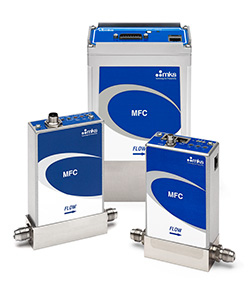
Python driver and command-line tool for MKS mass flow controllers.
pip install mfc
If you want the older python2/tornado driver, use pip install mfc==0.2.11 and review this README.
This driver uses the ethernet port on the side of the device for communication. If you use this driver, you only need to provide power to the top ports.
To test your connection and stream real-time data, use the command-line interface. You can read the flow rate with:
$ mfc 192.168.1.200
{
  "actual": 4.99,
  "gas": "CO2",
  "max": 37,
  "setpoint": 5.00,
  "temperature": 27.34
}
You can optionally specify a setpoint flow and/or gas with e.g.
mfc 192.168.1.150 --set 7.5 --set-gas N2. See mfc --help for more.
This uses Python ≥3.5's async/await syntax to asynchronously communicate with the mass flow controller. For example:
import asyncio
from mfc import FlowController

async def get():
    async with FlowController('the-mfc-ip-address') as fc:
        print(await fc.get())

asyncio.run(get())
The API that matters is get, set, and set_gas.
>>> await fc.get()
{
  "actual": 4.99,
  "gas": "CO2",
  "max": 37,
  "setpoint": 5.00,
  "temperature": 27.34
}
>>> await fc.set(10)
>>> await fc.open()   # set to max flow
>>> await fc.close()  # set to zero flow
>>> await fc.set_gas('N2')
There is also set_display, which will only work on devices that support it.
>>> await fc.set_display('flow')
FAQs
Python driver for MKS mass flow controllers.
We found that mfc demonstrated a healthy version release cadence and project activity because the last version was released less than a year ago. It has 4 open source maintainers collaborating on the project.
Did you know?

Socket for GitHub automatically highlights issues in each pull request and monitors the health of all your open source dependencies. Discover the contents of your packages and block harmful activity before you install or update your dependencies.
Research
Destructive malware is rising across open source registries, using delays and kill switches to wipe code, break builds, and disrupt CI/CD.

Security News
Socket CTO Ahmad Nassri shares practical AI coding techniques, tools, and team workflows, plus what still feels noisy and why shipping remains human-led.

Research
/Security News
A five-month operation turned 27 npm packages into durable hosting for browser-run lures that mimic document-sharing portals and Microsoft sign-in, targeting 25 organizations across manufacturing, industrial automation, plastics, and healthcare for credential theft.