New Research: Supply Chain Attack on Axios Pulls Malicious Dependency from npm.Details → →

mlopscli
Artifacts are distributable versions of a package. It typically includes the source code and metadata
Advanced tools

mlopscli - pypi Package Compare versions
+50
-3
| Metadata-Version: 2.3 | ||
| Name: mlopscli | ||
| Version: 0.1.3 | ||
| Version: 0.1.4 | ||
| Summary: CLI to turn DS scripts to composable pipelines. | ||
@@ -28,6 +28,53 @@ Author: Himanshu Bajpai | ||
| 1. Write your scripts (`data_prep.py`, `train_model.py`, `evaluate_model.py`) | ||
| 1. Write your scripts focussing on different steps in ML Lifecyle (`data_prep.py`, `train_model.py`, `evaluate_model.py`) | ||
| 2. Define them in a `job_order.yaml` with the dependencies. | ||
| 3. Install the mlops cli : `pip install mlopscli` | ||
| 4. Run the command: `mlopscli execute --job prepare_train_pipeline --job_config job_order.yaml` | ||
| 4. Run the CLI command. | ||
| #### Commands Available | ||
| 1. Spin up a streamlit dashboard where the metadata of all the runs will be available. | ||
| ```bash | ||
| mlopscli dashboard | ||
| ``` | ||
| 2. Dry Run the pipeline to ensure Job Config is valid. Validations like dependencies, file paths are checked during dry run | ||
| ```bash | ||
| mlopscli dry-run --job prepare_train_pipeline --job_config job_order.yaml | ||
| ``` | ||
| 3. Execute the pipeline and get results | ||
| ```bash | ||
| mlopscli execute --job prepare_train_pipeline --job_config job_order.yaml --observe | ||
| ``` | ||
| `--observe` : If passed, the resource consumption like CPU/Memory usage will be calculated for each step. | ||
| > ⚠️ **NOTE** : | ||
| > - If the environments already exists, it is not recreated. | ||
| > - Once the DAG is prepared, the steps in the same level are ran in parallel. | ||
| 4. Clean up Environments | ||
| ```bash | ||
| mlopscli cleanup --step-name train | ||
| ``` | ||
| `--step-name` : If passed, the environment associated with the input step is deleted. | ||
| ```bash | ||
| mlopscli cleanup --all | ||
| ``` | ||
| `--all` : If passed, all the environments are cleaned up. | ||
| **Quick Demo** | ||
| [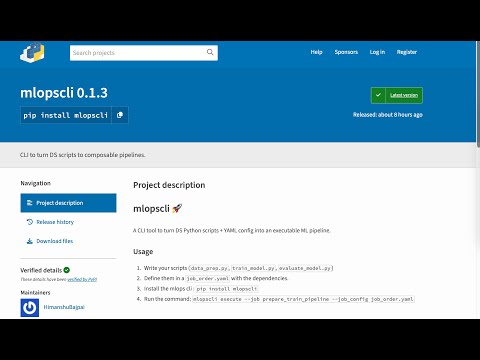](https://www.youtube.com/watch?v=MFBbSA-SHFU) | ||
+1
-1
| [project] | ||
| name = "mlopscli" | ||
| version = "0.1.3" | ||
| version = "0.1.4" | ||
| description = "CLI to turn DS scripts to composable pipelines." | ||
@@ -5,0 +5,0 @@ authors = [ |
+49
-2
@@ -7,5 +7,52 @@ # mlopscli 🚀 | ||
| 1. Write your scripts (`data_prep.py`, `train_model.py`, `evaluate_model.py`) | ||
| 1. Write your scripts focussing on different steps in ML Lifecyle (`data_prep.py`, `train_model.py`, `evaluate_model.py`) | ||
| 2. Define them in a `job_order.yaml` with the dependencies. | ||
| 3. Install the mlops cli : `pip install mlopscli` | ||
| 4. Run the command: `mlopscli execute --job prepare_train_pipeline --job_config job_order.yaml` | ||
| 4. Run the CLI command. | ||
| #### Commands Available | ||
| 1. Spin up a streamlit dashboard where the metadata of all the runs will be available. | ||
| ```bash | ||
| mlopscli dashboard | ||
| ``` | ||
| 2. Dry Run the pipeline to ensure Job Config is valid. Validations like dependencies, file paths are checked during dry run | ||
| ```bash | ||
| mlopscli dry-run --job prepare_train_pipeline --job_config job_order.yaml | ||
| ``` | ||
| 3. Execute the pipeline and get results | ||
| ```bash | ||
| mlopscli execute --job prepare_train_pipeline --job_config job_order.yaml --observe | ||
| ``` | ||
| `--observe` : If passed, the resource consumption like CPU/Memory usage will be calculated for each step. | ||
| > ⚠️ **NOTE** : | ||
| > - If the environments already exists, it is not recreated. | ||
| > - Once the DAG is prepared, the steps in the same level are ran in parallel. | ||
| 4. Clean up Environments | ||
| ```bash | ||
| mlopscli cleanup --step-name train | ||
| ``` | ||
| `--step-name` : If passed, the environment associated with the input step is deleted. | ||
| ```bash | ||
| mlopscli cleanup --all | ||
| ``` | ||
| `--all` : If passed, all the environments are cleaned up. | ||
| **Quick Demo** | ||
| [](https://www.youtube.com/watch?v=MFBbSA-SHFU) | ||
Alert delta unavailable
Currently unable to show alert delta for PyPI packages.
Improved metrics
- Total package byte prevSize
19791
12.93%