🚀 open-responses-server
A plug-and-play server that speaks OpenAI’s Responses API—no matter which AI backend you’re running.
Ollama? vLLM? LiteLLM? Even OpenAI itself?
This server bridges them all to the OpenAI ChatCompletions & Responses API interface.
In plain words:
👉 Want to run OpenAI’s Coding Assistant (Codex) or other OpenAI API clients against your own models?
👉 Want to experiment with self-hosted LLMs but keep OpenAI’s API compatibility?
This project makes it happen.
It handles stateful chat, tool calls, and future features like file search & code interpreter—all behind a familiar OpenAI API.
⸻
✨ Why use this?
✅ Acts as a drop-in replacement for OpenAI’s Responses API.
✅ Lets you run any backend AI (Ollama, vLLM, Groq, etc.) with OpenAI-compatible clients.
✅ MCP support around both Chat Completions and Responses APIs
✅ Supports OpenAI’s new Coding Assistant / Codex that requires Responses API.
✅ Built for innovators, researchers, OSS enthusiasts.
✅ Enterprise-ready: scalable, reliable, and secure for production workloads.
⸻
🔥 What’s in & what’s next?
✅ Done 📝 Coming soon
- ✅ Tool call support .env file support
- ✅ Manual & pipeline tests
- ✅ Docker image build
- ✅ PyPI release
- 📝 Persistent state (not just in-memory)
- ✅ CLI validation
- 📝 hosted tools:
- ✅ MCPs support
- 📝 Web search: crawl4ai
- 📝 File upload + search: graphiti
- 📝 Code interpreter
- 📝 Computer use APIs
⸻
🏗️ Quick Install
Latest release on PyPI:
pip install open-responses-server
Or install from source:
pip install uv
uv venv
uv pip install .
uv pip install -e ".[dev]"  # dev dependencies
Run the server:
# Using CLI tool (after installation)
otc start

# Or directly from source
uv run src/open_responses_server/cli.py start
Docker deployment:
# Run with Docker
docker run -p 8080:8080 \
  -e OPENAI_BASE_URL_INTERNAL=http://your-llm-api:8000 \
  -e OPENAI_BASE_URL=http://localhost:8080 \
  -e OPENAI_API_KEY=your-api-key \
  ghcr.io/teabranch/open-responses-server:latest
Works great with docker-compose.yaml for Codex + your own model.
⸻
🛠️ Configure
Minimal config to connect your AI backend:
OPENAI_BASE_URL_INTERNAL=http://localhost:11434  # Ollama, vLLM, Groq, etc.
OPENAI_BASE_URL=http://localhost:8080            # This server's endpoint
OPENAI_API_KEY=sk-mockapikey123456789            # Mock key tunneled to backend
MCP_SERVERS_CONFIG_PATH=./mcps.json              # Path to mcps servers json file
Server binding:
API_ADAPTER_HOST=0.0.0.0
API_ADAPTER_PORT=8080
Optional logging:
LOG_LEVEL=INFO
LOG_FILE_PATH=./log/api_adapter.log
Configure with CLI tool:
# Interactive configuration setup
otc configure
Verify setup:
# Check if the server is working
curl http://localhost:8080/v1/models
⸻
💬 We’d love your support!
If you think this is cool:
⭐ Star the repo.
🐛 Open an issue if something’s broken.
🤝 Suggest a feature or submit a pull request!
This is early-stage but already usable in real-world demos.
Let’s build something powerful—together.
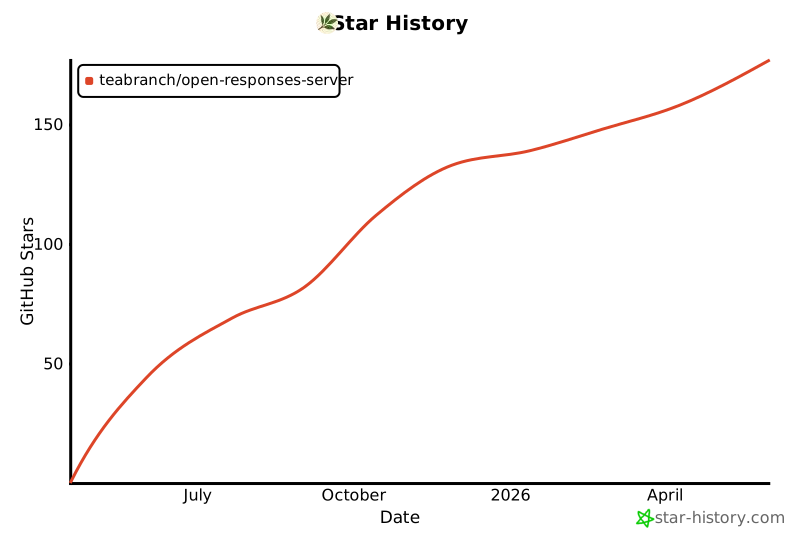
Star History
Projects using this middleware
- Agentic Developer MCP Server - a wrapper around Codex, transforming Codex into an agentic developer node over a folder. Together with this (ORS) repo, it becomes a link in a tree/chain of developers.
- Nvidia jetson devices - docker compose with ollama
⸻
📚 Citations & inspirations
Referenced projects
- SearXNG MCP
- UncleCode. (2024). Crawl4AI: Open-source LLM Friendly Web Crawler & Scraper [Computer software]. GitHub. Crawl4AI repo
Cite this project
Code citation
@software{open-responses-server,
  author = {TeaBranch},
  title = {open-responses-server: Open-source server bridging any AI provider to OpenAI’s Responses API},
  year = {2025},
  publisher = {GitHub},
  journal = {GitHub Repository},
  howpublished = {\url{https://github.com/teabranch/open-responses-server}},
  commit = {use the commit hash you’re working with}
}
Text citation
TeaBranch. (2025). open-responses-server: Open-source server the serves any AI provider with OpenAI ChatCompletions as OpenAI's Responses API and hosted tools. [Computer software]. GitHub. https://github.com/teabranch/open-responses-server
Links:
Naming history
This repo had changed names:
- openai-responses-server (Changed to avoid brand name OpenAI)
- open-responses-server





