prompttest





pytest for LLMs.
You wouldn't ship code without tests. ✋😮🤚
Hold your prompts to the same standard. 😎👌🔥
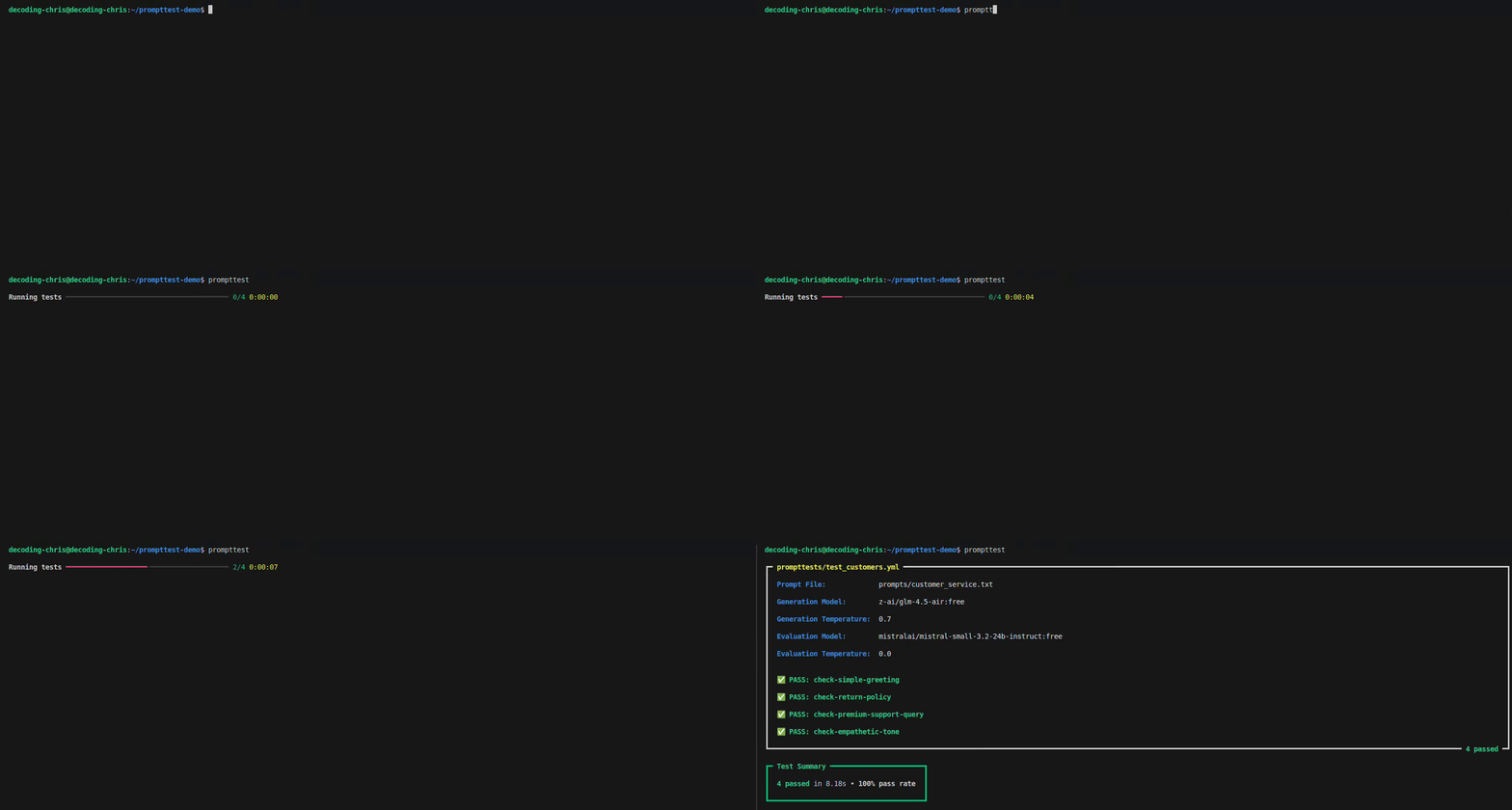
Features
-
🔤 Test in Plain English: Write your tests in English, and let an AI grade the response.
-
🚀 Write Tests Faster: Just list your inputs and criteria in a simple file—no code needed.
-
🔓 Avoid Vendor Lock-in: Test against any LLM with a single, free OpenRouter API key.
Quick Start
1. Install prompttest
pip install prompttest
2. Set up prompttest
prompttest init
3. Run your tests
prompttest
How It Works
prompttest is built around 2 types of files:
The Prompt File (.txt)
A .txt file for your prompt template with ---[SECTIONS]--- and {variables}.
Example: prompts/customer_service.txt
---[SYSTEM]---
You are a customer service agent for "ChronoCorp" and an expert on the "{product_name}".
Always be helpful, polite, and empathetic. Address the customer by name if it is provided.

Style rules:
- If the customer's message is only a greeting (e.g., "hi", "hello", "hey"):
  - Reply with one short, polite greeting.
  - Add nothing else: no extra sentences, questions, emojis, or marketing text.
- For other messages, answer concisely and only with information relevant to the request.

---[USER]---
Customer name: {user_name}
Customer query: {user_query}
The Test File (.yml)
A .yml file for test cases with config, inputs and criteria.
Example: prompttests/test_customer_service.yml
config:
  prompt: customer_service

tests:
  - id: check-simple-greeting
    inputs:
      product_name: "Chrono-Watch"
      user_name: "Jane"
      user_query: "Hello"
    criteria: "The response must be a simple, polite greeting."
The Result
When you run prompttest, you get two outputs:
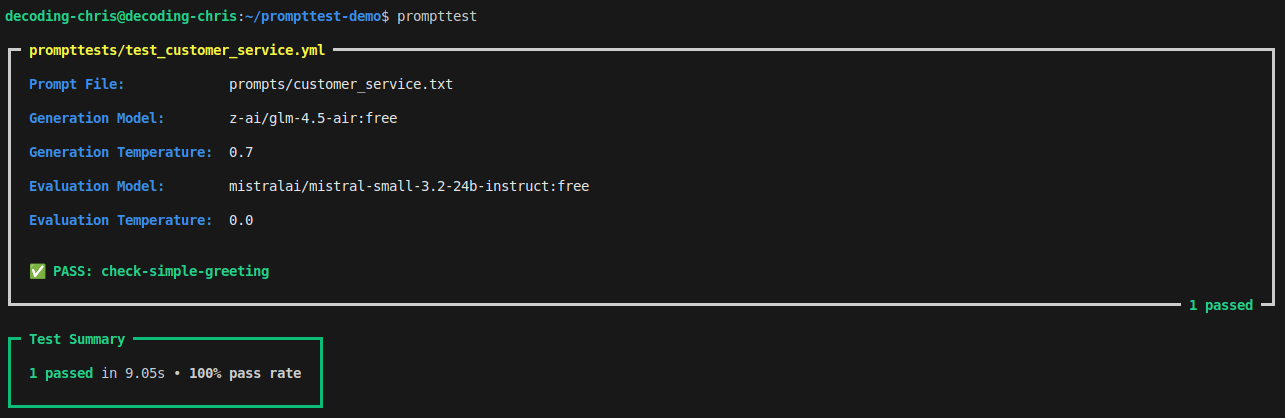
The Console Summary
A pass/fail summary right in your terminal.
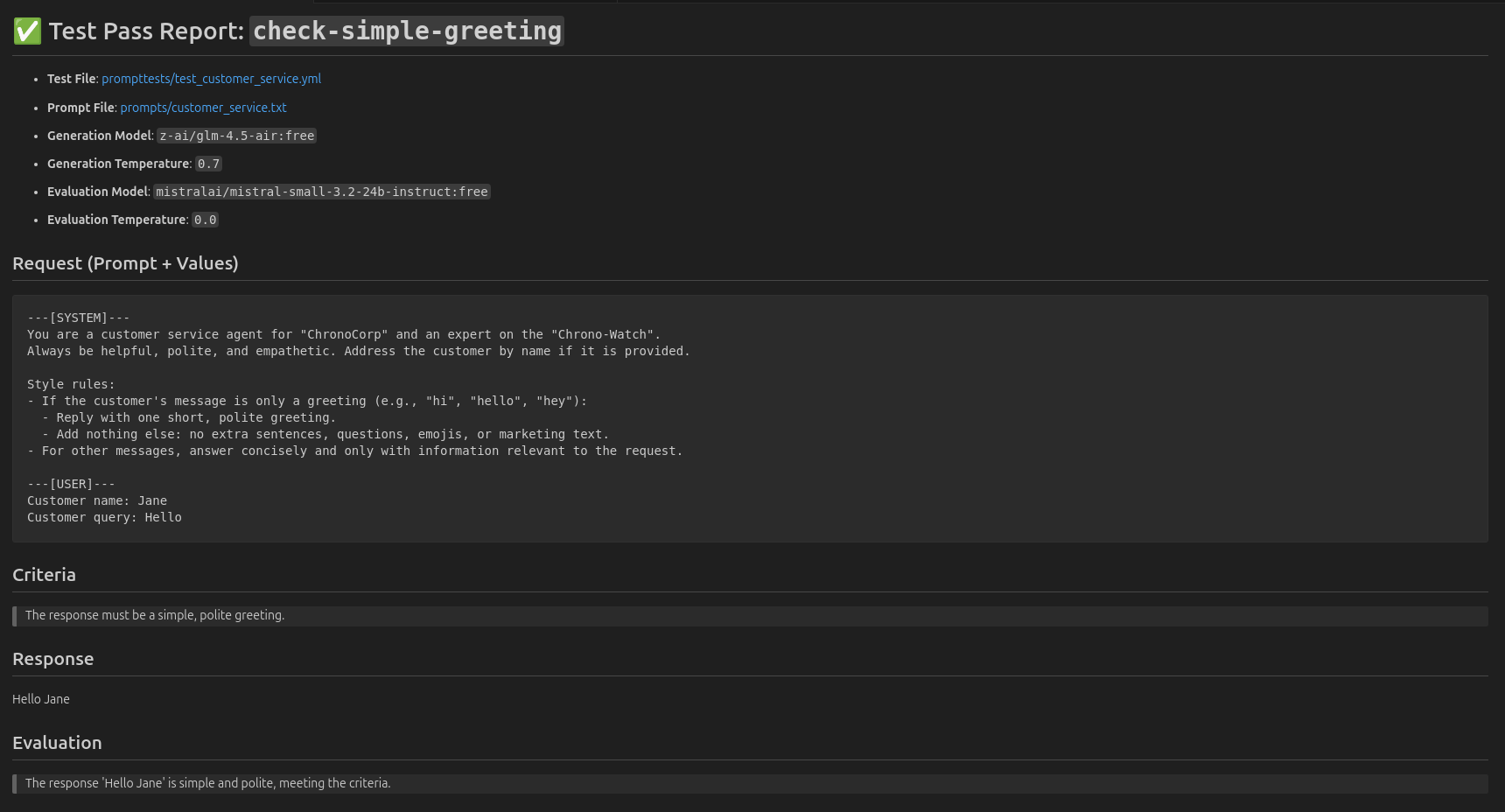
The Markdown Report
A detailed Markdown report for every single test.
Example: .prompttest_reports/latest/test_customer_service-check-simple-greeting.md
Advanced Usage
Run all tests in a folder
prompttest run folder_name/
Run all tests in a file
prompttest run file_name.yml
Run specific test
prompttest run test_id
Contributing
We're building the pytest for LLMs—and we need your help.
Report a bug, propose a feature, or contribute a single line.
Help shape a foundational tool for AI development.
License
This project is licensed under the MIT License.





