


Security News
The Nightmare Before Deployment
Season’s greetings from Socket, and here’s to a calm end of year: clean dependencies, boring pipelines, no surprises.
By Ahmad Nassri - Dec 16, 2025
pydantic-evals
Advanced tools
Framework for evaluating stochastic code execution, especially code making use of LLMs





This is a library for evaluating non-deterministic (or "stochastic") functions in Python. It provides a simple, Pythonic interface for defining and running stochastic functions, and analyzing the results of running those functions.
While this library is developed as part of Pydantic AI, it only uses Pydantic AI for a small subset of generative functionality internally, and it is designed to be used with arbitrary "stochastic function" implementations. In particular, it can be used with other (non-Pydantic AI) AI libraries, agent frameworks, etc.
As with Pydantic AI, this library prioritizes type safety and use of common Python syntax over esoteric, domain-specific use of Python syntax.
Full documentation is available at ai.pydantic.dev/evals.
While you'd typically use Pydantic Evals with more complex functions (such as Pydantic AI agents or graphs), here's a quick example that evaluates a simple function against a test case using both custom and built-in evaluators:
from pydantic_evals import Case, Dataset
from pydantic_evals.evaluators import Evaluator, EvaluatorContext, IsInstance
# Define a test case with inputs and expected output
case = Case(
name='capital_question',
inputs='What is the capital of France?',
expected_output='Paris',
)
# Define a custom evaluator
class MatchAnswer(Evaluator[str, str]):
def evaluate(self, ctx: EvaluatorContext[str, str]) -> float:
if ctx.output == ctx.expected_output:
return 1.0
elif isinstance(ctx.output, str) and ctx.expected_output.lower() in ctx.output.lower():
return 0.8
return 0.0
# Create a dataset with the test case and evaluators
dataset = Dataset(
cases=[case],
evaluators=[IsInstance(type_name='str'), MatchAnswer()],
)
# Define the function to evaluate
async def answer_question(question: str) -> str:
return 'Paris'
# Run the evaluation
report = dataset.evaluate_sync(answer_question)
report.print(include_input=True, include_output=True)
"""
Evaluation Summary: answer_question
┏━━━━━━━━━━━━━━━━━━┳━━━━━━━━━━━━━━━━━━━━━━━━━━━━━━━━┳━━━━━━━━━┳━━━━━━━━━━━━━━━━━━━┳━━━━━━━━━━━━┳━━━━━━━━━━┓
┃ Case ID ┃ Inputs ┃ Outputs ┃ Scores ┃ Assertions ┃ Duration ┃
┡━━━━━━━━━━━━━━━━━━╇━━━━━━━━━━━━━━━━━━━━━━━━━━━━━━━━╇━━━━━━━━━╇━━━━━━━━━━━━━━━━━━━╇━━━━━━━━━━━━╇━━━━━━━━━━┩
│ capital_question │ What is the capital of France? │ Paris │ MatchAnswer: 1.00 │ ✔ │ 10ms │
├──────────────────┼────────────────────────────────┼─────────┼───────────────────┼────────────┼──────────┤
│ Averages │ │ │ MatchAnswer: 1.00 │ 100.0% ✔ │ 10ms │
└──────────────────┴────────────────────────────────┴─────────┴───────────────────┴────────────┴──────────┘
"""
Using the library with more complex functions, such as Pydantic AI agents, is similar — all you need to do is define a task function wrapping the function you want to evaluate, with a signature that matches the inputs and outputs of your test cases.
Pydantic Evals uses OpenTelemetry to record traces for each case in your evaluations.
You can send these traces to any OpenTelemetry-compatible backend. For the best experience, we recommend Pydantic Logfire, which includes custom views for evals:
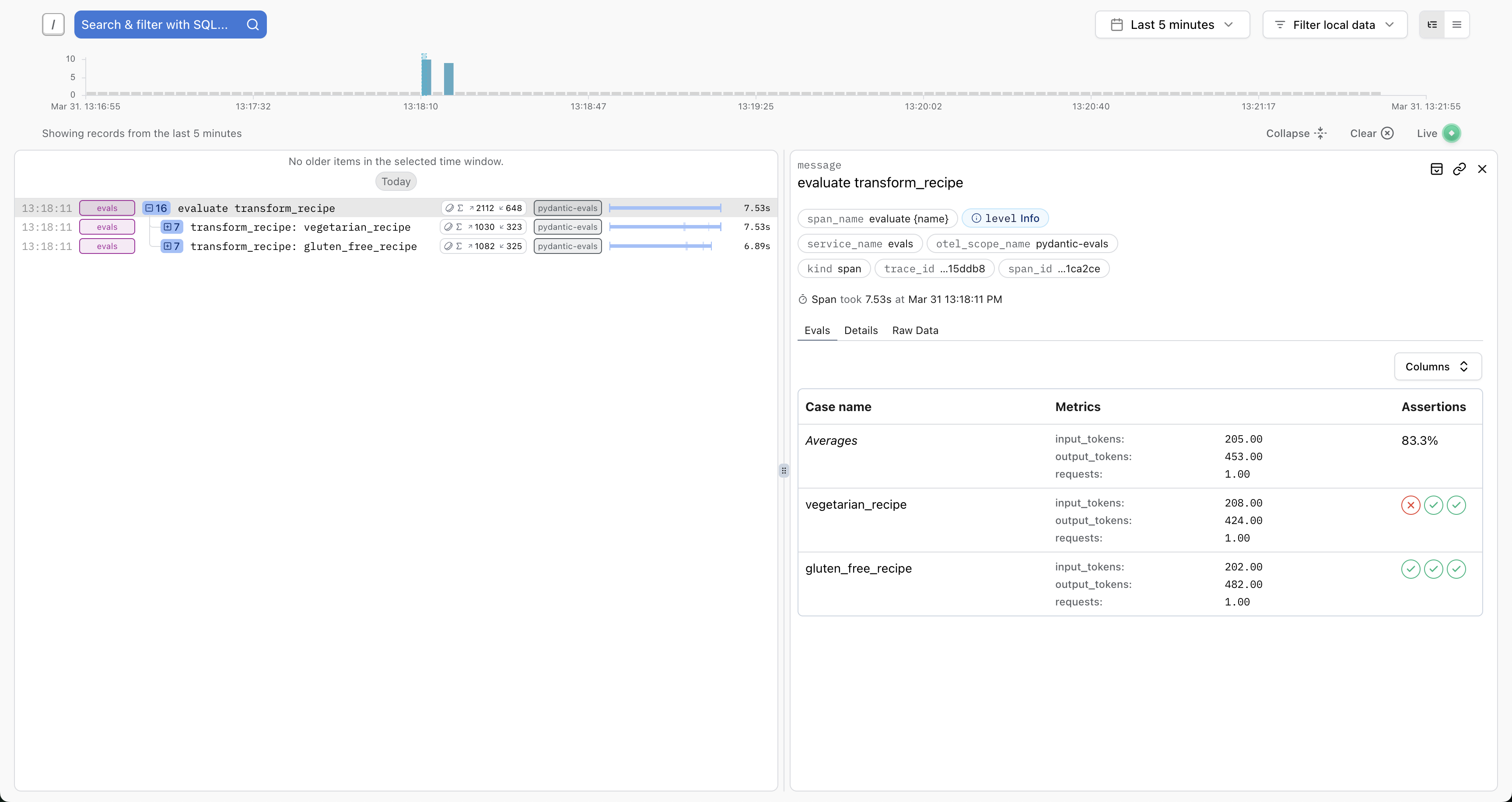
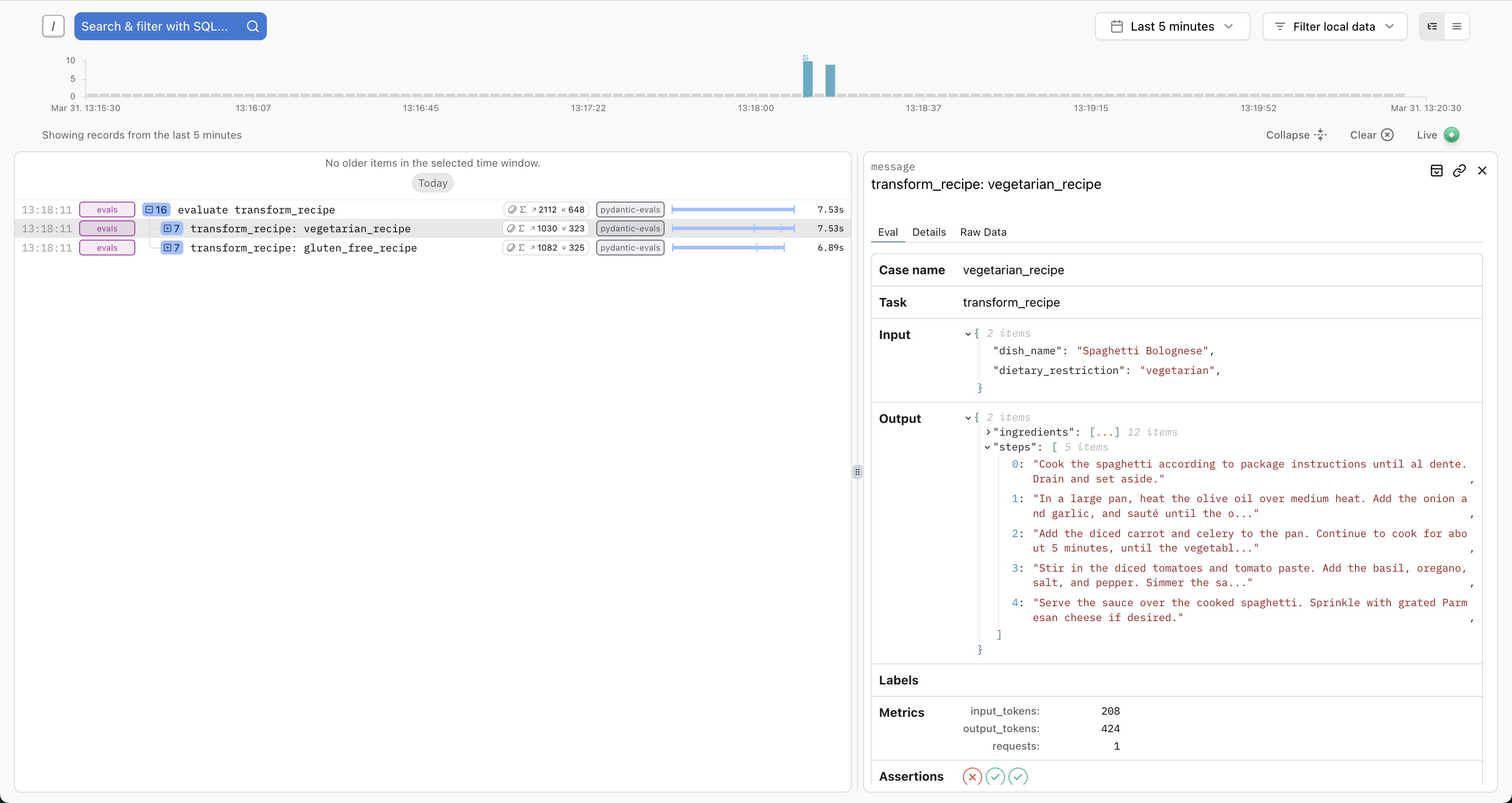
You'll see full details about the inputs, outputs, token usage, execution durations, etc. And you'll have access to the full trace for each case — ideal for debugging, writing path-aware evaluators, or running the similar evaluations against production traces.
Basic setup:
import logfire

logfire.configure(
    send_to_logfire='if-token-present',
    environment='development',
    service_name='evals',
)

...

my_dataset.evaluate_sync(my_task)
FAQs
Framework for evaluating stochastic code execution, especially code making use of LLMs
We found that pydantic-evals demonstrated a healthy version release cadence and project activity because the last version was released less than a year ago. It has 1 open source maintainer collaborating on the project.
Did you know?

Socket for GitHub automatically highlights issues in each pull request and monitors the health of all your open source dependencies. Discover the contents of your packages and block harmful activity before you install or update your dependencies.
Security News
Season’s greetings from Socket, and here’s to a calm end of year: clean dependencies, boring pipelines, no surprises.

Research
/Security News
Impostor NuGet package Tracer.Fody.NLog typosquats Tracer.Fody and its author, using homoglyph tricks, and exfiltrates Stratis wallet JSON/passwords to a Russian IP address.

Security News
Deno 2.6 introduces deno audit with a new --socket flag that plugs directly into Socket to bring supply chain security checks into the Deno CLI.