Pydantic Evals





This is a library for evaluating non-deterministic (or "stochastic") functions in Python. It provides a simple,
Pythonic interface for defining and running stochastic functions, and analyzing the results of running those functions.
While this library is developed as part of Pydantic AI, it only uses Pydantic AI for a small
subset of generative functionality internally, and it is designed to be used with arbitrary "stochastic function"
implementations. In particular, it can be used with other (non-Pydantic AI) AI libraries, agent frameworks, etc.
As with Pydantic AI, this library prioritizes type safety and use of common Python syntax over esoteric, domain-specific
use of Python syntax.
Full documentation is available at ai.pydantic.dev/evals.
Example
While you'd typically use Pydantic Evals with more complex functions (such as Pydantic AI agents or graphs), here's a
quick example that evaluates a simple function against a test case using both custom and built-in evaluators:
from pydantic_evals import Case, Dataset
from pydantic_evals.evaluators import Evaluator, EvaluatorContext, IsInstance
case = Case(
name='capital_question',
inputs='What is the capital of France?',
expected_output='Paris',
)
class MatchAnswer(Evaluator[str, str]):
def evaluate(self, ctx: EvaluatorContext[str, str]) -> float:
if ctx.output == ctx.expected_output:
return 1.0
elif isinstance(ctx.output, str) and ctx.expected_output.lower() in ctx.output.lower():
return 0.8
return 0.0
dataset = Dataset(
cases=[case],
evaluators=[IsInstance(type_name='str'), MatchAnswer()],
)
async def answer_question(question: str) -> str:
return 'Paris'
report = dataset.evaluate_sync(answer_question)
report.print(include_input=True, include_output=True)
"""
Evaluation Summary: answer_question
┏━━━━━━━━━━━━━━━━━━┳━━━━━━━━━━━━━━━━━━━━━━━━━━━━━━━━┳━━━━━━━━━┳━━━━━━━━━━━━━━━━━━━┳━━━━━━━━━━━━┳━━━━━━━━━━┓
┃ Case ID ┃ Inputs ┃ Outputs ┃ Scores ┃ Assertions ┃ Duration ┃
┡━━━━━━━━━━━━━━━━━━╇━━━━━━━━━━━━━━━━━━━━━━━━━━━━━━━━╇━━━━━━━━━╇━━━━━━━━━━━━━━━━━━━╇━━━━━━━━━━━━╇━━━━━━━━━━┩
│ capital_question │ What is the capital of France? │ Paris │ MatchAnswer: 1.00 │ ✔ │ 10ms │
├──────────────────┼────────────────────────────────┼─────────┼───────────────────┼────────────┼──────────┤
│ Averages │ │ │ MatchAnswer: 1.00 │ 100.0% ✔ │ 10ms │
└──────────────────┴────────────────────────────────┴─────────┴───────────────────┴────────────┴──────────┘
"""
Using the library with more complex functions, such as Pydantic AI agents, is similar — all you need to do is define a
task function wrapping the function you want to evaluate, with a signature that matches the inputs and outputs of your
test cases.
Logfire Integration
Pydantic Evals uses OpenTelemetry to record traces for each case in your evaluations.
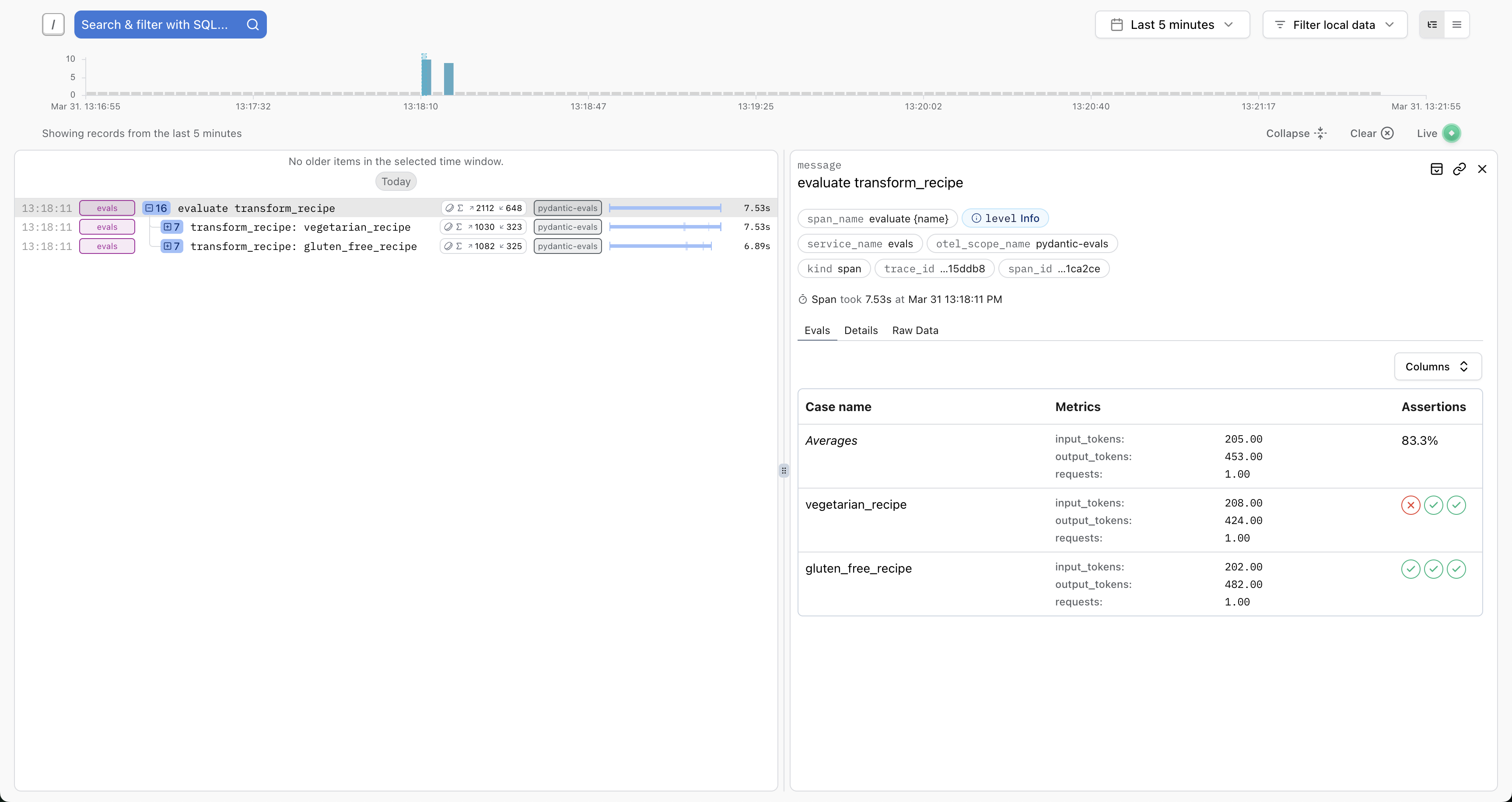
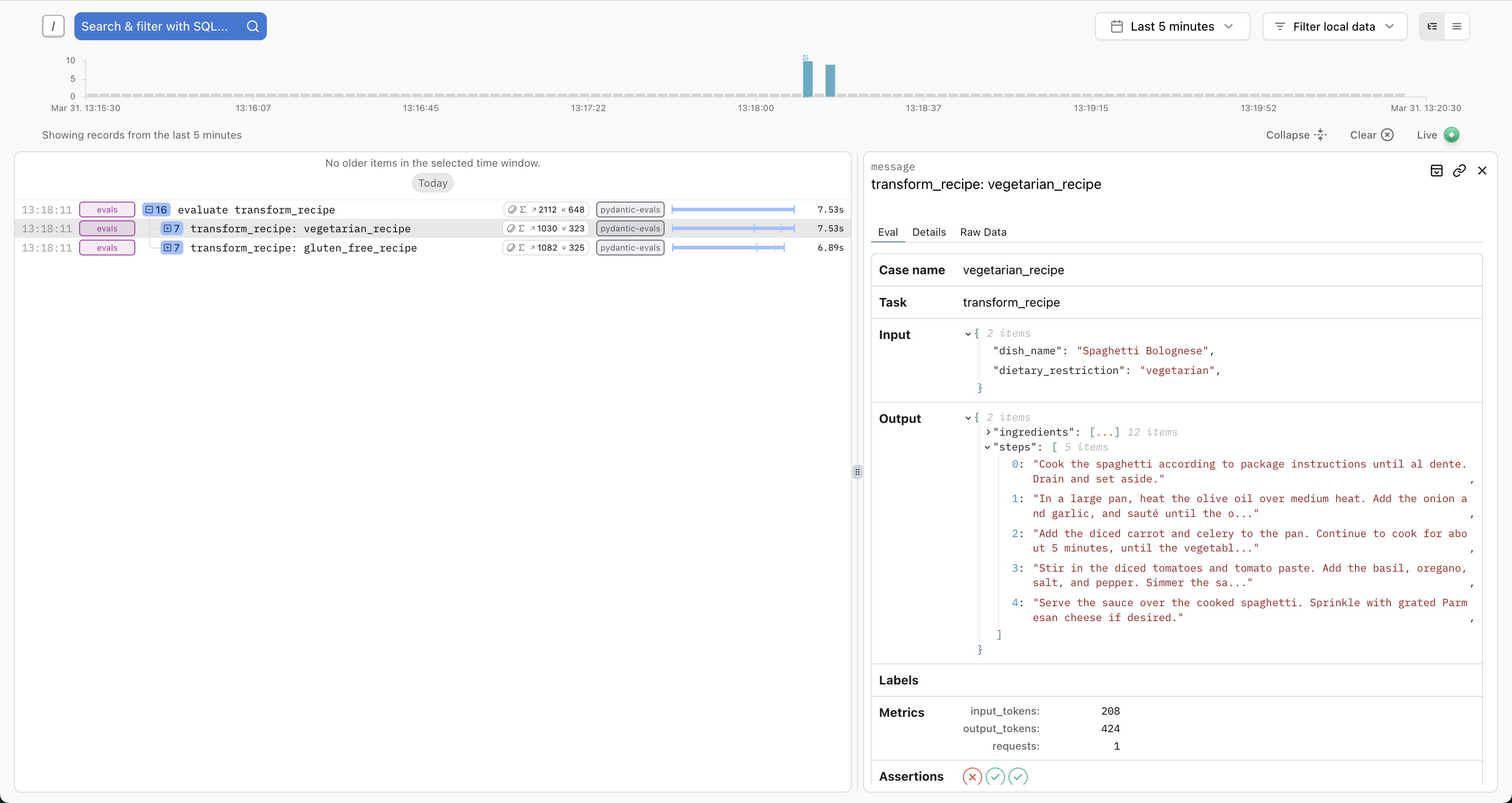
You can send these traces to any OpenTelemetry-compatible backend. For the best experience, we recommend Pydantic Logfire, which includes custom views for evals:
You'll see full details about the inputs, outputs, token usage, execution durations, etc. And you'll have access to the full trace for each case — ideal for debugging, writing path-aware evaluators, or running the similar evaluations against production traces.
Basic setup:
import logfire

logfire.configure(
    send_to_logfire='if-token-present',
    environment='development',
    service_name='evals',
)

...

my_dataset.evaluate_sync(my_task)
Read more about the Logfire integration here.