


Product
Introducing Reachability for PHP
Reachability analysis for PHP is now available in experimental, helping teams identify which vulnerabilities are actually exploitable.
By Benjamin Barslev - Apr 24, 2026
pymadcad
Advanced tools

Mechanical design as code -- a Python CAD library for engineers who prefer scripts and automation over clicks.


PyMADCAD is a script-based CAD library where the Python script is the model. Design mechanical parts with transparent, composable geometry you can version, diff, test, and automate -- no parametric black box, no opaque GUI. It outputs triangulated meshes ready for rendering, simulation, or 3D printing.
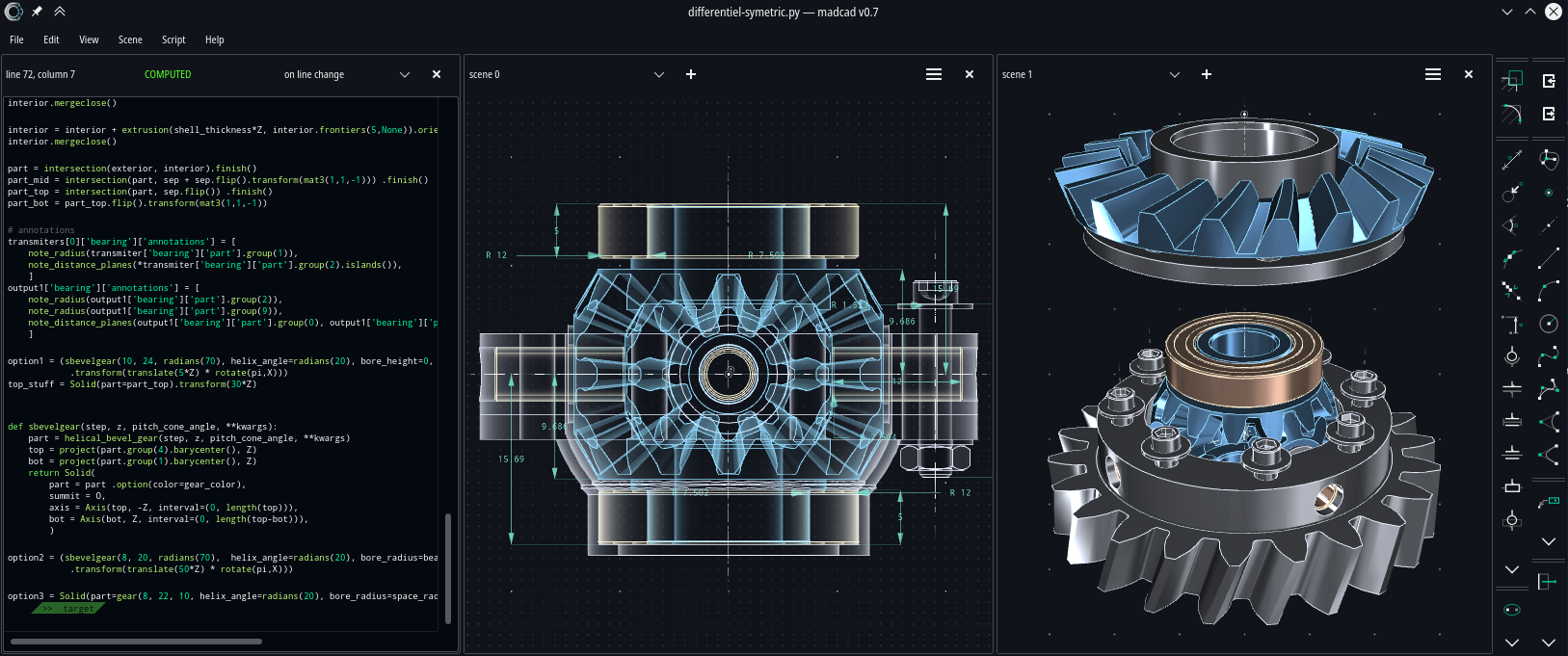
uimadcad is the graphical frontend for pymadcad -- an interactive 3D editor with multi-view scene, script editor, and quick primitive tools. Everything you can do in the GUI, you can also do in a script.
Website · Documentation · Examples · Matrix chat
pip install pymadcad
Optional file format support:
pip install pymadcad[stl,ply,obj]
from madcad import *

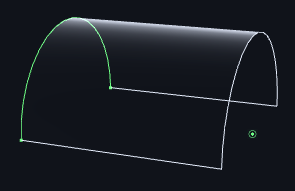
show(extrusion(ArcThrough(+Y, Z, -Y), 2*X))
from madcad import *

m1 = brick(width=vec3(2))
m2 = m1.transform(vec3(0.5, 0.3, 0.4)).transform(quat(0.7 * vec3(1, 1, 0)))

show([difference(m1, m2)])

See the examples/ folder and the guide for more.

pymadcad/
├── madcad/      # Python module
├── src/         # Rust extensions for the python module (performance-critical operations)
├── examples/    # example of mechanisms designed with madcad
├── tests/       # all unit tests for madcad
└── docs/        # docs based on mkdocs
This python module stands as a library proposing few data structures and a lot of functions to operate them. It is mostly functional and straight forward code style
The rust extension of pymadcad standard as madcad.core and is based on pyo3 and built with maturin
Here are recommended ways to work with this repo
# clone this repository from official sources
git clone https://github.com/jimy-byerley/pymadcad
cd pymadcad

# Install dependencies
uv sync
# build the Rust extension for inplace use of madcad, add --release for bechmarks
maturin develop

# Run tests
pytest
# run tests but skip visual checks
MADCAD_VISUALCHECK=false pytest

# Build and serve the docs locally
mkdocs serve
# build pymadcad package
maturin build --release
# just build the docs website
mkdocs build

Copyright 2019-2026 Yves Dejonghe jimy.byerley@gmail.com
Distributed under the LGPL-v3 license.
FAQs
Simple yet powerful CAD (Computer Aided Design) library, written with Python
We found that pymadcad demonstrated a healthy version release cadence and project activity because the last version was released less than a year ago. It has 1 open source maintainer collaborating on the project.
Did you know?

Socket for GitHub automatically highlights issues in each pull request and monitors the health of all your open source dependencies. Discover the contents of your packages and block harmful activity before you install or update your dependencies.
Product
Reachability analysis for PHP is now available in experimental, helping teams identify which vulnerabilities are actually exploitable.

Product
Export Socket alert data to your own cloud storage in JSON, CSV, or Parquet, with flexible snapshot or incremental delivery.

Research
/Security News
Bitwarden CLI 2026.4.0 was compromised in the Checkmarx supply chain campaign after attackers abused a GitHub Action in Bitwarden’s CI/CD pipeline.