


Security News
Deno 2.6 + Socket: Supply Chain Defense In Your CLI
Deno 2.6 introduces deno audit with a new --socket flag that plugs directly into Socket to bring supply chain security checks into the Deno CLI.
By Sarah Gooding - Dec 12, 2025
scrapegraph-py
Advanced tools



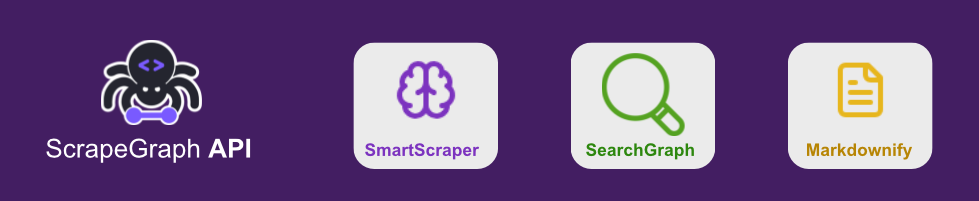
Official Python SDK for the ScrapeGraph API - Smart web scraping powered by AI.
pip install scrapegraph-py
This installs the core SDK with minimal dependencies. The SDK is fully functional with just the core dependencies.
For specific use cases, you can install optional extras:
HTML Validation (required when using website_html parameter):
pip install scrapegraph-py[html]
Langchain Integration (for using with Langchain/Langgraph):
pip install scrapegraph-py[langchain]
All Optional Dependencies:
pip install scrapegraph-py[html,langchain]
from scrapegraph_py import Client

client = Client(api_key="your-api-key-here")
[!NOTE] You can set the
SGAI_API_KEYenvironment variable and initialize the client without parameters:client = Client()
Extract structured data from any webpage or HTML content using AI.
from scrapegraph_py import Client

client = Client(api_key="your-api-key-here")

# Using a URL
response = client.smartscraper(
    website_url="https://example.com",
    user_prompt="Extract the main heading and description"
)

# Or using HTML content
# Note: Using website_html requires the [html] extra: pip install scrapegraph-py[html]
html_content = """
<html>
    <body>
        <h1>Company Name</h1>
        <p>We are a technology company focused on AI solutions.</p>
    </body>
</html>
"""

response = client.smartscraper(
    website_html=html_content,
    user_prompt="Extract the company description"
)

print(response)
from pydantic import BaseModel, Field
from scrapegraph_py import Client

client = Client(api_key="your-api-key-here")

class WebsiteData(BaseModel):
    title: str = Field(description="The page title")
    description: str = Field(description="The meta description")

response = client.smartscraper(
    website_url="https://example.com",
    user_prompt="Extract the title and description",
    output_schema=WebsiteData
)
Use cookies for authentication and session management:
from scrapegraph_py import Client

client = Client(api_key="your-api-key-here")

# Define cookies for authentication
cookies = {
    "session_id": "abc123def456",
    "auth_token": "eyJhbGciOiJIUzI1NiIsInR5cCI6IkpXVCJ9...",
    "user_preferences": "dark_mode,usd"
}

response = client.smartscraper(
    website_url="https://example.com/dashboard",
    user_prompt="Extract user profile information",
    cookies=cookies
)
Common Use Cases:
Infinite Scrolling:
response = client.smartscraper(
    website_url="https://example.com/feed",
    user_prompt="Extract all posts from the feed",
    cookies=cookies,
    number_of_scrolls=10  # Scroll 10 times to load more content
)
Pagination:
response = client.smartscraper(
    website_url="https://example.com/products",
    user_prompt="Extract all product information",
    cookies=cookies,
    total_pages=5  # Scrape 5 pages
)
Combined with Cookies:
response = client.smartscraper(
    website_url="https://example.com/dashboard",
    user_prompt="Extract user data from all pages",
    cookies=cookies,
    number_of_scrolls=5,
    total_pages=3
)
Perform AI-powered web searches with structured results and reference URLs.
from scrapegraph_py import Client

client = Client(api_key="your-api-key-here")

response = client.searchscraper(
    user_prompt="What is the latest version of Python and its main features?"
)

print(f"Answer: {response['result']}")
print(f"Sources: {response['reference_urls']}")
from pydantic import BaseModel, Field
from scrapegraph_py import Client

client = Client(api_key="your-api-key-here")

class PythonVersionInfo(BaseModel):
    version: str = Field(description="The latest Python version number")
    release_date: str = Field(description="When this version was released")
    major_features: list[str] = Field(description="List of main features")

response = client.searchscraper(
    user_prompt="What is the latest version of Python and its main features?",
    output_schema=PythonVersionInfo
)
Converts any webpage into clean, formatted markdown.
from scrapegraph_py import Client

client = Client(api_key="your-api-key-here")

response = client.markdownify(
    website_url="https://example.com"
)

print(response)
Intelligently crawl and extract data from multiple pages with support for both AI extraction and markdown conversion modes.
Extract structured data from multiple pages using AI:
from scrapegraph_py import Client

client = Client(api_key="your-api-key-here")

# Define the data schema for extraction
schema = {
    "type": "object",
    "properties": {
        "company_name": {"type": "string"},
        "founders": {
            "type": "array",
            "items": {"type": "string"}
        },
        "description": {"type": "string"}
    }
}

response = client.crawl(
    url="https://scrapegraphai.com",
    prompt="extract the company information and founders",
    data_schema=schema,
    depth=2,
    max_pages=5,
    same_domain_only=True
)

# Poll for results (crawl is asynchronous)
crawl_id = response.get("crawl_id")
result = client.get_crawl(crawl_id)
Convert pages to clean markdown without AI processing (80% cheaper):
from scrapegraph_py import Client

client = Client(api_key="your-api-key-here")

response = client.crawl(
    url="https://scrapegraphai.com",
    extraction_mode=False,  # Markdown conversion mode
    depth=2,
    max_pages=5,
    same_domain_only=True,
    sitemap=True  # Use sitemap for better page discovery
)

# Poll for results
crawl_id = response.get("crawl_id")
result = client.get_crawl(crawl_id)

# Access markdown content
for page in result["result"]["pages"]:
    print(f"URL: {page['url']}")
    print(f"Markdown: {page['markdown']}")
    print(f"Metadata: {page['metadata']}")
True = AI extraction mode (requires prompt and data_schema)False = Markdown conversion mode (no AI, 80% cheaper)Cost Comparison:
Sitemap Benefits:
All endpoints support async operations:
import asyncio
from scrapegraph_py import AsyncClient

async def main():
    async with AsyncClient() as client:
        response = await client.smartscraper(
            website_url="https://example.com",
            user_prompt="Extract the main content"
        )
        print(response)

asyncio.run(main())
For detailed documentation, visit docs.scrapegraphai.com
For information about setting up the development environment and contributing to the project, see our Contributing Guide.
from scrapegraph_py import Client

client = Client(api_key="your-api-key-here")

client.submit_feedback(
    request_id="your-request-id",
    rating=5,
    feedback_text="Great results!"
)
This project is licensed under the MIT License - see the LICENSE file for details.
Made with ❤️ by ScrapeGraph AI
FAQs
ScrapeGraph Python SDK for API
We found that scrapegraph-py demonstrated a healthy version release cadence and project activity because the last version was released less than a year ago. It has 1 open source maintainer collaborating on the project.
Did you know?

Socket for GitHub automatically highlights issues in each pull request and monitors the health of all your open source dependencies. Discover the contents of your packages and block harmful activity before you install or update your dependencies.
Security News
Deno 2.6 introduces deno audit with a new --socket flag that plugs directly into Socket to bring supply chain security checks into the Deno CLI.

Security News
New DoS and source code exposure bugs in React Server Components and Next.js: what’s affected and how to update safely.

Security News
Socket CEO Feross Aboukhadijeh joins Software Engineering Daily to discuss modern software supply chain attacks and rising AI-driven security risks.