
tkinter-tooltip
What this is
This is a simple yet fully customisable tooltip/pop-up implementation for
tkinter widgets. It is capable of fully integrating with custom tkinter
themes both light and dark ones.

Features
- normal tooltips
- show tooltip with
s seconds delay
- tooltip tracks mouse cursor
- tooltip displays strings and string returning functions
- fully customisable, tooltip inherits underlying theme style
Install
pip install tkinter-tooltip
Examples
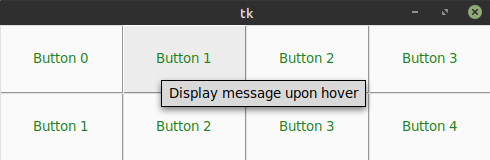
Normal tooltips
By default the tooltip activates when entering and/or moving in the widget are
and deactivates when leaving and/or pressing any button.
import tkinter as tk
import tkinter.ttk as ttk
from tktooltip import ToolTip

app = tk.Tk()
b = ttk.Button(app, text="Button")
b.pack()
ToolTip(b, msg="Hover info")
app.mainloop()
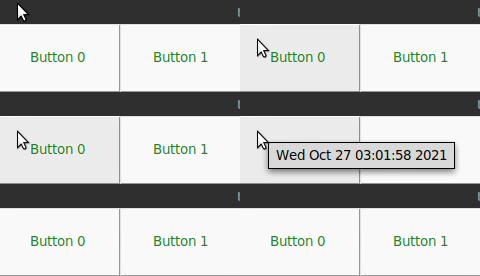
Delayed tooltip
import tkinter as tk
import tkinter.ttk as ttk
from tktooltip import ToolTip
app = tk.Tk()
b = ttk.Button(app, text="Button")
b.pack()
ToolTip(b, msg="Hover info", delay=2.0)
app.mainloop()
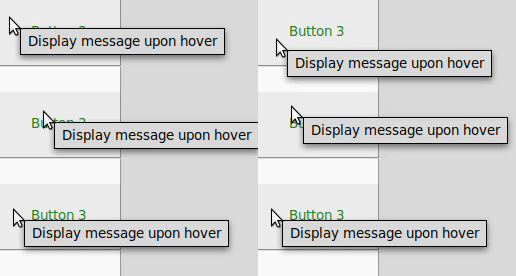
Tracking tooltip
Have the tooltip follow the mousse cursor around when moving.
import tkinter as tk
import tkinter.ttk as ttk
from tktooltip import ToolTip
app = tk.Tk()
b = ttk.Button(app, text="Button")
b.pack()
ToolTip(b, msg="Hover info", follow=True)
app.mainloop()
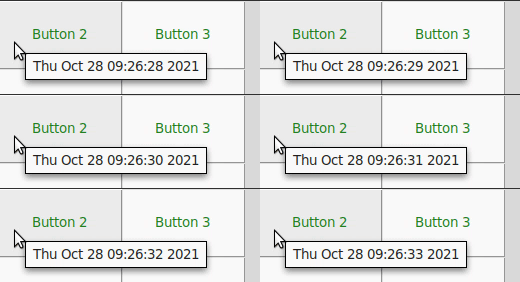
Function as tooltip
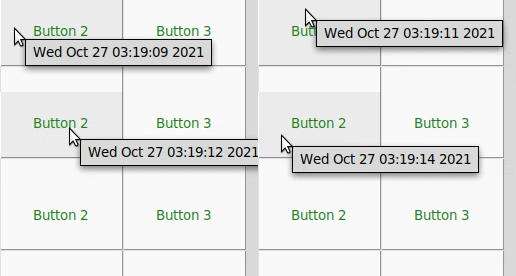
Here the tooltip returns the value of time.asctime() which updates with every
movement. You can control the refresh rate of the ToolTip through the refresh
argument by default it is set to 1s.
import time
import tkinter as tk
import tkinter.ttk as ttk
from tktooltip import ToolTip
app = tk.Tk()
b = ttk.Button(app, text="Button")
b.pack()
ToolTip(b, msg=time.asctime, delay=0)
app.mainloop()
Themed tooltip
tkinter-tooltip is fully aware of the underlying theme (in this case a dark theme),
and can even be furher customised by passing tk styling arguments to the tooltip
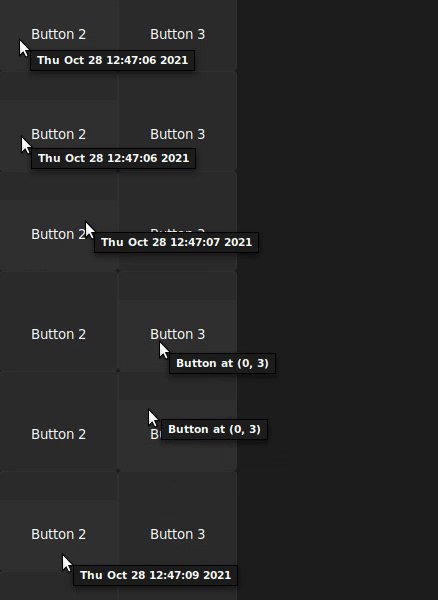
Style tooltip and underlying the button. If a full theme has been used then
the ToolTip will inherit the settings of the theme by default.
import tkinter as tk
import tkinter.ttk as ttk
from tktooltip import ToolTip

app = tk.Tk()
s = ttk.Style()
s.configure("custom.TButton", foreground="#ffffff", background="#1c1c1c")
b = ttk.Button(app, text="Button", style="custom.TButton")
b.pack()
ToolTip(b, msg="Hover info", delay=0,
        parent_kwargs={"bg": "black", "padx": 5, "pady": 5},
        fg="#ffffff", bg="#1c1c1c", padx=10, pady=10)
app.mainloop()
Notes
- Certain options do not match great with each other, a good example is
follow
and delay using small x/y offsets. This can cause the tooltip to appear
inside the widget. Hovering over the tooltip will cause it to disappear and
reappear, in a new position, potentially again inside the widget.
Contributing
You can find the instructions on how to contribute in this project in the
CONTRIBUTING.md file.
Acknowledgements
tkinter-tooltip is based on the original work performed by
Tucker Beck
licensed under an MIT License.
License
MIT License











