

Product
Rust Support Now in Beta
Socket's Rust support is moving to Beta: all users can scan Cargo projects and generate SBOMs, including Cargo.toml-only crates, with Rust-aware supply chain checks.
By Mikola Lysenko, Trevor Norris - Sep 11, 2025




Simple Minitest reporter to indicate the result of test runs in as fancy a way you like. Here's how I like it: Flash the macOS menu bar in green or red and play a short and mutable sound effect.
Thank you for supporting free and open-source software by sponsoring on GitHub or on Donorbox. Any gesture is appreciated, from a single Euro for a ☕️ cup of coffee to 🍹 early retirement.
Add the following to the Gemfile or gems.rb of your Bundler powered Ruby project:
gem 'minitest-flash'
And then install the bundle:
bundle install
Finally, require this gem in your test_helper.rb or spec_helper.rb:
require 'minitest/flash'
After every test run, the reporter simply invokes the minitest-flash executable:
minitest-flash green if the run passedminitest-flash red if the run failed or has errorsIt's your job to create the minitest-flash executable to your liking and to place it somewhere in the PATH.
Other people might work on the same code and prefer not use minitest-flash. This is no problem as it won't do a thing unless a minitest-flash executable exists.
I'm on macOS and like things to be as obvious and unobtrusive as possible: Flash the menu bar either in green or red and optionally play a sound effect.

Here's what my /usr/local/bin/minitest-flash executable looks like:
#!/bin/zsh

declare -A colors
colors[red]=bb0000
colors[green]=00bb00

if [ -z "$MINITEST_FLASH_NO_SOUND" ]; then
  mpg123 $0.d/$1.mp3 2>/dev/null &
fi

for i in {1..2}; do
  $0.d/ChangeMenuBarColor SolidColor "$colors[$1]" >/dev/null
  $0.d/ChangeMenuBarColor SolidColor "000000" >/dev/null
done
As you see, the sound effects can easily be muted with:
export MINITEST_FLASH_NO_SOUND=1
For the above to work, you have to install mpg123 easiest through Homebrew:
brew install mpg123
A few support files are also necessary, let's create the directory for them:
sudo mkdir /usr/local/bin/minitest-flash.d
In there you have to put three files:
green.mp3 for successful runsred.mp3 for failed or errored runsTo install the development dependencies and then run the test suite:
bundle install
bundle exec rake    # run tests once
bundle exec guard   # run tests whenever files are modified
You're welcome to submit issues and contribute code by forking the project and submitting pull requests.
The gem is available as open source under the terms of the MIT License.
FAQs
Unknown package
We found that minitest-flash demonstrated a healthy version release cadence and project activity because the last version was released less than a year ago. It has 1 open source maintainer collaborating on the project.
Did you know?

Socket for GitHub automatically highlights issues in each pull request and monitors the health of all your open source dependencies. Discover the contents of your packages and block harmful activity before you install or update your dependencies.
Product
Socket's Rust support is moving to Beta: all users can scan Cargo projects and generate SBOMs, including Cargo.toml-only crates, with Rust-aware supply chain checks.
Product
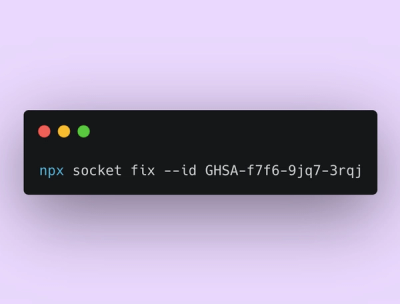
Socket Fix 2.0 brings targeted CVE remediation, smarter upgrade planning, and broader ecosystem support to help developers get to zero alerts.

Security News
Socket CEO Feross Aboukhadijeh joins Risky Business Weekly to unpack recent npm phishing attacks, their limited impact, and the risks if attackers get smarter.