


Product
Introducing Reachability for PHP
Reachability analysis for PHP is now available in experimental, helping teams identify which vulnerabilities are actually exploitable.
By Benjamin Barslev - Apr 24, 2026
November 21, 2025
3 min read


Last month, Socket announced Webhook Events for Pull Request Scans. Today, we're taking it further with Webhook Events for Alert Changes: real-time notifications for every alert that gets created, updated, or cleared across your repositories. If you're responsible for monitoring your software supply chain, your job just got a lot easier. Socket now tracks the complete lifecycle of alerts and can trigger automated workflows the moment something changes, so you can stop checking dashboards and start responding faster.
Alert changes don't just happen when you update dependencies. Socket is constantly discovering new threats and improving its database of vulnerabilities, malicious packages, and software risk, which means alerts can change even when your code and SBOMs stay the same. With Webhook Events for Alert Changes, you'll get automated notifications whether the trigger is a newly merged pull request, a newly discovered threat, or a modified security policy.
Each alert change webhook event includes the following:
Webhooks are HTTP requests sent from one system to another when specific events occur. They allow real-time updates without having to poll APIs or log into a website.
They’re the foundation behind countless integrations, such as calendar notifications in Slack, Jira ticket updates, or GitHub repository activity. Socket already subscribes to webhook events from GitHub to trigger new scans, and now you can receive webhook events from Socket as well.
Once your webhook is set up, Socket can send alert changes directly to your tools and systems, such as Slack, Jira, or custom CI pipelines. This makes it easy to trigger automated actions.
For example, you could automatically create a Jira ticket when a high-severity issue appears, or post a summary of dependency changes to a team Slack channel. Webhooks make it simple to extend Socket’s visibility into the tools you already use.
As part of the work to implement Webhook Events for Alert Changes, Socket is now tracking alert timestamps and alert status. Furthermore, when a brand new alert is detected in your environment it is assigned a unique ID in the format SOCKET-${ORG-SLUG}-${ID-SEQ-NUMBER} (for example, an alert ID might be SOCKET-DUMMY-1020). These alert identifiers (available in the alert.id property). These new alert IDs will first be available via webhooks and, in the future, throughout the Socket dashboard.
If you’re on a Business or Enterprise plan, go to Dashboard → Settings → Webhooks (under “Integrations”) and click Create webhook.
Note: The Create webhook button is only available to organization owners and admins.
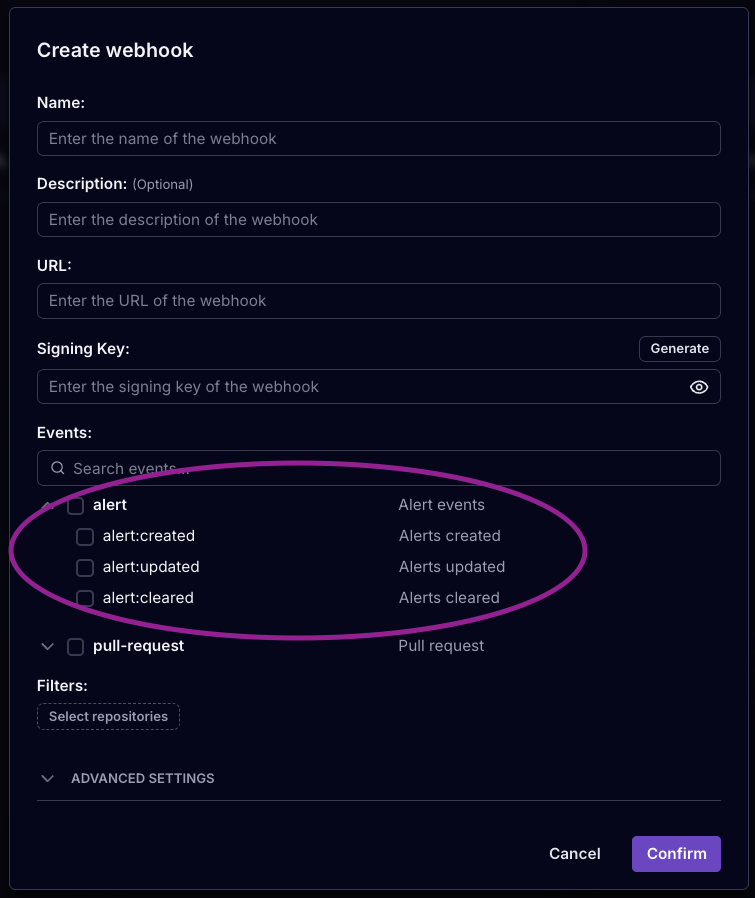
You can now configure your new or existing webhooks to receive alert events.
Fill out the required fields (name, URL, and signing key) and select at least one event type.
The signing key allows you to verify webhook payloads when received. You can provide your own key or use the "Generate" button to create one automatically. For implementation details, see the documentation.
By default, webhooks are sent for all repositories in an organization, but you can filter to a subset of repositories or add custom HTTP headers under Advanced settings.
Each alert change webhook event payload includes these properties:
alert:created, alert:updated, or alert:cleared for alert webhook events)alert@1 for alert change webhook events) 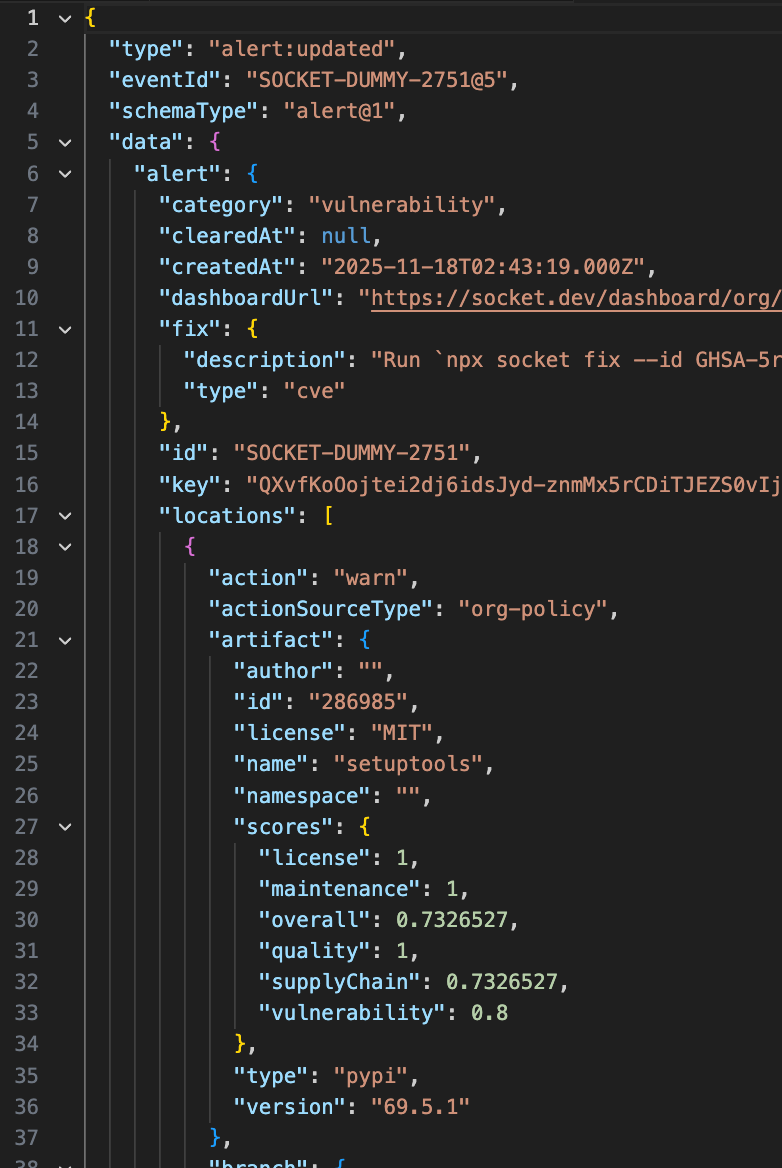
Here's an example that shows the received webhook data:
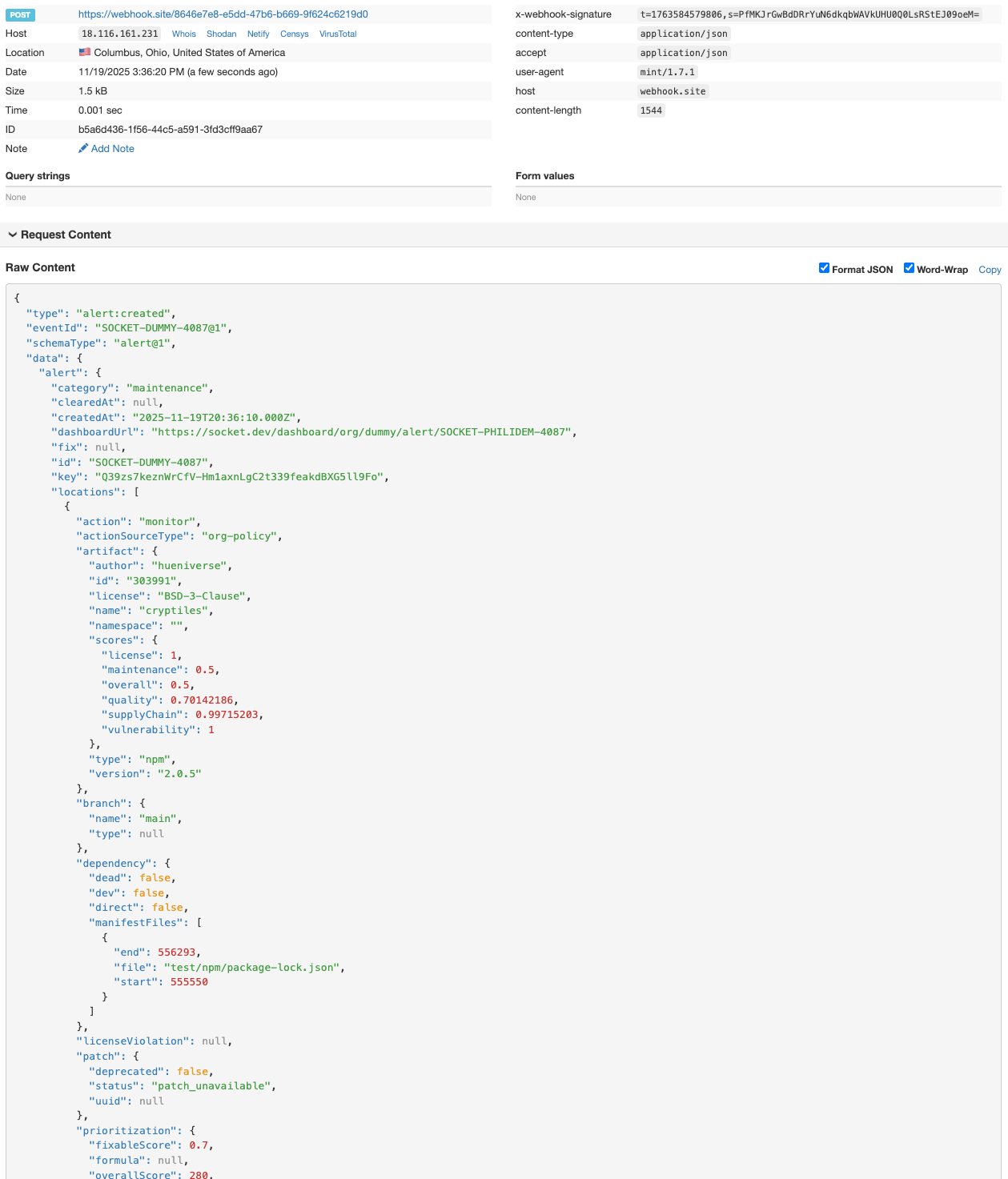
You can use webhook testing tools to test out Socket webhooks.
For the complete schema, visit the webhooks documentation.
Webhook Events for Alert Changes are available now for all Business and Enterprise customers.
Stay tuned! We have more features coming that will make it even easier to integrate Socket into your workflows, automate actions, track changes, and stay on top of your dependency security.
Subscribe to our newsletter
Get notified when we publish new security blog posts!
Product
Reachability analysis for PHP is now available in experimental, helping teams identify which vulnerabilities are actually exploitable.

Product
Export Socket alert data to your own cloud storage in JSON, CSV, or Parquet, with flexible snapshot or incremental delivery.

Product
Stay on top of alert changes with filtered subscriptions, batched summaries, and notification routing built for triage.