Acrool React Datepicker

This is a date/time picker component developed using React + Dayjs, which can be used with TextField input.
Features
- Support date picker
- Support time picker
- Support date+time picker
- Support date range selector
- Support date range + time selector
Install
yarn add dayjs @acrool/react-datepicker
Usage
add in your index.tsx
import "@acrool/react-datepicker/dist/index.css";
then in your page
import {Datepicker, Timepicker, DateTimepicker} from '@acrool/react-datepicker';


const BaseUsed = () => {
    const [myDate, setMyDate] = useState('2023-10-08');
    const [myTime, setMyTime] = useState<string>('12:00:08');
    const [myDateTime, setMyDateTime] = useState('2023-10-02 12:00:08');
    const [myDateTimeNoSec, setMyDateTimeNoSec] = useState<string>('2023-10-02 12:00');
    const [myRangeDate, setMyRangeDate] = useState<IRangeDateValue>({startDate: '2023-10-02', endDate: '2023-10-08'});
    const [myRangeDateTime, setMyRangeDateTime] = useState<IRangeDateTimeValue>({date: '2023-10-02', startTime: '08:00:10', endTime: '10:10:00'});
    const [myRangeDateTimeNoSec, setMyRangeDateTimeNoSec] = useState<IRangeDateTimeValue>({date: '2023-10-02', startTime: '08:00', endTime: '10:10'});


    return (
        <div>
            <Datepicker value={myDate} onChange={setMyDate} isVisibleSetToday locale="zh-TW" tagDate={['2022-09-08', '2022-09-11']} format="YYYY/MM/DD"/>

            <Timepicker locale="ja-JP" value={myTime} onChange={setMyTime} onClickOk={(timeStr) => console.log('val', timeStr)}/>

            <DateTimepicker value={myDateTime} onChange={setMyDateTime} onClickOk={timeStr => console.log('val', timeStr)}/>

            <RangeDatepicker value={myRangeDate} onChange={setMyRangeDate} isVisibleFastPicker isDark locale="en-US" format="YYYY/MM/DD" />

            <RangeTimeDatepicker value={myRangeDateTime} onChange={setMyRangeDateTime} onClickOk={timeStr => console.log('val', timeStr)} />

        </div>
    );

};
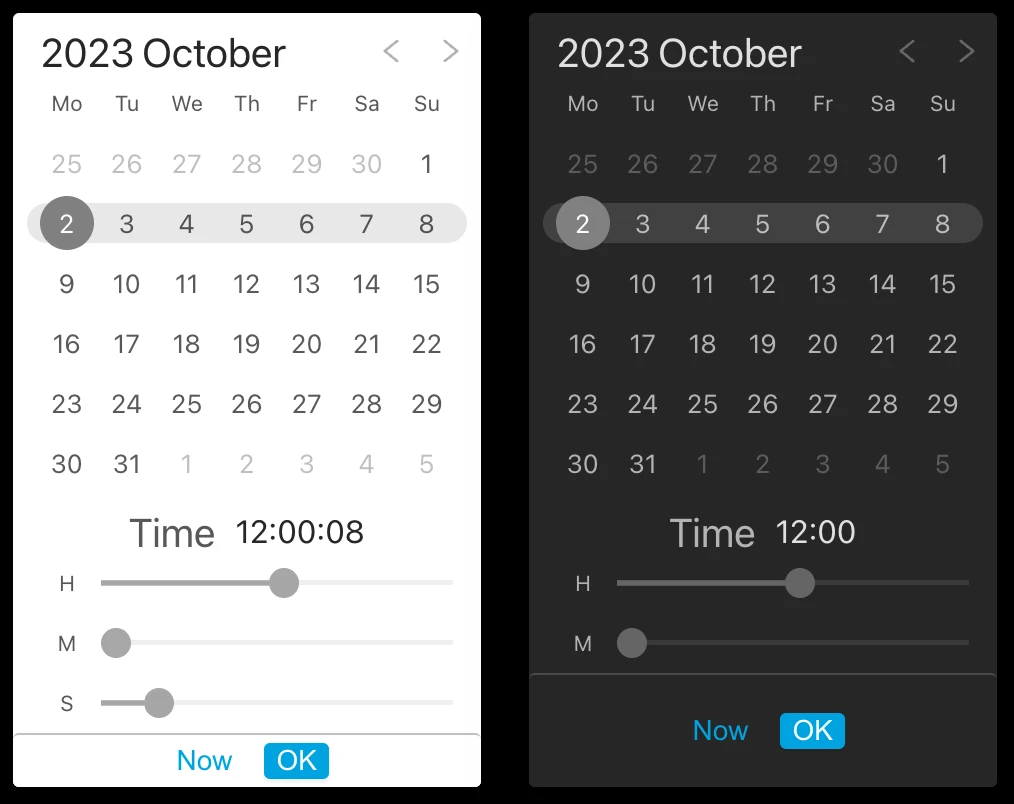
There is also a example that you can play with it:

License
MIT © Acrool & Imagine