ActiveWidgets/Angular • Datagrid




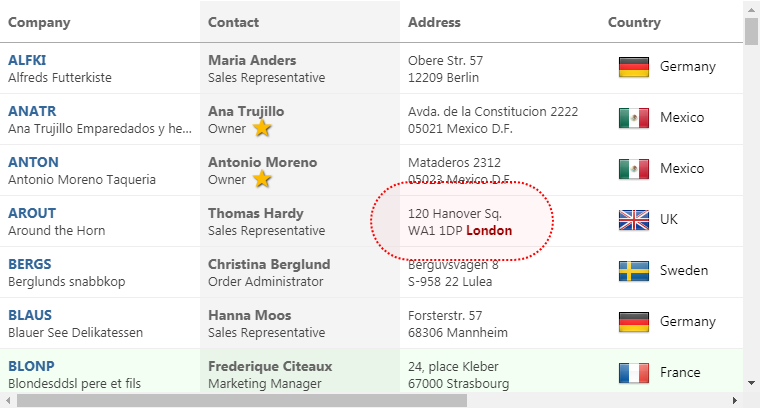
ActiveWidgets is a multi-framework UI component library. This package provides datagrid component for Angular.
Live demo / Developer guide / API reference
Installation
Add @activewidgets/angular to your project dependencies -
> npm i --save @activewidgets/angular
Usage
First you should include AxModule in your AppModule imports -
import { AxModule } from "@activewidgets/angular";
import '@activewidgets/angular/css';

@NgModule({
  declarations: [AppComponent],
  imports: [BrowserModule, AxModule],
  providers: [],
  bootstrap: [AppComponent]
})
export class AppModule {}
Then you can use ax-datagrid and other ax-... tags in your component templates -
<ax-datagrid [rows]="rows"></ax-datagrid>
Live example | Source on github | Edit on stackblitz
Data properties
You have to provide columns and rows properties to the datagrid to show some data. The properties of each column object define how the data will be rendered -
- field - where the cell data comes from (string|function)
- header - column header (string|object)
- width - column width (number, in pixels)
- align - cell text alignment (left|right|center)
- format - number/date format (string|function)
- fixed - fixed (true/false) for columns on the left or right side
The style (string|object) or className properties allow to change the styling of the column and cell elements.
const columns = [
  {header: 'Code', field: 'customerID', width: 80, style: 'background:#def', fixed: true},
  {header: 'Company Name', field: 'companyName', width: 160},
  {header: 'Contact', field: 'contactName', width: 120},
  {header: 'Title', field: 'contactTitle', width: 120},
  {header: 'Address', field: 'address', width: 120, align: 'right'}
];

const rows = northwind.customers;
<ax-datagrid [columns]="columns" [rows]="rows"></ax-datagrid>
Live example | Source on github | Edit on stackblitz
User events
In addition to the standard DOM keyboard and mouse events the datagrid emits composite
mouse event which makes it easier to find the elements affected by the user action -
function onMouse({row, column}){
    alert(`row ${row.key} clicked!`);
}
<ax-datagrid (mouse)="onMouse($event)" [columns]="columns" [rows]="rows"></ax-datagrid>
Live example | Source on github | Edit on stackblitz
More info






