
@angular-material-extensions/link-preview - Angular open source UI library to preview web links powered by ngx-linkifyjs and material design






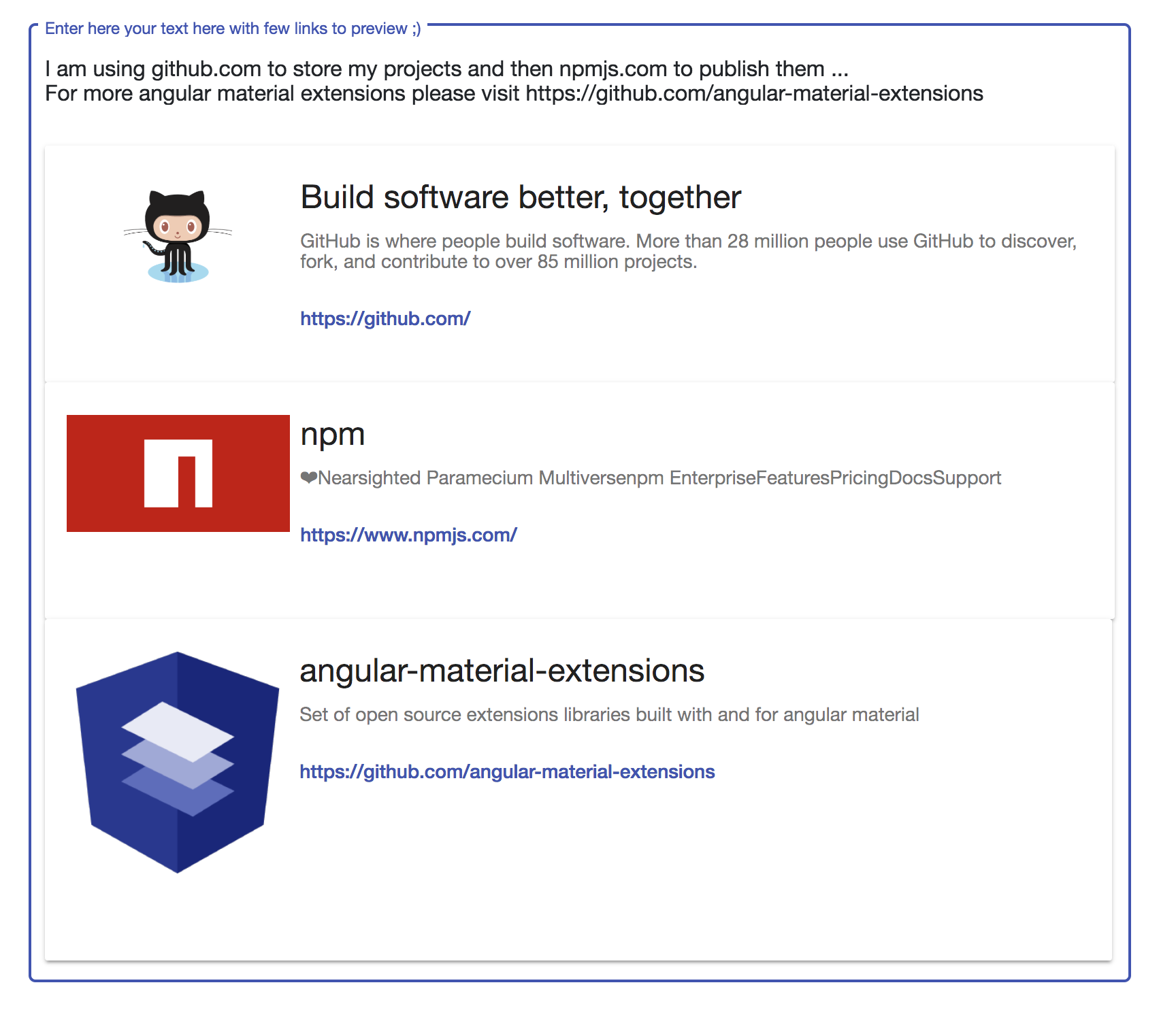
multiple link preview
Built by and for developers :heart:
Do you have any question or suggestion ? Please do not hesitate to contact us!
Alternatively, provide a PR | open an appropriate issue here
If did you like this project, support angular-material-extensions
by starring :star: and sharing it :loudspeaker:
Table of Contents
View all the directives and components in action at https://angular-material-extensions.github.io/link-preview
Dependencies
- Angular (requires Angular 2 or higher, tested with V7)
Requirements (peer dependencies):
npm i @angular/cdk @angular/material @angular/animations @angular/http
or use angular schematics like e.g:
ng add @angular/material
Additional requirements Theme (Material Design)
Installation
Install above dependencies via npm.
Now install @angular-material-extensions/link-preview via:
npm install --save @angular-material-extensions/link-preview
SystemJS
Note:If you are using SystemJS, you should adjust your configuration to point to the UMD bundle.
In your systemjs config file, map needs to tell the System loader where to look for @angular-material-extensions/link-preview:
map: {
  '@angular-material-extensions/link-preview': 'node_modules/@angular-material-extensions/link-preview/bundles/link-preview.umd.js',
}
Once installed you need to import the main module:
import { MatLinkPreviewModule } from '@angular-material-extensions/link-preview';
The only remaining part is to list the imported module in your application module. The exact method will be slightly
different for the root (top-level) module for which you should end up with the code similar to (notice MatLinkPreviewModule .forRoot()):
import { MatLinkPreviewModule } from '@angular-material-extensions/link-preview';

@NgModule({
  declarations: [AppComponent, ...],
  imports: [MatLinkPreviewModule.forRoot(), ...],
  bootstrap: [AppComponent]
})
export class AppModule {
}
Other modules in your application can simply import MatLinkPreviewModule:
import { MatLinkPreviewModule } from '@angular-material-extensions/link-preview';

@NgModule({
  declarations: [OtherComponent, ...],
  imports: [MatLinkPreviewModule, ...],
})
export class OtherModule {
}
Usage
Directives
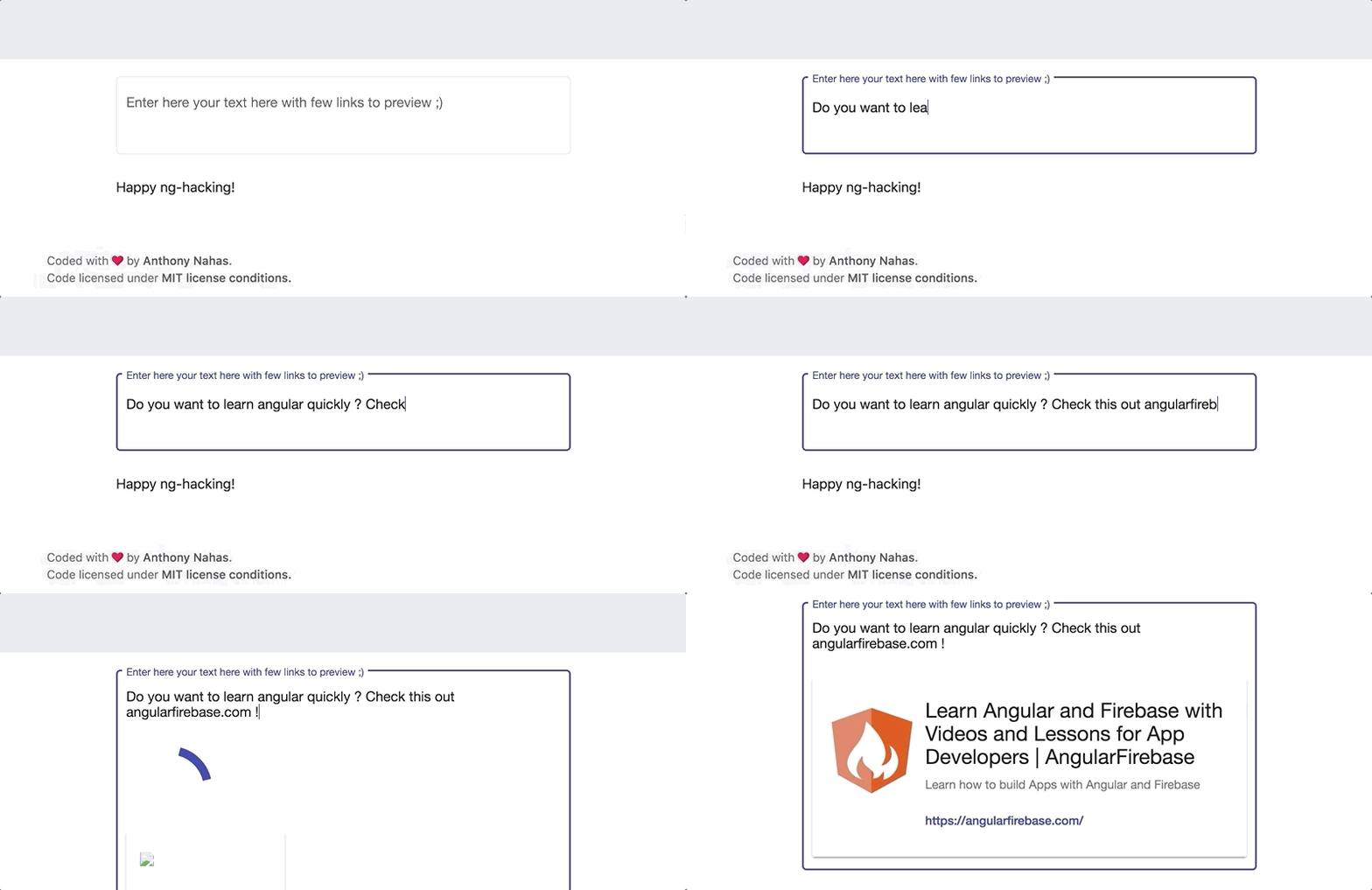
matLinkPreview used to find and parse links from any text input - should be used in combination with <mat-link-preview-container> to render and preview the found links
e.g:
<mat-form-field class="demo-full-width" appearance="outline">
  <mat-label>Enter here your text here with few links to preview ;)</mat-label>
  <textarea matInput matTextareaAutosize matLinkPreview minRows="6"></textarea>
</mat-form-field>
Components
<mat-link-preview-container> the container that hold the links to preview
| color | Input() | string | primary | the color to use for the button of the url - options --> `primary |
| multiple | Input() | boolean | false | whether to find, parse and render one single or multiple links |
| showLoadingsProgress | Input() | boolean | true | whether to show and render a loading spinner while fetching the link to preview |
e.g:
<mat-link-preview-container color="primary" [multiple]="true"></mat-link-preview-container>
Full example code
<div class="container" fxFlex.xs="100" fxFlex.sm="70" fxFlex="50">
<div fxLayout="column" fxLayoutAlign="center">
<mat-form-field class="demo-full-width" appearance="outline">
<mat-label>Enter here your text here with few links to preview ;)</mat-label>
<textarea matInput matTextareaAutosize matLinkPreview minRows="6"></textarea>
<mat-link-preview-container [multiple]="true"></mat-link-preview-container>
</mat-form-field>
</div>
</div>
Please checkout the full documentation here
Run Demo App Locally
$ git clone https://github.com/angular-material-extensions/link-preview.git
- setup the @angular-material-extensions/link-preview package
$ gulp setup
- navigate to the demo app directory
$ cd demo
- install the dependencies and run the app
$ npm i && npm start
- the app is now hosted by
http://localhost:4200/
Development
- clone this repo
- Install the dependencies by running
npm i
- setup the library
gulp setup
- Navigate to the demo app's directory
cd demo
_ npm i && npm start
Other Angular Libraries
Support
Built by and for developers :heart: we will help you :punch:
License
Copyright (c) 2018 Anthony Nahas. Licensed under the MIT License (MIT)





