



Security News
Feross on TBPN: How North Korea Hijacked Axios
Socket CEO Feross Aboukhadijeh breaks down how North Korea hijacked Axios and what it means for the future of software supply chain security.
By Sarah Gooding - Apr 08, 2026
@debugg-ai/node
Advanced tools
This is the SDK enables the DebuggAI QA engineer to capture context from your application to generate & run test suites.
Debugg AI's Node sdk for enabling your personal AI QA engineer
DebuggAI super‑charges engineers with an AI‑powered custom QA Engineer personalized to every user that finds and fixes bugs while your app runs locally, in production, or in CI. DebuggAI's Agent works with you in the background to generate, run, and improve your test suites to ensure that every PR is ready to go. Stop waiting for problems to pop up and build robust code without the big headache of managing your tests.


Most AI coding tools focus on writing code. DebuggAI focuses on the other 50 % of an engineer’s life: getting it to run.
| Feature | Description |
|---|---|
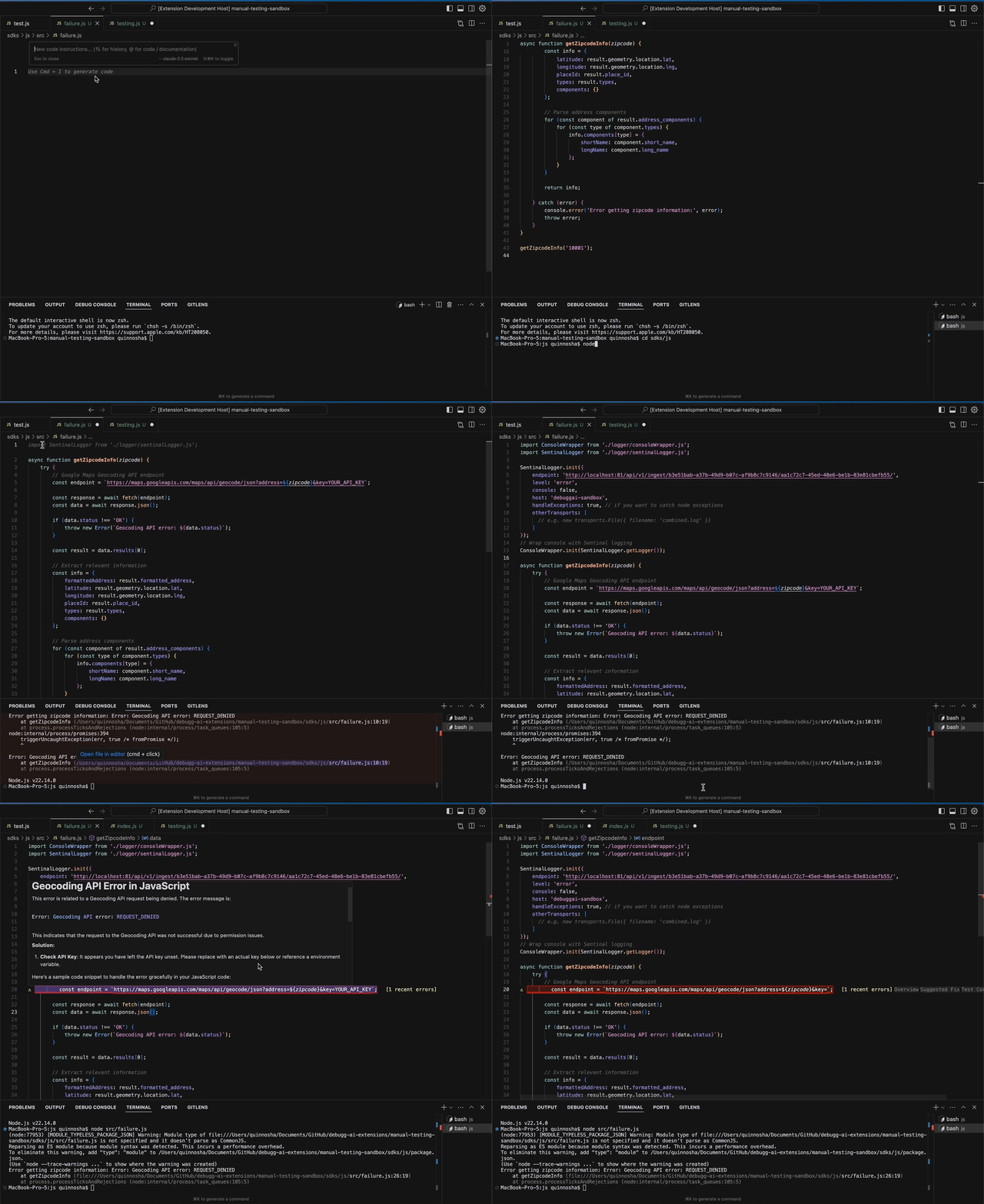
| Inline Issue Highlighter | See issues in realtime in your IDE, with full stack traces and suggested fixes |
| AI Test Generator | Go from 0 to 100% test coverage for files with a single command |
| Test iteration | Run & Improve tests in the background while you code |
| Future Proof | Continually add new tests as new errors arise to ensure your code is future proof |
Install the extension
Create a project
Add the Node Logging SDK (using npm or yarn)
npm install @debugg-ai/node

# Or yarn
yarn add @debugg-ai/node
Initialize (one line):
Get the initialization code from the DebuggAI app

DebuggAI should be initialized as early in your app as possible. It is essential that you call DebuggAI.init before you require any other modules in your application, otherwise auto-instrumentation of these modules will not work.
You need to create a file named instrument.js that imports and initializes DebuggAI:
// CJS Syntax
const DebuggAI = require('@debugg-ai/node');
// ESM Syntax
import * as DebuggAI from '@debugg-ai/node';

DebuggAI.init({
  dsn: '__DSN__',
  // ...
});
You need to require or import the instrument.js file before importing any other modules in your application. This is
necessary to ensure that DebuggAI can automatically instrument all modules in your application:
// Import this first!
import './instrument';

// Now import other modules
import http from 'http';

// Your application code goes here
When running your application in ESM mode, you should use the Node.js
--import command line option to ensure that DebuggAI is loaded before
the application code is evaluated.
Adjust the Node.js call for your application to use the --import parameter and point it at instrument.js, which
contains your DebuggAI.init() code:
# Note: This is only available for Node v18.19.0 onwards.
node --import ./instrument.mjs app.mjs
If it is not possible for you to pass the --import flag to the Node.js binary, you can alternatively use the
NODE_OPTIONS environment variable as follows:
NODE_OPTIONS="--import ./instrument.mjs" npm run start
Trigger an error – head back to the IDE and watch DebuggAI suggest a fix ⚡
Full walkthrough ▶ docs.debugg.ai/getting-started
You can log in to your DebuggAI account directly in the extension, and then it will automatically connect to your project.
If you have any questions or need personalized support:
We're looking to expand the DebuggAI team!
If you're interested in joining the team or contributing to the project, please reach out to us at hello@debugg.ai.
We at Debugg AI want to thank the open-source community for their contributions. Particularly DebuggAI for the work on this SDK. DebuggAI is building the first fully AI QA Engineer that can automatically generate test suites and highlight issues in your app, but DebuggAI continues to be a great option for Application Monitoring. Use both for the best results!
FAQs
This is the SDK enables the DebuggAI QA engineer to capture context from your application to generate & run test suites.
The npm package @debugg-ai/node receives a total of 2 weekly downloads. As such, @debugg-ai/node popularity was classified as not popular.
We found that @debugg-ai/node demonstrated a healthy version release cadence and project activity because the last version was released less than a year ago. It has 1 open source maintainer collaborating on the project.
Did you know?

Socket for GitHub automatically highlights issues in each pull request and monitors the health of all your open source dependencies. Discover the contents of your packages and block harmful activity before you install or update your dependencies.
Security News
Socket CEO Feross Aboukhadijeh breaks down how North Korea hijacked Axios and what it means for the future of software supply chain security.

Security News
OpenSSF has issued a high-severity advisory warning open source developers of an active Slack-based campaign using impersonation to deliver malware.

Research
/Security News
Malicious packages published to npm, PyPI, Go Modules, crates.io, and Packagist impersonate developer tooling to fetch staged malware, steal credentials and wallets, and enable remote access.