


Security News
Scaling Socket from Zero to 10,000+ Organizations
Socket CEO Feross Aboukhadijeh shares lessons from scaling a developer security startup to 10,000+ organizations in this founder interview.
By Sarah Gooding - Dec 02, 2025
@foundriesio/cookie-consent
Advanced tools
Cookie consent with accessible dialog, agnostic tag triggers and conditional content, script and embed hooks.

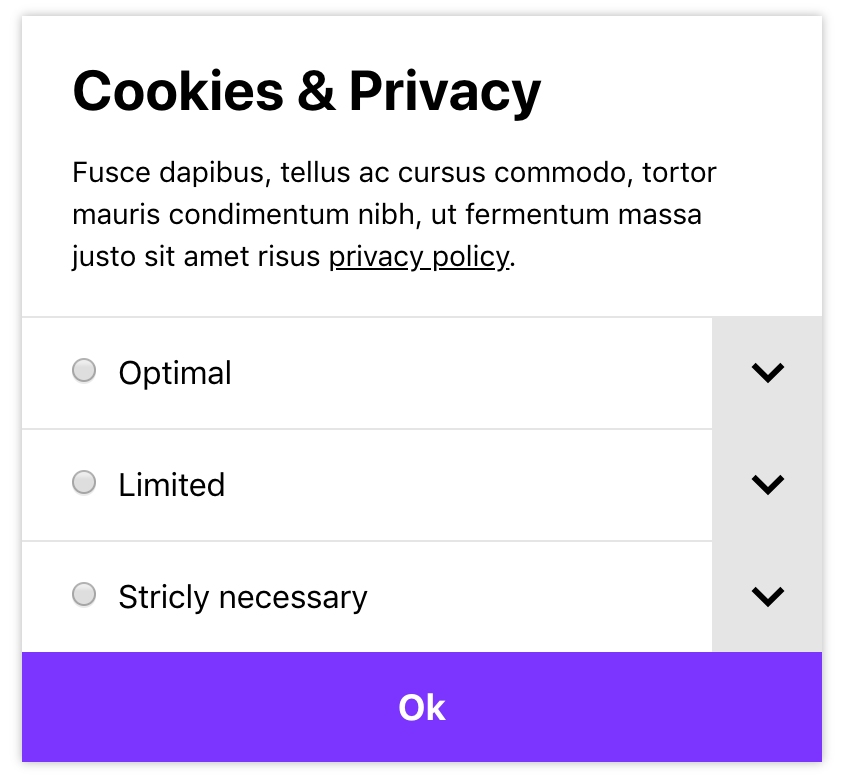
checkbox or radio inputs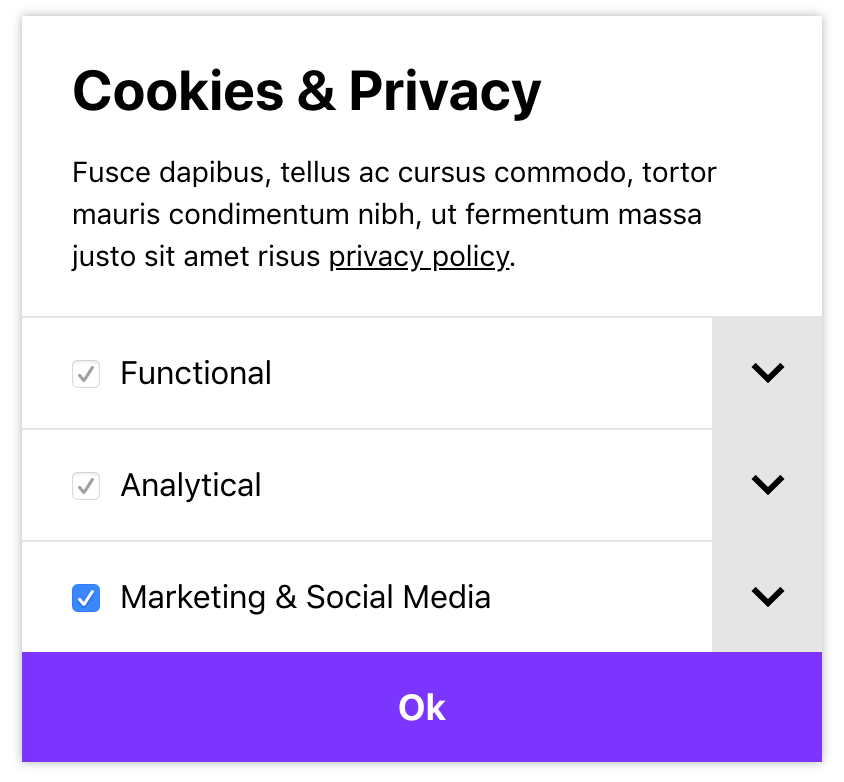
$ npm install @grrr/cookie-consent
Note: depending on your setup additional configuration might be needed. This package is published with untranspiled JavaScript, as EcmaScript Modules (ESM).
Import the module and initialize it:
import CookieConsent from '@grrr/cookie-consent';

const cookieConsent = CookieConsent({
  cookies: [
    {
      id: 'functional',
      label: 'Functional',
      description: 'Lorem ipsum.',
      required: true,
    },
    {
      id: 'marketing',
      label: 'Marketing',
      description: 'Lorem ipsum.',
      checked: true,
    },
  ],
});
Conditionally show script tags. Add the data-cookie-consent-attribute with the id of the required cookie type, and disable the script by setting the type to text/plain:
// External script.
<script src="https://..." data-cookie-consent="marketing" type="text/plain"></script>

// Inline script.
<script data-cookie-consent="marketing" type="text/plain">
    alert('hello world');
</script>
Conditionally show or hide iframe embed. Add the data-cookie-consent-attribute with the id of the required cookie consent type, and disable the iframe renaming the src-attribute to data-src:
<iframe data-cookie-consent="marketing" data-src="https://..."></iframe>
Conditionally show or hide elements. Add the data-cookie-consent-<state>-attribute with the id of the required cookie consent type. There are two types of state: accepted and rejected.
<div data-cookie-consent-accepted="marketing" hidden>Accepted</div>
<div data-cookie-consent-rejected="marketing" hidden>Rejected</div>
Notes:
aria-hidden="true" and style="display: none;" to remove it from the DOM.display style, along with any hidden or aria-hidden attributes.All options except cookies are optional. They will fall back to the defaults, which are listed here:
{
  type: 'checkbox',         // Can be `checkbox` or `radio`.
  prefix: 'cookie-consent', // The prefix used for styling and identifiers.
  append: true,             // By default the dialog is appended before the `main` tag or
                            // as the first `body` child. Disable to append it yourself.
  appendDelay: 500,         // The delay after which the cookie consent should be appended.
  acceptAllButton: false,   // Nudge users to accept all cookies when nothing is selected.
                            // Will select all checkboxes, or the top radio button.
  cookies: [                // Array with cookie types.
    {
      id: 'marketing',      // The unique identifier of the cookie type.
      label: 'Marketing',   // The label used in the dialog.
      description: '...',   // The description used in the dialog.
      required: false,      // Mark a cookie required (ignored when type is `radio`).
      checked: false,       // The default checked state (only valid when not `required`).
    },
  ],
  // If you need to override the dialog template (default defined in renderDialog)
  dialogTemplate: function(templateVars) {
    return '...'
  },
  // Labels to provide content for the dialog.
  labels: {
    title: 'Cookies & Privacy',
    description: `<p>This site makes use of third-party cookies. Read more in our
                  <a href="/privacy-policy">privacy policy</a>.</p>`,
    // Button labels based on state and preferences.
    button: {
      // The default button label.
      default: 'Save preferences',
      // Shown when `acceptAllButton` is set, and no option is selected.
      acceptAll: 'Accept all',
    },
    // ARIA labels to improve accessibility.
    aria: {
      button: 'Confirm cookie settings',
      tabList: 'List with cookie types',
      tabToggle: 'Toggle cookie tab',
    },
  },
}
Will create a new instance.
const cookieConsent = CookieConsent({
    cookies: [
        // ...
    ]
});
To make the instance globally available (for instance to add event listeners elsewhere), add it as a global after the instance has been created:
const cookieConsent = CookieConsent();

window.CookieConsent = cookieConsent;
Will fetch the dialog element, for example to append it at a custom DOM position.
document.body.insertBefore(cookieConsent.getDialog(), document.body.firstElementChild);
Will show the dialog element, for example to show it when triggered to change settings.
el.addEventListener('click', e => {
  e.preventDefault();
  cookieConsent.showDialog();
});
Will hide the dialog element.
el.addEventListener('click', e => {
  e.preventDefault();
  cookieConsent.hideDialog();
});
Check if a certain cookie type has been accepted. Will return true when accepted, false when denied, and undefined when no action has been taken.
const acceptedMarketing = cookieConsent.isAccepted('marketing'); // => true, false, undefined
Will return an array with preferences per cookie type.
const preferences = cookieConsent.getPreferences();

// [
//   {
//     "id": "analytical",
//     "accepted": true
//   },
//   {
//     "id": "marketing",
//     "accepted": false
//   }
// ]
Add listeners for events. Will fire when the event is dispatched from the CookieConsent module. See available events.
cookieConsent.on('event', eventHandler);
Update cookies programmatically.
By updating cookies programmatically, the event handler will receive an update method.
const cookies = [
    {
      id: 'marketing',
      label: 'Marketing',
      description: '...',
      required: false,
      checked: true,
    },
    {
      id: 'simple',
      label: 'Simple',
      description: '...',
      required: false,
      checked: false,
    },
];

cookieConsent.updatePreference(cookies);
Events are bound by the on method.
Will fire whenever the cookie settings are updated, or when the instance is constructed and stored preferences are found. It returns the array with cookie preferences, identical to the getPreferences() method.
This event can be used to fire tag triggers for each cookie type, for example via Google Tag Manager (GTM). In the following example trackers are loaded via a trigger added in GTM. Each cookie type has it's own trigger, based on the cookieType variable, and the trigger itself is invoked by the cookieConsent event.
Example:
cookieConsent.on('update', cookies => {
  const accepted = cookies.filter(cookie => cookie.accepted);
  const dataLayer = window.dataLayer || [];
  accepted.forEach(cookie => dataLayer.push({
    event: 'cookieConsent',
    cookieType: cookie.id,
  }));
});
No styling is being applied by the JavaScript module. However, there is a default stylesheet in the form of a Sass module which can easily be added and customized to your project and its needs.
View the base stylesheet.
Note: no vendor prefixes are applied. We recommend using something like Autoprefixer to do that automatically.
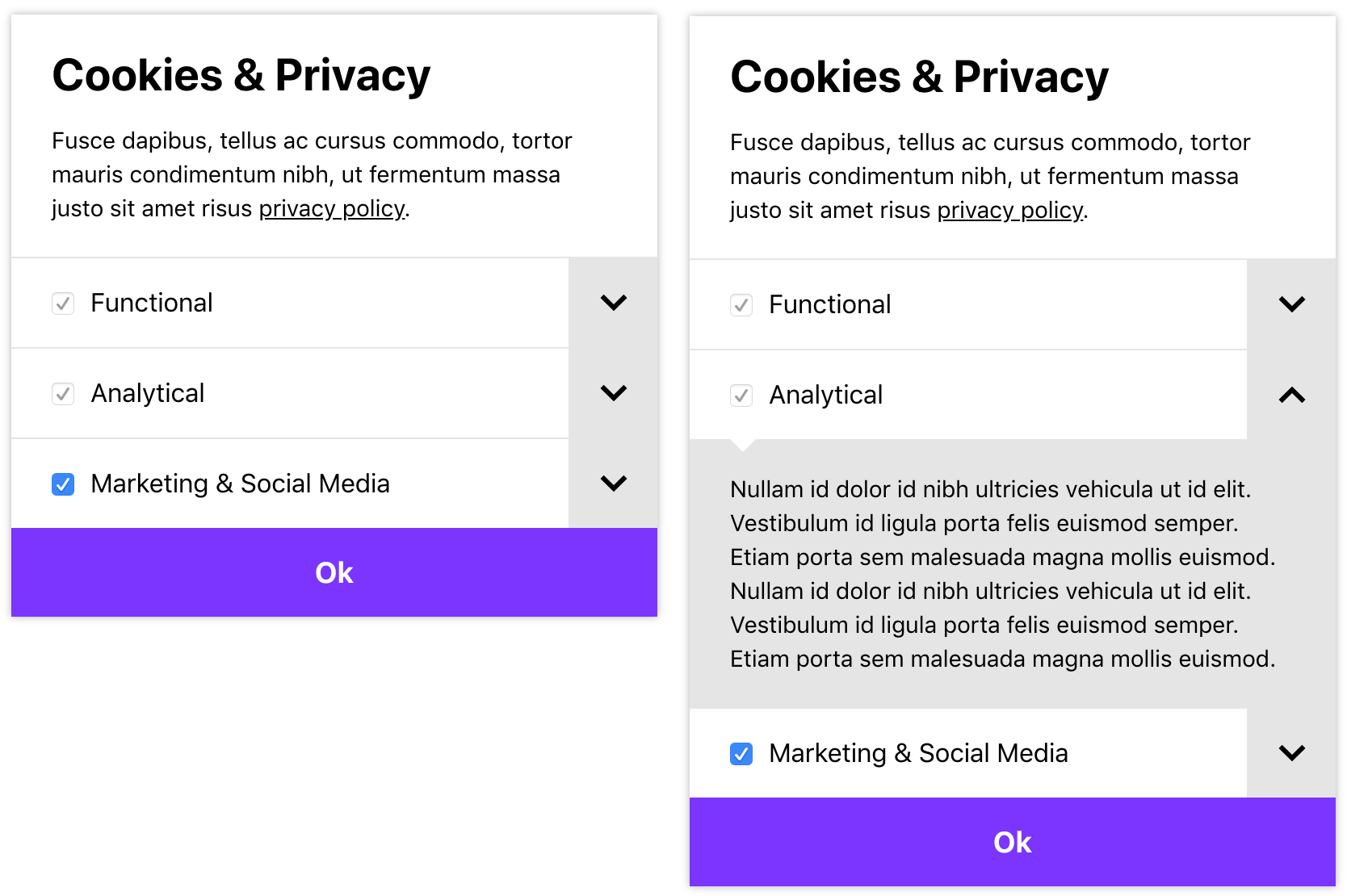
With the styling from the base module applied, the interface will look roughly like this (fonts, sizes and margins might differ):
FAQs
Did you know?

Socket for GitHub automatically highlights issues in each pull request and monitors the health of all your open source dependencies. Discover the contents of your packages and block harmful activity before you install or update your dependencies.
Security News
Socket CEO Feross Aboukhadijeh shares lessons from scaling a developer security startup to 10,000+ organizations in this founder interview.

Research
Socket Threat Research maps a rare inside look at OtterCookie’s npm-Vercel-GitHub chain, adding 197 malicious packages and evidence of North Korean operators.

Research
Socket researchers identified a malicious Chrome extension that manipulates Raydium swaps to inject an undisclosed SOL transfer, quietly routing fees to an attacker wallet.