

Product
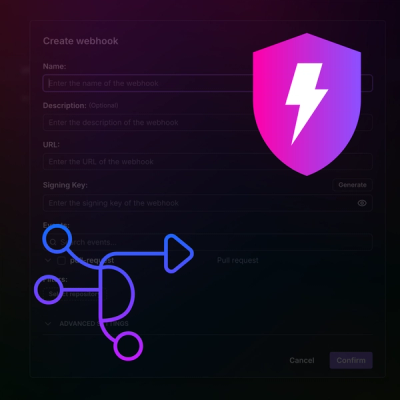
Introducing Webhook Events for Pull Request Scans
Add real-time Socket webhook events to your workflows to automatically receive pull request scan results and security alerts in real time.
By Jeppe Hasseriis - Oct 22, 2025
@luigi-project/plugin-auth-oauth2
Advanced tools
OAuth2 implicit grant provider plugin for @luigi-project/core
This authorization plugin contains a library that allows your application to extend the Luigi framework with an OAuth2 authorization provider. Further configuration details can be found in the main documentation.
Install the plugin in your project using npm:
npm install @luigi-project/plugin-auth-oauth2
Import the plugin in places where you want to use it, depending on the environment of your choice:
var oAuth2ImplicitGrant = require('@luigi-project/plugin-auth-oauth2');
or
import oAuth2ImplicitGrant from '@luigi-project/plugin-auth-oauth2';
Then, integrate it as an authorization provider in your Luigi configuration file:
Luigi.setConfig({
  auth: {
    use: 'myProviderConfig',
    myProviderConfig: {
      idpProvider: oAuth2ImplicitGrant,
      // ... configuration data comes here
      redirect_uri: '/assets/auth-oauth2/callback.html'
    }
  }
})
We provide a callback.html file through our plugin-auth-oauth2 package. This callback.html file resides in node_modules/@luigi-project/plugin-auth-oauth2/callback.html and needs to be copied to a folder in your Luigi Core installation, which is the return path for the IdP provider, configured through the redirect_uri setting. The default location of redirect_uri is /assets/auth-oauth2/callback.html.
The examples given below give some alternatives on how to copy this file in your project. However, you may choose your own way of copying the callback.html file to the default location depending on your environment.
For applications involving a webpack configuration, one way to copy the callback.html file is using packages such as copy-webpack-plugin and then including the following in your webpack configuration file:
const CopyWebpackPlugin = require('copy-webpack-plugin');

{
  plugins: [
    new CopyWebpackPlugin([{
      from: 'node_modules/@luigi-project/plugin-auth-oauth2/callback.html',
      to: 'src/assets/auth-oauth2'
    }])
  ]
}
If your application does not use webpack or you installed Luigi without a framework, you can use any copy plugin to copy the callback.html file and then modify the package.json script to copy the file when building. One package that could be helpful is copyfiles. Following is an example:
"buildConfig": "webpack --entry ./src/luigi-config/luigi-config.es6.js --output-path ./public/assets --output-filename luigi-config.js --mode production",
"build": "npm run buildConfig && npm run copyCallbackOAuth",
"copyCallbackOAuth": "copyfiles -f node_modules/@luigi-project/plugin-auth-oauth2/callback.html public/assets/auth-oauth2"
Running npm run build should then suffice to bundle the config and also copy the callback file.
FAQs
OAuth2 implicit grant provider plugin for @luigi-project/core
The npm package @luigi-project/plugin-auth-oauth2 receives a total of 3,067 weekly downloads. As such, @luigi-project/plugin-auth-oauth2 popularity was classified as popular.
We found that @luigi-project/plugin-auth-oauth2 demonstrated a healthy version release cadence and project activity because the last version was released less than a year ago. It has 3 open source maintainers collaborating on the project.
Did you know?

Socket for GitHub automatically highlights issues in each pull request and monitors the health of all your open source dependencies. Discover the contents of your packages and block harmful activity before you install or update your dependencies.
Product
Add real-time Socket webhook events to your workflows to automatically receive pull request scan results and security alerts in real time.

Research
The Socket Threat Research Team uncovered malicious NuGet packages typosquatting the popular Nethereum project to steal wallet keys.
Product
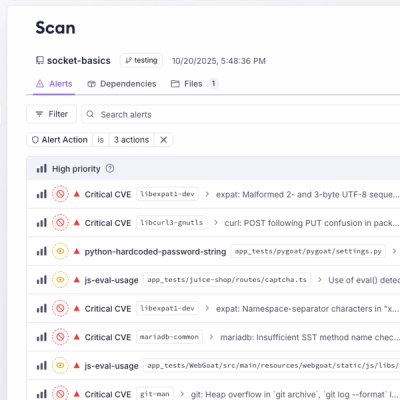
A single platform for static analysis, secrets detection, container scanning, and CVE checks—built on trusted open source tools, ready to run out of the box.