Analytics Next
Analytics Next (aka Analytics 2.0) is the latest version of Segment’s JavaScript SDK - enabling you to send your data to any tool without having to learn, test, or use a new API every time.
Table of Contents
🏎️ Quickstart
The easiest and quickest way to get started with Analytics 2.0 is to use it through Segment. Alternatively, you can install it through NPM and do the instrumentation yourself.
💡 Using with Segment
💻 Using as an NPM package
npm install @segment/analytics-next
yarn add @segment/analytics-next
pnpm add @segment/analytics-next
- Import the package into your project and you're good to go (with working types)!
import { AnalyticsBrowser } from '@segment/analytics-next'

const analytics = AnalyticsBrowser.load({ writeKey: '<YOUR_WRITE_KEY>' })

analytics.identify('hello world')

document.body?.addEventListener('click', () => {
  analytics.track('document body clicked!')
})
using React (Simple / client-side only)
import { AnalyticsBrowser } from '@segment/analytics-next'
export const analytics = AnalyticsBrowser.load({ writeKey: '<YOUR_WRITE_KEY>' })
const App = () => (
<div>
<button onClick={() => analytics.track('hello world')}>Track</button>
</div>
)
using React (Advanced w/ React Context)
const AnalyticsContext = React.createContext<AnalyticsBrowser>(undefined!);
type Props = {
writeKey: string;
children: React.ReactNode;
};
export const AnalyticsProvider = ({ children, writeKey }: Props) => {
const analytics = React.useMemo(
() => AnalyticsBrowser.load({ writeKey }),
[writeKey]
);
return (
<AnalyticsContext.Provider value={analytics}>
{children}
</AnalyticsContext.Provider>
);
};
export const useAnalytics = () => {
const result = React.useContext(AnalyticsContext);
if (!result) {
throw new Error("Context used outside of its Provider!");
}
return result;
};
const TrackButton = () => {
const analytics = useAnalytics()
return (
<button onClick={() => analytics.track('hello world').then(console.log)}>
Track!
</button>
)
}
const App = () => {
return (
<AnalyticsProvider writeKey='<YOUR_WRITE_KEY>'>
<TrackButton />
</AnalyticsProvider>
)
More React Examples:
using Vue 3
- create composable file
segment.ts with factory ref analytics:
import { Analytics, AnalyticsBrowser } from '@segment/analytics-next'

export const analytics = AnalyticsBrowser.load({
  writeKey: '<YOUR_WRITE_KEY>',
})
<template>
  <button @click="track()">Track</button>
</template>

<script>
import { defineComponent } from 'vue'
import { analytics } from './services/segment'

export default defineComponent({
  setup() {
    function track() {
      analytics.track('Hello world')
    }

    return {
      track,
    }
  },
})
</script>
For snippet users only: How to add typescript support
import type { AnalyticsSnippet } from "@segment/analytics-next";
declare global {
interface Window {
analytics: AnalyticsSnippet;
}
}
- Configure typescript to read from the custom
./typings folder
// tsconfig.json
{
  ...
  "compilerOptions": {
    ....
    "typeRoots": [
      "./node_modules/@types",
      "./typings"
    ]
  }
  ....
}
🐒 Development
First, clone the repo and then startup our local dev environment:
$ git clone git@github.com:segmentio/analytics-next.git
$ cd analytics-next
$ yarn dev
If you get "Cannot find module '@segment/analytics-next' or its corresponding type declarations.ts(2307)" (in VSCode), you may have to "cmd+shift+p -> "TypeScript: Restart TS server"
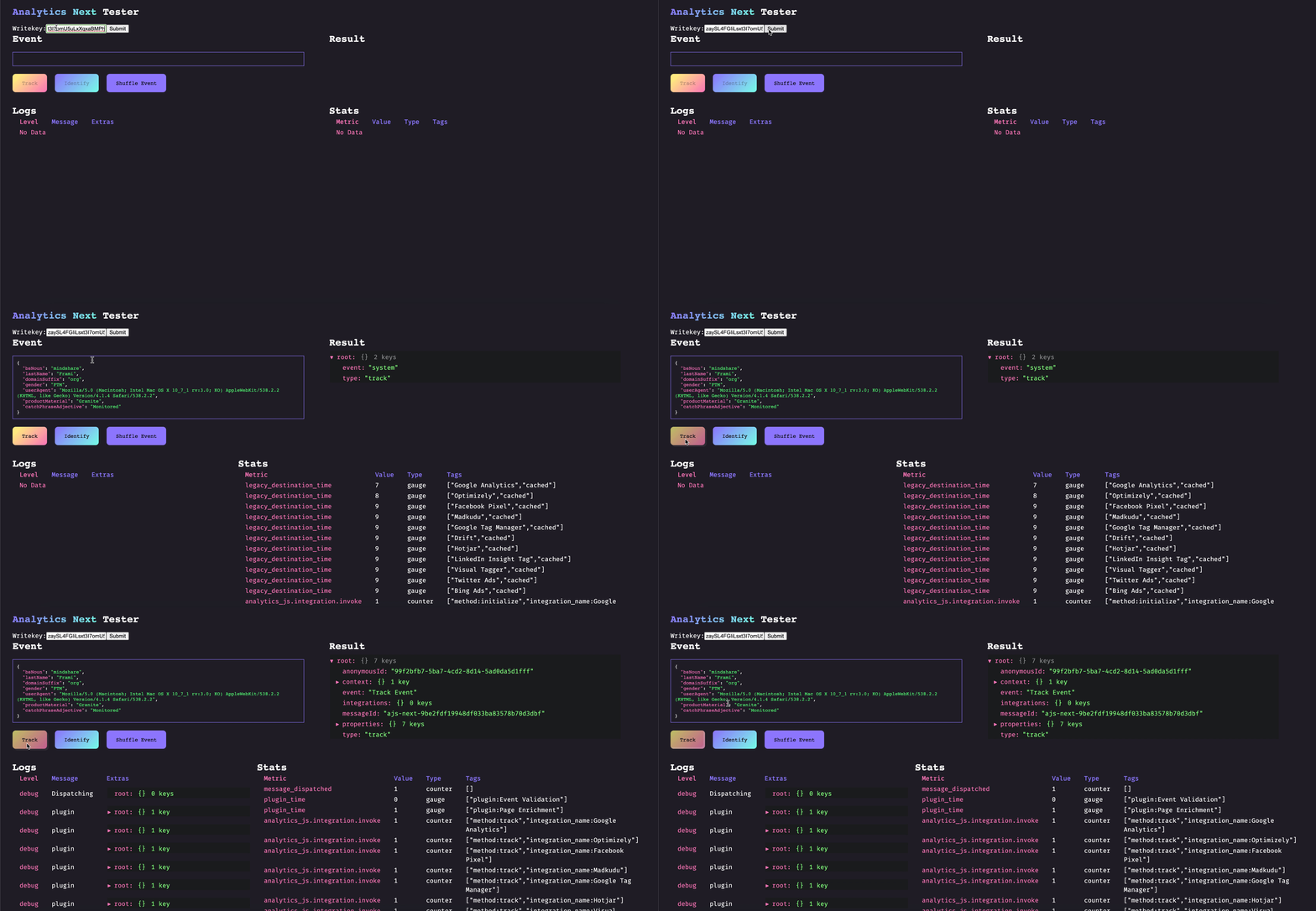
Then, make your changes and test them out in the test app!
🔌 Plugins
When developing against Analytics Next you will likely be writing plugins, which can augment functionality and enrich data. Plugins are isolated chunks which you can build, test, version, and deploy independently of the rest of the codebase. Plugins are bounded by Analytics Next which handles things such as observability, retries, and error management.
Plugins can be of two different priorities:
- Critical: Analytics Next should expect this plugin to be loaded before starting event delivery
- Non-critical: Analytics Next can start event delivery before this plugin has finished loading
and can be of five different types:
- Before: Plugins that need to be run before any other plugins are run. An example of this would be validating events before passing them along to other plugins.
- After: Plugins that need to run after all other plugins have run. An example of this is the segment.io integration, which will wait for destinations to succeed or fail so that it can send its observability metrics.
- Destination: Destinations to send the event to (ie. legacy destinations). Does not modify the event and failure does not halt execution.
- Enrichment: Modifies an event, failure here could halt the event pipeline.
- Utility: Plugins that change Analytics Next functionality and don't fall into the other categories.
Here is an example of a simple plugin that would convert all track events event names to lowercase before the event gets sent through the rest of the pipeline:
export const lowercase: Plugin = {
  name: 'Lowercase events',
  type: 'before',
  version: '1.0.0',

  isLoaded: () => true,
  load: () => Promise.resolve(),

  track: (ctx) => {
    ctx.event.event = ctx.event.event.toLowerCase()
    return ctx
  },
  identify: (ctx) => ctx,
  page: (ctx) => ctx,
  alias: (ctx) => ctx,
  group: (ctx) => ctx,
  screen: (ctx) => ctx,
}
For further examples check out our existing plugins.
🧪 QA
Feature work and bug fixes should include tests. Run all Jest tests:
$ yarn test
Lint all with ESLint:
$ yarn lint





