React Text Igniter


Experience a Lightweight , powerful and intuitive HTML Editor built with React.js.
The @mindfiredigital/react-text-igniter is a tool that allows developers to integrate TextIgniter using React.
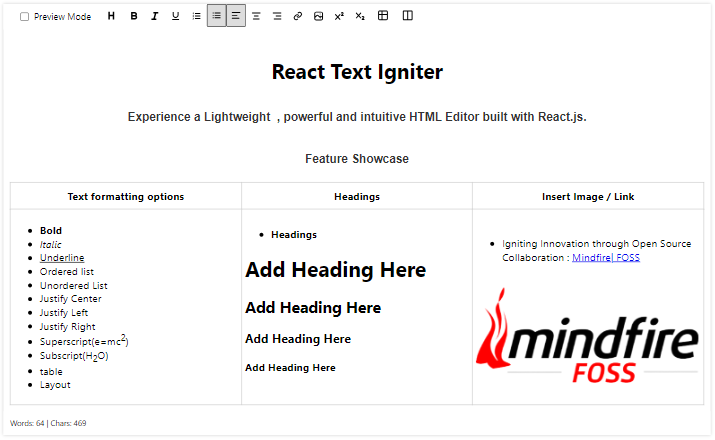
Live Demo
Click the button below to open the project on StackBlitz.

Table of Contents
Features
- Bold: When you apply bold formatting to text, it makes the selected text appear thicker and more prominent.
- Italic: Italic text is slanted to the right.
- Underline: Underlining text places a horizontal line beneath it.
- Subscript: Subscript lowers the selected text below the baseline.
- Superscript: Superscript raises the selected text above the baseline.
- Left Align: This feature aligns text to the left margin, creating a straight left edge.
- Center Align: Center alignment places text in the middle of the page or text box.
- Right Align: Text is aligned to the right margin, creating a straight right edge..
- Bullet List: Bullet lists present information as a series of items with bullets.
- Numbered List: Numbered lists provide a sequential order to items.
- Insert Table: This feature allows you to create tables to organize data.
- Insert Layout: This feature allows you to create Layout to organize data.
- Heading: Headings are typically used to divide a document into sections or chapters. They are usually styled differently, such as with larger text or bold formatting.
- Hyperlink: A hyperlink is a clickable link that connects to a webpage or another location within the document.
- Image: This feature allows you to insert images or graphics into your document to enhance its visual appeal or convey additional information.
- GETHTML: This feature allows you to get HTML for the data of editor.
- GETJSON: This feature allows you to get JSON for the data of editor.
- Custom Height: This feature allows you to set height of editor.
Installation
To install the @mindfiredigital/react-text-igniter npm package in your project, use the following command:
npm install @mindfiredigital/react-text-igniter
Getting Started
- Initialization: Initialize the TextIgniter in your project, specifying the container element where the editor will be embedded.
import { TextIgniter } from "@mindfiredigital/react-text-igniter";
import React, { useRef } from "react";
export default function App() {
const editorRef = useRef();
const features = [
"heading",
"bold",
"italic",
"underline",
"orderedList",
"unorderedList",
"justifyLeft",
"justifyCenter",
"justifyRight",
"createLink",
"insertImage",
"superscript",
"subscript",
"table",
"layout",
];
return <TextIgniter ref={editorRef} features={features} height={"400px"} />;
}
- GET HTML/JSON: Geting HTML and JSON for the content of Editor.
import { TextIgniter } from "@mindfiredigital/react-text-igniter";
import React, { useRef } from "react";
export default function App() {
const editorRef = useRef();
const features = [
"heading",
"bold",
"italic",
"underline",
"orderedList",
"unorderedList",
"justifyLeft",
"justifyCenter",
"justifyRight",
"createLink",
"insertImage",
"superscript",
"subscript",
"table",
"layout",
];
const handleGetHtmlContent = () => {
console.log("HTML:", editorRef.current.getHtml());
};
const handleGetJsonContent = () => {
console.log("JSON:", editorRef.current.getJson());
};
return (
<>
<TextIgniter ref={editorRef} features={features} height={"400px"} />
<button onClick={handleGetHtmlContent}>check html</button>
<button onClick={handleGetJsonContent}>check Json</button>
</>
);
}
Contributing
We welcome contributions from the community. If you'd like to contribute to the react-text-igniter npm package, please follow our Contributing Guidelines.
License
Copyright (c) Mindfire Digital llp. All rights reserved.
Licensed under the MIT license.





