


Security News
The Hidden Blast Radius of the Axios Compromise
The Axios compromise shows how time-dependent dependency resolution makes exposure harder to detect and contain.
By Ahmad Nassri - Apr 01, 2026
@teachorg/react-range
Advanced tools
FORKED from https://github.com/tajo/react-range




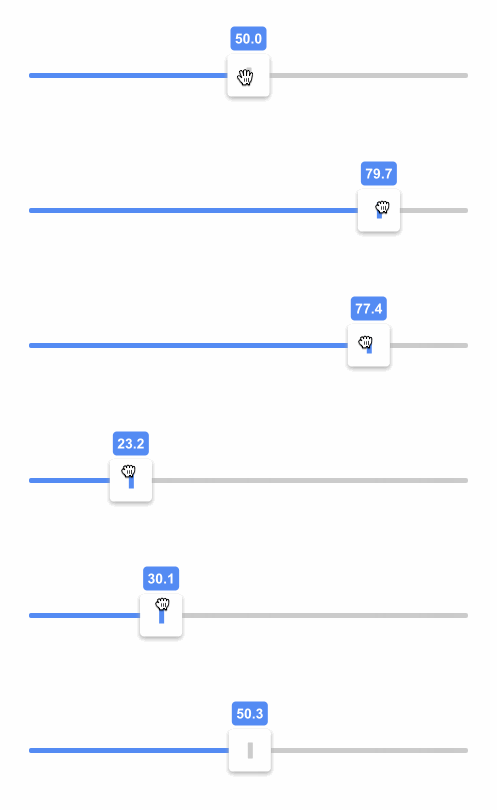

See all the other examples and their source code!
yarn add react-range
import * as React from 'react';
import { Range } from 'react-range';

class SuperSimple extends React.Component {
  state = { values: [50] };
  render() {
    return (
      <Range
        step={0.1}
        min={0}
        max={100}
        values={this.state.values}
        onChange={values => this.setState({ values })}
        renderTrack={({ props, children }) => (
          <div
            {...props}
            style={{
              ...props.style,
              height: '6px',
              width: '100%',
              backgroundColor: '#ccc'
            }}
          >
            {children}
          </div>
        )}
        renderThumb={({ props }) => (
          <div
            {...props}
            style={{
              ...props.style,
              height: '42px',
              width: '42px',
              backgroundColor: '#999'
            }}
          />
        )}
      />
    );
  }
}
tab and shift+tab to focus thumbsarrow up or arrow right or k to increase the thumb value by one steparrow down or arrow left or j to decrease the thumb value by one steppage up to increase the thumb value by ten stepspage down to decrease the thumb value by ten steps<Range /> propsrenderTrack: (params: {
props: {
style: React.CSSProperties;
ref: React.RefObject<any>;
onMouseDown: (e: React.MouseEvent) => void;
onTouchStart: (e: React.TouchEvent) => void;
};
children: React.ReactNode;
isDragged: boolean;
disabled: boolean;
}) => React.ReactNode;
renderTrack prop to define your track (root) element. Your function gets four parameters and should return a React component:
props - this needs to be spread over the root track element, it connects mouse and touch events, adds a ref and some necessary stylingchildren - the rendered thumbs, thumb structure should be specified in a different prop - renderThumbisDragged - true if any thumb is being draggeddisabled - true if <Range disabled={true} /> is setThe track can be a single narrow div as in the Super simple example; however, it might be better to use at least two nested divs where the outter div is much thicker and has a transparent background and the inner div is narrow, has visible background and is centered. props should be then spread over the outter bigger div. Why to do this? It's nice to keep the onMouseDown and onTouchStart targets bigger since the thumb can be moved also by clicking on the track (in a single thumb scenario).
renderThumb: (params: {
  props: {
    key: number;
    style: React.CSSProperties;
    tabIndex?: number;
    'aria-valuemax': number;
    'aria-valuemin': number;
    'aria-valuenow': number;
    draggable: boolean;
    role: string;
    onKeyDown: (e: React.KeyboardEvent) => void;
    onKeyUp: (e: React.KeyboardEvent) => void;
  };
  value: number;
  index: number;
  isDragged: boolean;
}) => React.ReactNode;
renderThumb prop to define your thumb. Your function gets four parameters and should return a React component:
props - it has multiple props that you need to spread over your thumb elementvalue - a number, relative value based on min, max, step and the thumb's positionindex - the thumb index (order)isDragged - true if the thumb is dragged, great for styling purposesvalues: number[];
An array of numbers. It controls the position of thumbs on the track. values.length equals to the number of rendered thumbs.
onChange: (values: number[]) => void;
Called when a thumb is moved, provides new values.
onFinalChange: (values: number[]) => void;
Called when a change is finished (mouse/touch up, or keyup), provides current values. Use this event when you have to make for example ajax request with new values.
min: number;
The range start. Can be decimal or negative. Default is 0.
max: number;
The range end. Can be decimal or negative. Default is 100.
step: number;
The minimal distance between two values. Can be decimal. Default is 1.
allowOverlap: boolean;
When there are multiple thumbs on a single track, should they be allowed to overlap? Default is false.
direction: Direction;

enum Direction {
  Right = 'to right',
  Left = 'to left',
  Down = 'to bottom',
  Up = 'to top'
}
It sets the orientation (vertical vs horizontal) and the direction in which the value increases. You can get this enum by:
import { Direction } from 'react-range';
Default value is Direction.Right.
disabled: boolean;
If true, it ignores all touch and mouse events and makes the component not focusable. Default is false.
rtl: boolean;
If true, the slider will be optimized for RTL layouts. Default is false.
There is an additional helper function being exported from react-range. Your track is most likely a div with some background. What if you want to achieve a nice "progress bar" effect where the part before the thumb has different color than the part after? What if you want to have the same thing even with multiple thumbs (aka differently colored segments)? You don't need to glue together multiple divs in order to do that! You can use a single div and set background: linear-gradient(...). getTrackBackground function builds this verbose linear-gradient(...) for you!
getTrackBackground: (params: {
  min: number;
  max: number;
  values: number[];
  colors: string[];
  direction?: Direction;
  rtl?: boolean;
}) => string;
min, max, values and direction should be same as for the <Range /> component. colors is a list of colors. This needs to be true:
values.length + 1 === colors.length;
That's because one thumb (one value) splits the track into two segments, so you need two colors.
There is a native input solution:
<input type="range" />
However, it has some serious shortcomings:
There are also many React based solutions but most of them are too bloated, don't support styling through CSS in JS or have lacking performance.
react-range has two main goals:
react-range is a more low-level approach than other libraries. It doesn't come with any styling (except some positioning) or markup. It's up to the user to specify both! Think about react-range as a foundation for other styled input ranges.This library is tightly coupled to many DOM APIs. It would be very hard to ensure 100% test coverage just with unit tests that would not involve a lot of mocking. Or we could re-architect the library to better abstract all DOM interfaces but that would mean more code and bigger footprint.
Instead of that, react-range adds thorough end to end tests powered by puppeteer.
All tests are automatically ran in Travis CI with headless chromium. This way, the public API is well tested, including pixel-perfect positioning. Also, the tests are pretty fast, reliable and very descriptive.
Do you want to run them in the dev mode (slows down operations, opens the browser)?
yarn storybook #start the storybook server
yarn test:e2e:dev #run the e2e tests
CI mode (storybook started on the background, quick, headless)
yarn test:e2e
This is how you can spin up the dev environment:
git clone https://github.com/tajo/react-range
cd react-range
yarn
yarn storybook
Big big shoutout to Tom MacWright for donating the react-range npm handle! ❤️

Big thanks to BrowserStack for letting the maintainers use their service to debug browser issues.
FAQs
Range input. Slides in all directions.
The npm package @teachorg/react-range receives a total of 0 weekly downloads. As such, @teachorg/react-range popularity was classified as not popular.
We found that @teachorg/react-range demonstrated a not healthy version release cadence and project activity because the last version was released a year ago. It has 2 open source maintainers collaborating on the project.
Did you know?

Socket for GitHub automatically highlights issues in each pull request and monitors the health of all your open source dependencies. Discover the contents of your packages and block harmful activity before you install or update your dependencies.
Security News
The Axios compromise shows how time-dependent dependency resolution makes exposure harder to detect and contain.

Research
A supply chain attack on Axios introduced a malicious dependency, plain-crypto-js@4.2.1, published minutes earlier and absent from the project’s GitHub releases.

Research
Malicious versions of the Telnyx Python SDK on PyPI delivered credential-stealing malware via a multi-stage supply chain attack.