Voiceflow Runtime Client
The Voiceflow Runtime Client is an SDK for running Voiceflow apps in JavaScript.
First, you build a fully-functioning conversational app on Voiceflow. Then, you integrate that app into a JavaScript project using the SDK. This allows you to quickly add any kind of voice interface, such as a chatbot, to your project, without the hassle of implementing the conversational flow using code.
The Runtime Client can be used with jQuery, React, and any other JavaScript library or framework.


Table of Contents
Demos
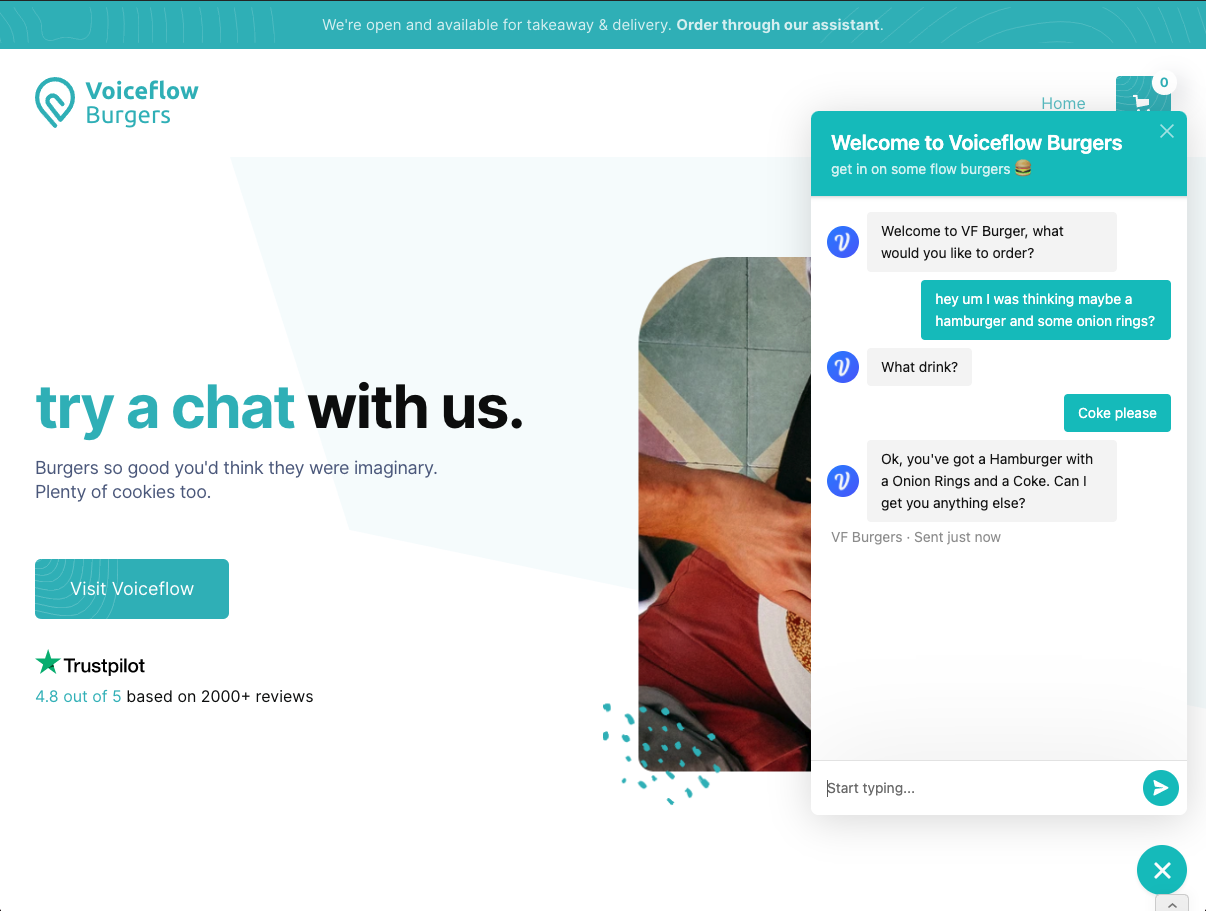
- Voiceflow Burgers (Web) - source
Samples
See the parent rcjs-examples repo for instructions on how to setup each Sample.
- Hello World (Node.js) - source
- Hamburger Order App (jQuery) - source
- Hamburger Order App (React) - source
- Hamburger Order App (Node.js) - source
- Hamburger Order Server (Express) - source
- Using Trace Processor (Node.js) - source
- Using TTS (React) - source
- Using Suggestion Chips (React) - source
Install
npm install --save @voiceflow/runtime-client-js
yarn add @voiceflow/runtime-client-js
Getting Started
Minimal Working Integration
The minimum code to start using the SDK is shown below:
const { RuntimeClientFactory } = require('@voiceflow/runtime-client-js');
const factory = new RuntimeClientFactory({
versionID: 'your-version-id-here',
apiKey: 'your-api-key-here',
endpoint: 'https://general-runtime.voiceflow.com',
});
const client = factory.createClient();
client.onSpeak((trace) => {
console.log(trace);
});
client.start();
const interact = (input) => client.sendText(input);
pass in user input with the client.sendText(input) function, and any of your client.on... functions will trigger during the response.
Setting up a Voiceflow App
See here for instructions on how to quickly setup a Voiceflow app to try out your project.
Integration Step-by-Step
See here for a step-by-step breakdown of the Minimal Working Integration. Make sure to read "Setting up a Voiceflow App" first.
Advanced Usage
See the documentation here for the available advanced features of the SDK.
Development
Important Scripts
yarn install
Run yarn install to install any necessary dependencies to get started with working on the SDK.
yarn build
Use this to build the runtime-client-js locally. The build will be stored in the /build folder
yarn lint
Use this command to find any issues that fails our linter. It is important to have proper linting, otherwise your PR will not pass our automation.
Use yarn lint:fix to check and automatically fix linting issues where possible.
yarn test
Use this command to run all of the integration and unit tests. Make sure that your PR achieves 100% coverage and tests for potential edge-cases.
Use yarn test:single to execute a single unit or integration test.
Use yarn test:unit to run all of the unit tests
Use yarn test:integration to run all of the integration tests.
Submitting a PR
We're always open to improving our Runtime Client SDK. Consider opening a PR if there is some improvement that you think should be added. Make sure to achieve 100% coverage for unit tests and provide documentation if applicable.





