Book Picker
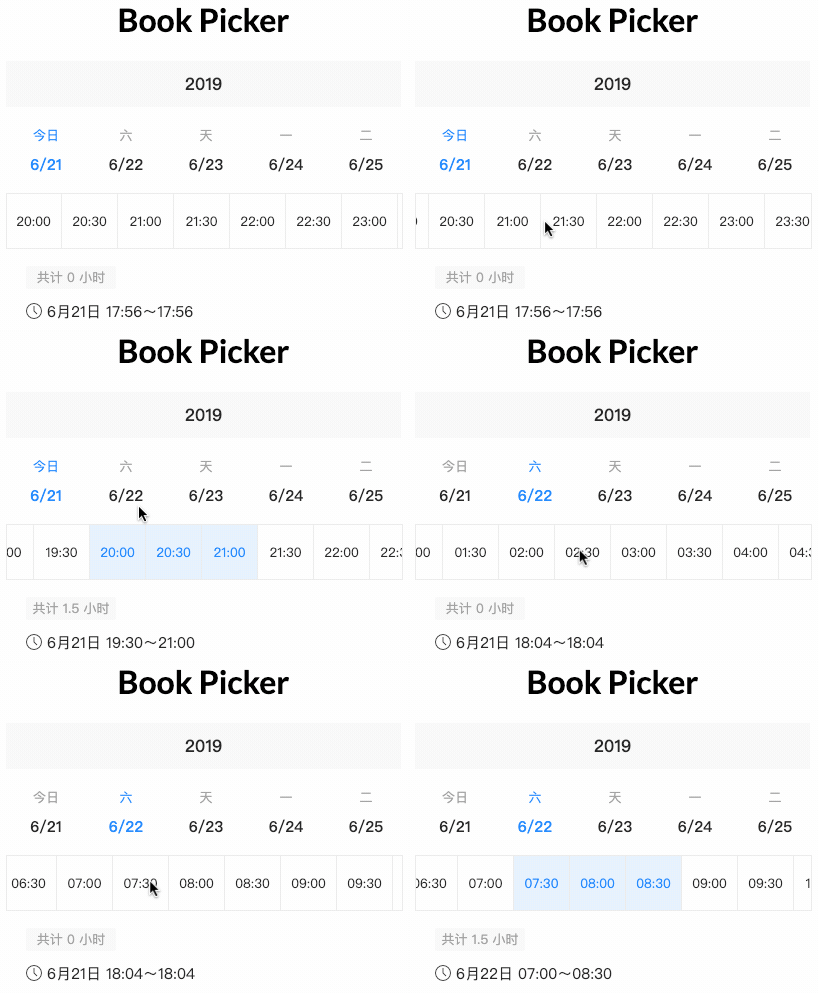
Demo
Try out our demo on Stackblitz!
Install
You can get it on NPM installing book-picker module as a project dependency.
npm install book-picker --save
Setup
You'll need to add BookPickerModule to your application module. So that, the <book-picker> components will be accessible in your application.
import { BookPickerModule } from 'book-picker';

@NgModule({
  declarations: [
    AppComponent
  ],
  imports: [
    BookPickerModule,
    ...
  ],
  providers: [],
  bootstrap: [AppComponent]
})

export class AppComponent {}
<book-picker (selected)="onSelected($event)"></book-picker>
import { Component } from '@angular/core';

@Component({
  selector: 'my-app',
  templateUrl: './app.component.html',
  styleUrls: ['./app.component.css']
})
export class AppComponent {
  name = 'Book Picker';

  onSelected(value: any){
    console.log(value);
  }
}
Development
Run demo locally
- This project uses Angular CLI as base. That means you just need to run
npm start and access the link http://localhost:4200 in your browser
Run tests
- Run
npm test for run tests. In case you want to test using watch, please use npm run tdd
Publish
this project is using np package to publish, which makes things straightforward. EX: np <patch|minor|major> --contents=dist/book-picker
For more details, please check np package on npmjs.com
LICENSE
MIT





