css-spring 🚀




Generate physics based css-keyframe animations for the css-in-js solution of your choice or plain css.
import spring, { toString } from 'css-spring'
const keyframes = spring(
{ left: '0px', opacity: 0 },
{ left: '250px', opacity: 1 },
{ preset: 'wobbly', precision: 5 }
)
const keyframeString = toString(keyframes)
|
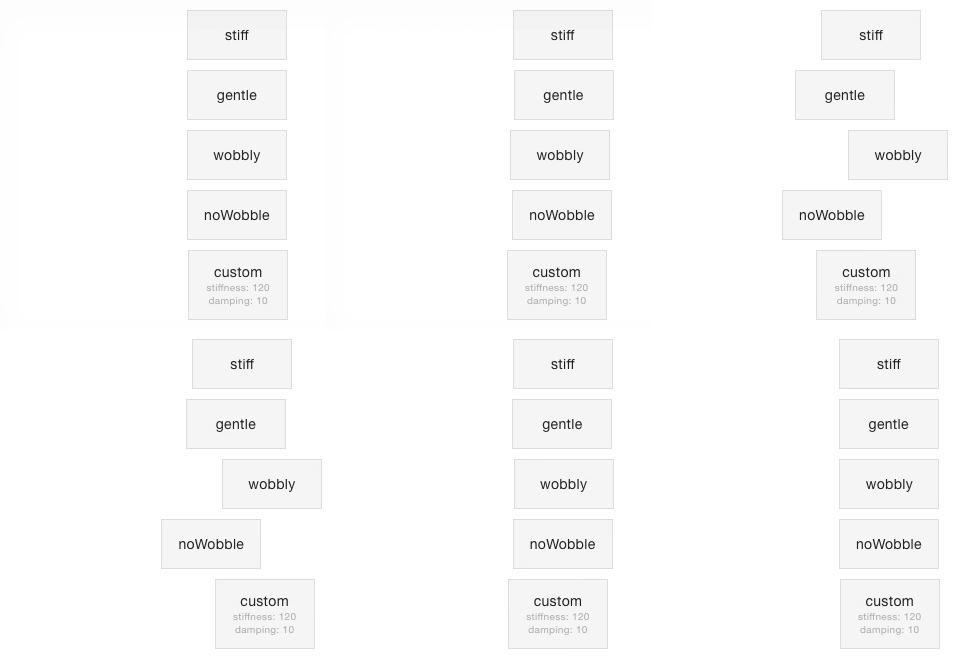
|
TOC
Introduction
This library was inspired heavily by react-motion, which allows you to create spring-based animations by repeatedly updating an elements inline styles. When animating lots of elements at the same time, this can be a burden on performance. Also, based on my own experience, integrating with some css-in-js libraries is hard.
This is where css-spring enters the stage. Enter the desired starting properties and target properties of your animation, optionally adjust the spring settings and css-spring generates a keyframe object or keyframe animation css for your spring-based animation of choice.
The library is small and easy to work with. Nevertheless, it is in the early stages of development. There is a lot of improvements to be made - read the Contributing section if you want to know how you can help.
Examples
This section lists some examples of popular css-in-js libraries such as styled-components and glamor. If you have additional examples, feel free to add them!
styled-components
When used with the styled-components keyframes helper, generated keyframe animations can be applied to a styled component like this:
import spring, { toString } from 'css-spring'
import styled, { keyframes } from 'styled-components'

const springLeft = toString(spring(
  { left: '50px' }, { left: '250px' }, { preset: 'gentle' }
))

const StyledDiv = styled.div`
  animation: ${keyframes`${springLeft}`} 1s linear infinite;
`
glamor
When used with the keyframes method of glamor, the keyframe object can be used as-is and there is no need to convert it to a string:
import { css } from 'glamor';
import spring from 'css-spring';

const springLeft = css.keyframes('springLeft', spring(
  { left: '50px' }, { left: '250px' }, { preset: 'gentle' }
));

const MyComponent = () => (
  <div {...css({ animation: `${springLeft} 1s linear infinite` })}>
    gentle
  </div>
)
API
spring(start, target, options)
This method creates spring-based keyframes. Called with startProp and targetProp arguments
reflecting the starting and ending properties of the animation, it returns an object with the
interpolated animation values.
The following properties in both the startProp and endProp objects are ignored when
calculating the animation:
- properties that do not exist in both arguments
- properties that have non-numeric values
- properties with units that differ between both arguments
Arguments
startProps (Object): The start properties for the animation.
{ 'margin-left': '0px', opacity: 0 }
endProps (Object): The end properties for the animation.
{ 'margin-left': '250px', opacity: 1 }
options (Object, optional): Animation options with these properties:
precision (Number, optional, defaults to 3) Specifies the number of decimals in the rounding of interpolated values.preset (String, optional): Presets for stiffness and damping, overriding any stiffness and damping values given. Available presets:
stiff stiffness 210, damping 20gentle stiffness 120, damping 14wobbly stiffness 180, damping 12noWobble stiffness 170, damping 26
stiffness (Number, optional, default: 170): The stiffness of your spring-based animation.damping (Number, optional, default: 26): The damping of your spring-based animation.
Returns
An object with 0% to 100% keys and the interpolated physics-based values for each step of the animation, e.g.:
{
"0%": { "margin-left": "0px" },
"1%": { "margin-left": "3px" },
"2%": { "margin-left": "8.544px" },
"99%": { "margin-left": "249.981px" }
"100%": { "margin-left": "250px" }
}
toString(keyframes, formatter)
This method takes the return value of spring and converts it to a css string.
Arguments
Returns
A css keyframe string.
Example
A keyframes object based on startValues = { rotate: '0deg', left: '10px' } and targetValues = { rotate: '180deg', left: '20px' } will be converted to this css string:
0%{rotate:0deg;left:10px}
100%{rotate:180deg;left:20px;}
In order to have this formatted to a valid css transform, you could use a custom formatter like this one:
const keyframeCss = toString(keyframes, (property, value) =>
  property === 'rotate'
    ? `transform:${property}(${value});`
    : `${property}:${value};`
)
This would net you the following css:
0%{transform:rotate(0deg);left:10px}
100%{transform:rotate(180deg);left:20px;}
Contributing
There's a lot of ideas floating in my head that could make working with css-spring easier. Some of these are:
- allowing the interpolation of array values like margins, paddings or translates (#1)
- color interpolation (#3)
Feel free to contribute with your own issues and ideas, your thoughts on the ones listed above, example documentation for usage with other css-in-js frameworks or pull requests for features/improvements you'd like to see.





