Cypress cli-select
Cypress interactive cli prompts to select and run specs, tests or tags.
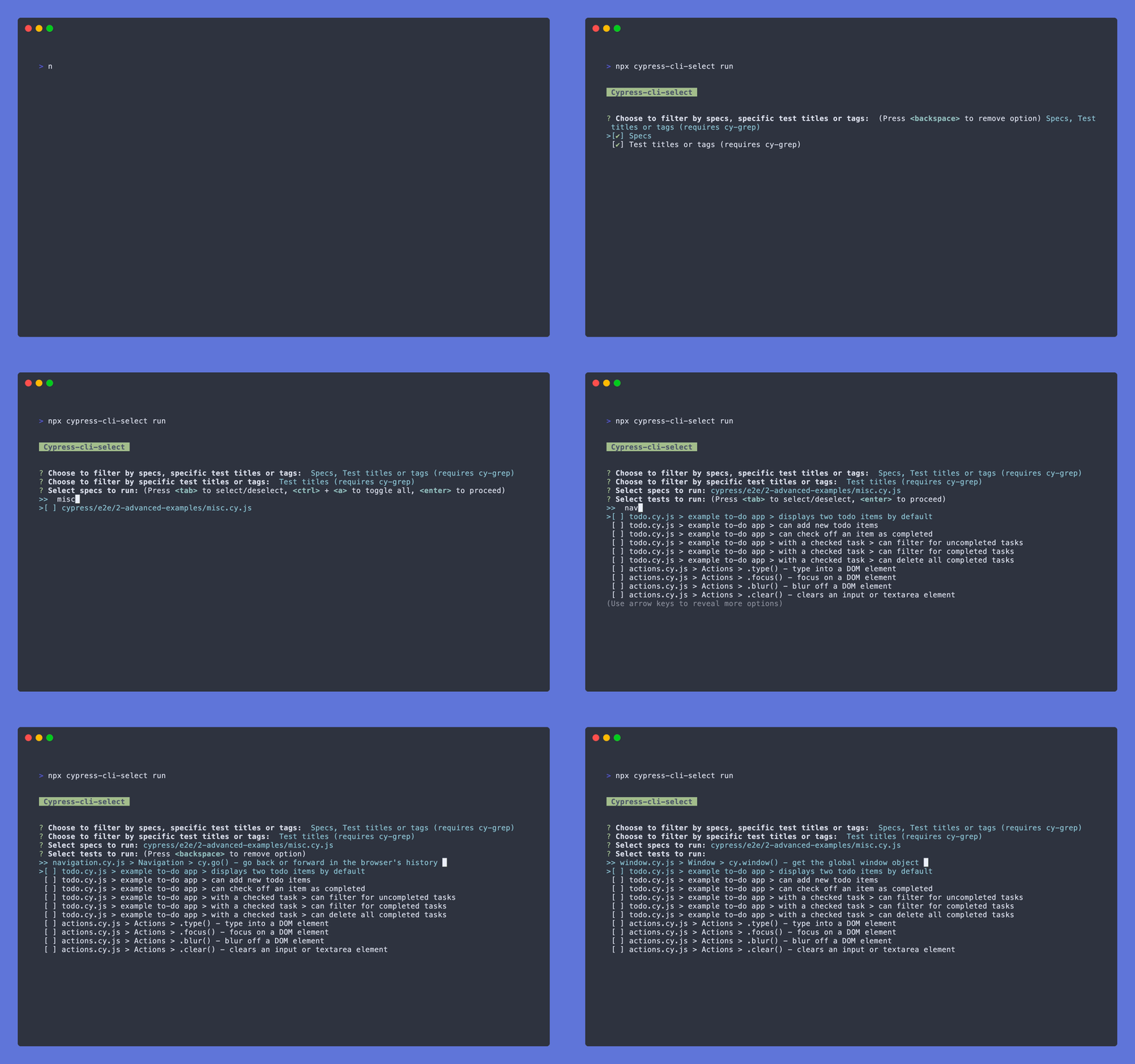
Features
- ⌨ New interactive CLI prompts to select and run specs, tests or tags
- 👟 A new
cypress run command to allow user to pass desired arguments
Table of Contents
Installation
- Install the following package:
npm install --save-dev cypress-cli-select
bahmutov cy-grep
In order to run specific tests by their title or tag, install the following plugin:
npm install --save-dev @bahmutov/cy-grep
Follow the installation and setup for @bahmutov/cy-grep in the project README
cypress grep package
If you use @cypress/grep, you can use this package for specs or tag selection, but this package uses functionality not currently supported by @cypress/grep to allow for other uses.
Run mode
If you want to select e2e specs to run, simply run the following command:
npx cypress-cli-select run
For selecting component specs:
npx cypress-cli-select run --component
If you want to skip straight to selecting specs, titles or tags:
npx cypress-cli-select run --specs
npx cypress-cli-select run --titles
npx cypress-cli-select run --tags
npx cypress-cli-select run --specs --tags
npx cypress-cli-select run --specs --titles
Note: You cannot pass both the --titles and --tags arguments.
You can also include more cli arguments similar to cypress run, as the command harnesses the power of Cypress module API:
npx cypress-cli-select run --component --browser=chrome
Keyboard controls
| Up | Move to selection above current |
| Down | Move to selection below current |
| Tab | Select current |
| Ctrl + a | Select all |
| Backspace | Remove selection |
| Enter | Proceed |
| Ctrl + c | Exit |
Note: You can also filter choices displayed in list by typing
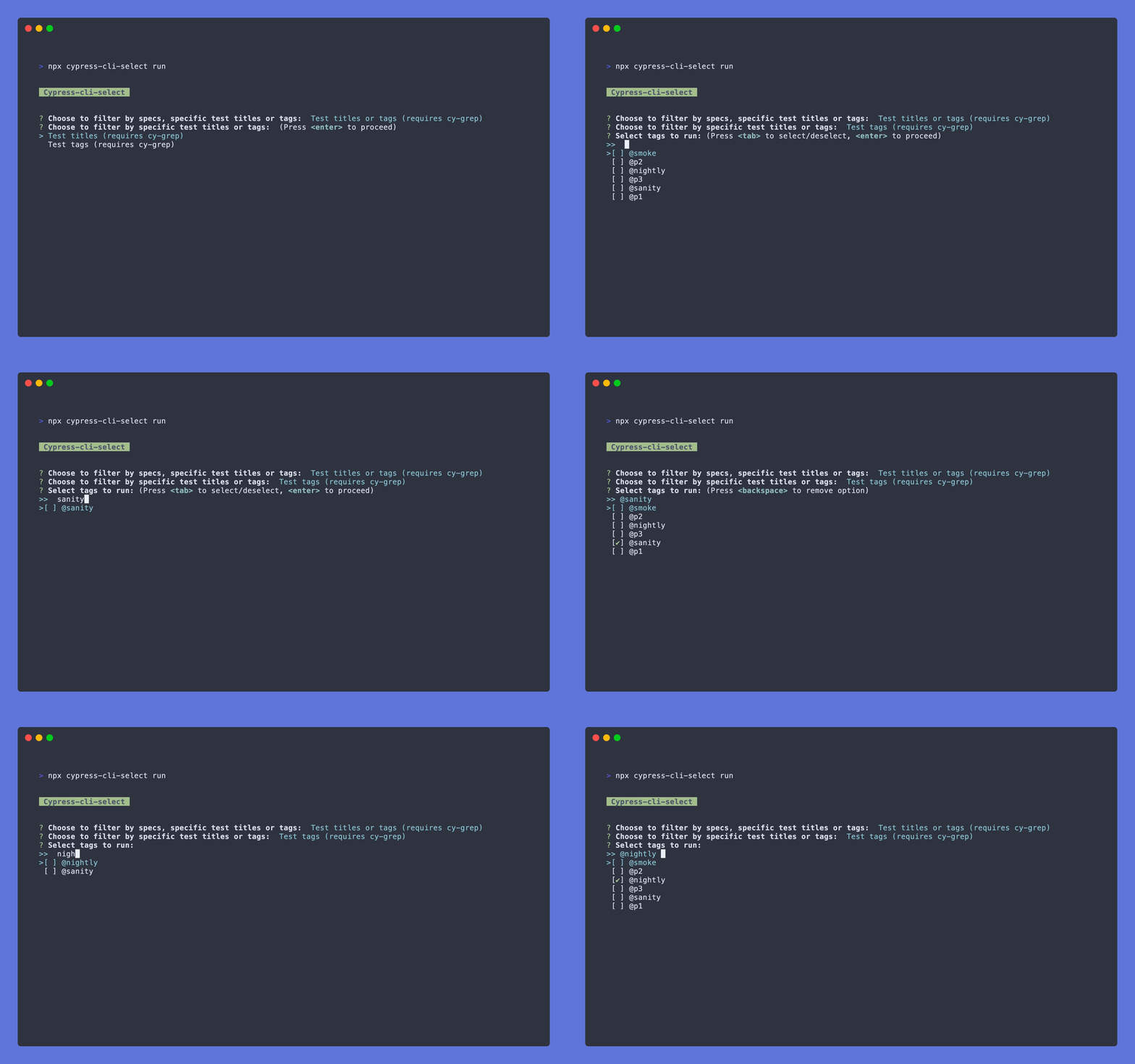
Test titles or tags
If @bahmutov/cy-grep package is installed in your project, test titles and tags are available to select.
Help mode
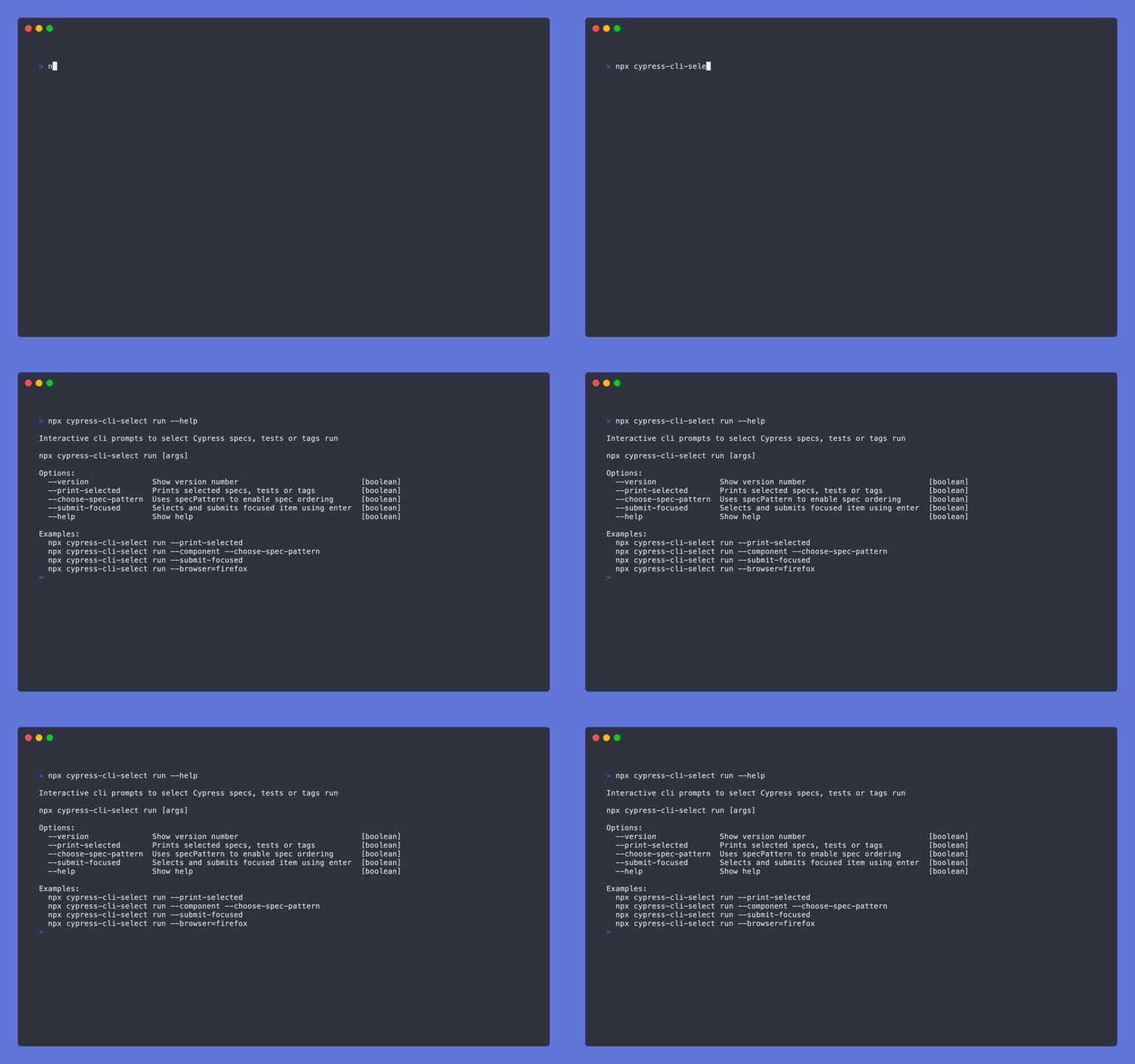
To open the cli help menu, pass the --help flag:
npx cypress-cli-select run --help
Choose spec pattern
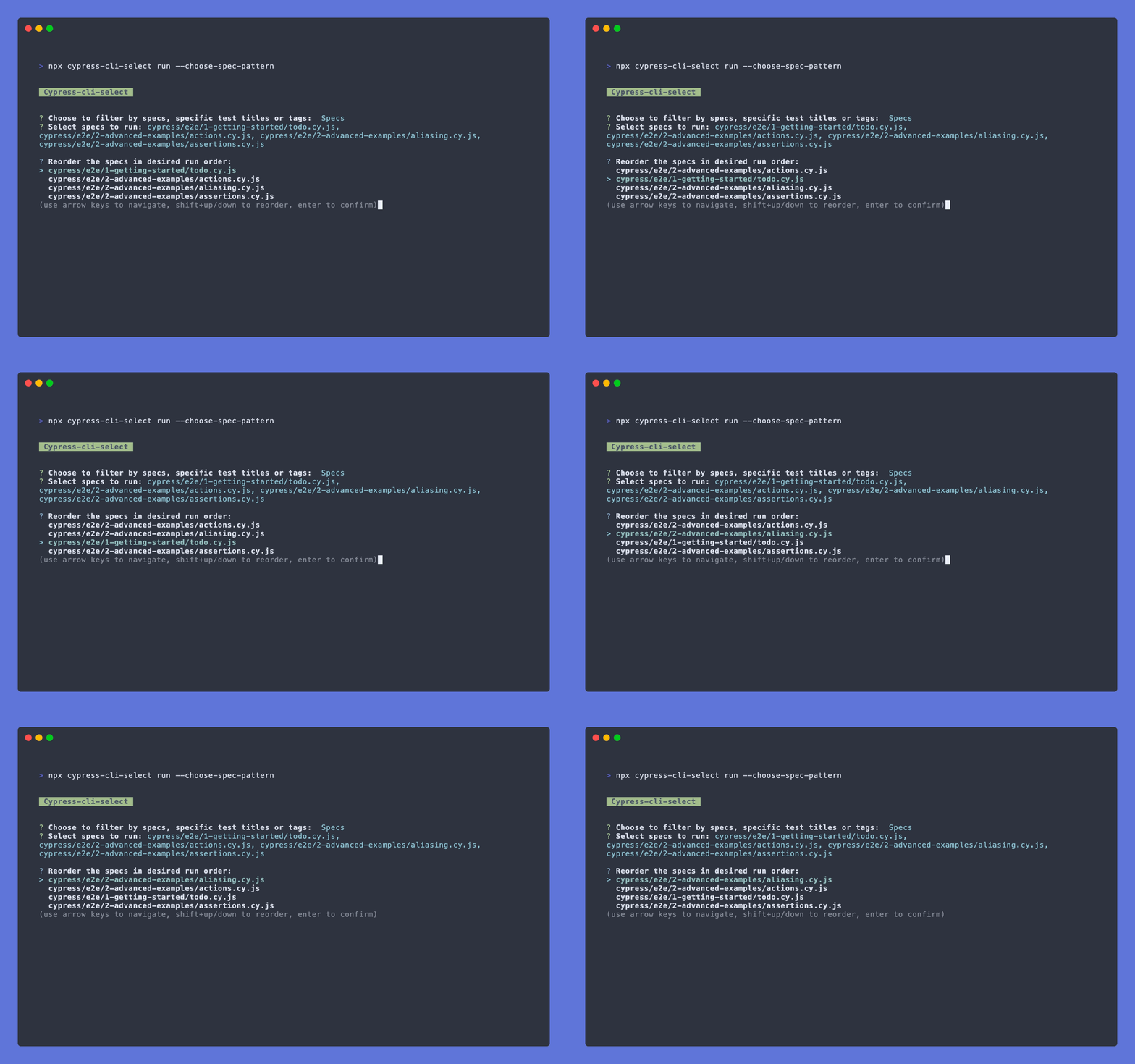
If you are interested in running selected specs in a specific order, pass the following flag:
npx cypress-cli-select run --choose-spec-pattern
Note: If you pass --choose-spec-pattern you will not have the choice to run test titles or tags.
Keyboard controls
| Up | Move to selection above current |
| Down | Move to selection below current |
| Shift + ⬆ | Reorder current up |
| Shift + ⬇ | Reorder current down |
| Enter | Confirm order |
Print selected
If you want to print all selected specs, tests or tags just prior to Cypress run, pass the following flag:
npx cypress-cli-select run --print-selected

Submit focused
When no other options are already selected, automatically select the currently focused option with Enter.
To enable this feature, pass the following flag:
npx cypress-cli-select run --submit-focused
Using a custom cypress config
If you want to use a custom Cypress config, pass it via --config-file flag:
npx cypress-cli-select run --config-file tests/cypress.config.js
Setting up a npm script
For convenience, you may desire to house the npx command within an npm script in your project's package.json, including any desired cli arguments:
  "scripts": {
    "cy:select": "npx cypress-cli-select run --browser=firefox"
  }
Typescript support
For more information on Typescript support involved with @bahmutov/cy-grep package, refer to it's README.
Contributions
Feel free to open a pull request or drop any feature request or bug in the issues.
Please see more details in the contributing doc.





