


Security News
Feross on TBPN: How North Korea Hijacked Axios
Socket CEO Feross Aboukhadijeh breaks down how North Korea hijacked Axios and what it means for the future of software supply chain security.
By Sarah Gooding - Apr 08, 2026
Fast, lightweight, professional TypeScript logger with child loggers, HTTP middleware, file transport, log sampling, field redaction, and zero dependencies.

A fast, lightweight, and professional TypeScript logger with zero dependencies. Keep your terminal cool, soothing, and strictly structured.


devink is a zero-dependency Node.js logger designed for developers who need high performance, beautiful CLI output, and structured JSON logging. Child loggers, HTTP middleware, file transport with rotation, log sampling, field redaction, pretty error formatting — all built in with full TypeScript support and zero external dependencies.
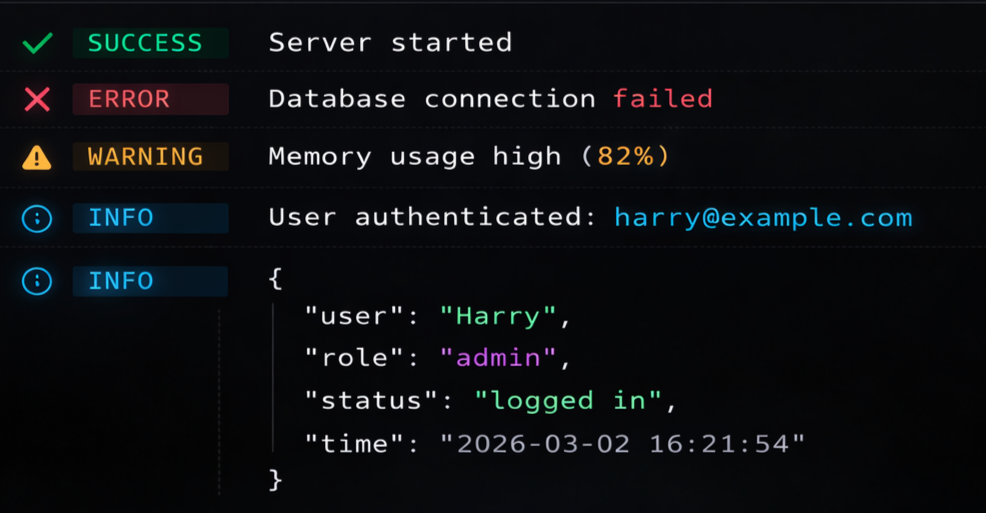
node_modules except your own code.logger.time() / logger.timeEnd().trace, debug, info, warn, error, and fatal.TTY, FORCE_COLOR, NO_COLOR, and CI environments.npm install devink
yarn add devink
pnpm add devink
import { createLogger } from 'devink';

const logger = createLogger({
  timestamps: true,
  level: 'info',
});

logger.info('Server started on port 3000');
logger.success('Database connected successfully');
logger.warn('Rate limit approaching');
logger.error(new Error('Connection timeout'));
Perfect for production environments where log aggregation is crucial:
const logger = createLogger({
  mode: 'json',
  level: 'trace',
});

logger.info('Processing payment', { userId: 123, amount: 49.99 });
// {"level":"info","time":"2026-03-03T00:00:00.000Z","message":["Processing payment",{"userId":123,"amount":49.99}]}
Create scoped loggers that inherit the parent configuration and prepend a namespace to every log line:
import { createLogger } from 'devink';

const logger = createLogger({ timestamps: true });

const dbLogger = logger.child({ namespace: 'db' });
const authLogger = logger.child({ namespace: 'auth' });

dbLogger.info('Query executed in 12ms');
// [14:30:00] [db] ℹ info Query executed in 12ms

authLogger.warn('Token expires in 5 minutes');
// [14:30:00] [auth] ⚠ warn Token expires in 5 minutes
Child loggers can also carry default metadata:
const requestLogger = logger.child({ namespace: 'api', requestId: 'abc-123' });
requestLogger.info('Request received');
// In JSON mode: {"level":"info","namespace":"api","requestId":"abc-123","message":"Request received"}
Framework-agnostic middleware that auto-logs every HTTP request with method, path, status code, and response time:
import { createLogger, httpMiddleware } from 'devink';
import express from 'express';

const logger = createLogger({ timestamps: true });
const app = express();

app.use(httpMiddleware(logger));

// Every request automatically logged:
// [14:30:05] ℹ info GET /api/users 200 12ms
// [14:30:06] ⚠ warn POST /api/login 401 8ms
// [14:30:07] ✖ error GET /api/crash 500 3ms
Works with Express, Fastify, Hono, Koa, and any framework using the standard (req, res, next) pattern.
Visually group related log lines for multi-step operations:
const logger = createLogger({ timestamps: true });

logger.group('Database Migration');
logger.info('Running migration 001_create_users...');
logger.info('Running migration 002_add_indexes...');
logger.success('All migrations complete');
logger.groupEnd();

logger.info('Server ready');
Output:
[14:30:00] ▸ Database Migration
[14:30:00]   ℹ info Running migration 001_create_users...
[14:30:01]   ℹ info Running migration 002_add_indexes...
[14:30:01]   ✔ success All migrations complete
[14:30:01] ℹ info Server ready
Measure execution time for any operation directly from the logger:
const logger = createLogger();

logger.time('database-query');
await db.query('SELECT * FROM users');
logger.timeEnd('database-query');
// ℹ info database-query: 243ms

logger.time('api-call');
await fetch('https://api.example.com/data');
logger.timeEnd('api-call');
// ℹ info api-call: 891ms
In high-throughput production environments, log only a fraction of repetitive events:
const logger = createLogger({
  sampling: {
    'db.query': 0.1, // log 10% of database queries
    'cache.hit': 0.01, // log 1% of cache hits
  },
});

// Only ~10% of these calls will actually produce output
logger.info('Query executed', { table: 'users' });
Built-in file transport with async writes and automatic log rotation:
import { createLogger, FileTransport } from 'devink';

const logger = createLogger({
  transports: [
    new FileTransport({
      path: './logs/app.log',
      maxSize: '10mb',
      maxFiles: 5,
      rotate: true,
    }),
  ],
});

logger.info('This goes to a file with automatic rotation');
When app.log exceeds 10 MB, it rotates to app.log.1, app.log.2, etc., keeping at most 5 rotated files.
Automatically mask sensitive data before it reaches any transport:
const logger = createLogger({
  redact: ['password', 'token', 'authorization', 'ssn'],
});

logger.info('User login', { user: 'harry', password: 's3cret!', token: 'eyJhbG...' });
// ℹ info User login { user: 'harry', password: '[REDACTED]', token: '[REDACTED]' }
Redaction works recursively on nested objects and in both text and JSON modes.
When you pass an Error object, devink renders a beautiful, colored stack trace instead of a raw dump:
const logger = createLogger();

try {
  throw new Error('Database connection failed');
} catch (err) {
  logger.error('Fatal error during startup', err);
}
node_modules and Node.js internal frames dimmed so your code stands outMake important startup messages or critical alerts pop in the console:
const logger = createLogger();

logger.box(
  'System Ready',
  'All microservices have booted successfully.\nListening on http://localhost:8080',
);
The createLogger function accepts an optional LoggerOptions object:
| Property | Type | Default | Description |
|---|---|---|---|
level | LogLevelName | 'trace' | Minimum log level (trace < debug < info < warn < error < fatal). |
mode | 'text' | 'json' | 'text' | Output mode. Text for the console, JSON for log aggregators. |
colors | boolean | true | ANSI colors. Automatically disabled if the terminal doesn't support it. |
timestamps | boolean | false | Prepend a timestamp ([HH:MM:SS]) to text outputs. |
theme | Partial<Theme> | modernTheme | Customize prefix icons and color functions for each log level. |
transports | Transport[] | [ConsoleTransport] | Target output destinations (console, file, external APIs). |
namespace | string | '' | Namespace prefix prepended to all log lines. |
redact | string[] | [] | Field names to mask with [REDACTED] in log output. |
sampling | Record<string, number> | {} | Sampling rates (0–1) for rate-limiting high-frequency log events. |
devink ships with several UI/UX optimized presets, designed for accessibility and developer comfort:
modernTheme (Default): Soft, cool hex colors (#10b981, #f43f5e, #38bdf8) with dim text to prevent eye strain.classicTheme: Standard ANSI colors (Red, Green, Yellow, Cyan).minimalTheme: Prefix icons only, without extra text like "success" or "error".import { createLogger, classicTheme } from 'devink';
const logger = createLogger({
theme: classicTheme,
});
Route logs anywhere by implementing the Transport interface:
import { createLogger, Transport, TransportContext } from 'devink';
import fs from 'node:fs';

class CustomTransport implements Transport {
  write(ctx: TransportContext) {
    fs.appendFileSync('custom.log', ctx.raw + '\n');
  }
}

const logger = createLogger({
  transports: [new CustomTransport()],
});
Build your own CLI tools with devink's high-performance, zero-dependency ANSI utilities:
import { ansi } from 'devink';

console.log(ansi.rgb(255, 100, 50, 'True RGB text!'));
console.log(ansi.hex('#34d399', 'Hex coded text!'));
console.log(ansi.color256(128, '256 color terminal support!'));
console.log(ansi.bold(ansi.cyan('Bold and cyan!')));
| Feature | devink | pino | winston | bunyan |
|---|---|---|---|---|
| Zero Dependencies | ✅ | ❌ | ❌ | ❌ |
| TypeScript Native | ✅ | ❌ (types pkg) | ❌ (types pkg) | ❌ |
| Child Loggers | ✅ | ✅ | ✅ | ✅ |
| HTTP Middleware (built-in) | ✅ | ❌ (separate) | ❌ (separate) | ❌ |
| File Transport (built-in) | ✅ | ❌ (separate) | ✅ | ✅ |
| Log Rotation (built-in) | ✅ | ❌ | ❌ (separate) | ❌ (separate) |
| Log Sampling | ✅ | ❌ | ❌ | ❌ |
| Field Redaction | ✅ | ✅ | ❌ | ❌ |
| Pretty Error Formatting | ✅ | ❌ (separate) | ❌ | ❌ |
| Log Grouping | ✅ | ❌ | ❌ | ❌ |
| Performance Timers | ✅ | ❌ | ❌ | ❌ |
| Colored ANSI Output | ✅ | ❌ (separate) | ❌ (separate) | ❌ |
| Boxed Output | ✅ | ❌ | ❌ | ❌ |
| JSON Structured Logging | ✅ | ✅ | ✅ | ✅ |
| Custom Themes | ✅ | ❌ | ❌ | ❌ |
| Bundle Size | ~8KB | ~120KB | ~280KB | ~95KB |
These features are planned for upcoming releases:
traceId and spanId injection.Built with ❤️ by Harry Mate. 🌟 If you find this library helpful, consider dropping a Star on GitHub and following me (@harrymate22) for more open-source tools!
MIT © harrymate22
FAQs
Terminal logging done right — structured, beautiful, and zero dependencies. A complete Node.js logging system with child loggers, HTTP middleware, and file rotation.
The npm package devink receives a total of 18 weekly downloads. As such, devink popularity was classified as not popular.
We found that devink demonstrated a healthy version release cadence and project activity because the last version was released less than a year ago. It has 1 open source maintainer collaborating on the project.
Did you know?

Socket for GitHub automatically highlights issues in each pull request and monitors the health of all your open source dependencies. Discover the contents of your packages and block harmful activity before you install or update your dependencies.
Security News
Socket CEO Feross Aboukhadijeh breaks down how North Korea hijacked Axios and what it means for the future of software supply chain security.

Security News
OpenSSF has issued a high-severity advisory warning open source developers of an active Slack-based campaign using impersonation to deliver malware.

Research
/Security News
Malicious packages published to npm, PyPI, Go Modules, crates.io, and Packagist impersonate developer tooling to fetch staged malware, steal credentials and wallets, and enable remote access.