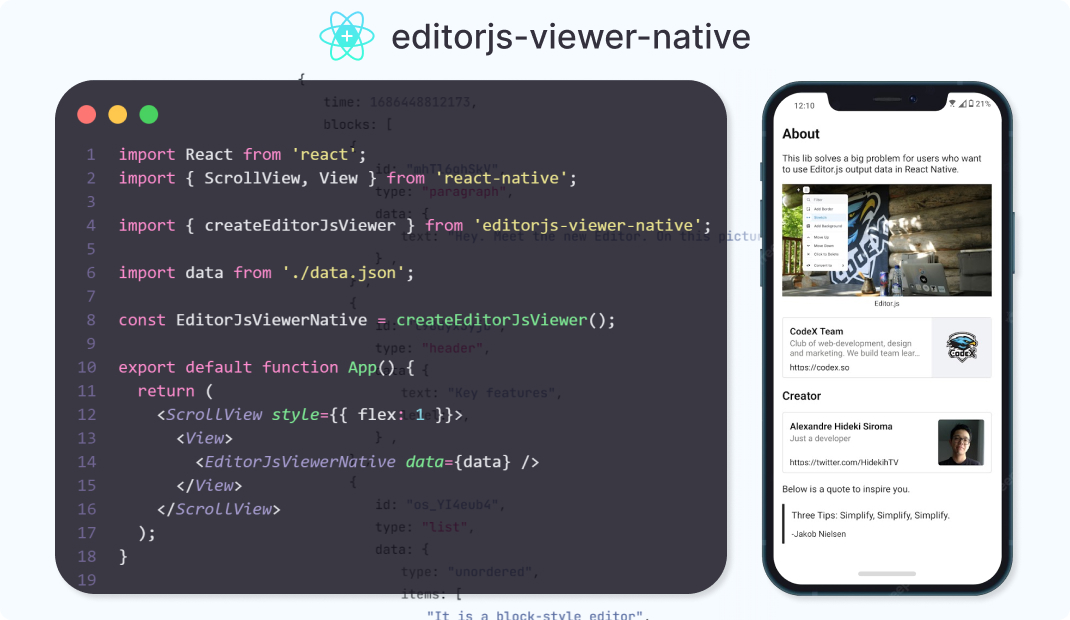


About
This lib provide a component to render in a React Native a JSON generated by Editor.js!
Installation
Version 1.0.0 is now available!
npm i editorjs-viewer-native
or
yarn add editorjs-viewer-native
Current support for editorJs's plugins:
See the update plans
Usage
Create a component using function createEditorJsViewer.
import { ScrollView } from 'react-native';
import { createEditorJsViewer } from "editorjs-viewer-native";

import dataFromEditorJs from "./data.json";

const EditorJsViewerNative = createEditorJsViewer();

export default function App() {
  return (
    <ScrollView>
      <EditorJsViewerNative data={dataFromEditorJs} />
    </ScrollView>
  );
}
Custom component for supported plugins
If you want to use your custom component to render any supported plugin block, you can define a Component in createEditorJsViewer config object.
import { ScrollView, Text } from 'react-native';
import { createEditorJsViewer, IHeaderProps } from "editorjs-viewer-native";
import dataFromEditorJs from "./data.json";
const MyHeader = ({ data }: IHeaderProps) => {
return <Text>{data.text}</Text>
}
const EditorJsViewerNative = createEditorJsViewer({
tools: {
header: {
Component: MyHeader
}
}
})
export default function App() {
return (
<ScrollView>
<EditorJsViewerNative data={dataFromEditorJs} />
</ScrollView>
);
}
Now the component MyHeader will render all data of type header.
Support for custom blocks
If you want to render a custom block type, you can define a customTools in createEditorJsViewer config object.
{
"blocks": [
{
"id": "customBlock_id2",
"type" : "randomColeredText",
"data" : {
"text" : "The color of this text is generated randomic"
}
}
]
}
import { ScrollView, Text } from 'react-native';
import { createEditorJsViewer, IHeaderProps, IComponentBlockProps } from "editorjs-viewer-native";
import dataFromEditorJs from "./data.json";
interface IRandomColeredTextData {
text: string;
}
const RandomColeredTextBlock = ({ block, containerStyle }: IComponentBlockProps<IRandomColeredTextData>) => {
const randomColor = `#${Math.floor(Math.random()*16777215).toString(16)}`;
return (
<Text style={[{ color: randomColor }, containerStyle]}>{block.data.text}</Text>
);
};
const EditorJsViewerNative = createEditorJsViewer({
customTools: {
randomColeredText: {
Component: RandomColeredTextBlock
}
}
})
export default function App() {
return (
<ScrollView>
<EditorJsViewerNative data={dataFromEditorJs} />
</ScrollView>
);
}
Now the component MyHeader will render all data of type header.
Fallback for unsupported block types
If you want to show a message for unsupported blocks (good for test, bad for production) set showBlockFallback as true inside createEditorJsViewer config object.
const EditorJsViewerNative = createEditorJsViewer({
showBlockFallback: true
})
Updates plans
Support for:
Open source
Feel free to clone/fork this project!





