Getting started
This is a sample server Petstore server. You can find out more about Swagger at http://swagger.io or on irc.freenode.net, #swagger. For this sample, you can use the api key special-key to test the authorization filters.
How to Build
The generated SDK relies on Node Package Manager (NPM) being available to resolve dependencies. If you don't already have NPM installed, please go ahead and follow instructions to install NPM from here.
The SDK also requires Node to be installed. If Node isn't already installed, please install it from here
NPM is installed by default when Node is installed
To check if node and npm have been successfully installed, write the following commands in command prompt:
node --versionnpm -version
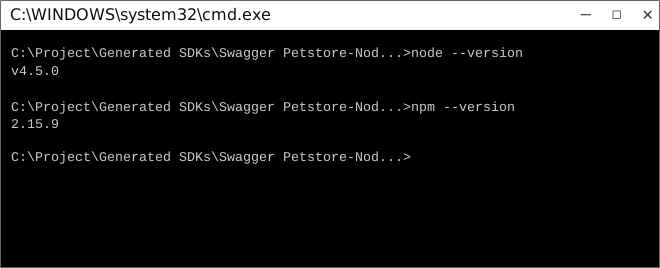
Now use npm to resolve all dependencies by running the following command in the root directory (of the SDK folder):
npm install
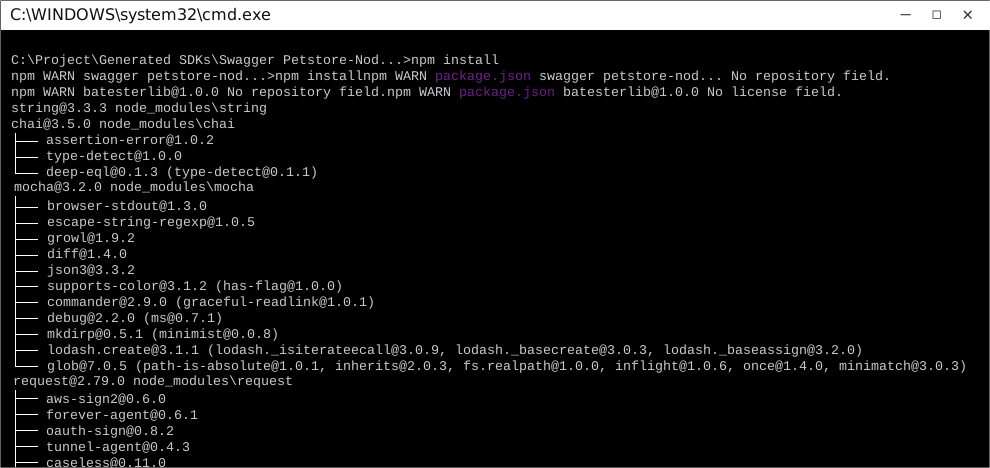
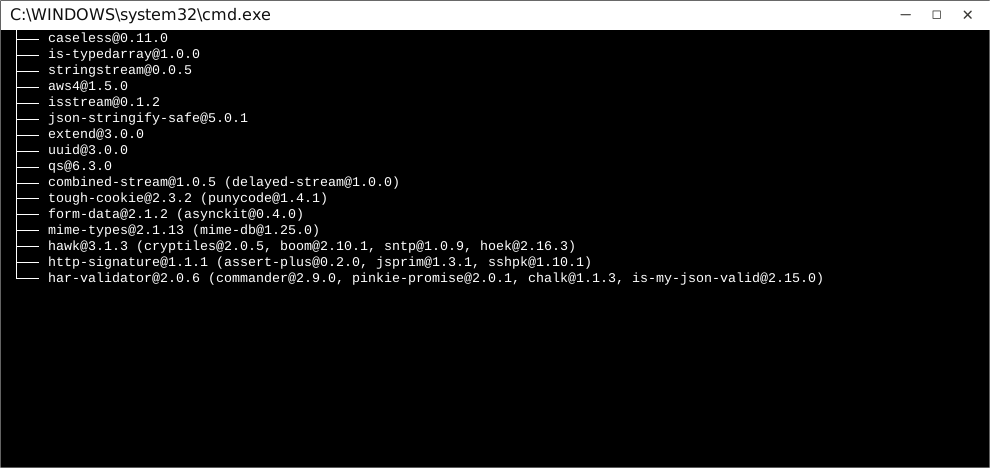
This will install all dependencies in the node_modules folder.
Once dependencies are resolved, you will need to move the folder SwaggerPetstoreLib in to your node_modules folder.
How to Use
The following section explains how to use the library in a new project.
1. Open Project Folder
Open an IDE/Text Editor for JavaScript like Sublime Text. The basic workflow presented here is also applicable if you prefer using a different editor or IDE.
Click on File and select Open Folder.
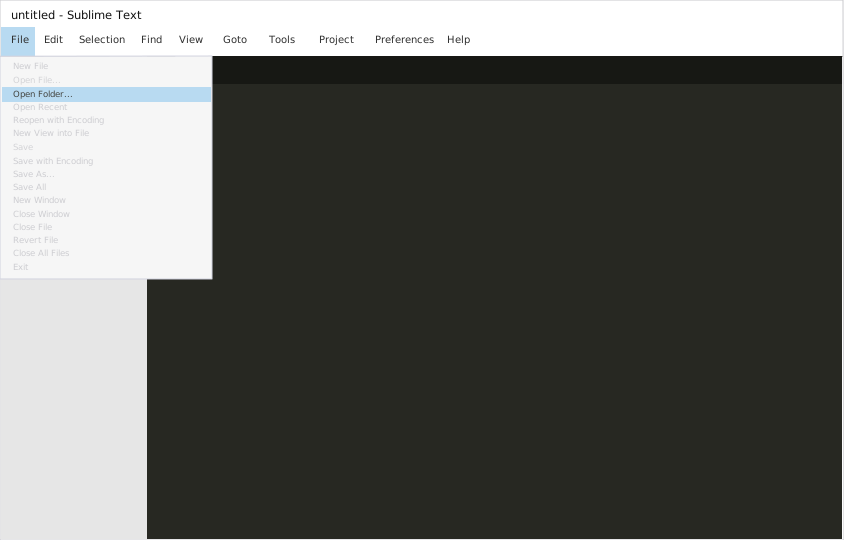
Select the folder of your SDK and click on Select Folder to open it up in Sublime Text. The folder will become visible in the bar on the left.
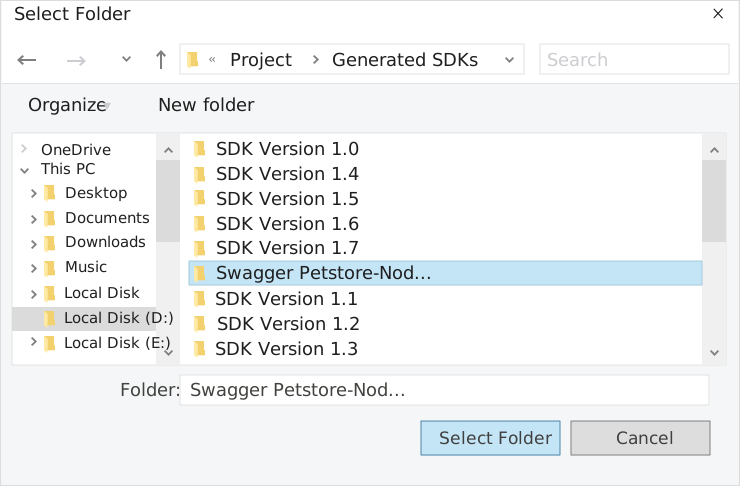
2. Creating a Test File
Now right click on the folder name and select the New File option to create a new test file. Save it as index.js Now import the generated NodeJS library using the following lines of code:
var lib = require('lib');
Save changes.
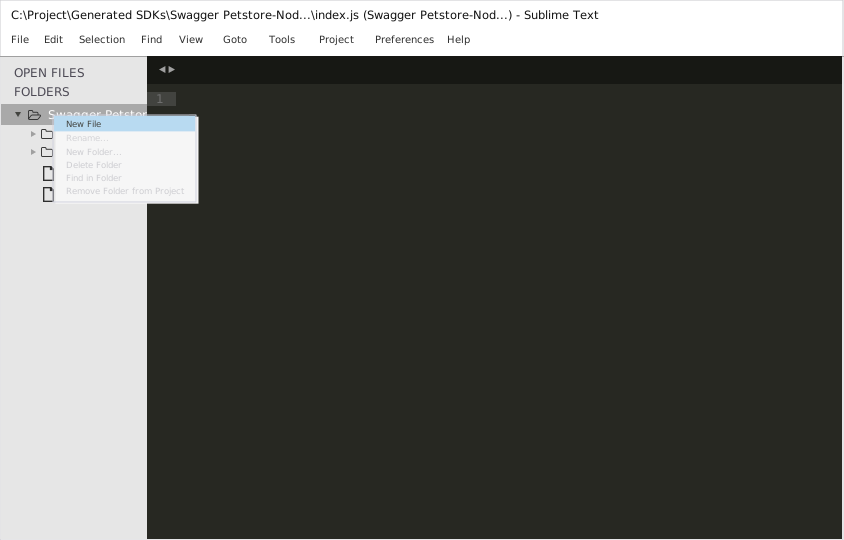
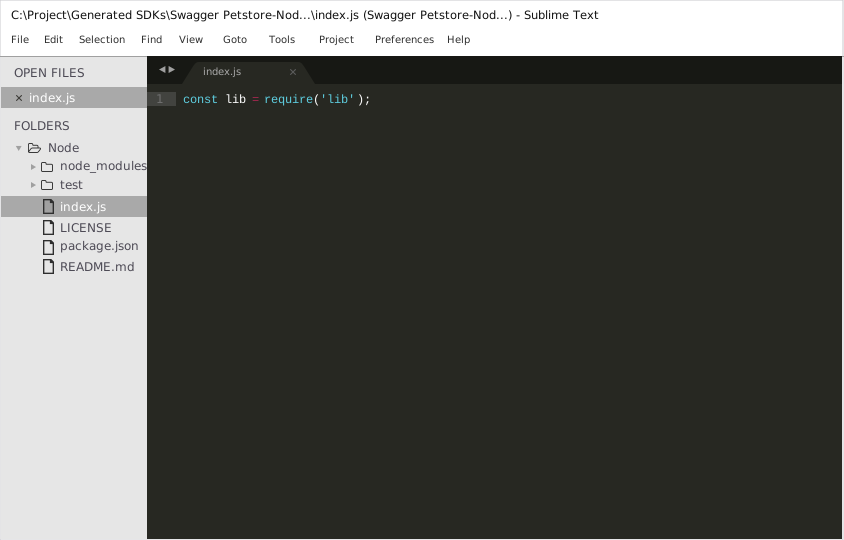
3. Running The Test File
To run the index.js file, open up the command prompt and navigate to the Path where the SDK folder resides. Type the following command to run the file:
node index.js
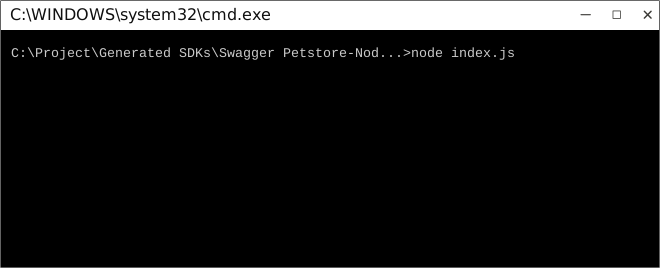
How to Test
These tests use Mocha framework for testing, coupled with Chai for assertions. These dependencies need to be installed for tests to run.
Tests can be run in a number of ways:
Method 1 (Run all tests)
- Navigate to the root directory of the SDK folder from command prompt.
- Type
mocha --recursive to run all the tests.
Method 2 (Run all tests)
- Navigate to the
../test/Controllers/ directory from command prompt.
- Type
mocha * to run all the tests.
Method 3 (Run specific controller's tests)
- Navigate to the
../test/Controllers/ directory from command prompt.
- Type
mocha Swagger PetstoreController to run all the tests in that controller file.
To increase mocha's default timeout, you can change the TEST_TIMEOUT parameter's value in TestBootstrap.js.

Initialization
Authentication
In order to setup authentication in the API client, you need the following information.
| oAuthClientId | OAuth 2 Client ID |
| oAuthRedirectUri | OAuth 2 Redirection endpoint or Callback Uri |
API client can be initialized as following:
const lib = require('lib');
lib.Configuration.oAuthClientId = "oAuthClientId";
lib.Configuration.oAuthRedirectUri = "oAuthRedirectUri";
You must now authorize the client.
Authorizing your client
Your application must obtain user authorization before it can execute an endpoint call.
The SDK uses OAuth 2.0 Implicit Grant to obtain a user's consent to perform an API request on user's behalf.
This process requires the presence of a client-side JavaScript code on the redirect URI page to
receive the access token after the consent step is completed.
1. Obtain consent
To obtain user's consent, you must redirect the user to the authorization page.
The buildAuthorizationUrl() method creates the URL to the authorization page.
You must pass the scopes for which you need permission to access.
const oAuthManager = lib.OAuthManager;
const authUrl = oAuthManager.buildAuthorizationUrl([lib.OAuthScopeEnum.WRITEPETS, lib.OAuthScopeEnum.READPETS]);
2. Handle the OAuth server response
Once the user responds to the consent request, the OAuth 2.0 server responds to your application's access request by redirecting the user to the redirect URI specified set in Configuration.
The redirect URI will receive the access token as the token argument in the URL fragment.
https://example.com/oauth/callback#token=XXXXXXXXXXXXXXXXXXXXXXXXX
The access token must be extracted by the client-side JavaScript code. The access token can be used to authorize any further endpoint calls by the JavaScript code.
Scopes
Scopes enable your application to only request access to the resources it needs while enabling users to control the amount of access they grant to your application. Available scopes are defined in the lib/Models/OAuthScopeEnum enumeration.
WRITEPETS | modify pets in your account |
READPETS | read your pets |
Class Reference
List of Controllers
 PetController
Get singleton instance
The singleton instance of the PetController class can be accessed from the API Client.
var controller = lib.PetController;
 addPet
Add a new pet to the store
function addPet(body, callback)
Parameters
| body | Required | Pet object that needs to be added to the store |
Example Usage
    var body = new Pet({"key":"value"});

    controller.addPet(body, function(error, response, context) {


    });
Errors
updatePet
Update an existing pet
function updatePet(body, callback)
Parameters
| body | Required | Pet object that needs to be added to the store |
Example Usage
    var body = new Pet({"key":"value"});

    controller.updatePet(body, function(error, response, context) {


    });
Errors
| 400 | Invalid ID supplied |
| 404 | Pet not found |
| 405 | Validation exception |
findPetsByStatus
Multiple status values can be provided with comma separated strings
function findPetsByStatus(status, callback)
Parameters
| status | Required Collection | Status values that need to be considered for filter |
Example Usage
    var status = [ Object.keys(status2)[0] ];

    controller.findPetsByStatus(status, function(error, response, context) {


    });
Errors
findPetsByTags
Muliple tags can be provided with comma separated strings. Use tag1, tag2, tag3 for testing.
function findPetsByTags(tags, callback)
Parameters
| tags | Required Collection | Tags to filter by |
Example Usage
    var tags = ['tags'];

    controller.findPetsByTags(tags, function(error, response, context) {


    });
Errors
getPetById
Returns a single pet
function getPetById(petId, callback)
Parameters
| petId | Required | ID of pet to return |
Example Usage
    var petId = 165;

    controller.getPetById(petId, function(error, response, context) {


    });
Errors
| 400 | Invalid ID supplied |
| 404 | Pet not found |
updatePetWithForm
Updates a pet in the store with form data
function updatePetWithForm(petId, name, status, callback)
Parameters
| petId | Required | ID of pet that needs to be updated |
| name | Optional | Updated name of the pet |
| status | Optional | Updated status of the pet |
Example Usage
    var petId = 165;
    var name = 'name';
    var status = 'status';

    controller.updatePetWithForm(petId, name, status, function(error, response, context) {


    });
Errors
deletePet
Deletes a pet
function deletePet(petId, apiKey, callback)
Parameters
| petId | Required | Pet id to delete |
| apiKey | Optional | TODO: Add a parameter description |
Example Usage
    var petId = 165;
    var apiKey = api_key;

    controller.deletePet(petId, apiKey, function(error, response, context) {


    });
Errors
| 400 | Invalid ID supplied |
| 404 | Pet not found |
uploadFile
uploads an image
function uploadFile(petId, additionalMetadata, file, callback)
Parameters
| petId | Required | ID of pet to update |
| additionalMetadata | Optional | Additional data to pass to server |
| file | Optional | file to upload |
Example Usage
    TestHelper.getFilePath('url', function(data) {
        var petId = 165;
    var additionalMetadata = 'additionalMetadata';
    var file = data;

        controller.uploadFile(petId, additionalMetadata, file, function(error, response, context) {

        });
    });
Back to List of Controllers
StoreController
Get singleton instance
The singleton instance of the StoreController class can be accessed from the API Client.
var controller = lib.StoreController;
getInventory
Returns a map of status codes to quantities
function getInventory(callback)
Example Usage
    controller.getInventory(function(error, response, context) {


    });
createPlaceOrder
Place an order for a pet
function createPlaceOrder(body, callback)
Parameters
| body | Required | order placed for purchasing the pet |
Example Usage
    var body = new Order({"key":"value"});

    controller.createPlaceOrder(body, function(error, response, context) {


    });
Errors
getOrderById
For valid response try integer IDs with value >= 1 and <= 10. Other values will generated exceptions
function getOrderById(orderId, callback)
Parameters
| orderId | Required | ID of pet that needs to be fetched |
Example Usage
    var orderId = 165;

    controller.getOrderById(orderId, function(error, response, context) {


    });
Errors
| 400 | Invalid ID supplied |
| 404 | Order not found |
deleteOrder
For valid response try integer IDs with positive integer value. Negative or non-integer values will generate API errors
function deleteOrder(orderId, callback)
Parameters
| orderId | Required | ID of the order that needs to be deleted |
Example Usage
    var orderId = 165;

    controller.deleteOrder(orderId, function(error, response, context) {


    });
Errors
| 400 | Invalid ID supplied |
| 404 | Order not found |
Back to List of Controllers
UserController
Get singleton instance
The singleton instance of the UserController class can be accessed from the API Client.
var controller = lib.UserController;
createUser
This can only be done by the logged in user.
function createUser(body, callback)
Parameters
| body | Required | Created user object |
Example Usage
    var body = new User({"key":"value"});

    controller.createUser(body, function(error, response, context) {


    });
Errors
createUsersWithArrayInput
Creates list of users with given input array
function createUsersWithArrayInput(body, callback)
Parameters
| body | Required Collection | List of user object |
Example Usage
    var body = [{"key":"value"}].map(function(elem) {
        return new User(elem);
    });

    controller.createUsersWithArrayInput(body, function(error, response, context) {


    });
Errors
createUsersWithListInput
Creates list of users with given input array
function createUsersWithListInput(body, callback)
Parameters
| body | Required Collection | List of user object |
Example Usage
    var body = [{"key":"value"}].map(function(elem) {
        return new User(elem);
    });

    controller.createUsersWithListInput(body, function(error, response, context) {


    });
Errors
getLoginUser
Logs user into the system
function getLoginUser(username, password, callback)
Parameters
| username | Required | The user name for login |
| password | Required | The password for login in clear text |
Example Usage
    var username = 'username';
    var password = 'password';

    controller.getLoginUser(username, password, function(error, response, context) {


    });
Errors
| 400 | Invalid username/password supplied |
getLogoutUser
Logs out current logged in user session
function getLogoutUser(callback)
Example Usage
    controller.getLogoutUser(function(error, response, context) {


    });
Errors
getUserByName
Get user by user name
function getUserByName(username, callback)
Parameters
| username | Required | The name that needs to be fetched. Use user1 for testing. |
Example Usage
    var username = 'username';

    controller.getUserByName(username, function(error, response, context) {


    });
Errors
| 400 | Invalid username supplied |
| 404 | User not found |
updateUser
This can only be done by the logged in user.
function updateUser(username, body, callback)
Parameters
| username | Required | name that need to be updated |
| body | Required | Updated user object |
Example Usage
    var username = 'username';
    var body = new User({"key":"value"});

    controller.updateUser(username, body, function(error, response, context) {


    });
Errors
| 400 | Invalid user supplied |
| 404 | User not found |
deleteUser
This can only be done by the logged in user.
function deleteUser(username, callback)
Parameters
| username | Required | The name that needs to be deleted |
Example Usage
    var username = 'username';

    controller.deleteUser(username, function(error, response, context) {


    });
Errors
| 400 | Invalid username supplied |
| 404 | User not found |
Back to List of Controllers





