


Research
Malicious fezbox npm Package Steals Browser Passwords from Cookies via Innovative QR Code Steganographic Technique
A malicious package uses a QR code as steganography in an innovative technique.
By Olivia Brown - Sep 22, 2025
hud-gamepad
Advanced tools


So you want to add a gamepad to a html5/canvas based app in html5
npm i hud-gamepad

In your html file add GamePad.setup()
/*
** this is a basic joystick and 1 button setup with start and select buttons
*/
GamePad.setup();
Checkout the working React Example
GamePad is fully customizable, from button names, colors, layout and more.
| property | type | value(s) | description | example |
|---|---|---|---|---|
| debug | boolean | true|false | show or hide event debug info default is false | debug:false |
| trace | boolean | true|false | show or hide gamepad trace info default is false | trace:false |
| canvas | string | id of target canvas | if left out, creates a new canvas object | canvas:"game" |
| buttons | array | [] | collection of button objects | [{name:"x",color:"rgba(255,255,0,0.5)"}] |
| button | object | {name:string,color:hex|rgb|rgba} | properties for custom buttons | [{name:"x",color:"rgba(255,255,0,0.5)"},{name:"y",color:"rgba(255,0,255,0.5)"}] |
| layout | string | TOP_LEFT TOP_RIGHT BOTTOM_LEFT BOTTOM_RIGHT | cardinal position of buttons default is BOTTOM_RIGHT | layout:"BOTTOM_RIGHT" |
| start | boolean | true|false | display start button default is true | start:false |
| select | boolean | true|false | display select button default is false | select:false |
| joystick | boolean | true|false | display joystick/dpad default is false | debug:false |
| hidden | boolean | true|false | show or hide the gamepad default is false | this can be used to hide the gamepad if you are doing something else on screen |
if you are using multikey.js to extend the GamePad for keyboard access
| property | type | value(s) | description | example |
|---|---|---|---|---|
| buttons | array | [] | collection of button objects | [{name:"x",color:"rgba(255,255,0,0.5)", key:"[keyboard letter]"}] |
| button | object | {name:string,color:hex|rgb|rgba} | properties for custom buttons | [{name:"x",color:"rgba(255,255,0,0.5)", key:"w"},{name:"y",color:"rgba(255,0,255,0.5)", key:"q"}] |
| hint | boolean | true|false | show or hidekeyboard hint default is false | hint:true |
default options
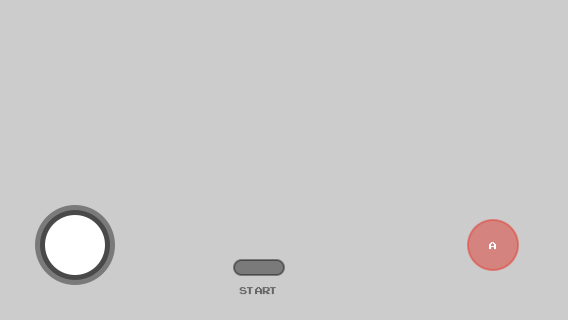
GamePad.setup();
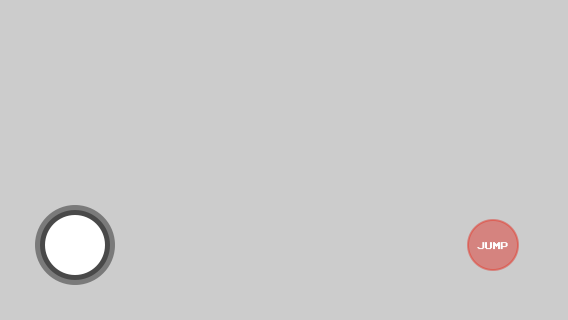
GamePad.setup({
  start:false,
  buttons:[
    {name:"jump"}
  ]
});
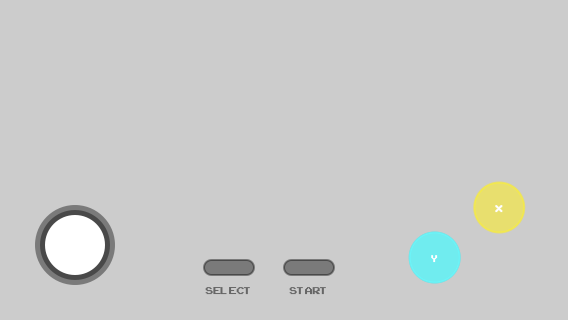
GamePad.setup({
  select:true,
  buttons:[
    {name:"x",color:"rgba(255,255,0,0.5)"},
    {name:"y",color:"rgba(0,255,255,0.75)"}
  ]
});
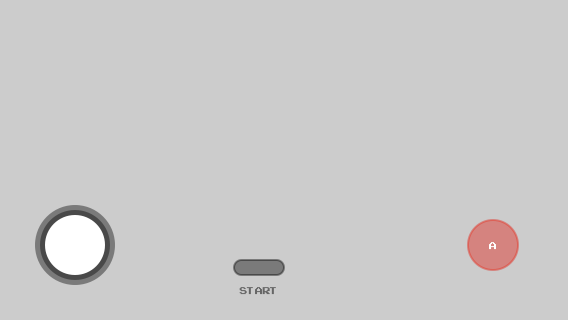
GamePad.setup({
  canvas:"game"
});
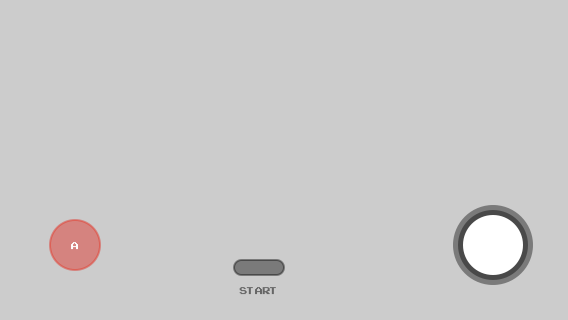
GamePad.setup({
  layout:"BOTTOM_LEFT"
});
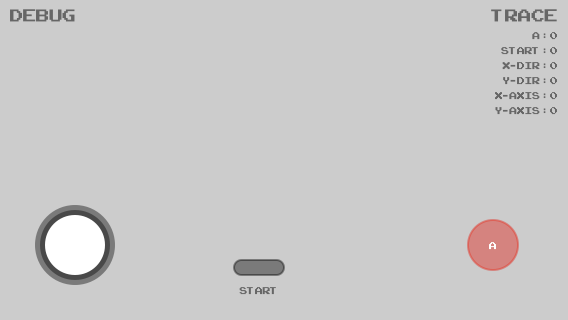
GamePad.setup({
  trace:true,
  debug:true
});
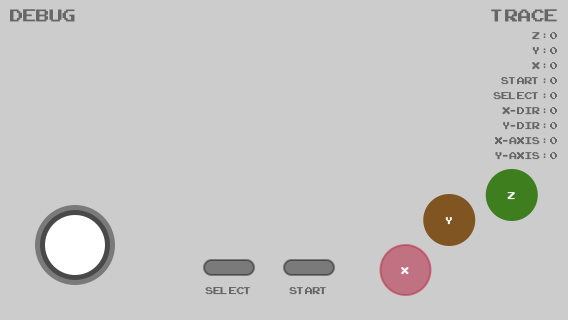
GamePad.setup({
  select:true,
  trace:true,
  debug:true,
  canvas:"game",
  buttons:[
    {name:"z", color:"#17861c"},
    {name:"y", color:"rgb(134, 83, 23)"},
    {name:"x", color:"rgba(204, 0, 51, 0.5)"},
  ]
});

GamePad.setup({
  hidden:true
});
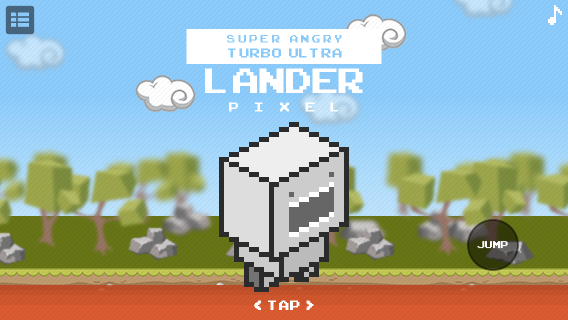
/*
** @description start the game
*/
game.init();
/*
** @description setup gamepad, no stick, no start, one button
*/
GamePad.setup({
  canvas:"controller",
  joystick:false,
  start:false,
  buttons:[
    {name:"jump", color:"rgba(0,0,0,0.25)"}
  ]
});
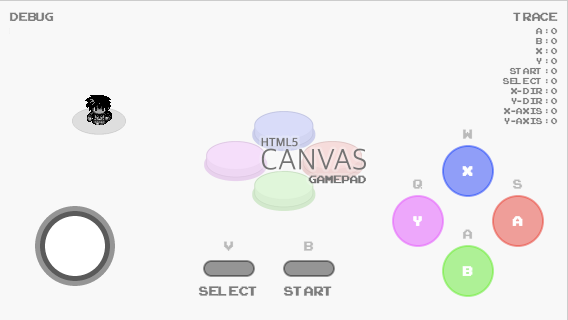
GamePad.setup(
  {
    canvas:"controller",
    start:{name:"start", key:"b"},
    select:{name:"select", key:"v"},
    trace:true,
    debug:true,
    hint:true,
    buttons:[
      {name:"a", "key":"s"},
      {name:"b", "key":"a"},
      {name:"x", "key":"w"},
      {name:"y", "key":"q"}
    ]
  }
);
multikey.setup(GamePad.events, "qwasbv", true);
the above code is running in this example
GamePad has an observable method that returns the current state map of the gamepad
observe();
GamePad.setup()
/*
** @description the below example simply logs out the observe method return
*/
setInterval(
  function()
  {
    var map = GamePad.observe();
    console.log(new Date() + ":" + JSON.stringify(map))
  }
  ,1000
);
/*
** @description additionally, you can throw it into your main loop in canvas
*/
function draw()
{
  if(GamePad)
  {
    gamepad(GamePad.observe())
  }
}
FAQs
A Heads Up Display (HUD) for Gamepads, Keyboards, and more
The npm package hud-gamepad receives a total of 62 weekly downloads. As such, hud-gamepad popularity was classified as not popular.
We found that hud-gamepad demonstrated a healthy version release cadence and project activity because the last version was released less than a year ago. It has 1 open source maintainer collaborating on the project.
Did you know?

Socket for GitHub automatically highlights issues in each pull request and monitors the health of all your open source dependencies. Discover the contents of your packages and block harmful activity before you install or update your dependencies.
Research
A malicious package uses a QR code as steganography in an innovative technique.
Research
/Security News
Socket identified 80 fake candidates targeting engineering roles, including suspected North Korean operators, exposing the new reality of hiring as a security function.
Application Security
/Research
/Security News
Socket detected multiple compromised CrowdStrike npm packages, continuing the "Shai-Hulud" supply chain attack that has now impacted nearly 500 packages.