
Image Cropper Component



An image cropper web component which allows users to crop a rectangle or a 4-point polygon. Perspective transformation is performed using Dynamsoft Document Normalizer for polygon. It supports editing multiple objects in one image.
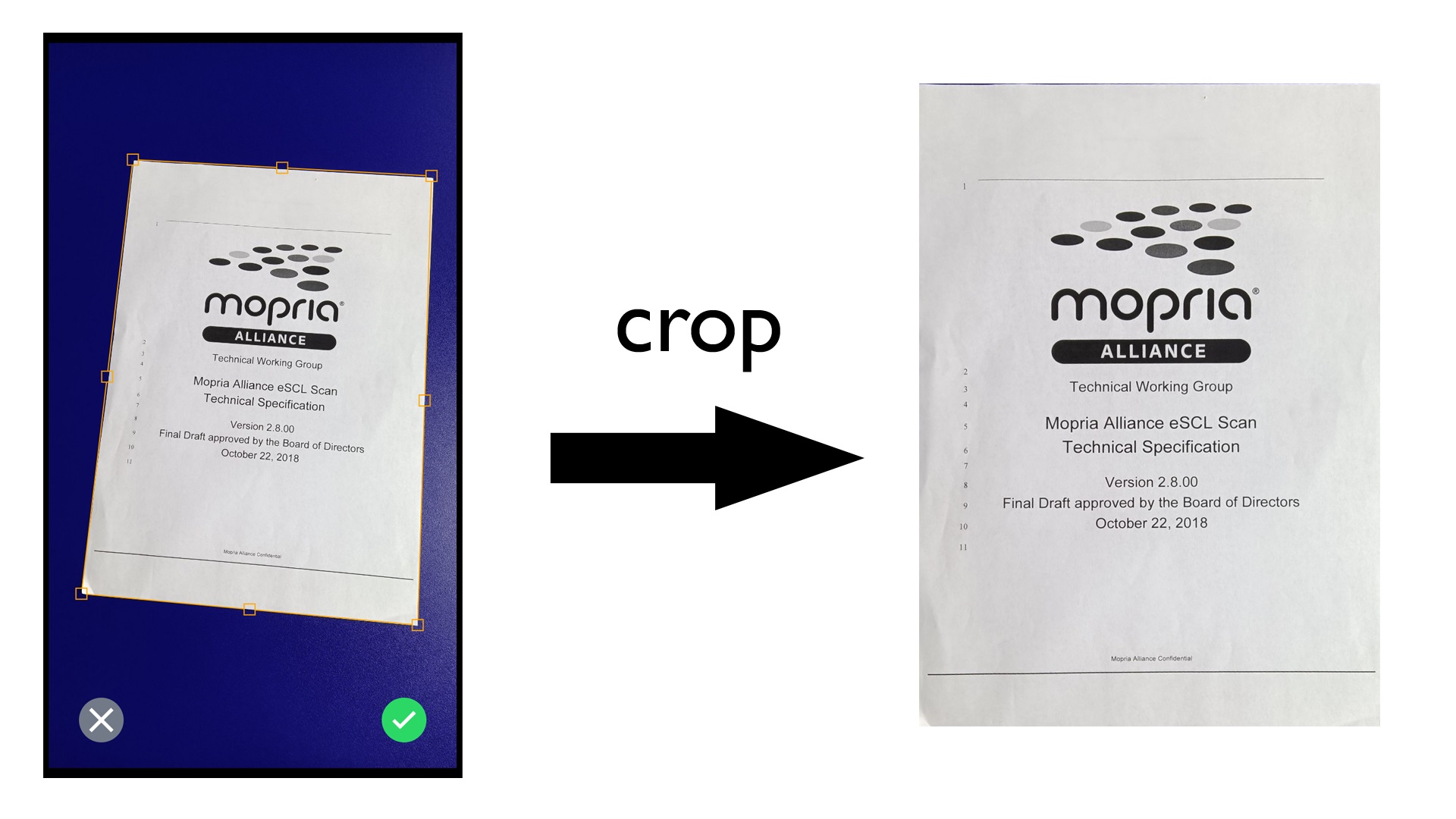
Demo video
Online demos:
Usage
In your HTML, add the component:
<image-cropper></image-cropper>
Pass an image element and a predefined region for the cropper:
let cropper = document.querySelector("image-cropper");
cropper.img = document.getElementById("original");
cropper.rect = {x:50,y:50,width:200,height:200};
It has several methods related to detecting document borders, getting the coordinates, getting the cropped image and updating the view.
"detect": (source: string | HTMLImageElement | Blob | HTMLCanvasElement) => Promise<DetectedQuadResult[]>;
"getAllSelections": (convertTo?:"rect"|"quad") => Promise<(Quad|Rect)[]>;
"getCroppedImage": (options:CropOptions) => Promise<string>;
"getPoints": () => Promise<[Point, Point, Point, Point]>;
"getQuad": () => Promise<Quad>;
"getRect": () => Promise<Rect>;
"fitWidth": () => Promise<void>;
"fitActualSize": () => Promise<void>;
"fitWindow": () => Promise<void>;
Props:
"hidefooter"?: string;
"img"?: HTMLImageElement;
"license"?: string;
"quad"?: Quad;
"rect"?: Rect;
"inactiveSelections": (Quad|Rect)[]
"draggingmode"?: "x-only"|"y-only";
Interfaces:
export interface DetectedQuadResult{
location: Quad;
confidenceAsDocumentBoundary: number;
}
export interface Quad{
points:[Point,Point,Point,Point];
}
export interface Point{
x:number;
y:number;
}
export interface Rect{
x:number;
y:number;
width:number;
height:number;
}
export interface CropOptions {
perspectiveTransform?:boolean;
colorMode?:"binary"|"gray"|"color";
selection?:Quad|Rect;
source?:Blob|string|HTMLImageElement|HTMLCanvasElement;
}
Events:
"onCanceled"?: (event: ImageCropperCustomEvent<void>) => void;
"onConfirmed"?: (event: ImageCropperCustomEvent<void>) => void;
"onSelectionClicked"?: (event: ImageCropperCustomEvent<number>) => void;
"onImageLoaded"?: (event: ImageCropperCustomEvent<void>) => void;
You can customize the style of the selection with the following CSS:
--active-color: orange;
--inactive-color: orange;
--active-stroke: 5;
--inactive-stroke: 4;
PS: If you need to use Dynamsoft Document Normalizer, please include it in your HTML's head:
<script src="https://cdn.jsdelivr.net/npm/dynamsoft-core@3.0.30/dist/core.js"></script>
<script src="https://cdn.jsdelivr.net/npm/dynamsoft-license@3.0.20/dist/license.js"></script>
<script src="https://cdn.jsdelivr.net/npm/dynamsoft-document-normalizer@2.0.20/dist/ddn.js"></script>
<script src="https://cdn.jsdelivr.net/npm/dynamsoft-capture-vision-router@2.0.30/dist/cvr.js"></script>
Pan and Zoom
You can use the wheel to zoom the image and pan the image with the mouse.
Pinch and zoom are also supported on touch devices.
Install this component
Script tag
-
Put a script tag similar to this
<script type="module">
  import { defineCustomElements } from 'https://cdn.jsdelivr.net/npm/image-cropper-component/dist/esm/loader.js';
  defineCustomElements();
</script>
in the head of your index.html
-
Then you can use the element anywhere in your template, JSX, html etc
Node Modules
-
Run npm install image-cropper-component --save
-
Put a script tag similar to this
<script type="module">
  import { defineCustomElements } from 'node_modules/image-cropper-component/dist/esm/loader.js';
  defineCustomElements();
</script>
in the head of your index.html
-
Then you can use the element anywhere in your template, JSX, html etc
Credits
Adding zoom and pan effects to SVG





