


Security News
Feross on TBPN: How North Korea Hijacked Axios
Socket CEO Feross Aboukhadijeh breaks down how North Korea hijacked Axios and what it means for the future of software supply chain security.
By Sarah Gooding - Apr 08, 2026
jos-animation
Advanced tools
An animation library package to instantly add beautiful/professional looking animation to your website

A simple & easy to use animation library for web developers


Git Pages
·
Playground Demo
·
Report Bug
·
Request Feature
JOS-Animation, Javascript On Scroll Animation library is a simple & easy to use animation library package to instantly add professional animation to your website. It was built to make my life easier while developing websites & comes with tons of features and is fully customizable. It is lightweight & has a very small footprint. The best part of all is that it has no (*minimum) toll on performance.
This project is currently being developed by me & the dev community, So you can expect more features and updates quite often..
Was inpired by GSAP, AOS libraries. I wanted something easier to use, with great performance and wanted to make the implementation better. So I worked on this project from scratch.
Feel free to report an issue or request a feature in this repository :)
& for more information, Check out the JOS Webpage.

<a
target="\_blank"
rel="noopener noreferrer nofollow"
href="https://github.com/jesvijonathan/JOS-Animation-Library"
>
<img
src="https://cdn.jsdelivr.net/gh/jesvijonathan/JOS-Animation-Library@master/res/badge/jos_github%20default.svg"
alt="JOS-Animation"
style="max-width: 100%;"
/></a>













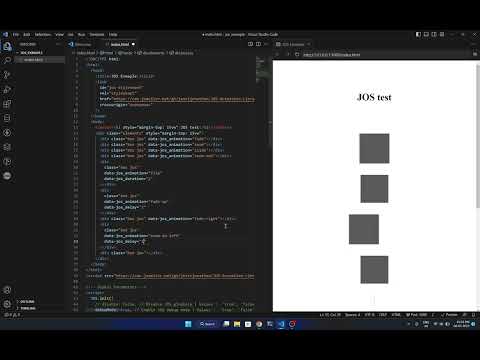 JOS V0.6 Cubes (Outdated | Latest : v0.9.1)
 JOS V0.8.8 (Outdated | Latest : v0.9.1)
 JOS v0.9.2 11 Nov 2023 Jesvi Jonathan
<link> inside the <head> tag :
(this step is not required from v0.9 onwards)<link
id="jos-stylesheet"
rel="stylesheet"
href="https://unpkg.com/jos-animation/dist/jos.css"
crossorigin="anonymous"
/>
<script> right after the <body> tag :
<script src="https://unpkg.com/jos-animation/dist/jos.min.js"></script>
You can add minified version of the script by replacing jos.js with jos.min.js in the above script tag.
jos.js for basic.jos.min.js for production use.jos.debug.js for debugging along with some other functionFrom v0.9 onwards, by default jos.js does not require you to add the stylesheet jos.css, it will be exported along with the script. But you can still add the stylesheet if you want to for some reason.
jos-animation@latestjos-animation@0.8.8jos-animation@0.9.0-beta.1So it would be https://unpkg.com/jos-animation/@latest/dist/jos.js (embed) for the latest version. or jos-animation/@0.8.8/dist/jos.js (npm install) for a specific version.
JOS.init(); to initialize the library with default settings.<!-- Initialize JOS with default settings -->
<script>
JOS.init();
</script>
JOS.init(options); to overide the default settings with your custom settings.<!-- Global Parameters -->
<script>
JOS.init({
// disable: false, // Disable JOS gloabaly | Values : 'true', 'false'
debugMode: true, // Enable JOS debug mode | Values : 'true', 'false'
passive: false, // Set the passive option for the scroll event listener | Values : 'true', 'false'
once: false, // Disable JOS after first animation | Values : 'true', 'false' || Int : 0-1000
animation: "fade", // JOS global animation type | Values : 'fade', 'slide', 'zoom', 'flip', 'fade-right', 'fade-left', 'fade-up', 'fade-down', 'zoom-in-right', 'zoom-in-left', 'zoom-in-up', 'zoom-in-down', 'zoom-out-right', 'zoom-out-left', 'zoom-out-up', 'zoom-out-down', 'flip-right', 'flip-left', 'flip-up', 'flip-down, spin, revolve, stretch, "my-custom-animation"
// animationInverse: "static", // Set the animation type for the element when it is scrolled out of view | Values : 'fade', 'slide', 'zoom', 'flip', 'fade-right', 'fade-left', 'fade-up', 'fade-down', 'zoom-in-right', 'zoom-in-left', 'zoom-in-up', 'zoom-in-down', 'zoom-out-right', 'zoom-out-left', 'zoom-out-up', 'zoom-out-down', 'flip-right', 'flip-left', 'flip-up', 'flip-down, spin, revolve, stretch, "my-custom-animation"
timingFunction: "ease-in-out", // JOS global timing function | Values : 'ease', 'ease-in', 'ease-out', 'ease-in-out', 'linear', 'step-start', 'step-end', 'steps()', 'cubic-bezier()', 'my-custom-timing-function'
//mirror : false, // Set whether the element should animate back when scrolled out of view | Values : 'true', 'false'
threshold: 0, // Set gloabal the threshold for the element to be visible | Values : 0-1
delay: 0, // Set global the delay for the animation to start | Values : 0,1,2,3,4,5
duration: 0.7, // Set global the duration for the animation playback | Values : flota : 0-1 & int : 0,1,2,3,4,5
// startVisible: "true", // Set whether the element should animate when the page is loaded | Values : 'true', 'false' || MS : 0-10000
// scrollDirection: "down", // Set the scroll direction for the element to be visible | Values : 'up', 'down', 'none'
//scrollProgressDisable: true // disable or enable scroll callback function | Values : 'true', 'false'
// intersectionRatio: 0.4, // Set the intersection ratio between which the element should be visible | Values : 0-1 (automaticaly set)
// rootMargin_top: "0%", // Set by which percent the element should animate out (Recommended value between 10% to -30%)
// rootMargin_bottom: "-50%", // Set by which percent the element should animate out (Recommended value between -10% to -60%)
// rootMargin: "0% 0% -50% 0%", // Set the root margin for the element to be visible | Values : _% _% _% _% (automaticaly set)
});
</script>
class="jos" to the element you want to animate :<!-- JOS class is required to animate the element -->
<div class="jos"></div>
data-jos *attributes to customize the element you want to animate,<!-- JOS attributes are optional and will work without them (class="jos" is mandatory). these attributes can be used to customize the animation of the element -->
<div
class="jos"
data-jos_animation="zoom"
data-jos_once="false"
data-jos_duration="0.4"
data-jos_delay="0.1"
data-jos_timing-function="ease-in-out"
data-jos_mirror="true"
data-jos_rootMargin="0% 0% -50% 0%"
data-jos_rootMargin_top="-10%"
data-jos_rootMargin_bottom="-50%"
data-jos_scrollDirection="down"
data-jos_startVisible="false"
data-jos_threshold="0.4"
data-jos_passive="false"
data-jos_invoke="myCustomFunction"
data-jos_invoke_out="myCustomFunction_onExit"
data-jos_scroll="your_callbackFunction"
data-jos_anchor="#elementID"
></div>
See JOS Props for full information regarding the animation, attributes, and options.
/* Custom animation class name starts with 'jos-' keyword followed by the animation name*/
.jos-my-custom-animation {
  /* Set the initial state of the element */
}
data-jos_animation attribute to my-custom-animation :<div class="jos" data-jos_animation="my-custom-animation"></div>
Example : Custom Animation
/* Custom inverse animation class name starts with 'jos-' keyword followed by the animation name*/
.jos-my-custom-animation-inverse {
  /* Set the initial state of the element */
}
data-jos_animationInverse attribute to my-custom-animation-inverse :<div class="jos" data-jos_animationInverse="my-custom-animation-inverse"></div>
This is especially useful when you want to animate an element when it is scrolled out of its rootMargin, this gives more customizability for beautiful animations.
You can also use a combination of both data-jos_animation ("none", "static", no-transition, etc) & data-jos_animationInverse attributes to create a custom animation.
Example : Custom Inverse Animation
/* Custom playable animation class name starts with 'jos-' keyword followed by the animation name*/

/* My Custom Playable Animation */
.jos-my-custom-animation {
  transition: 1s;
  animation: jos-my-custom-animation 1s ease-in-out infinite;
  transform: translateX(100px);
}
/* Add Keyframes */
@keyframes jos-my-custom-animation {
  0% {
    opacity: 1;
  }

  50% {
    transform: translateX(-100px);
  }
}
data-jos_animation attribute to my-custom-animation & data-jos_animationInverse attribute to my-custom-animation-play :<div
class="jos"
data-jos_animation="my-custom-animation"
data-jos_animationinverse="static"
></div>
Here the data-jos_animationinverse attribute is set to static to prevent the element from animating out of view & to keep it in the final state. The Playable animation is triggered and starts playing when the element is scrolled into view.
Example : Playable Animation
/* Custom timing function attribute name starts with 'data-jos_timing_function' keyword & a custom name of your choice */
[data-jos_timing_function="myCustom-timingFunc"] {
  /* Set the timing of the element */
  transition-timing-function: cubic-bezier(0.2, 0.5, 0.2, 0.5) !important;
}
data-jos_timing-function attribute to my-custom-timing-function :<div class="jos" data-jos_timing-function="myCustom-timingFunc"></div>
Example : Custom Timing Function
id to it :<!-- My reference anchor element -->
<div id="myElement"></div>
data-jos_anchor attribute to it, with the id starting with suffix # :<!-- My animated element -->
<div class="jos" data-jos_anchor="#myElement"></div>
This triggers the animation when the myElement element is scrolled into view.
This feature is useful especially when you want to animate an element which is in a fixed position.
Example : Anchor
data-jos_scrollDirection attribute to it :<!-- My animated element -->
<div class="jos" data-jos_scrollDirection="down"></div>
This triggers the animation when the element is scrolled into view from the up to down direction.
& you can do the same for down to up direction.
This is partciluarly useful when you want to animate an element when it is scrolled into view from a particular direction.
Example : Direction Based Animation
data-jos_startVisible attribute to it :<!-- My animated element -->
<div class="jos" data-jos_startVisible="true"></div>
This sets the element to be visivle when the page is loaded. you can add a delay to it by setting the value in ms :
<!-- My animated element that is visivle with a given timer/delay in ms-->
<div class="jos" data-jos_startVisible="3000"></div>
This sets the element to be visivle when the page is loaded after 3000ms or instantly if the value is 0 (or) true.
This feature is useful especially when you want an element which is in a fixed position, or is present in the landing page to be at initially in a visible state with no animation .
Example : Start Visible
// Create a custom function
function myCustomFunction() {
  // Do something
}
data-jos_invoke attribute to myCustomFunction :<div class="jos" data-jos_invoke="myCustomFunction"></div>
This triggers the myCustomFunction() function when the element is scrolled into view.
You can use data-jos_invoke_out attribute to trigger the function when the element is scrolled out of view.
Example : Custom Function
data-jos_scroll attribute to it :<div id="elem1" class="jos" data-jos_scroll="your_callbackFunction">
Scroll Trigger Element
</div>
your_callbackFunction = (element) => {
  // windowScrollProgress : element scroll pixel
  console.log(element.id, element.jos.windowScrollProgress);
  // scrollProgress : 0-1
  element.style.opacity = element.jos.scrollProgress;
  // rootScrollProgress : +-0 to +-1
  element.style.innerHTML = element.jos.rootScrollProgress;
};
This triggers the your_callbackFunction() function when the element is scrolled. This way you can handle the scroll progress of the element.
Example : Custom Function
data-jos_stagger attribute to it along with jos class :<div
class="jos parent_elem"
id="stagger"
data-jos_stagger="spin"
data-jos_staggerinverse="none"
data-jos_stagger_anchor="#elementID"
data-jos_stagger_sequence="0.1"
data-jos_stagger_delay="0"
data-jos_stagger_duration="0.4"
data-jos_stagger_timing-function="ease-in-out"
data-jos_stagger_mirror="true"
data-jos_stagger_rootMargin="0% 0% -50% 0%"
data-jos_stagger_invoke="myCustomFunction"
data-jos_stagger_invoke_out="myCustomFunction_onExit"
data-jos_stagger_scroll="your_callbackFunction"
data-jos_stagger_startVisible="false"
data-jos_stagger_scrollDirection="down"
data-jos_stagger_once="false"
>
<!-- data-jos_stagger="true" # this attribute along with 'jos' class in parent element is Required/Must to enable staggering -->
<!-- data-jos_stagger_anchor="true" # auto sets parent element's id & uses it as a anchor's -->
<!-- Element 1 -->
<div class="child_elem"></div>
<!-- Element 2 -->
<div class="child_elem"></div>
<!-- Element 3 -->
<div class="child_elem"></div>
<!-- Element n -->
</div>
The data-jos_stagger attribute along with jos class in parent element is Required/Must to enable staggering even if you are using other attributes.
data-jos_stagger=true would auto asign id for parent element & use it as a anchor for child elements.data-jos_stagger=#id would use the given id as a anchor for child elements.data-jos_stagger_anchor make the element independent of the parent element.data-jos_stagger_seq is used to set the delay between each element in the sequence (to trigger one after other) whereas data-jos_stagger_delay total delay for each element as a whole.
Example : Staggering Animation
| Attribute | Type | Default | Description | Values |
|---|---|---|---|---|
| data-jos_animation | string | fade | Set the animation type for the element. | fade, slide, zoom, flip, fade-right, fade-left, fade-up, fade-down, zoom-in-right, zoom-in-left, zoom-in-up, zoom-in-down, zoom-out-right, zoom-out-left, zoom-out-up, zoom-out-down, flip-right, flip-left, flip-up, flip-down, rotate, rotate-right, spin, spin-right, revolve, revolve-right, stretch, stretch-vertical, my-custom-animation |
| data-jos_animationInverse | string | static | Set the Inverse animation type for the element. | fade, slide, zoom, flip, fade-right, fade-left, fade-up, fade-down, zoom-in-right, zoom-in-left, zoom-in-up, zoom-in-down, zoom-out-right, zoom-out-left, zoom-out-up, zoom-out-down, flip-right, flip-left, flip-up, flip-down, rotate, rotate-right, spin, spin-right, revolve, revolve-right, stretch, stretch-vertical, my-custom-animation |
| data-jos_once | boolean | false | Set whether the element should animate only once. | true, false |
| data-jos_delay | int | 0 | Set the delay for the animation to start. | (float: 0-1) & (int: 0, 1, 2, 3, 4, 5) |
| data-jos_duration | float | 0.4 | Set the duration for the animation playback. | (float: 0-1) & (int: 0, 1, 2, 3, 4, 5) |
| data-jos_timing-function | string | ease | Set the timing function for the animation playback. | ease, ease-in, ease-out, ease-in-out, linear, step-start, step-end, steps(1, start), steps(1, end), cubic-bezier(0.1, 0.7, 1.0, 0.1), my-custom-timingFunc |
| data-jos_invoke | string | null | Set the function to be invoked when the element is scrolled into view. | function, myCustomFunction |
| data-jos_invoke_out | string | null | Set the function to be invoked when the element is scrolled out of view. | function, myCustomFunction |
| data-once | boolean & int | false | Set whether the element should animate only | (boolean: true, false) & (int: 0-infinity) |
| data-jos_rootMargin | string | 0% -10% 0% -50% | Sets the margin for an element to animate on in a viewport when scrolled. | (string: "right% top% left% bottom%") |
| data-jos_rootMargin_top | string | 0% | Sets the margin for an element to animate on the top of a viewport when scrolled. | (string: "top%") |
| data-jos_rootMargin_bottom | string | 0% | Sets the margin for an element to animate on the bottom of a viewport when scrolled. | (string: "bottom%") |
| data-jos_scrollDirection | string | down | Sets the direction for an element to animate on ina viewport when scrolled. | (string: "up", "down", "none") |
| data-jos_startVisible | boolean & int | false | Set whether the element should start at the final state when the page is loaded (also works with delay). | (boolean: true, false) & (int: 0-10000 ms) |
| data-jos_anchor | string | null | Sets the anchor element for an element to animate on in a viewport when scrolled. | (string: "#elementID") |
| data-jos_scroll | string | null | Sets the callback function for an element to animate on in a viewport when scrolled. | function, your_callbackFunction |
| data-jos_stagger | string | fade | Sets the stagger animation for an child stagger element to animate on in a viewport when scrolled. | string, fade |
| data-jos_staggerinverse | string | static | Sets the stagger inverse animation for an child stagger element to animate on in a viewport when scrolled (play animation). | string, fade-play |
| data-jos_stagger_anchor | string | null | Sets the anchor element for an child stagger element to animate on in a viewport when scrolled. | string, #elementID |
| data-jos_stagger_seq | float | null | Sets the sequence delay for an child stagger element to animate on in a viewport when scrolled. | float, 0-1 |
| data-jos_stagger_delay | float | null | Sets the delay for an child stagger element to animate on in a viewport when scrolled. | float, 0-1 |
| data-jos_stagger_duration | float | null | Sets the duration for an element to child stagger animate on in a viewport when scrolled. | float, 0-1 |
| data-jos_stagger_timing-function | string | null | Sets the timing function for an child stagger element to animate on in a viewport when scrolled. | string, ease |
| data-jos_stagger_mirror | boolean | null | Sets the mirror animation for an child stagger element to animate on in a viewport when scrolled. | boolean, true, false |
| data-jos_stagger_rootMargin | string | null | Sets the margin for an child stagger element to animate on in a viewport when scrolled. | (string: "right% top% left% bottom%") |
| data-jos_stagger_scrollDirection | string | null | Sets the direction for an child stagger element to animate on ina viewport when scrolled. | (string: "up", "down", "none") |
| data-jos_stagger_startVisible | boolean & int | null | Set whether the child stagger element should start at the final state when the page is loaded (also works with delay). | (boolean: true, false) & (int: 0-10000 ms) |
| data-jos_stagger_once | boolean | null | Set whether the element should animate only once or n count. | true, false, int |
| data-jos_stagger_scroll | string | null | Sets the callback function for an child stagger to animate on in a viewport when scrolled. | function, your_callbackFunction |
| data-jos_stagger_invoke | string | null | Set the function to be invoked when the child stagger element is scrolled into view. | function, myCustomFunction |
| data-jos_stagger_invoke_out | string | null | Set the function to be invoked when the child stagger element is scrolled out of view. | function, myCustomFunction |
| Method | Description | Parameters |
|---|---|---|
| init() | Initialize/Reset JOS | options = {} (refer JOS.Init(options) ) |
| refresh() | Refresh JOS | none |
| stop() | Stop/Pause JOS | state = (0 - Stop at final state, 1 - Stop at initial state, -1 - Pause at current state) |
| start() | Start/Resume JOS Service | state = (0 - Normal/Full start, -1 - Resume from current state) |
| destroy() | Destroy JOS Instance | state = (0 - Destroy JOS instance excluding stylesheet, 1 - Full Destroy along with JOS-stylesheet) |
Once you are done and have finished developing a version of JOS, you can bundle it using the following command from project root :
# JOS-Animation-Library
# |-dev
# |-dist
# |-bundler
#   |-config
#   |-export  <-- Check this folder for the output files
#     |-jos.css
#     |-jos.js
#     |...
#   |-original
#   |-bundle.sh  <-- Run this file to bundle JOS
# ...
# Change/Move to bundler directory
cd ./bundler

# Bundle the project
sh bundle.sh

# View the output files
ls ./export
Moved to issues
Maybe even bundle it and test it out before sharing it with the world ;
(Ping Me If you have a demo)
FAQs
An animation library package to instantly add beautiful/professional looking animation to your website
The npm package jos-animation receives a total of 201 weekly downloads. As such, jos-animation popularity was classified as not popular.
We found that jos-animation demonstrated a not healthy version release cadence and project activity because the last version was released a year ago. It has 1 open source maintainer collaborating on the project.
Did you know?

Socket for GitHub automatically highlights issues in each pull request and monitors the health of all your open source dependencies. Discover the contents of your packages and block harmful activity before you install or update your dependencies.
Security News
Socket CEO Feross Aboukhadijeh breaks down how North Korea hijacked Axios and what it means for the future of software supply chain security.

Security News
OpenSSF has issued a high-severity advisory warning open source developers of an active Slack-based campaign using impersonation to deliver malware.

Research
/Security News
Malicious packages published to npm, PyPI, Go Modules, crates.io, and Packagist impersonate developer tooling to fetch staged malware, steal credentials and wallets, and enable remote access.