
RWD Reflow Table


RWD reflow table switch for mobile UI/UX by collapsing columns
FEATURES
-
High performance and data consistency with Mobile UI/UX
-
Pseudo element implementation
-
DataTables library Integration
OUTLINE
DEMONSTRATION
https://yidas.github.io/jquery-reflow-table/
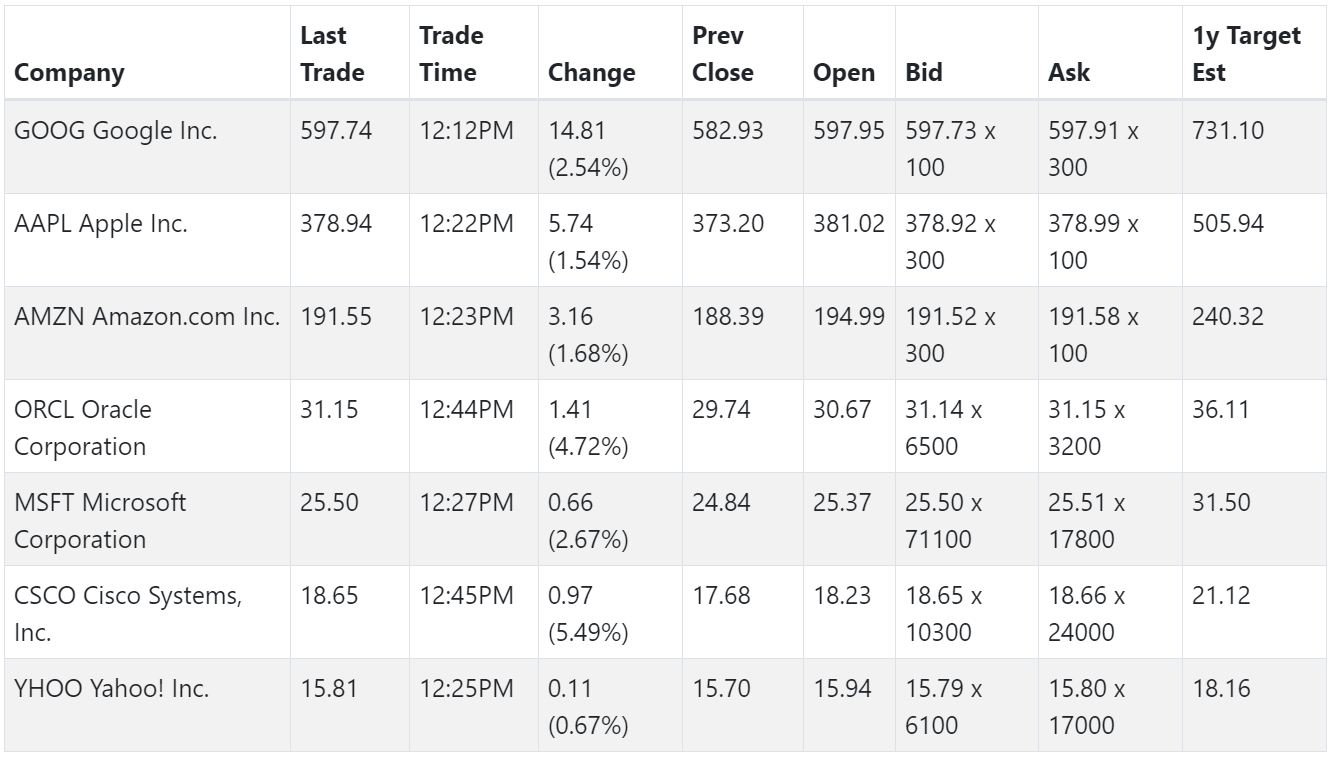

After applying Reflow-Table, the table will be responsive with reflow mode, which can be switch by browser's width or customized events.
REQUIREMENTS
This library requires the following:
- jQuery 1.11.0+ | 2.0+ | 3.0+
INSTALLATION
Bower Installation
bower install jquery-reflow-table
You could also download by NPM or directly copy dist assets. (Last Release for download)
Assets include
Add CSS file into the <head>:
<link href="css/reflow-table.css" rel="stylesheet">
Add JavaScript file either into the <head>, or the bottom of <body>:
<script type="text/javascript" src="js/reflow-table.js"></script>
Markup
Add the classes .table to the tables as usual when using Bootstrap, then wrap them with a identity such as .freeze-table
<table class="table">
  <thead>
    <th>...</th>
  </thead>
  <tbody>
    <td>...</td>
  <tbody>
</table>
Initailize via JavaScript
You can initialize Table Reflow by jQuery extension call:
<script>
   $(function() {
      $('.reflow-table').reflowTable({});
   });
</script>
Or initialize an element by newing object from Table Reflow class:
<script>
   $(function() {
      new ReflowTable('.reflow-table', {});
   });
</script>
The parameter {} is options configuration
Options
Options could be passed via JavaScript with object.
| namespace | string | 'reflow-table' | Table namespace for unbind |
| autoWidth | integer | 736 | Detected width like @media, null for disabling auto detection |
| widthRatio | string | '50' | Set pseudo heads' width ratio in mobile mode. (15, 20, 25, 30,40,50) |
| widthSize | string | null | Set pseudo heads' width size in mobile mode. (xs, sm, md, lg) |
| thead | element | thead element of current table | The thead element with table titles used to build mobile mode for current tbody, you could specific from another table. |
| eventMobileOn | callable | null | Event callback function referred by reflow-table.mobile.on event |
| eventMobileOff | callable | null | Event callback function referred by reflow-table.mobile.off event |
IMPLEMENTATION
Update for Dynamic Content
There is an update method which you can call when the table content has changed like page switching. The method will update or re-build table to ensure that everything is alright for mobile mode.
$('.reflow-table').reflowTable('update');
Or using API usage to update:
var reflowTable = new ReflowTable('.reflow-table');
function afterTablePageChanged() {
reflowTable.update();
}
DataTables Integration
DataTables is a jQuery library to add advanced interaction controls to your HTML tables the free & easy way.
To integrate with DataTables, you can apply a table with reflowTable before or after applying DataTables, set Reflow Table's update into DataTables callback such as drawCallback to keep updating data. For example:
var datatables = $('#table-datatables').DataTable({

  "drawCallback": function( settings ) {

    $("#table-datatables").reflowTable('update');
  }
});

var reflowDataTable = $("#table-datatables").reflowTable();
Example: DataTables Library Integration
For DataTables integration, we choose drawCallback to implement Reflow Table update. After all, DataTables page.dt event fires too early before drawing, while createdRow has a lack of flexibility.
Customize Styles
You could customize pseudo td styles by defining CSS for Table Reflow:
<style>
.reflow-table td:before {
min-width: 160px !important;
text-transform: uppercase;
}
</style>
EVENTS
This library exposes a few events for hooking into reflow-table functionality.
| reflow-table.mobile.on | This event fires immediately when the table is changed to mobile mode, this can be triggerd by mobileMode() method call. |
| reflow-table.mobile.off | This event fires immediately when the table is changed back from mobile mode, this can be triggerd by mobileMode() method call. |
Example:
$("#table").on('reflow-table.mobile.on', function() {
  alert('Mobile mode is now ON');
});
API USAGE
update()
Update or re-build each Reflow Table row th title for dynamic table content
See Update for Dynamic Content
mobileMode()
Switch table to mobile mode or not
function boolean mobileMode(enable=true)
Example: Toggle Mobile Mode by Button
var reflowTable = $('#myTable').reflowTable();
$(".btn-mobile-on").click(function () {
reflowTable.mobileMode(true);
});
$(".btn0-mobile-off").click(function () {
reflowTable.mobileMode(false);
});
destroy()
Destroy Freeze Table by same namespace
Example:
var reflowTable = $('#myTable').reflowTable();

$('#tableDestroy').on( 'click', function () {
    reflowTable.destroy();
} );
unbind()
Unbind all events by same namespace





