Getting started
The Cisco Meraki Dashboard API is a modern REST API based on the OpenAPI specification.
What can the API be used for?
The Dashboard API can be used for many purposes. It's meant to be an open-ended tool. Here are some examples of use cases:
- Add new organizations, admins, networks, devices, VLANs, and more
- Configure networks at scale
- Automatically on-board and off-board new employees' teleworker setups
- Build your own dashboard for store managers, field techs, or unique use cases
Enabling the Dashboard API
-
Begin by logging into Meraki Dashboard and navigating to Organization > Settings
-
Locate the section titled Dashboard API access and select Enable Access, then Save your changes
-
After enabling the API, choose your username at the top-right of the Meraki Dashboard and select my profile
-
Locate the section titled Dashboard API access and select Generate new API key
Note: The API key is associated with a Dashboard administrator account. You can generate, revoke, and regenerate your API key on your profile.
Keep your API key safe as it provides authentication to all of your organizations with the API enabled. If your API key is shared, you can regenerate your API key at any time. This will revoke the existing API key.
Copy and store your API key in a safe place. Dashboard does not store API keys in plaintext for security reasons, so this is the only time you will be able to record it. If you lose or forget your API key, you will have to revoke it and generate a new one.
Every request must specify an API key via a request header.
The API key must be specified in the URL header. The API will return a 404 (rather than a 403) in response to a request with a missing or incorrect API key in order to prevent leaking the existence of resources to unauthorized users.
X-Cisco-Meraki-API-Key: <secret key>
Read more about API authorization
Versioning
Once an API version is released, we will make only backwards-compatible changes to it. Backwards-compatible changes include:
-
Adding new API resources
-
Adding new optional request parameters to existing API methods
-
Adding new properties to existing API responses
-
Changing the order of properties in existing API responses
Rate Limit
- The Dashboard API is limited to 5 calls per second, per organization.
- A burst of 5 additional calls are allowed in the first second, so a maximum of 15 calls in the first 2 seconds.
- The rate limiting technique is based off of the token bucket model.
- An error with a
429 status code will be returned when the rate limit has been exceeded.
- Expect to backoff for 1 - 2 seconds if the limit has been exceeded. You may have to wait potentially longer if a large number of requests were made within this timeframe.
Additional Details
Identifiers in the API are opaque strings. A {networkId}, for example, might be the string "126043", whereas an {orderId} might contain characters, such as "4S1234567". Client applications must not try to parse them as numbers. Even identifiers that look like numbers might be too long to encode without loss of precision in Javascript, where the only numeric type is IEEE 754 floating point.
Verbs in the API follow the usual REST conventions:
GET returns the value of a resource or a list of resources, depending on whether an identifier is specified. For example, a GET of /organizations returns a list of organizations, whereas a GET of /organizations/{organizationId} returns a particular organization.
POST adds a new resource, as in a POST to /organizations/{organizationId}/admins, or performs some other non-idempotent change.
PUT updates a resource. PUTs are idempotent; they update a resource, creating it first if it does not already exist. A PUT should specify all the fields of a resource; the API will revert omitted fields to their default value.
DELETE removes a resource.
How to Build
The generated SDK relies on Node Package Manager (NPM) being available to resolve dependencies. If you don't already have NPM installed, please go ahead and follow instructions to install NPM from here.
The SDK also requires Node to be installed. If Node isn't already installed, please install it from here
NPM is installed by default when Node is installed
To check if node and npm have been successfully installed, write the following commands in command prompt:
node --versionnpm -version
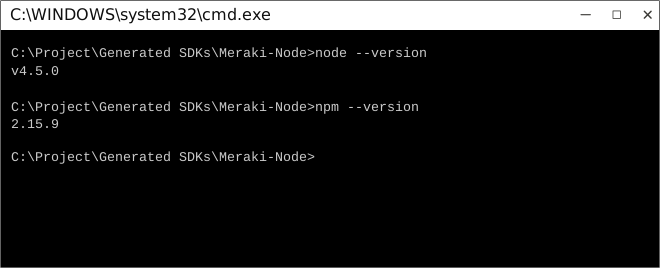
Now use npm to resolve all dependencies by running the following command in the root directory (of the SDK folder):
npm install
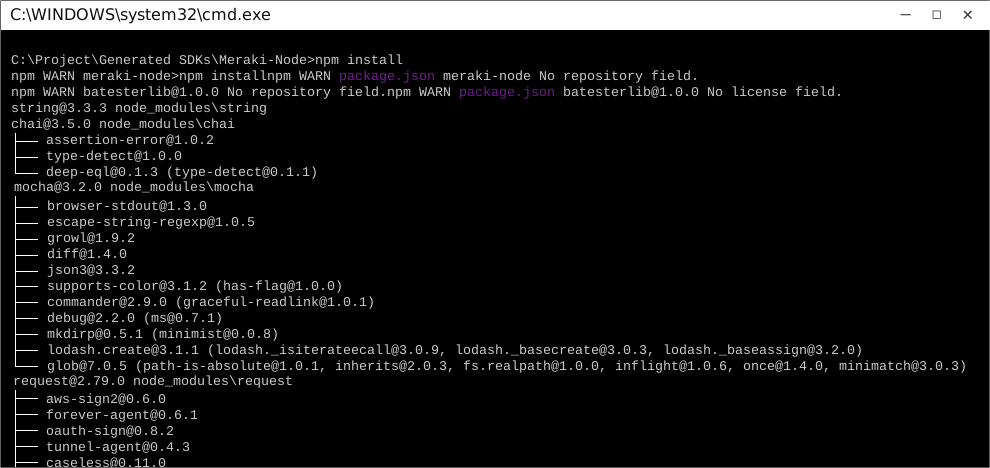
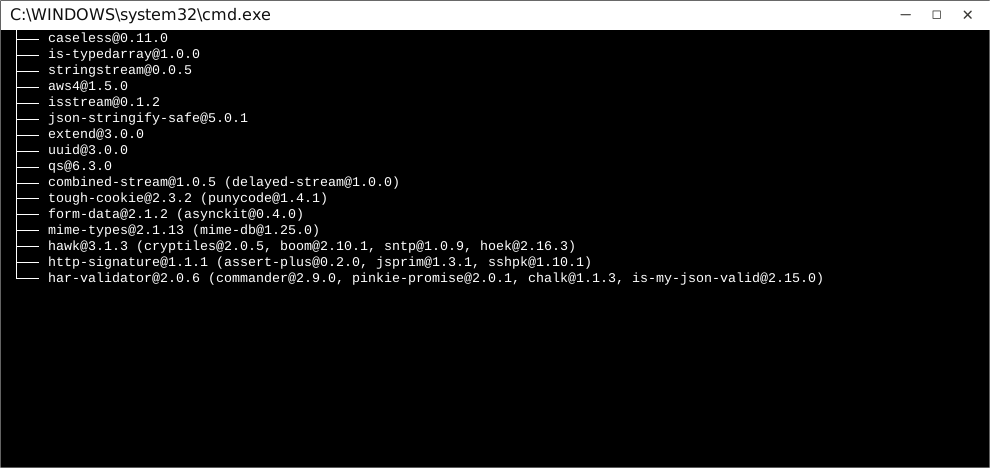
This will install all dependencies in the node_modules folder.
Once dependencies are resolved, you will need to move the folder Meraki in to your node_modules folder.
How to Use
The following section explains how to use the library in a new project.
1. Open Project Folder
Open an IDE/Text Editor for JavaScript like Sublime Text. The basic workflow presented here is also applicable if you prefer using a different editor or IDE.
Click on File and select Open Folder.
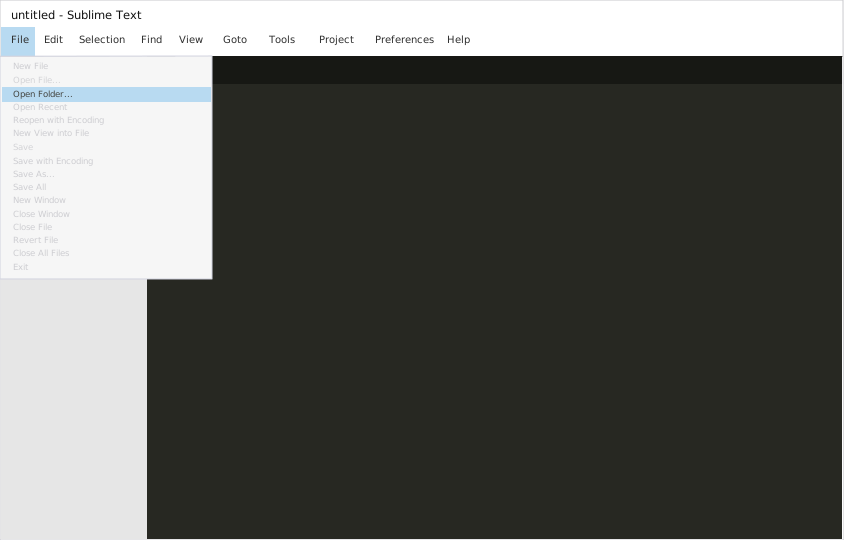
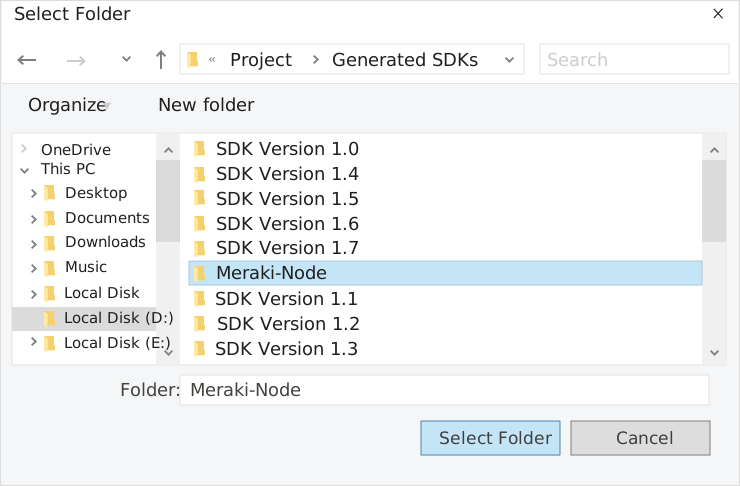
Select the folder of your SDK and click on Select Folder to open it up in Sublime Text. The folder will become visible in the bar on the left.
2. Creating a Test File
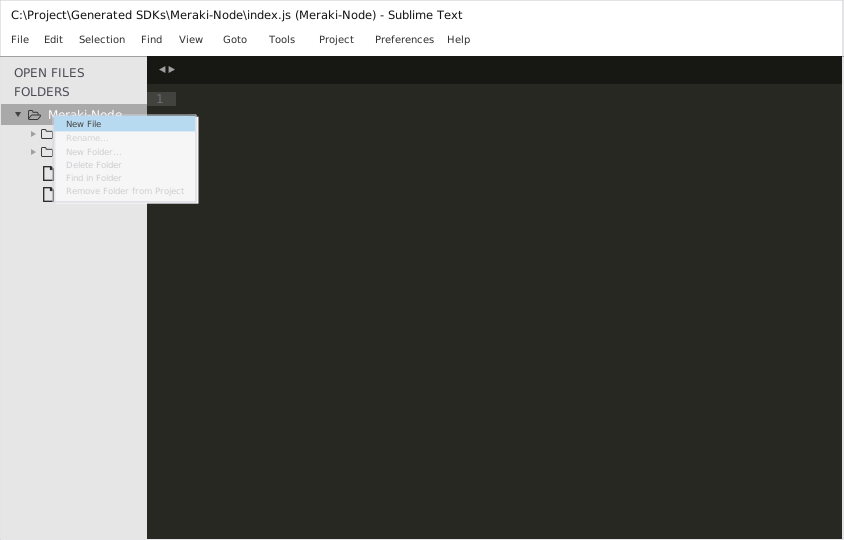
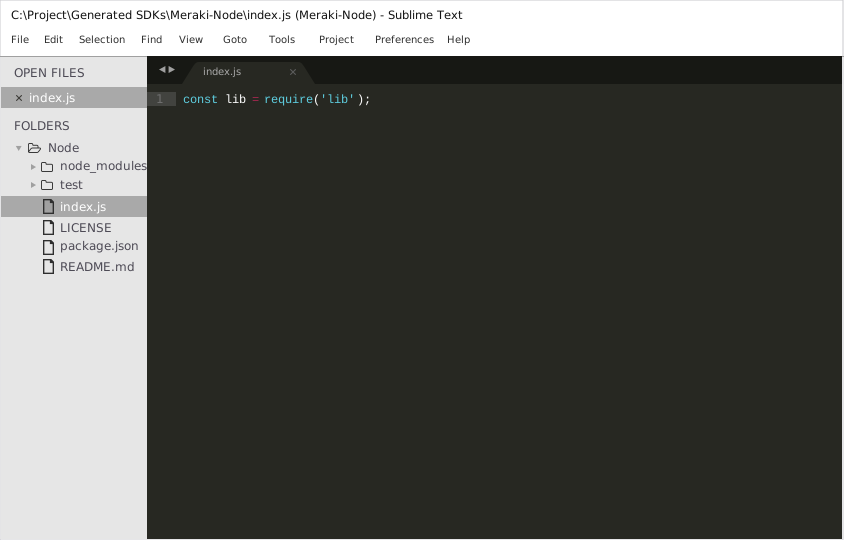
Now right click on the folder name and select the New File option to create a new test file. Save it as index.js Now import the generated NodeJS library using the following lines of code:
var lib = require('lib');
Save changes.
3. Running The Test File
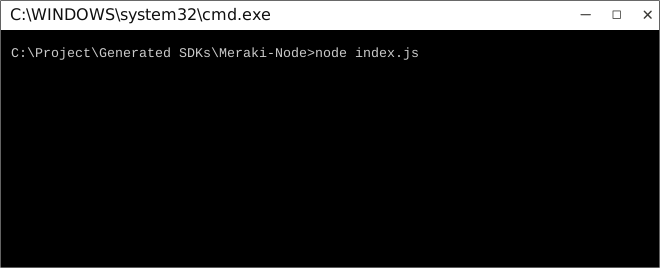
To run the index.js file, open up the command prompt and navigate to the Path where the SDK folder resides. Type the following command to run the file:
node index.js
How to Test
These tests use Mocha framework for testing, coupled with Chai for assertions. These dependencies need to be installed for tests to run.
Tests can be run in a number of ways:
Method 1 (Run all tests)
- Navigate to the root directory of the SDK folder from command prompt.
- Type
mocha --recursive to run all the tests.
Method 2 (Run all tests)
- Navigate to the
../test/Controllers/ directory from command prompt.
- Type
mocha * to run all the tests.
Method 3 (Run specific controller's tests)
- Navigate to the
../test/Controllers/ directory from command prompt.
- Type
mocha Meraki Dashboard APIController to run all the tests in that controller file.
To increase mocha's default timeout, you can change the TEST_TIMEOUT parameter's value in TestBootstrap.js.

Initialization
Authentication
In order to setup authentication in the API client, you need the following information.
| xCiscoMerakiAPIKey | TODO: add a description |
API client can be initialized as following:
const lib = require('lib');
lib.Configuration.xCiscoMerakiAPIKey = "xCiscoMerakiAPIKey";
Class Reference
List of Controllers
 APIUsageController
Get singleton instance
The singleton instance of the APIUsageController class can be accessed from the API Client.
var controller = lib.APIUsageController;
 getOrganizationApiRequests
List the API requests made by an organization
function getOrganizationApiRequests(input, callback)
Parameters
| organizationId | Required | TODO: Add a parameter description |
| t0 | Optional | The beginning of the timespan for the data. The maximum lookback period is 31 days from today. |
| t1 | Optional | The end of the timespan for the data. t1 can be a maximum of 31 days after t0. |
| timespan | Optional | The timespan for which the information will be fetched. If specifying timespan, do not specify parameters t0 and t1. The value must be in seconds and be less than or equal to 31 days. The default is 31 days. |
| perPage | Optional | The number of entries per page returned. Acceptable range is 3 - 1000. Default is 50. |
| startingAfter | Optional | A token used by the server to indicate the start of the page. Often this is a timestamp or an ID but it is not limited to those. This parameter should not be defined by client applications. The link for the first, last, prev, or next page in the HTTP Link header should define it. |
| endingBefore | Optional | A token used by the server to indicate the end of the page. Often this is a timestamp or an ID but it is not limited to those. This parameter should not be defined by client applications. The link for the first, last, prev, or next page in the HTTP Link header should define it. |
| adminId | Optional | Filter the results by the ID of the admin who made the API requests |
| path | Optional | Filter the results by the path of the API requests |
| method | Optional | Filter the results by the method of the API requests (must be 'GET', 'PUT', 'POST' or 'DELETE') |
| responseCode | Optional | Filter the results by the response code of the API requests |
Example Usage
    var input = [];
        input['organizationId'] = 'organizationId';
        input['t0'] = 't0';
        input['t1'] = 't1';
        input['timespan'] = 217.617439666119;
        input['perPage'] = 217;
        input['startingAfter'] = 'startingAfter';
        input['endingBefore'] = 'endingBefore';
        input['adminId'] = 'adminId';
        input['path'] = 'path';
        input['method'] = 'method';
        input['responseCode'] = 217;

    controller.getOrganizationApiRequests(input, function(error, response, context) {


    });
Back to List of Controllers
ActionBatchesController
Get singleton instance
The singleton instance of the ActionBatchesController class can be accessed from the API Client.
var controller = lib.ActionBatchesController;
createOrganizationActionBatch
Create an action batch
function createOrganizationActionBatch(input, callback)
Parameters
| organizationId | Required | TODO: Add a parameter description |
| createOrganizationActionBatch | Required | TODO: Add a parameter description |
Example Usage
    var input = [];
        input['organizationId'] = 'organizationId';
        input['createOrganizationActionBatch'] = new CreateOrganizationActionBatchModel({"key":"value"});

    controller.createOrganizationActionBatch(input, function(error, response, context) {


    });
getOrganizationActionBatches
Return the list of action batches in the organization
function getOrganizationActionBatches(organizationId, callback)
Parameters
| organizationId | Required | TODO: Add a parameter description |
Example Usage
    var organizationId = 'organizationId';

    controller.getOrganizationActionBatches(organizationId, function(error, response, context) {


    });
getOrganizationActionBatch
Return an action batch
function getOrganizationActionBatch(input, callback)
Parameters
| organizationId | Required | TODO: Add a parameter description |
| actionBatchId | Required | TODO: Add a parameter description |
Example Usage
    var input = [];
        input['organizationId'] = 'organizationId';
        input['actionBatchId'] = 'actionBatchId';

    controller.getOrganizationActionBatch(input, function(error, response, context) {


    });
deleteOrganizationActionBatch
Delete an action batch
function deleteOrganizationActionBatch(input, callback)
Parameters
| organizationId | Required | TODO: Add a parameter description |
| actionBatchId | Required | TODO: Add a parameter description |
Example Usage
    var input = [];
        input['organizationId'] = 'organizationId';
        input['actionBatchId'] = 'actionBatchId';

    controller.deleteOrganizationActionBatch(input, function(error, response, context) {


    });
updateOrganizationActionBatch
Update an action batch
function updateOrganizationActionBatch(input, callback)
Parameters
| organizationId | Required | TODO: Add a parameter description |
| actionBatchId | Required | TODO: Add a parameter description |
| updateOrganizationActionBatch | Optional | TODO: Add a parameter description |
Example Usage
    var input = [];
        input['organizationId'] = 'organizationId';
        input['actionBatchId'] = 'actionBatchId';
        input['updateOrganizationActionBatch'] = new UpdateOrganizationActionBatchModel({"key":"value"});

    controller.updateOrganizationActionBatch(input, function(error, response, context) {


    });
Back to List of Controllers
AdminsController
Get singleton instance
The singleton instance of the AdminsController class can be accessed from the API Client.
var controller = lib.AdminsController;
getOrganizationAdmins
List the dashboard administrators in this organization
function getOrganizationAdmins(organizationId, callback)
Parameters
| organizationId | Required | TODO: Add a parameter description |
Example Usage
    var organizationId = 'organizationId';

    controller.getOrganizationAdmins(organizationId, function(error, response, context) {


    });
createOrganizationAdmin
Create a new dashboard administrator
function createOrganizationAdmin(input, callback)
Parameters
| organizationId | Required | TODO: Add a parameter description |
| createOrganizationAdmin | Required | TODO: Add a parameter description |
Example Usage
    var input = [];
        input['organizationId'] = 'organizationId';
        input['createOrganizationAdmin'] = new CreateOrganizationAdminModel({"key":"value"});

    controller.createOrganizationAdmin(input, function(error, response, context) {


    });
updateOrganizationAdmin
Update an administrator
function updateOrganizationAdmin(input, callback)
Parameters
| organizationId | Required | TODO: Add a parameter description |
| id | Required | TODO: Add a parameter description |
| updateOrganizationAdmin | Optional | TODO: Add a parameter description |
Example Usage
    var input = [];
        input['organizationId'] = 'organizationId';
        input['id'] = 'id';
        input['updateOrganizationAdmin'] = new UpdateOrganizationAdminModel({"key":"value"});

    controller.updateOrganizationAdmin(input, function(error, response, context) {


    });
deleteOrganizationAdmin
Revoke all access for a dashboard administrator within this organization
function deleteOrganizationAdmin(input, callback)
Parameters
| organizationId | Required | TODO: Add a parameter description |
| id | Required | TODO: Add a parameter description |
Example Usage
    var input = [];
        input['organizationId'] = 'organizationId';
        input['id'] = 'id';

    controller.deleteOrganizationAdmin(input, function(error, response, context) {


    });
Back to List of Controllers
AlertSettingsController
Get singleton instance
The singleton instance of the AlertSettingsController class can be accessed from the API Client.
var controller = lib.AlertSettingsController;
getNetworkAlertSettings
Return the alert configuration for this network
function getNetworkAlertSettings(networkId, callback)
Parameters
| networkId | Required | TODO: Add a parameter description |
Example Usage
    var networkId = 'networkId';

    controller.getNetworkAlertSettings(networkId, function(error, response, context) {


    });
updateNetworkAlertSettings
Update the alert configuration for this network
function updateNetworkAlertSettings(input, callback)
Parameters
| networkId | Required | TODO: Add a parameter description |
| updateNetworkAlertSettings | Optional | TODO: Add a parameter description |
Example Usage
    var input = [];
        input['networkId'] = 'networkId';
        input['updateNetworkAlertSettings'] = new UpdateNetworkAlertSettingsModel({"key":"value"});

    controller.updateNetworkAlertSettings(input, function(error, response, context) {


    });
Back to List of Controllers
BluetoothClientsController
Get singleton instance
The singleton instance of the BluetoothClientsController class can be accessed from the API Client.
var controller = lib.BluetoothClientsController;
getNetworkBluetoothClients
List the Bluetooth clients seen by APs in this network
function getNetworkBluetoothClients(input, callback)
Parameters
| networkId | Required | TODO: Add a parameter description |
| t0 | Optional | The beginning of the timespan for the data. The maximum lookback period is 7 days from today. |
| timespan | Optional | The timespan for which the information will be fetched. If specifying timespan, do not specify parameter t0. The value must be in seconds and be less than or equal to 7 days. The default is 1 day. |
| perPage | Optional | The number of entries per page returned. Acceptable range is 5 - 1000. Default is 10. |
| startingAfter | Optional | A token used by the server to indicate the start of the page. Often this is a timestamp or an ID but it is not limited to those. This parameter should not be defined by client applications. The link for the first, last, prev, or next page in the HTTP Link header should define it. |
| endingBefore | Optional | A token used by the server to indicate the end of the page. Often this is a timestamp or an ID but it is not limited to those. This parameter should not be defined by client applications. The link for the first, last, prev, or next page in the HTTP Link header should define it. |
| includeConnectivityHistory | Optional | Include the connectivity history for this client |
Example Usage
    var input = [];
        input['networkId'] = 'networkId';
        input['t0'] = 't0';
        input['timespan'] = 126.122157774457;
        input['perPage'] = 126;
        input['startingAfter'] = 'startingAfter';
        input['endingBefore'] = 'endingBefore';
        input['includeConnectivityHistory'] = false;

    controller.getNetworkBluetoothClients(input, function(error, response, context) {


    });
getNetworkBluetoothClient
Return a Bluetooth client. Bluetooth clients can be identified by their ID or their MAC.
function getNetworkBluetoothClient(input, callback)
Parameters
| networkId | Required | TODO: Add a parameter description |
| bluetoothClientId | Required | TODO: Add a parameter description |
| includeConnectivityHistory | Optional | Include the connectivity history for this client |
| connectivityHistoryTimespan | Optional | The timespan, in seconds, for the connectivityHistory data. By default 1 day, 86400, will be used. |
Example Usage
    var input = [];
        input['networkId'] = 'networkId';
        input['bluetoothClientId'] = 'bluetoothClientId';
        input['includeConnectivityHistory'] = false;
        input['connectivityHistoryTimespan'] = 126;

    controller.getNetworkBluetoothClient(input, function(error, response, context) {


    });
Back to List of Controllers
CamerasController
Get singleton instance
The singleton instance of the CamerasController class can be accessed from the API Client.
var controller = lib.CamerasController;
generateNetworkCameraSnapshot
Generate a snapshot of what the camera sees at the specified time and return a link to that image.
function generateNetworkCameraSnapshot(input, callback)
Parameters
| networkId | Required | TODO: Add a parameter description |
| serial | Required | TODO: Add a parameter description |
| generateNetworkCameraSnapshot | Optional | TODO: Add a parameter description |
Example Usage
    var input = [];
        input['networkId'] = 'networkId';
        input['serial'] = 'serial';
        input['generateNetworkCameraSnapshot'] = new GenerateNetworkCameraSnapshotModel({"key":"value"});

    controller.generateNetworkCameraSnapshot(input, function(error, response, context) {


    });
getNetworkCameraVideoLink
Returns video link to the specified camera. If a timestamp is supplied, it links to that timestamp.
function getNetworkCameraVideoLink(input, callback)
Parameters
| networkId | Required | TODO: Add a parameter description |
| serial | Required | TODO: Add a parameter description |
| timestamp | Optional | [optional] The video link will start at this timestamp. The timestamp is in UNIX Epoch time (milliseconds). If no timestamp is specified, we will assume current time. |
Example Usage
    var input = [];
        input['networkId'] = 'networkId';
        input['serial'] = 'serial';
        input['timestamp'] = 'timestamp';

    controller.getNetworkCameraVideoLink(input, function(error, response, context) {


    });
Back to List of Controllers
ClientsController
Get singleton instance
The singleton instance of the ClientsController class can be accessed from the API Client.
var controller = lib.ClientsController;
getDeviceClients
List the clients of a device, up to a maximum of a month ago. The usage of each client is returned in kilobytes. If the device is a switch, the switchport is returned; otherwise the switchport field is null.
function getDeviceClients(input, callback)
Parameters
| serial | Required | TODO: Add a parameter description |
| t0 | Optional | The beginning of the timespan for the data. The maximum lookback period is 31 days from today. |
| timespan | Optional | The timespan for which the information will be fetched. If specifying timespan, do not specify parameter t0. The value must be in seconds and be less than or equal to 31 days. The default is 1 day. |
Example Usage
    var input = [];
        input['serial'] = 'serial';
        input['t0'] = 't0';
        input['timespan'] = 126.122157774457;

    controller.getDeviceClients(input, function(error, response, context) {


    });
getNetworkClients
List the clients that have used this network in the timespan
function getNetworkClients(input, callback)
Parameters
| networkId | Required | TODO: Add a parameter description |
| t0 | Optional | The beginning of the timespan for the data. The maximum lookback period is 31 days from today. |
| timespan | Optional | The timespan for which the information will be fetched. If specifying timespan, do not specify parameter t0. The value must be in seconds and be less than or equal to 31 days. The default is 1 day. |
| perPage | Optional | The number of entries per page returned. Acceptable range is 3 - 1000. Default is 10. |
| startingAfter | Optional | A token used by the server to indicate the start of the page. Often this is a timestamp or an ID but it is not limited to those. This parameter should not be defined by client applications. The link for the first, last, prev, or next page in the HTTP Link header should define it. |
| endingBefore | Optional | A token used by the server to indicate the end of the page. Often this is a timestamp or an ID but it is not limited to those. This parameter should not be defined by client applications. The link for the first, last, prev, or next page in the HTTP Link header should define it. |
Example Usage
    var input = [];
        input['networkId'] = 'networkId';
        input['t0'] = 't0';
        input['timespan'] = 126.122157774457;
        input['perPage'] = 126;
        input['startingAfter'] = 'startingAfter';
        input['endingBefore'] = 'endingBefore';

    controller.getNetworkClients(input, function(error, response, context) {


    });
provisionNetworkClients
Provisions a client with a name and policy. Clients can be provisioned before they associate to the network.
function provisionNetworkClients(input, callback)
Parameters
| networkId | Required | TODO: Add a parameter description |
| provisionNetworkClients | Optional | TODO: Add a parameter description |
Example Usage
    var input = [];
        input['networkId'] = 'networkId';
        input['provisionNetworkClients'] = new ProvisionNetworkClientsModel({"key":"value"});

    controller.provisionNetworkClients(input, function(error, response, context) {


    });
getNetworkClient
Return the client associated with the given identifier. Clients can be identified by a client key or either the MAC or IP depending on whether the network uses Track-by-IP.
function getNetworkClient(input, callback)
Parameters
| networkId | Required | TODO: Add a parameter description |
| clientId | Required | TODO: Add a parameter description |
Example Usage
    var input = [];
        input['networkId'] = 'networkId';
        input['clientId'] = 'clientId';

    controller.getNetworkClient(input, function(error, response, context) {


    });
getNetworkClientEvents
Return the events associated with this client. Clients can be identified by a client key or either the MAC or IP depending on whether the network uses Track-by-IP.
function getNetworkClientEvents(input, callback)
Parameters
| networkId | Required | TODO: Add a parameter description |
| clientId | Required | TODO: Add a parameter description |
| perPage | Optional | The number of entries per page returned. Acceptable range is 3 - 100. Default is 100. |
| startingAfter | Optional | A token used by the server to indicate the start of the page. Often this is a timestamp or an ID but it is not limited to those. This parameter should not be defined by client applications. The link for the first, last, prev, or next page in the HTTP Link header should define it. |
| endingBefore | Optional | A token used by the server to indicate the end of the page. Often this is a timestamp or an ID but it is not limited to those. This parameter should not be defined by client applications. The link for the first, last, prev, or next page in the HTTP Link header should define it. |
Example Usage
    var input = [];
        input['networkId'] = 'networkId';
        input['clientId'] = 'clientId';
        input['perPage'] = 126;
        input['startingAfter'] = 'startingAfter';
        input['endingBefore'] = 'endingBefore';

    controller.getNetworkClientEvents(input, function(error, response, context) {


    });
getNetworkClientLatencyHistory
Return the latency history for a client. Clients can be identified by a client key or either the MAC or IP depending on whether the network uses Track-by-IP. The latency data is from a sample of 2% of packets and is grouped into 4 traffic categories: background, best effort, video, voice. Within these categories the sampled packet counters are bucketed by latency in milliseconds.
function getNetworkClientLatencyHistory(input, callback)
Parameters
| networkId | Required | TODO: Add a parameter description |
| clientId | Required | TODO: Add a parameter description |
| t0 | Optional | The beginning of the timespan for the data. The maximum lookback period is 791 days from today. |
| t1 | Optional | The end of the timespan for the data. t1 can be a maximum of 791 days after t0. |
| timespan | Optional | The timespan for which the information will be fetched. If specifying timespan, do not specify parameters t0 and t1. The value must be in seconds and be less than or equal to 791 days. The default is 1 day. |
| resolution | Optional | The time resolution in seconds for returned data. The valid resolutions are: 86400. The default is 86400. |
Example Usage
    var input = [];
        input['networkId'] = 'networkId';
        input['clientId'] = 'clientId';
        input['t0'] = 't0';
        input['t1'] = 't1';
        input['timespan'] = 126.122157774457;
        input['resolution'] = 126;

    controller.getNetworkClientLatencyHistory(input, function(error, response, context) {


    });
getNetworkClientPolicy
Return the policy assigned to a client on the network. Clients can be identified by a client key or either the MAC or IP depending on whether the network uses Track-by-IP.
function getNetworkClientPolicy(input, callback)
Parameters
| networkId | Required | TODO: Add a parameter description |
| clientId | Required | TODO: Add a parameter description |
Example Usage
    var input = [];
        input['networkId'] = 'networkId';
        input['clientId'] = 'clientId';

    controller.getNetworkClientPolicy(input, function(error, response, context) {


    });
updateNetworkClientPolicy
Update the policy assigned to a client on the network. Clients can be identified by a client key or either the MAC or IP depending on whether the network uses Track-by-IP.
function updateNetworkClientPolicy(input, callback)
Parameters
| networkId | Required | TODO: Add a parameter description |
| clientId | Required | TODO: Add a parameter description |
| updateNetworkClientPolicy | Optional | TODO: Add a parameter description |
Example Usage
    var input = [];
        input['networkId'] = 'networkId';
        input['clientId'] = 'clientId';
        input['updateNetworkClientPolicy'] = new UpdateNetworkClientPolicyModel({"key":"value"});

    controller.updateNetworkClientPolicy(input, function(error, response, context) {


    });
getNetworkClientSplashAuthorizationStatus
Return the splash authorization for a client, for each SSID they've associated with through splash. Only enabled SSIDs with Click-through splash enabled will be included. Clients can be identified by a client key or either the MAC or IP depending on whether the network uses Track-by-IP.
function getNetworkClientSplashAuthorizationStatus(input, callback)
Parameters
| networkId | Required | TODO: Add a parameter description |
| clientId | Required | TODO: Add a parameter description |
Example Usage
    var input = [];
        input['networkId'] = 'networkId';
        input['clientId'] = 'clientId';

    controller.getNetworkClientSplashAuthorizationStatus(input, function(error, response, context) {


    });
updateNetworkClientSplashAuthorizationStatus
Update a client's splash authorization. Clients can be identified by a client key or either the MAC or IP depending on whether the network uses Track-by-IP.
function updateNetworkClientSplashAuthorizationStatus(input, callback)
Parameters
| networkId | Required | TODO: Add a parameter description |
| clientId | Required | TODO: Add a parameter description |
| updateNetworkClientSplashAuthorizationStatus | Optional | TODO: Add a parameter description |
Example Usage
    var input = [];
        input['networkId'] = 'networkId';
        input['clientId'] = 'clientId';
        input['updateNetworkClientSplashAuthorizationStatus'] = new UpdateNetworkClientSplashAuthorizationStatusModel({"key":"value"});

    controller.updateNetworkClientSplashAuthorizationStatus(input, function(error, response, context) {


    });
getNetworkClientTrafficHistory
Return the client's network traffic data over time. Usage data is in kilobytes. This endpoint requires detailed traffic analysis to be enabled on the Network-wide > General page. Clients can be identified by a client key or either the MAC or IP depending on whether the network uses Track-by-IP.
function getNetworkClientTrafficHistory(input, callback)
Parameters
| networkId | Required | TODO: Add a parameter description |
| clientId | Required | TODO: Add a parameter description |
| perPage | Optional | The number of entries per page returned. Acceptable range is 3 - 1000. |
| startingAfter | Optional | A token used by the server to indicate the start of the page. Often this is a timestamp or an ID but it is not limited to those. This parameter should not be defined by client applications. The link for the first, last, prev, or next page in the HTTP Link header should define it. |
| endingBefore | Optional | A token used by the server to indicate the end of the page. Often this is a timestamp or an ID but it is not limited to those. This parameter should not be defined by client applications. The link for the first, last, prev, or next page in the HTTP Link header should define it. |
Example Usage
    var input = [];
        input['networkId'] = 'networkId';
        input['clientId'] = 'clientId';
        input['perPage'] = 126;
        input['startingAfter'] = 'startingAfter';
        input['endingBefore'] = 'endingBefore';

    controller.getNetworkClientTrafficHistory(input, function(error, response, context) {


    });
getNetworkClientUsageHistory
Return the client's daily usage history. Usage data is in kilobytes. Clients can be identified by a client key or either the MAC or IP depending on whether the network uses Track-by-IP.
function getNetworkClientUsageHistory(input, callback)
Parameters
| networkId | Required | TODO: Add a parameter description |
| clientId | Required | TODO: Add a parameter description |
Example Usage
    var input = [];
        input['networkId'] = 'networkId';
        input['clientId'] = 'clientId';

    controller.getNetworkClientUsageHistory(input, function(error, response, context) {


    });
Back to List of Controllers
ConfigTemplatesController
Get singleton instance
The singleton instance of the ConfigTemplatesController class can be accessed from the API Client.
var controller = lib.ConfigTemplatesController;
getOrganizationConfigTemplates
List the configuration templates for this organization
function getOrganizationConfigTemplates(organizationId, callback)
Parameters
| organizationId | Required | TODO: Add a parameter description |
Example Usage
    var organizationId = 'organizationId';

    controller.getOrganizationConfigTemplates(organizationId, function(error, response, context) {


    });
deleteOrganizationConfigTemplate
Remove a configuration template
function deleteOrganizationConfigTemplate(input, callback)
Parameters
| organizationId | Required | TODO: Add a parameter description |
| configTemplateId | Required | TODO: Add a parameter description |
Example Usage
    var input = [];
        input['organizationId'] = 'organizationId';
        input['configTemplateId'] = 'configTemplateId';

    controller.deleteOrganizationConfigTemplate(input, function(error, response, context) {


    });
Back to List of Controllers
ConnectivityMonitoringDestinationsController
Get singleton instance
The singleton instance of the ConnectivityMonitoringDestinationsController class can be accessed from the API Client.
var controller = lib.ConnectivityMonitoringDestinationsController;
getNetworkConnectivityMonitoringDestinations
Return the connectivity testing destinations for an MX network
function getNetworkConnectivityMonitoringDestinations(networkId, callback)
Parameters
| networkId | Required | TODO: Add a parameter description |
Example Usage
    var networkId = 'networkId';

    controller.getNetworkConnectivityMonitoringDestinations(networkId, function(error, response, context) {


    });
updateNetworkConnectivityMonitoringDestinations
Update the connectivity testing destinations for an MX network
function updateNetworkConnectivityMonitoringDestinations(input, callback)
Parameters
| networkId | Required | TODO: Add a parameter description |
| updateNetworkConnectivityMonitoringDestinations | Optional | TODO: Add a parameter description |
Example Usage
    var input = [];
        input['networkId'] = 'networkId';
        input['updateNetworkConnectivityMonitoringDestinations'] = new UpdateNetworkConnectivityMonitoringDestinationsModel({"key":"value"});

    controller.updateNetworkConnectivityMonitoringDestinations(input, function(error, response, context) {


    });
Back to List of Controllers
ContentFilteringCategoriesController
Get singleton instance
The singleton instance of the ContentFilteringCategoriesController class can be accessed from the API Client.
var controller = lib.ContentFilteringCategoriesController;
getNetworkContentFilteringCategories
List all available content filtering categories for an MX network
function getNetworkContentFilteringCategories(networkId, callback)
Parameters
| networkId | Required | TODO: Add a parameter description |
Example Usage
    var networkId = 'networkId';

    controller.getNetworkContentFilteringCategories(networkId, function(error, response, context) {


    });
Back to List of Controllers
ContentFilteringRulesController
Get singleton instance
The singleton instance of the ContentFilteringRulesController class can be accessed from the API Client.
var controller = lib.ContentFilteringRulesController;
getNetworkContentFiltering
Return the content filtering settings for an MX network
function getNetworkContentFiltering(networkId, callback)
Parameters
| networkId | Required | TODO: Add a parameter description |
Example Usage
    var networkId = 'networkId';

    controller.getNetworkContentFiltering(networkId, function(error, response, context) {


    });
updateNetworkContentFiltering
Update the content filtering settings for an MX network
function updateNetworkContentFiltering(input, callback)
Parameters
| networkId | Required | TODO: Add a parameter description |
| updateNetworkContentFiltering | Optional | TODO: Add a parameter description |
Example Usage
    var input = [];
        input['networkId'] = 'networkId';
        input['updateNetworkContentFiltering'] = new UpdateNetworkContentFilteringModel({"key":"value"});

    controller.updateNetworkContentFiltering(input, function(error, response, context) {


    });
Back to List of Controllers
DashboardBrandingPoliciesController
Get singleton instance
The singleton instance of the DashboardBrandingPoliciesController class can be accessed from the API Client.
var controller = lib.DashboardBrandingPoliciesController;
getOrganizationBrandingPolicies
List the branding policies of an organization
function getOrganizationBrandingPolicies(organizationId, callback)
Parameters
| organizationId | Required | TODO: Add a parameter description |
Example Usage
    var organizationId = 'organizationId';

    controller.getOrganizationBrandingPolicies(organizationId, function(error, response, context) {


    });
createOrganizationBrandingPolicy
Add a new branding policy to an organization
function createOrganizationBrandingPolicy(input, callback)
Parameters
| organizationId | Required | TODO: Add a parameter description |
| createOrganizationBrandingPolicy | Required | TODO: Add a parameter description |
Example Usage
    var input = [];
        input['organizationId'] = 'organizationId';
        input['createOrganizationBrandingPolicy'] = new CreateOrganizationBrandingPolicyModel({"key":"value"});

    controller.createOrganizationBrandingPolicy(input, function(error, response, context) {


    });
getOrganizationBrandingPoliciesPriorities
Return the branding policy IDs of an organization in priority order. IDs are ordered in ascending order of priority (IDs later in the array have higher priority).
function getOrganizationBrandingPoliciesPriorities(organizationId, callback)
Parameters
| organizationId | Required | TODO: Add a parameter description |
Example Usage
    var organizationId = 'organizationId';

    controller.getOrganizationBrandingPoliciesPriorities(organizationId, function(error, response, context) {


    });
updateOrganizationBrandingPoliciesPriorities
Update the priority ordering of an organization's branding policies.
function updateOrganizationBrandingPoliciesPriorities(input, callback)
Parameters
| organizationId | Required | TODO: Add a parameter description |
| updateOrganizationBrandingPoliciesPriorities | Required | TODO: Add a parameter description |
Example Usage
    var input = [];
        input['organizationId'] = 'organizationId';
        input['updateOrganizationBrandingPoliciesPriorities'] = new UpdateOrganizationBrandingPoliciesPrioritiesModel({"key":"value"});

    controller.updateOrganizationBrandingPoliciesPriorities(input, function(error, response, context) {


    });
getOrganizationBrandingPolicy
Return a branding policy
function getOrganizationBrandingPolicy(input, callback)
Parameters
| organizationId | Required | TODO: Add a parameter description |
| brandingPolicyId | Required | TODO: Add a parameter description |
Example Usage
    var input = [];
        input['organizationId'] = 'organizationId';
        input['brandingPolicyId'] = 'brandingPolicyId';

    controller.getOrganizationBrandingPolicy(input, function(error, response, context) {


    });
updateOrganizationBrandingPolicy
Update a branding policy
function updateOrganizationBrandingPolicy(input, callback)
Parameters
| organizationId | Required | TODO: Add a parameter description |
| brandingPolicyId | Required | TODO: Add a parameter description |
| updateOrganizationBrandingPolicy | Optional | TODO: Add a parameter description |
Example Usage
    var input = [];
        input['organizationId'] = 'organizationId';
        input['brandingPolicyId'] = 'brandingPolicyId';
        input['updateOrganizationBrandingPolicy'] = new UpdateOrganizationBrandingPolicyModel({"key":"value"});

    controller.updateOrganizationBrandingPolicy(input, function(error, response, context) {


    });
deleteOrganizationBrandingPolicy
Delete a branding policy
function deleteOrganizationBrandingPolicy(input, callback)
Parameters
| organizationId | Required | TODO: Add a parameter description |
| brandingPolicyId | Required | TODO: Add a parameter description |
Example Usage
    var input = [];
        input['organizationId'] = 'organizationId';
        input['brandingPolicyId'] = 'brandingPolicyId';

    controller.deleteOrganizationBrandingPolicy(input, function(error, response, context) {


    });
Back to List of Controllers
DevicesController
Get singleton instance
The singleton instance of the DevicesController class can be accessed from the API Client.
var controller = lib.DevicesController;
getNetworkDevices
List the devices in a network
function getNetworkDevices(networkId, callback)
Parameters
| networkId | Required | TODO: Add a parameter description |
Example Usage
    var networkId = 'networkId';

    controller.getNetworkDevices(networkId, function(error, response, context) {


    });
claimNetworkDevices
Claim a device into a network
function claimNetworkDevices(input, callback)
Parameters
| networkId | Required | TODO: Add a parameter description |
| claimNetworkDevices | Required | TODO: Add a parameter description |
Example Usage
    var input = [];
        input['networkId'] = 'networkId';
        input['claimNetworkDevices'] = new ClaimNetworkDevicesModel({"key":"value"});

    controller.claimNetworkDevices(input, function(error, response, context) {


    });
getNetworkDevice
Return a single device
function getNetworkDevice(input, callback)
Parameters
| networkId | Required | TODO: Add a parameter description |
| serial | Required | TODO: Add a parameter description |
Example Usage
    var input = [];
        input['networkId'] = 'networkId';
        input['serial'] = 'serial';

    controller.getNetworkDevice(input, function(error, response, context) {


    });
updateNetworkDevice
Update the attributes of a device
function updateNetworkDevice(input, callback)
Parameters
| networkId | Required | TODO: Add a parameter description |
| serial | Required | TODO: Add a parameter description |
| updateNetworkDevice | Optional | TODO: Add a parameter description |
Example Usage
    var input = [];
        input['networkId'] = 'networkId';
        input['serial'] = 'serial';
        input['updateNetworkDevice'] = new UpdateNetworkDeviceModel({"key":"value"});

    controller.updateNetworkDevice(input, function(error, response, context) {


    });
blinkNetworkDeviceLeds
Blink the LEDs on a device
function blinkNetworkDeviceLeds(input, callback)
Parameters
| networkId | Required | TODO: Add a parameter description |
| serial | Required | TODO: Add a parameter description |
| blinkNetworkDeviceLeds | Optional | TODO: Add a parameter description |
Example Usage
    var input = [];
        input['networkId'] = 'networkId';
        input['serial'] = 'serial';
        input['blinkNetworkDeviceLeds'] = new BlinkNetworkDeviceLedsModel({"key":"value"});

    controller.blinkNetworkDeviceLeds(input, function(error, response, context) {


    });
getNetworkDeviceLldpCdp
List LLDP and CDP information for a device
function getNetworkDeviceLldpCdp(input, callback)
Parameters
| networkId | Required | TODO: Add a parameter description |
| serial | Required | TODO: Add a parameter description |
| timespan | Optional | The timespan for which LLDP and CDP information will be fetched. Must be in seconds and less than or equal to a month (2592000 seconds). LLDP and CDP information is sent to the Meraki dashboard every 10 minutes. In instances where this LLDP and CDP information matches an existing entry in the Meraki dashboard, the data is updated once every two hours. Meraki recommends querying LLDP and CDP information at an interval slightly greater than two hours, to ensure that unchanged CDP / LLDP information can be queried consistently. |
Example Usage
    var input = [];
        input['networkId'] = 'networkId';
        input['serial'] = 'serial';
        input['timespan'] = 126;

    controller.getNetworkDeviceLldpCdp(input, function(error, response, context) {


    });
getNetworkDeviceLossAndLatencyHistory
Get the uplink loss percentage and latency in milliseconds for a wired network device.
function getNetworkDeviceLossAndLatencyHistory(input, callback)
Parameters
| networkId | Required | TODO: Add a parameter description |
| serial | Required | TODO: Add a parameter description |
| ip | Required | The destination IP used to obtain the requested stats. This is required. |
| t0 | Optional | The beginning of the timespan for the data. The maximum lookback period is 365 days from today. |
| t1 | Optional | The end of the timespan for the data. t1 can be a maximum of 31 days after t0. |
| timespan | Optional | The timespan for which the information will be fetched. If specifying timespan, do not specify parameters t0 and t1. The value must be in seconds and be less than or equal to 31 days. The default is 1 day. |
| resolution | Optional | The time resolution in seconds for returned data. The valid resolutions are: 60, 600, 3600, 86400. The default is 60. |
| uplink | Optional | The WAN uplink used to obtain the requested stats. Valid uplinks are wan1, wan2, cellular. The default is wan1. |
Example Usage
    var input = [];
        input['networkId'] = 'networkId';
        input['serial'] = 'serial';
        input['ip'] = 'ip';
        input['t0'] = 't0';
        input['t1'] = 't1';
        input['timespan'] = 126.122157774457;
        input['resolution'] = 126;
        input['uplink'] = Object.keys(uplink)[0];

    controller.getNetworkDeviceLossAndLatencyHistory(input, function(error, response, context) {


    });
getNetworkDevicePerformance
Return the performance score for a single device. Only primary MX devices supported. If no data is available, a 204 error code is returned.
function getNetworkDevicePerformance(input, callback)
Parameters
| networkId | Required | TODO: Add a parameter description |
| serial | Required | TODO: Add a parameter description |
Example Usage
    var input = [];
        input['networkId'] = 'networkId';
        input['serial'] = 'serial';

    controller.getNetworkDevicePerformance(input, function(error, response, context) {


    });
rebootNetworkDevice
Reboot a device
function rebootNetworkDevice(input, callback)
Parameters
| networkId | Required | TODO: Add a parameter description |
| serial | Required | TODO: Add a parameter description |
Example Usage
    var input = [];
        input['networkId'] = 'networkId';
        input['serial'] = 'serial';

    controller.rebootNetworkDevice(input, function(error, response, context) {


    });
removeNetworkDevice
Remove a single device
function removeNetworkDevice(input, callback)
Parameters
| networkId | Required | TODO: Add a parameter description |
| serial | Required | TODO: Add a parameter description |
Example Usage
    var input = [];
        input['networkId'] = 'networkId';
        input['serial'] = 'serial';

    controller.removeNetworkDevice(input, function(error, response, context) {


    });
getNetworkDeviceUplink
Return the uplink information for a device.
function getNetworkDeviceUplink(input, callback)
Parameters
| networkId | Required | TODO: Add a parameter description |
| serial | Required | TODO: Add a parameter description |
Example Usage
    var input = [];
        input['networkId'] = 'networkId';
        input['serial'] = 'serial';

    controller.getNetworkDeviceUplink(input, function(error, response, context) {


    });
getOrganizationDevices
List the devices in an organization
function getOrganizationDevices(input, callback)
Parameters
| organizationId | Required | TODO: Add a parameter description |
| perPage | Optional | The number of entries per page returned. Acceptable range is 3 - 1000. Default is 1000. |
| startingAfter | Optional | A token used by the server to indicate the start of the page. Often this is a timestamp or an ID but it is not limited to those. This parameter should not be defined by client applications. The link for the first, last, prev, or next page in the HTTP Link header should define it. |
| endingBefore | Optional | A token used by the server to indicate the end of the page. Often this is a timestamp or an ID but it is not limited to those. This parameter should not be defined by client applications. The link for the first, last, prev, or next page in the HTTP Link header should define it. |
Example Usage
    var input = [];
        input['organizationId'] = 'organizationId';
        input['perPage'] = 126;
        input['startingAfter'] = 'startingAfter';
        input['endingBefore'] = 'endingBefore';

    controller.getOrganizationDevices(input, function(error, response, context) {


    });
Back to List of Controllers
EventsController
Get singleton instance
The singleton instance of the EventsController class can be accessed from the API Client.
var controller = lib.EventsController;
getNetworkEvents
List the events for the network
function getNetworkEvents(input, callback)
Parameters
| networkId | Required | TODO: Add a parameter description |
| productType | Optional | The product type to fetch events for. This parameter is required for networks with multiple device types. Valid types are wireless, appliance, switch, systemsManager, and camera |
| includedEventTypes | Optional Collection | A list of event types. The returned events will be filtered to only include events with these types. |
| excludedEventTypes | Optional Collection | A list of event types. The returned events will be filtered to exclude events with these types. |
| deviceMac | Optional | The MAC address of the Meraki device which the list of events will be filtered with |
| deviceSerial | Optional | The serial of the Meraki device which the list of events will be filtered with |
| deviceName | Optional | The name of the Meraki device which the list of events will be filtered with |
| clientIp | Optional | The IP of the client which the list of events will be filtered with. Only supported for track-by-IP networks. |
| clientMac | Optional | The MAC address of the client which the list of events will be filtered with. Only supported for track-by-MAC networks. |
| clientName | Optional | The name, or partial name, of the client which the list of events will be filtered with |
| smDeviceMac | Optional | The MAC address of the Systems Manager device which the list of events will be filtered with |
| smDeviceName | Optional | The name of the Systems Manager device which the list of events will be filtered with |
| perPage | Optional | The number of entries per page returned. Acceptable range is 3 - 1000. Default is 10. |
| startingAfter | Optional | A token used by the server to indicate the start of the page. Often this is a timestamp or an ID but it is not limited to those. This parameter should not be defined by client applications. The link for the first, last, prev, or next page in the HTTP Link header should define it. |
| endingBefore | Optional | A token used by the server to indicate the end of the page. Often this is a timestamp or an ID but it is not limited to those. This parameter should not be defined by client applications. The link for the first, last, prev, or next page in the HTTP Link header should define it. |
Example Usage
    var input = [];
        input['networkId'] = 'networkId';
        input['productType'] = 'productType';
        input['includedEventTypes'] = ['includedEventTypes'];
        input['excludedEventTypes'] = ['excludedEventTypes'];
        input['deviceMac'] = 'deviceMac';
        input['deviceSerial'] = 'deviceSerial';
        input['deviceName'] = 'deviceName';
        input['clientIp'] = 'clientIp';
        input['clientMac'] = 'clientMac';
        input['clientName'] = 'clientName';
        input['smDeviceMac'] = 'smDeviceMac';
        input['smDeviceName'] = 'smDeviceName';
        input['perPage'] = 126;
        input['startingAfter'] = 'startingAfter';
        input['endingBefore'] = 'endingBefore';

    controller.getNetworkEvents(input, function(error, response, context) {


    });
getNetworkEventsEventTypes
List the event type to human-readable description
function getNetworkEventsEventTypes(networkId, callback)
Parameters
| networkId | Required | TODO: Add a parameter description |
Example Usage
    var networkId = 'networkId';

    controller.getNetworkEventsEventTypes(networkId, function(error, response, context) {


    });
Back to List of Controllers
FirewalledServicesController
Get singleton instance
The singleton instance of the FirewalledServicesController class can be accessed from the API Client.
var controller = lib.FirewalledServicesController;
getNetworkFirewalledServices
List the appliance services and their accessibility rules
function getNetworkFirewalledServices(networkId, callback)
Parameters
| networkId | Required | TODO: Add a parameter description |
Example Usage
    var networkId = 'networkId';

    controller.getNetworkFirewalledServices(networkId, function(error, response, context) {


    });
getNetworkFirewalledService
Return the accessibility settings of the given service ('ICMP', 'web', or 'SNMP')
function getNetworkFirewalledService(input, callback)
Parameters
| networkId | Required | TODO: Add a parameter description |
| service | Required | TODO: Add a parameter description |
Example Usage
    var input = [];
        input['networkId'] = 'networkId';
        input['service'] = 'service';

    controller.getNetworkFirewalledService(input, function(error, response, context) {


    });
updateNetworkFirewalledService
Updates the accessibility settings for the given service ('ICMP', 'web', or 'SNMP')
function updateNetworkFirewalledService(input, callback)
Parameters
| networkId | Required | TODO: Add a parameter description |
| service | Required | TODO: Add a parameter description |
| updateNetworkFirewalledService | Required | TODO: Add a parameter description |
Example Usage
    var input = [];
        input['networkId'] = 'networkId';
        input['service'] = 'service';
        input['updateNetworkFirewalledService'] = new UpdateNetworkFirewalledServiceModel({"key":"value"});

    controller.updateNetworkFirewalledService(input, function(error, response, context) {


    });
Back to List of Controllers
FloorplansController
Get singleton instance
The singleton instance of the FloorplansController class can be accessed from the API Client.
var controller = lib.FloorplansController;
getNetworkFloorPlans
List the floor plans that belong to your network
function getNetworkFloorPlans(networkId, callback)
Parameters
| networkId | Required | TODO: Add a parameter description |
Example Usage
    var networkId = 'networkId';

    controller.getNetworkFloorPlans(networkId, function(error, response, context) {


    });
createNetworkFloorPlan
Upload a floor plan
function createNetworkFloorPlan(input, callback)
Parameters
| networkId | Required | TODO: Add a parameter description |
| createNetworkFloorPlan | Required | TODO: Add a parameter description |
Example Usage
    var input = [];
        input['networkId'] = 'networkId';
        input['createNetworkFloorPlan'] = new CreateNetworkFloorPlanModel({"key":"value"});

    controller.createNetworkFloorPlan(input, function(error, response, context) {


    });
getNetworkFloorPlan
Find a floor plan by ID
function getNetworkFloorPlan(input, callback)
Parameters
| networkId | Required | TODO: Add a parameter description |
| floorPlanId | Required | TODO: Add a parameter description |
Example Usage
    var input = [];
        input['networkId'] = 'networkId';
        input['floorPlanId'] = 'floorPlanId';

    controller.getNetworkFloorPlan(input, function(error, response, context) {


    });
updateNetworkFloorPlan
Update a floor plan's geolocation and other meta data
function updateNetworkFloorPlan(input, callback)
Parameters
| networkId | Required | TODO: Add a parameter description |
| floorPlanId | Required | TODO: Add a parameter description |
| updateNetworkFloorPlan | Optional | TODO: Add a parameter description |
Example Usage
    var input = [];
        input['networkId'] = 'networkId';
        input['floorPlanId'] = 'floorPlanId';
        input['updateNetworkFloorPlan'] = new UpdateNetworkFloorPlanModel({"key":"value"});

    controller.updateNetworkFloorPlan(input, function(error, response, context) {


    });
deleteNetworkFloorPlan
Destroy a floor plan
function deleteNetworkFloorPlan(input, callback)
Parameters
| networkId | Required | TODO: Add a parameter description |
| floorPlanId | Required | TODO: Add a parameter description |
Example Usage
    var input = [];
        input['networkId'] = 'networkId';
        input['floorPlanId'] = 'floorPlanId';

    controller.deleteNetworkFloorPlan(input, function(error, response, context) {


    });
Back to List of Controllers
GroupPoliciesController
Get singleton instance
The singleton instance of the GroupPoliciesController class can be accessed from the API Client.
var controller = lib.GroupPoliciesController;
getNetworkGroupPolicies
List the group policies in a network
function getNetworkGroupPolicies(networkId, callback)
Parameters
| networkId | Required | TODO: Add a parameter description |
Example Usage
    var networkId = 'networkId';

    controller.getNetworkGroupPolicies(networkId, function(error, response, context) {


    });
createNetworkGroupPolicy
Create a group policy
function createNetworkGroupPolicy(input, callback)
Parameters
| networkId | Required | TODO: Add a parameter description |
| createNetworkGroupPolicy | Required | TODO: Add a parameter description |
Example Usage
    var input = [];
        input['networkId'] = 'networkId';
        input['createNetworkGroupPolicy'] = new CreateNetworkGroupPolicyModel({"key":"value"});

    controller.createNetworkGroupPolicy(input, function(error, response, context) {


    });
getNetworkGroupPolicy
Display a group policy
function getNetworkGroupPolicy(input, callback)
Parameters
| networkId | Required | TODO: Add a parameter description |
| groupPolicyId | Required | TODO: Add a parameter description |
Example Usage
    var input = [];
        input['networkId'] = 'networkId';
        input['groupPolicyId'] = 'groupPolicyId';

    controller.getNetworkGroupPolicy(input, function(error, response, context) {


    });
updateNetworkGroupPolicy
Update a group policy
function updateNetworkGroupPolicy(input, callback)
Parameters
| networkId | Required | TODO: Add a parameter description |
| groupPolicyId | Required | TODO: Add a parameter description |
| updateNetworkGroupPolicy | Optional | TODO: Add a parameter description |
Example Usage
    var input = [];
        input['networkId'] = 'networkId';
        input['groupPolicyId'] = 'groupPolicyId';
        input['updateNetworkGroupPolicy'] = new UpdateNetworkGroupPolicyModel({"key":"value"});

    controller.updateNetworkGroupPolicy(input, function(error, response, context) {


    });
deleteNetworkGroupPolicy
Delete a group policy
function deleteNetworkGroupPolicy(input, callback)
Parameters
| networkId | Required | TODO: Add a parameter description |
| groupPolicyId | Required | TODO: Add a parameter description |
Example Usage
    var input = [];
        input['networkId'] = 'networkId';
        input['groupPolicyId'] = 'groupPolicyId';

    controller.deleteNetworkGroupPolicy(input, function(error, response, context) {


    });
Back to List of Controllers
HTTPServersController
Get singleton instance
The singleton instance of the HTTPServersController class can be accessed from the API Client.
var controller = lib.HTTPServersController;
getNetworkHttpServers
List the HTTP servers for a network
function getNetworkHttpServers(networkId, callback)
Parameters
| networkId | Required | TODO: Add a parameter description |
Example Usage
    var networkId = 'networkId';

    controller.getNetworkHttpServers(networkId, function(error, response, context) {


    });
createNetworkHttpServer
Add an HTTP server to a network
function createNetworkHttpServer(input, callback)
Parameters
| networkId | Required | TODO: Add a parameter description |
| createNetworkHttpServer | Required | TODO: Add a parameter description |
Example Usage
    var input = [];
        input['networkId'] = 'networkId';
        input['createNetworkHttpServer'] = new CreateNetworkHttpServerModel({"key":"value"});

    controller.createNetworkHttpServer(input, function(error, response, context) {


    });
createNetworkHttpServersWebhookTest
Send a test webhook for a network
function createNetworkHttpServersWebhookTest(input, callback)
Parameters
| networkId | Required | TODO: Add a parameter description |
| createNetworkHttpServersWebhookTest | Required | TODO: Add a parameter description |
Example Usage
    var input = [];
        input['networkId'] = 'networkId';
        input['createNetworkHttpServersWebhookTest'] = new CreateNetworkHttpServersWebhookTestModel({"key":"value"});

    controller.createNetworkHttpServersWebhookTest(input, function(error, response, context) {


    });
getNetworkHttpServersWebhookTest
Return the status of a webhook test for a network
function getNetworkHttpServersWebhookTest(input, callback)
Parameters
| networkId | Required | TODO: Add a parameter description |
| id | Required | TODO: Add a parameter description |
Example Usage
    var input = [];
        input['networkId'] = 'networkId';
        input['id'] = 'id';

    controller.getNetworkHttpServersWebhookTest(input, function(error, response, context) {


    });
getNetworkHttpServer
Return an HTTP server for a network
function getNetworkHttpServer(input, callback)
Parameters
| networkId | Required | TODO: Add a parameter description |
| id | Required | TODO: Add a parameter description |
Example Usage
    var input = [];
        input['networkId'] = 'networkId';
        input['id'] = 'id';

    controller.getNetworkHttpServer(input, function(error, response, context) {


    });
updateNetworkHttpServer
Update an HTTP server
function updateNetworkHttpServer(input, callback)
Parameters
| networkId | Required | TODO: Add a parameter description |
| id | Required | TODO: Add a parameter description |
| updateNetworkHttpServer | Optional | TODO: Add a parameter description |
Example Usage
    var input = [];
        input['networkId'] = 'networkId';
        input['id'] = 'id';
        input['updateNetworkHttpServer'] = new UpdateNetworkHttpServerModel({"key":"value"});

    controller.updateNetworkHttpServer(input, function(error, response, context) {


    });
deleteNetworkHttpServer
Delete an HTTP server from a network
function deleteNetworkHttpServer(input, callback)
Parameters
| networkId | Required | TODO: Add a parameter description |
| id | Required | TODO: Add a parameter description |
Example Usage
    var input = [];
        input['networkId'] = 'networkId';
        input['id'] = 'id';

    controller.deleteNetworkHttpServer(input, function(error, response, context) {


    });
Back to List of Controllers
IntrusionSettingsController
Get singleton instance
The singleton instance of the IntrusionSettingsController class can be accessed from the API Client.
var controller = lib.IntrusionSettingsController;
getNetworkSecurityIntrusionSettings
Returns all supported intrusion settings for an MX network
function getNetworkSecurityIntrusionSettings(networkId, callback)
Parameters
| networkId | Required | TODO: Add a parameter description |
Example Usage
    var networkId = 'networkId';

    controller.getNetworkSecurityIntrusionSettings(networkId, function(error, response, context) {


    });
updateNetworkSecurityIntrusionSettings
Set the supported intrusion settings for an MX network
function updateNetworkSecurityIntrusionSettings(input, callback)
Parameters
| networkId | Required | TODO: Add a parameter description |
| updateNetworkSecurityIntrusionSettings | Optional | TODO: Add a parameter description |
Example Usage
    var input = [];
        input['networkId'] = 'networkId';
        input['updateNetworkSecurityIntrusionSettings'] = new UpdateNetworkSecurityIntrusionSettingsModel({"key":"value"});

    controller.updateNetworkSecurityIntrusionSettings(input, function(error, response, context) {


    });
getOrganizationSecurityIntrusionSettings
Returns all supported intrusion settings for an organization
function getOrganizationSecurityIntrusionSettings(organizationId, callback)
Parameters
| organizationId | Required | TODO: Add a parameter description |
Example Usage
    var organizationId = 'organizationId';

    controller.getOrganizationSecurityIntrusionSettings(organizationId, function(error, response, context) {


    });
updateOrganizationSecurityIntrusionSettings
Sets supported intrusion settings for an organization
function updateOrganizationSecurityIntrusionSettings(input, callback)
Parameters
| organizationId | Required | TODO: Add a parameter description |
| updateOrganizationSecurityIntrusionSettings | Required | TODO: Add a parameter description |
Example Usage
    var input = [];
        input['organizationId'] = 'organizationId';
        input['updateOrganizationSecurityIntrusionSettings'] = new UpdateOrganizationSecurityIntrusionSettingsModel({"key":"value"});

    controller.updateOrganizationSecurityIntrusionSettings(input, function(error, response, context) {


    });
Back to List of Controllers
MRL3FirewallController
Get singleton instance
The singleton instance of the MRL3FirewallController class can be accessed from the API Client.
var controller = lib.MRL3FirewallController;
getNetworkSsidL3FirewallRules
Return the L3 firewall rules for an SSID on an MR network
function getNetworkSsidL3FirewallRules(input, callback)
Parameters
| networkId | Required | TODO: Add a parameter description |
| number | Required | TODO: Add a parameter description |
Example Usage
    var input = [];
        input['networkId'] = 'networkId';
        input['number'] = 'number';

    controller.getNetworkSsidL3FirewallRules(input, function(error, response, context) {


    });
updateNetworkSsidL3FirewallRules
Update the L3 firewall rules of an SSID on an MR network
function updateNetworkSsidL3FirewallRules(input, callback)
Parameters
| networkId | Required | TODO: Add a parameter description |
| number | Required | TODO: Add a parameter description |
| updateNetworkSsidL3FirewallRules | Optional | TODO: Add a parameter description |
Example Usage
    var input = [];
        input['networkId'] = 'networkId';
        input['number'] = 'number';
        input['updateNetworkSsidL3FirewallRules'] = new UpdateNetworkSsidL3FirewallRulesModel({"key":"value"});

    controller.updateNetworkSsidL3FirewallRules(input, function(error, response, context) {


    });
Back to List of Controllers
MVSenseController
Get singleton instance
The singleton instance of the MVSenseController class can be accessed from the API Client.
var controller = lib.MVSenseController;
getDeviceCameraAnalyticsLive
Returns live state from camera of analytics zones
function getDeviceCameraAnalyticsLive(serial, callback)
Parameters
| serial | Required | TODO: Add a parameter description |
Example Usage
    var serial = 'serial';

    controller.getDeviceCameraAnalyticsLive(serial, function(error, response, context) {


    });
getDeviceCameraAnalyticsOverview
Returns an overview of aggregate analytics data for a timespan
function getDeviceCameraAnalyticsOverview(input, callback)
Parameters
| serial | Required | TODO: Add a parameter description |
| t0 | Optional | The beginning of the timespan for the data. The maximum lookback period is 365 days from today. |
| t1 | Optional | The end of the timespan for the data. t1 can be a maximum of 7 days after t0. |
| timespan | Optional | The timespan for which the information will be fetched. If specifying timespan, do not specify parameters t0 and t1. The value must be in seconds and be less than or equal to 7 days. The default is 1 hour. |
| objectType | Optional | [optional] The object type for which analytics will be retrieved. The default object type is person. The available types are [person, vehicle]. |
Example Usage
    var input = [];
        input['serial'] = 'serial';
        input['t0'] = 't0';
        input['t1'] = 't1';
        input['timespan'] = 126.122157774457;
        input['objectType'] = Object.keys(objectType)[0];

    controller.getDeviceCameraAnalyticsOverview(input, function(error, response, context) {


    });
getDeviceCameraAnalyticsRecent
Returns most recent record for analytics zones
function getDeviceCameraAnalyticsRecent(input, callback)
Parameters
| serial | Required | TODO: Add a parameter description |
| objectType | Optional | [optional] The object type for which analytics will be retrieved. The default object type is person. The available types are [person, vehicle]. |
Example Usage
    var input = [];
        input['serial'] = 'serial';
        input['objectType'] = Object.keys(objectType)[0];

    controller.getDeviceCameraAnalyticsRecent(input, function(error, response, context) {


    });
getDeviceCameraAnalyticsZones
Returns all configured analytic zones for this camera
function getDeviceCameraAnalyticsZones(serial, callback)
Parameters
| serial | Required | TODO: Add a parameter description |
Example Usage
    var serial = 'serial';

    controller.getDeviceCameraAnalyticsZones(serial, function(error, response, context) {


    });
getDeviceCameraAnalyticsZoneHistory
Return historical records for analytic zones
function getDeviceCameraAnalyticsZoneHistory(input, callback)
Parameters
| serial | Required | TODO: Add a parameter description |
| zoneId | Required | TODO: Add a parameter description |
| t0 | Optional | The beginning of the timespan for the data. The maximum lookback period is 365 days from today. |
| t1 | Optional | The end of the timespan for the data. t1 can be a maximum of 14 hours after t0. |
| timespan | Optional | The timespan for which the information will be fetched. If specifying timespan, do not specify parameters t0 and t1. The value must be in seconds and be less than or equal to 14 hours. The default is 1 hour. |
| resolution | Optional | The time resolution in seconds for returned data. The valid resolutions are: 60. The default is 60. |
| objectType | Optional | [optional] The object type for which analytics will be retrieved. The default object type is person. The available types are [person, vehicle]. |
Example Usage
    var input = [];
        input['serial'] = 'serial';
        input['zoneId'] = 'zoneId';
        input['t0'] = 't0';
        input['t1'] = 't1';
        input['timespan'] = 126.122157774457;
        input['resolution'] = 126;
        input['objectType'] = Object.keys(objectType)[0];

    controller.getDeviceCameraAnalyticsZoneHistory(input, function(error, response, context) {


    });
Back to List of Controllers
MX11NATRulesController
Get singleton instance
The singleton instance of the MX11NATRulesController class can be accessed from the API Client.
var controller = lib.MX11NATRulesController;
getNetworkOneToOneNatRules
Return the 1:1 NAT mapping rules for an MX network
function getNetworkOneToOneNatRules(networkId, callback)
Parameters
| networkId | Required | TODO: Add a parameter description |
Example Usage
    var networkId = 'networkId';

    controller.getNetworkOneToOneNatRules(networkId, function(error, response, context) {


    });
updateNetworkOneToOneNatRules
Set the 1:1 NAT mapping rules for an MX network
function updateNetworkOneToOneNatRules(input, callback)
Parameters
| networkId | Required | TODO: Add a parameter description |
| updateNetworkOneToOneNatRules | Optional | TODO: Add a parameter description |
Example Usage
    var input = [];
        input['networkId'] = 'networkId';
        input['updateNetworkOneToOneNatRules'] = new UpdateNetworkOneToOneNatRulesModel({"key":"value"});

    controller.updateNetworkOneToOneNatRules(input, function(error, response, context) {


    });
Back to List of Controllers
MX1ManyNATRulesController
Get singleton instance
The singleton instance of the MX1ManyNATRulesController class can be accessed from the API Client.
var controller = lib.MX1ManyNATRulesController;
getNetworkOneToManyNatRules
Return the 1:Many NAT mapping rules for an MX network
function getNetworkOneToManyNatRules(networkId, callback)
Parameters
| networkId | Required | TODO: Add a parameter description |
Example Usage
    var networkId = 'networkId';

    controller.getNetworkOneToManyNatRules(networkId, function(error, response, context) {


    });
updateNetworkOneToManyNatRules
Set the 1:Many NAT mapping rules for an MX network
function updateNetworkOneToManyNatRules(input, callback)
Parameters
| networkId | Required | TODO: Add a parameter description |
| updateNetworkOneToManyNatRules | Optional | TODO: Add a parameter description |
Example Usage
    var input = [];
        input['networkId'] = 'networkId';
        input['updateNetworkOneToManyNatRules'] = new UpdateNetworkOneToManyNatRulesModel({"key":"value"});

    controller.updateNetworkOneToManyNatRules(input, function(error, response, context) {


    });
Back to List of Controllers
MXL3FirewallController
Get singleton instance
The singleton instance of the MXL3FirewallController class can be accessed from the API Client.
var controller = lib.MXL3FirewallController;
getNetworkL3FirewallRules
Return the L3 firewall rules for an MX network
function getNetworkL3FirewallRules(networkId, callback)
Parameters
| networkId | Required | TODO: Add a parameter description |
Example Usage
    var networkId = 'networkId';

    controller.getNetworkL3FirewallRules(networkId, function(error, response, context) {


    });
updateNetworkL3FirewallRules
Update the L3 firewall rules of an MX network
function updateNetworkL3FirewallRules(input, callback)
Parameters
| networkId | Required | TODO: Add a parameter description |
| updateNetworkL3FirewallRules | Optional | TODO: Add a parameter description |
Example Usage
    var input = [];
        input['networkId'] = 'networkId';
        input['updateNetworkL3FirewallRules'] = new UpdateNetworkL3FirewallRulesModel({"key":"value"});

    controller.updateNetworkL3FirewallRules(input, function(error, response, context) {


    });
Back to List of Controllers
MXL7ApplicationCategoriesController
Get singleton instance
The singleton instance of the MXL7ApplicationCategoriesController class can be accessed from the API Client.
var controller = lib.MXL7ApplicationCategoriesController;
getNetworkL7FirewallRulesApplicationCategories
Return the L7 firewall application categories and their associated applications for an MX network
function getNetworkL7FirewallRulesApplicationCategories(networkId, callback)
Parameters
| networkId | Required | TODO: Add a parameter description |
Example Usage
    var networkId = 'networkId';

    controller.getNetworkL7FirewallRulesApplicationCategories(networkId, function(error, response, context) {


    });
Back to List of Controllers
MXL7FirewallController
Get singleton instance
The singleton instance of the MXL7FirewallController class can be accessed from the API Client.
var controller = lib.MXL7FirewallController;
getNetworkL7FirewallRules
List the MX L7 firewall rules for an MX network
function getNetworkL7FirewallRules(networkId, callback)
Parameters
| networkId | Required | TODO: Add a parameter description |
Example Usage
    var networkId = 'networkId';

    controller.getNetworkL7FirewallRules(networkId, function(error, response, context) {


    });
updateNetworkL7FirewallRules
Update the MX L7 firewall rules for an MX network
function updateNetworkL7FirewallRules(input, callback)
Parameters
| networkId | Required | TODO: Add a parameter description |
| updateNetworkL7FirewallRules | Optional | TODO: Add a parameter description |
Example Usage
    var input = [];
        input['networkId'] = 'networkId';
        input['updateNetworkL7FirewallRules'] = new UpdateNetworkL7FirewallRulesModel({"key":"value"});

    controller.updateNetworkL7FirewallRules(input, function(error, response, context) {


    });
Back to List of Controllers
MXVLANPortsController
Get singleton instance
The singleton instance of the MXVLANPortsController class can be accessed from the API Client.
var controller = lib.MXVLANPortsController;
getNetworkAppliancePorts
List per-port VLAN settings for all ports of a MX.
function getNetworkAppliancePorts(networkId, callback)
Parameters
| networkId | Required | TODO: Add a parameter description |
Example Usage
    var networkId = 'networkId';

    controller.getNetworkAppliancePorts(networkId, function(error, response, context) {


    });
getNetworkAppliancePort
Return per-port VLAN settings for a single MX port.
function getNetworkAppliancePort(input, callback)
Parameters
| networkId | Required | TODO: Add a parameter description |
| appliancePortId | Required | TODO: Add a parameter description |
Example Usage
    var input = [];
        input['networkId'] = 'networkId';
        input['appliancePortId'] = 'appliancePortId';

    controller.getNetworkAppliancePort(input, function(error, response, context) {


    });
updateNetworkAppliancePort
Update the per-port VLAN settings for a single MX port.
function updateNetworkAppliancePort(input, callback)
Parameters
| networkId | Required | TODO: Add a parameter description |
| appliancePortId | Required | TODO: Add a parameter description |
| updateNetworkAppliancePort | Optional | TODO: Add a parameter description |
Example Usage
    var input = [];
        input['networkId'] = 'networkId';
        input['appliancePortId'] = 'appliancePortId';
        input['updateNetworkAppliancePort'] = new UpdateNetworkAppliancePortModel({"key":"value"});

    controller.updateNetworkAppliancePort(input, function(error, response, context) {


    });
Back to List of Controllers
MXVPNFirewallController
Get singleton instance
The singleton instance of the MXVPNFirewallController class can be accessed from the API Client.
var controller = lib.MXVPNFirewallController;
getOrganizationVpnFirewallRules
Return the firewall rules for an organization's site-to-site VPN
function getOrganizationVpnFirewallRules(organizationId, callback)
Parameters
| organizationId | Required | TODO: Add a parameter description |
Example Usage
    var organizationId = 'organizationId';

    controller.getOrganizationVpnFirewallRules(organizationId, function(error, response, context) {


    });
updateOrganizationVpnFirewallRules
Update the firewall rules of an organization's site-to-site VPN
function updateOrganizationVpnFirewallRules(input, callback)
Parameters
| organizationId | Required | TODO: Add a parameter description |
| updateOrganizationVpnFirewallRules | Optional | TODO: Add a parameter description |
Example Usage
    var input = [];
        input['organizationId'] = 'organizationId';
        input['updateOrganizationVpnFirewallRules'] = new UpdateOrganizationVpnFirewallRulesModel({"key":"value"});

    controller.updateOrganizationVpnFirewallRules(input, function(error, response, context) {


    });
Back to List of Controllers
MXCellularFirewallController
Get singleton instance
The singleton instance of the MXCellularFirewallController class can be accessed from the API Client.
var controller = lib.MXCellularFirewallController;
getNetworkCellularFirewallRules
Return the cellular firewall rules for an MX network
function getNetworkCellularFirewallRules(networkId, callback)
Parameters
| networkId | Required | TODO: Add a parameter description |
Example Usage
    var networkId = 'networkId';

    controller.getNetworkCellularFirewallRules(networkId, function(error, response, context) {


    });
updateNetworkCellularFirewallRules
Update the cellular firewall rules of an MX network
function updateNetworkCellularFirewallRules(input, callback)
Parameters
| networkId | Required | TODO: Add a parameter description |
| updateNetworkCellularFirewallRules | Optional | TODO: Add a parameter description |
Example Usage
    var input = [];
        input['networkId'] = 'networkId';
        input['updateNetworkCellularFirewallRules'] = new UpdateNetworkCellularFirewallRulesModel({"key":"value"});

    controller.updateNetworkCellularFirewallRules(input, function(error, response, context) {


    });
Back to List of Controllers
MXPortForwardingRulesController
Get singleton instance
The singleton instance of the MXPortForwardingRulesController class can be accessed from the API Client.
var controller = lib.MXPortForwardingRulesController;
getNetworkPortForwardingRules
Return the port forwarding rules for an MX network
function getNetworkPortForwardingRules(networkId, callback)
Parameters
| networkId | Required | TODO: Add a parameter description |
Example Usage
    var networkId = 'networkId';

    controller.getNetworkPortForwardingRules(networkId, function(error, response, context) {


    });
updateNetworkPortForwardingRules
Update the port forwarding rules for an MX network
function updateNetworkPortForwardingRules(input, callback)
Parameters
| networkId | Required | TODO: Add a parameter description |
| updateNetworkPortForwardingRules | Optional | TODO: Add a parameter description |
Example Usage
    var input = [];
        input['networkId'] = 'networkId';
        input['updateNetworkPortForwardingRules'] = new UpdateNetworkPortForwardingRulesModel({"key":"value"});

    controller.updateNetworkPortForwardingRules(input, function(error, response, context) {


    });
Back to List of Controllers
MXStaticRoutesController
Get singleton instance
The singleton instance of the MXStaticRoutesController class can be accessed from the API Client.
var controller = lib.MXStaticRoutesController;
getNetworkStaticRoutes
List the static routes for an MX or teleworker network
function getNetworkStaticRoutes(networkId, callback)
Parameters
| networkId | Required | TODO: Add a parameter description |
Example Usage
    var networkId = 'networkId';

    controller.getNetworkStaticRoutes(networkId, function(error, response, context) {


    });
createNetworkStaticRoute
Add a static route for an MX or teleworker network
function createNetworkStaticRoute(input, callback)
Parameters
| networkId | Required | TODO: Add a parameter description |
| createNetworkStaticRoute | Optional | TODO: Add a parameter description |
Example Usage
    var input = [];
        input['networkId'] = 'networkId';
        input['createNetworkStaticRoute'] = new CreateNetworkStaticRouteModel({"key":"value"});

    controller.createNetworkStaticRoute(input, function(error, response, context) {


    });
getNetworkStaticRoute
Return a static route for an MX or teleworker network
function getNetworkStaticRoute(input, callback)
Parameters
| networkId | Required | TODO: Add a parameter description |
| srId | Required | TODO: Add a parameter description |
Example Usage
    var input = [];
        input['networkId'] = 'networkId';
        input['srId'] = 'srId';

    controller.getNetworkStaticRoute(input, function(error, response, context) {


    });
updateNetworkStaticRoute
Update a static route for an MX or teleworker network
function updateNetworkStaticRoute(input, callback)
Parameters
| networkId | Required | TODO: Add a parameter description |
| srId | Required | TODO: Add a parameter description |
| updateNetworkStaticRoute | Optional | TODO: Add a parameter description |
Example Usage
    var input = [];
        input['networkId'] = 'networkId';
        input['srId'] = 'srId';
        input['updateNetworkStaticRoute'] = new UpdateNetworkStaticRouteModel({"key":"value"});

    controller.updateNetworkStaticRoute(input, function(error, response, context) {


    });
deleteNetworkStaticRoute
Delete a static route from an MX or teleworker network
function deleteNetworkStaticRoute(input, callback)
Parameters
| networkId | Required | TODO: Add a parameter description |
| srId | Required | TODO: Add a parameter description |
Example Usage
    var input = [];
        input['networkId'] = 'networkId';
        input['srId'] = 'srId';

    controller.deleteNetworkStaticRoute(input, function(error, response, context) {


    });
Back to List of Controllers
MXWarmSpareSettingsController
Get singleton instance
The singleton instance of the MXWarmSpareSettingsController class can be accessed from the API Client.
var controller = lib.MXWarmSpareSettingsController;
swapNetworkWarmspare
Swap MX primary and warm spare appliances
function swapNetworkWarmspare(networkId, callback)
Parameters
| networkId | Required | TODO: Add a parameter description |
Example Usage
    var networkId = 'networkId';

    controller.swapNetworkWarmspare(networkId, function(error, response, context) {


    });
getNetworkWarmSpareSettings
Return MX warm spare settings
function getNetworkWarmSpareSettings(networkId, callback)
Parameters
| networkId | Required | TODO: Add a parameter description |
Example Usage
    var networkId = 'networkId';

    controller.getNetworkWarmSpareSettings(networkId, function(error, response, context) {


    });
updateNetworkWarmSpareSettings
Update MX warm spare settings
function updateNetworkWarmSpareSettings(input, callback)
Parameters
| networkId | Required | TODO: Add a parameter description |
| updateNetworkWarmSpareSettings | Required | TODO: Add a parameter description |
Example Usage
    var input = [];
        input['networkId'] = 'networkId';
        input['updateNetworkWarmSpareSettings'] = new UpdateNetworkWarmSpareSettingsModel({"key":"value"});

    controller.updateNetworkWarmSpareSettings(input, function(error, response, context) {


    });
Back to List of Controllers
MalwareSettingsController
Get singleton instance
The singleton instance of the MalwareSettingsController class can be accessed from the API Client.
var controller = lib.MalwareSettingsController;
getNetworkSecurityMalwareSettings
Returns all supported malware settings for an MX network
function getNetworkSecurityMalwareSettings(networkId, callback)
Parameters
| networkId | Required | TODO: Add a parameter description |
Example Usage
    var networkId = 'networkId';

    controller.getNetworkSecurityMalwareSettings(networkId, function(error, response, context) {


    });
updateNetworkSecurityMalwareSettings
Set the supported malware settings for an MX network
function updateNetworkSecurityMalwareSettings(input, callback)
Parameters
| networkId | Required | TODO: Add a parameter description |
| updateNetworkSecurityMalwareSettings | Optional | TODO: Add a parameter description |
Example Usage
    var input = [];
        input['networkId'] = 'networkId';
        input['updateNetworkSecurityMalwareSettings'] = new UpdateNetworkSecurityMalwareSettingsModel({"key":"value"});

    controller.updateNetworkSecurityMalwareSettings(input, function(error, response, context) {


    });
Back to List of Controllers
ManagementInterfaceSettingsController
Get singleton instance
The singleton instance of the ManagementInterfaceSettingsController class can be accessed from the API Client.
var controller = lib.ManagementInterfaceSettingsController;
getNetworkDeviceManagementInterfaceSettings
Return the management interface settings for a device
function getNetworkDeviceManagementInterfaceSettings(input, callback)
Parameters
| networkId | Required | TODO: Add a parameter description |
| serial | Required | TODO: Add a parameter description |
Example Usage
    var input = [];
        input['networkId'] = 'networkId';
        input['serial'] = 'serial';

    controller.getNetworkDeviceManagementInterfaceSettings(input, function(error, response, context) {


    });
updateNetworkDeviceManagementInterfaceSettings
Update the management interface settings for a device
function updateNetworkDeviceManagementInterfaceSettings(input, callback)
Parameters
| networkId | Required | TODO: Add a parameter description |
| serial | Required | TODO: Add a parameter description |
| updateNetworkDeviceManagementInterfaceSettings | Optional | TODO: Add a parameter description |
Example Usage
    var input = [];
        input['networkId'] = 'networkId';
        input['serial'] = 'serial';
        input['updateNetworkDeviceManagementInterfaceSettings'] = new UpdateNetworkDeviceManagementInterfaceSettingsModel({"key":"value"});

    controller.updateNetworkDeviceManagementInterfaceSettings(input, function(error, response, context) {


    });
Back to List of Controllers
MerakiAuthUsersController
Get singleton instance
The singleton instance of the MerakiAuthUsersController class can be accessed from the API Client.
var controller = lib.MerakiAuthUsersController;
getNetworkMerakiAuthUsers
List the splash or RADIUS users configured under Meraki Authentication for a network
function getNetworkMerakiAuthUsers(networkId, callback)
Parameters
| networkId | Required | TODO: Add a parameter description |
Example Usage
    var networkId = 'networkId';

    controller.getNetworkMerakiAuthUsers(networkId, function(error, response, context) {


    });
getNetworkMerakiAuthUser
Return the Meraki Auth splash or RADIUS user
function getNetworkMerakiAuthUser(input, callback)
Parameters
| networkId | Required | TODO: Add a parameter description |
| merakiAuthUserId | Required | TODO: Add a parameter description |
Example Usage
    var input = [];
        input['networkId'] = 'networkId';
        input['merakiAuthUserId'] = 'merakiAuthUserId';

    controller.getNetworkMerakiAuthUser(input, function(error, response, context) {


    });
Back to List of Controllers
NamedTagScopeController
Get singleton instance
The singleton instance of the NamedTagScopeController class can be accessed from the API Client.
var controller = lib.NamedTagScopeController;
getNetworkSmTargetGroups
List the target groups in this network
function getNetworkSmTargetGroups(input, callback)
Parameters
| networkId | Required | TODO: Add a parameter description |
| withDetails | Optional | Boolean indicating if the the ids of the devices or users scoped by the target group should be included in the response |
Example Usage
    var input = [];
        input['networkId'] = 'networkId';
        input['withDetails'] = false;

    controller.getNetworkSmTargetGroups(input, function(error, response, context) {


    });
createNetworkSmTargetGroup
Add a target group
function createNetworkSmTargetGroup(input, callback)
Parameters
| networkId | Required | TODO: Add a parameter description |
| createNetworkSmTargetGroup | Optional | TODO: Add a parameter description |
Example Usage
    var input = [];
        input['networkId'] = 'networkId';
        input['createNetworkSmTargetGroup'] = new CreateNetworkSmTargetGroupModel({"key":"value"});

    controller.createNetworkSmTargetGroup(input, function(error, response, context) {


    });
getNetworkSmTargetGroup
Return a target group
function getNetworkSmTargetGroup(input, callback)
Parameters
| networkId | Required | TODO: Add a parameter description |
| targetGroupId | Required | TODO: Add a parameter description |
| withDetails | Optional | Boolean indicating if the the ids of the devices or users scoped by the target group should be included in the response |
Example Usage
    var input = [];
        input['networkId'] = 'networkId';
        input['targetGroupId'] = 'targetGroupId';
        input['withDetails'] = false;

    controller.getNetworkSmTargetGroup(input, function(error, response, context) {


    });
updateNetworkSmTargetGroup
Update a target group
function updateNetworkSmTargetGroup(input, callback)
Parameters
| networkId | Required | TODO: Add a parameter description |
| targetGroupId | Required | TODO: Add a parameter description |
| updateNetworkSmTargetGroup | Optional | TODO: Add a parameter description |
Example Usage
    var input = [];
        input['networkId'] = 'networkId';
        input['targetGroupId'] = 'targetGroupId';
        input['updateNetworkSmTargetGroup'] = new UpdateNetworkSmTargetGroupModel({"key":"value"});

    controller.updateNetworkSmTargetGroup(input, function(error, response, context) {


    });
deleteNetworkSmTargetGroup
Delete a target group from a network
function deleteNetworkSmTargetGroup(input, callback)
Parameters
| networkId | Required | TODO: Add a parameter description |
| targetGroupId | Required | TODO: Add a parameter description |
Example Usage
    var input = [];
        input['networkId'] = 'networkId';
        input['targetGroupId'] = 'targetGroupId';

    controller.deleteNetworkSmTargetGroup(input, function(error, response, context) {


    });
Back to List of Controllers
NetflowSettingsController
Get singleton instance
The singleton instance of the NetflowSettingsController class can be accessed from the API Client.
var controller = lib.NetflowSettingsController;
getNetwork_netflow_Settings
Return the NetFlow traffic reporting settings for a network
function getNetwork_netflow_Settings(networkId, callback)
Parameters
| networkId | Required | TODO: Add a parameter description |
Example Usage
    var networkId = 'networkId';

    controller.getNetwork_netflow_Settings(networkId, function(error, response, context) {


    });
updateNetwork_netflow_Settings
Update the NetFlow traffic reporting settings for a network
function updateNetwork_netflow_Settings(input, callback)
Parameters
| networkId | Required | TODO: Add a parameter description |
| updateNetwork_netflow_Settings | Optional | TODO: Add a parameter description |
Example Usage
    var input = [];
        input['networkId'] = 'networkId';
        input['updateNetwork_netflow_Settings'] = new UpdateNetworkNetflowSettingsModel({"key":"value"});

    controller.updateNetwork_netflow_Settings(input, function(error, response, context) {


    });
Back to List of Controllers
NetworksController
Get singleton instance
The singleton instance of the NetworksController class can be accessed from the API Client.
var controller = lib.NetworksController;
getNetwork
Return a network
function getNetwork(networkId, callback)
Parameters
| networkId | Required | TODO: Add a parameter description |
Example Usage
    var networkId = 'networkId';

    controller.getNetwork(networkId, function(error, response, context) {


    });
updateNetwork
Update a network
function updateNetwork(input, callback)
Parameters
| networkId | Required | TODO: Add a parameter description |
| updateNetwork | Optional | TODO: Add a parameter description |
Example Usage
    var input = [];
        input['networkId'] = 'networkId';
        input['updateNetwork'] = new UpdateNetworkModel({"key":"value"});

    controller.updateNetwork(input, function(error, response, context) {


    });
deleteNetwork
Delete a network
function deleteNetwork(networkId, callback)
Parameters
| networkId | Required | TODO: Add a parameter description |
Example Usage
    var networkId = 'networkId';

    controller.deleteNetwork(networkId, function(error, response, context) {


    });
getNetworkAccessPolicies
List the access policies for this network. Only valid for MS networks.
function getNetworkAccessPolicies(networkId, callback)
Parameters
| networkId | Required | TODO: Add a parameter description |
Example Usage
    var networkId = 'networkId';

    controller.getNetworkAccessPolicies(networkId, function(error, response, context) {


    });
getNetworkAirMarshal
List Air Marshal scan results from a network
function getNetworkAirMarshal(input, callback)
Parameters
| networkId | Required | TODO: Add a parameter description |
| t0 | Optional | The beginning of the timespan for the data. The maximum lookback period is 31 days from today. |
| timespan | Optional | The timespan for which the information will be fetched. If specifying timespan, do not specify parameter t0. The value must be in seconds and be less than or equal to 31 days. The default is 7 days. |
Example Usage
    var input = [];
        input['networkId'] = 'networkId';
        input['t0'] = 't0';
        input['timespan'] = 126.122157774457;

    controller.getNetworkAirMarshal(input, function(error, response, context) {


    });
bindNetwork
Bind a network to a template.
function bindNetwork(input, callback)
Parameters
| networkId | Required | TODO: Add a parameter description |
| bindNetwork | Required | TODO: Add a parameter description |
Example Usage
    var input = [];
        input['networkId'] = 'networkId';
        input['bindNetwork'] = new BindNetworkModel({"key":"value"});

    controller.bindNetwork(input, function(error, response, context) {


    });
getNetworkBluetoothSettings
Return the Bluetooth settings for a network. Bluetooth settings must be enabled on the network.
function getNetworkBluetoothSettings(networkId, callback)
Parameters
| networkId | Required | TODO: Add a parameter description |
Example Usage
    var networkId = 'networkId';

    controller.getNetworkBluetoothSettings(networkId, function(error, response, context) {


    });
updateNetworkBluetoothSettings
Update the Bluetooth settings for a network. See the docs page for Bluetooth settings.
function updateNetworkBluetoothSettings(input, callback)
Parameters
| networkId | Required | TODO: Add a parameter description |
| updateNetworkBluetoothSettings | Optional | TODO: Add a parameter description |
Example Usage
    var input = [];
        input['networkId'] = 'networkId';
        input['updateNetworkBluetoothSettings'] = new UpdateNetworkBluetoothSettingsModel({"key":"value"});

    controller.updateNetworkBluetoothSettings(input, function(error, response, context) {


    });
getNetworkSiteToSiteVpn
Return the site-to-site VPN settings of a network. Only valid for MX networks.
function getNetworkSiteToSiteVpn(networkId, callback)
Parameters
| networkId | Required | TODO: Add a parameter description |
Example Usage
    var networkId = 'networkId';

    controller.getNetworkSiteToSiteVpn(networkId, function(error, response, context) {


    });
updateNetworkSiteToSiteVpn
Update the site-to-site VPN settings of a network. Only valid for MX networks in NAT mode.
function updateNetworkSiteToSiteVpn(input, callback)
Parameters
| networkId | Required | TODO: Add a parameter description |
| updateNetworkSiteToSiteVpn | Required | TODO: Add a parameter description |
Example Usage
    var input = [];
        input['networkId'] = 'networkId';
        input['updateNetworkSiteToSiteVpn'] = new UpdateNetworkSiteToSiteVpnModel({"key":"value"});

    controller.updateNetworkSiteToSiteVpn(input, function(error, response, context) {


    });
splitNetwork
Split a combined network into individual networks for each type of device
function splitNetwork(networkId, callback)
Parameters
| networkId | Required | TODO: Add a parameter description |
Example Usage
    var networkId = 'networkId';

    controller.splitNetwork(networkId, function(error, response, context) {


    });
getNetworkTraffic
The traffic analysis data for this network.
<a href="https://documentation.meraki.com/MR/Monitoring_and_Reporting/Hostname_Visibility">Traffic Analysis with Hostname Visibility</a> must be enabled on the network.
function getNetworkTraffic(input, callback)
Parameters
| networkId | Required | TODO: Add a parameter description |
| t0 | Optional | The beginning of the timespan for the data. The maximum lookback period is 30 days from today. |
| timespan | Optional | The timespan for which the information will be fetched. If specifying timespan, do not specify parameter t0. The value must be in seconds and be less than or equal to 30 days. |
| deviceType | Optional | Filter the data by device type: combined (default), wireless, switch, appliance. |
When using combined, for each rule the data will come from the device type with the most usage. |
Example Usage
    var input = [];
        input['networkId'] = 'networkId';
        input['t0'] = 't0';
        input['timespan'] = 126.122157774457;
        input['deviceType'] = 'deviceType';

    controller.getNetworkTraffic(input, function(error, response, context) {


    });
unbindNetwork
Unbind a network from a template.
function unbindNetwork(networkId, callback)
Parameters
| networkId | Required | TODO: Add a parameter description |
Example Usage
    var networkId = 'networkId';

    controller.unbindNetwork(networkId, function(error, response, context) {


    });
getOrganizationNetworks
List the networks in an organization
function getOrganizationNetworks(input, callback)
Parameters
| organizationId | Required | TODO: Add a parameter description |
| configTemplateId | Optional | An optional parameter that is the ID of a config template. Will return all networks bound to that template. |
Example Usage
    var input = [];
        input['organizationId'] = 'organizationId';
        input['configTemplateId'] = 'configTemplateId';

    controller.getOrganizationNetworks(input, function(error, response, context) {


    });
createOrganizationNetwork
Create a network
function createOrganizationNetwork(input, callback)
Parameters
| organizationId | Required | TODO: Add a parameter description |
| createOrganizationNetwork | Required | TODO: Add a parameter description |
Example Usage
    var input = [];
        input['organizationId'] = 'organizationId';
        input['createOrganizationNetwork'] = new CreateOrganizationNetworkModel({"key":"value"});

    controller.createOrganizationNetwork(input, function(error, response, context) {


    });
combineOrganizationNetworks
Combine multiple networks into a single network
function combineOrganizationNetworks(input, callback)
Parameters
| organizationId | Required | TODO: Add a parameter description |
| combineOrganizationNetworks | Required | TODO: Add a parameter description |
Example Usage
    var input = [];
        input['organizationId'] = 'organizationId';
        input['combineOrganizationNetworks'] = new CombineOrganizationNetworksModel({"key":"value"});

    controller.combineOrganizationNetworks(input, function(error, response, context) {


    });
Back to List of Controllers
OpenAPISpecController
Get singleton instance
The singleton instance of the OpenAPISpecController class can be accessed from the API Client.
var controller = lib.OpenAPISpecController;
getOrganizationOpenapiSpec
Return the OpenAPI 2.0 Specification of the organization's API documentation in JSON
function getOrganizationOpenapiSpec(organizationId, callback)
Parameters
| organizationId | Required | TODO: Add a parameter description |
Example Usage
    var organizationId = 'organizationId';

    controller.getOrganizationOpenapiSpec(organizationId, function(error, response, context) {


    });
Back to List of Controllers
OrganizationsController
Get singleton instance
The singleton instance of the OrganizationsController class can be accessed from the API Client.
var controller = lib.OrganizationsController;
getOrganizations
List the organizations that the user has privileges on
function getOrganizations(callback)
Example Usage
    controller.getOrganizations(function(error, response, context) {


    });
createOrganization
Create a new organization
function createOrganization(createOrganization, callback)
Parameters
| createOrganization | Required | TODO: Add a parameter description |
Example Usage
    var createOrganization = new CreateOrganizationModel({"key":"value"});

    controller.createOrganization(createOrganization, function(error, response, context) {


    });
getOrganization
Return an organization
function getOrganization(organizationId, callback)
Parameters
| organizationId | Required | TODO: Add a parameter description |
Example Usage
    var organizationId = 'organizationId';

    controller.getOrganization(organizationId, function(error, response, context) {


    });
updateOrganization
Update an organization
function updateOrganization(input, callback)
Parameters
| organizationId | Required | TODO: Add a parameter description |
| updateOrganization | Optional | TODO: Add a parameter description |
Example Usage
    var input = [];
        input['organizationId'] = 'organizationId';
        input['updateOrganization'] = new UpdateOrganizationModel({"key":"value"});

    controller.updateOrganization(input, function(error, response, context) {


    });
deleteOrganization
Delete an organization
function deleteOrganization(organizationId, callback)
Parameters
| organizationId | Required | TODO: Add a parameter description |
Example Usage
    var organizationId = 'organizationId';

    controller.deleteOrganization(organizationId, function(error, response, context) {


    });
claimOrganization
Claim a list of devices, licenses, and/or orders into an organization. When claiming by order, all devices and licenses in the order will be claimed; licenses will be added to the organization and devices will be placed in the organization's inventory.
function claimOrganization(input, callback)
Parameters
| organizationId | Required | TODO: Add a parameter description |
| claimOrganization | Optional | TODO: Add a parameter description |
Example Usage
    var input = [];
        input['organizationId'] = 'organizationId';
        input['claimOrganization'] = new ClaimOrganizationModel({"key":"value"});

    controller.claimOrganization(input, function(error, response, context) {


    });
cloneOrganization
Create a new organization by cloning the addressed organization
function cloneOrganization(input, callback)
Parameters
| organizationId | Required | TODO: Add a parameter description |
| cloneOrganization | Required | TODO: Add a parameter description |
Example Usage
    var input = [];
        input['organizationId'] = 'organizationId';
        input['cloneOrganization'] = new CloneOrganizationModel({"key":"value"});

    controller.cloneOrganization(input, function(error, response, context) {


    });
getOrganizationDeviceStatuses
List the status of every Meraki device in the organization
function getOrganizationDeviceStatuses(organizationId, callback)
Parameters
| organizationId | Required | TODO: Add a parameter description |
Example Usage
    var organizationId = 'organizationId';

    controller.getOrganizationDeviceStatuses(organizationId, function(error, response, context) {


    });
getOrganizationInventory
Return the inventory for an organization
function getOrganizationInventory(organizationId, callback)
Parameters
| organizationId | Required | TODO: Add a parameter description |
Example Usage
    var organizationId = 'organizationId';

    controller.getOrganizationInventory(organizationId, function(error, response, context) {


    });
getOrganizationLicenseState
Return the license state for an organization
function getOrganizationLicenseState(organizationId, callback)
Parameters
| organizationId | Required | TODO: Add a parameter description |
Example Usage
    var organizationId = 'organizationId';

    controller.getOrganizationLicenseState(organizationId, function(error, response, context) {


    });
getOrganizationThirdPartyVPNPeers
Return the third party VPN peers for an organization
function getOrganizationThirdPartyVPNPeers(organizationId, callback)
Parameters
| organizationId | Required | TODO: Add a parameter description |
Example Usage
    var organizationId = 'organizationId';

    controller.getOrganizationThirdPartyVPNPeers(organizationId, function(error, response, context) {


    });
updateOrganizationThirdPartyVPNPeers
Update the third party VPN peers for an organization
function updateOrganizationThirdPartyVPNPeers(input, callback)
Parameters
| organizationId | Required | TODO: Add a parameter description |
| updateOrganizationThirdPartyVPNPeers | Required | TODO: Add a parameter description |
Example Usage
    var input = [];
        input['organizationId'] = 'organizationId';
        input['updateOrganizationThirdPartyVPNPeers'] = new UpdateOrganizationThirdPartyVPNPeersModel({"key":"value"});

    controller.updateOrganizationThirdPartyVPNPeers(input, function(error, response, context) {


    });
getOrganizationUplinksLossAndLatency
Return the uplink loss and latency for every MX in the organization from at latest 2 minutes ago
function getOrganizationUplinksLossAndLatency(input, callback)
Parameters
| organizationId | Required | TODO: Add a parameter description |
| t0 | Optional | The beginning of the timespan for the data. The maximum lookback period is 365 days from today. |
| t1 | Optional | The end of the timespan for the data. t1 can be a maximum of 5 minutes after t0. The latest possible time that t1 can be is 2 minutes into the past. |
| timespan | Optional | The timespan for which the information will be fetched. If specifying timespan, do not specify parameters t0 and t1. The value must be in seconds and be less than or equal to 5 minutes. The default is 5 minutes. |
| uplink | Optional | Optional filter for a specific WAN uplink. Valid uplinks are wan1, wan2, cellular. Default will return all uplinks. |
| ip | Optional | Optional filter for a specific destination IP. Default will return all destination IPs. |
Example Usage
    var input = [];
        input['organizationId'] = 'organizationId';
        input['t0'] = 't0';
        input['t1'] = 't1';
        input['timespan'] = 167.845331001023;
        input['uplink'] = Object.keys(uplink)[0];
        input['ip'] = 'ip';

    controller.getOrganizationUplinksLossAndLatency(input, function(error, response, context) {


    });
Back to List of Controllers
PIIController
Get singleton instance
The singleton instance of the PIIController class can be accessed from the API Client.
var controller = lib.PIIController;
getNetworkPiiPiiKeys
List the keys required to access Personally Identifiable Information (PII) for a given identifier. Exactly one identifier will be accepted. If the organization contains org-wide Systems Manager users matching the key provided then there will be an entry with the key "0" containing the applicable keys.
ALTERNATE PATH
/organizations/{organizationId}/pii/piiKeys
function getNetworkPiiPiiKeys(input, callback)
Parameters
| networkId | Required | TODO: Add a parameter description |
| username | Optional | The username of a Systems Manager user |
| email | Optional | The email of a network user account or a Systems Manager device |
| mac | Optional | The MAC of a network client device or a Systems Manager device |
| serial | Optional | The serial of a Systems Manager device |
| imei | Optional | The IMEI of a Systems Manager device |
| bluetoothMac | Optional | The MAC of a Bluetooth client |
Example Usage
    var input = [];
        input['networkId'] = 'networkId';
        input['username'] = 'username';
        input['email'] = 'email';
        input['mac'] = 'mac';
        input['serial'] = 'serial';
        input['imei'] = 'imei';
        input['bluetoothMac'] = 'bluetoothMac';

    controller.getNetworkPiiPiiKeys(input, function(error, response, context) {


    });
getNetworkPiiRequests
List the PII requests for this network or organization
ALTERNATE PATH
/organizations/{organizationId}/pii/requests
function getNetworkPiiRequests(networkId, callback)
Parameters
| networkId | Required | TODO: Add a parameter description |
Example Usage
    var networkId = 'networkId';

    controller.getNetworkPiiRequests(networkId, function(error, response, context) {


    });
createNetworkPiiRequest
Submit a new delete or restrict processing PII request
ALTERNATE PATH
/organizations/{organizationId}/pii/requests
function createNetworkPiiRequest(input, callback)
Parameters
| networkId | Required | TODO: Add a parameter description |
| createNetworkPiiRequest | Optional | TODO: Add a parameter description |
Example Usage
    var input = [];
        input['networkId'] = 'networkId';
        input['createNetworkPiiRequest'] = new CreateNetworkPiiRequestModel({"key":"value"});

    controller.createNetworkPiiRequest(input, function(error, response, context) {


    });
getNetworkPiiRequest
Return a PII request
ALTERNATE PATH
/organizations/{organizationId}/pii/requests/{requestId}
function getNetworkPiiRequest(input, callback)
Parameters
| networkId | Required | TODO: Add a parameter description |
| requestId | Required | TODO: Add a parameter description |
Example Usage
    var input = [];
        input['networkId'] = 'networkId';
        input['requestId'] = 'requestId';

    controller.getNetworkPiiRequest(input, function(error, response, context) {


    });
deleteNetworkPiiRequest
Delete a restrict processing PII request
ALTERNATE PATH
/organizations/{organizationId}/pii/requests/{requestId}
function deleteNetworkPiiRequest(input, callback)
Parameters
| networkId | Required | TODO: Add a parameter description |
| requestId | Required | TODO: Add a parameter description |
Example Usage
    var input = [];
        input['networkId'] = 'networkId';
        input['requestId'] = 'requestId';

    controller.deleteNetworkPiiRequest(input, function(error, response, context) {


    });
getNetworkPiiSmDevicesForKey
Given a piece of Personally Identifiable Information (PII), return the Systems Manager device ID(s) associated with that identifier. These device IDs can be used with the Systems Manager API endpoints to retrieve device details. Exactly one identifier will be accepted.
ALTERNATE PATH
/organizations/{organizationId}/pii/smDevicesForKey
function getNetworkPiiSmDevicesForKey(input, callback)
Parameters
| networkId | Required | TODO: Add a parameter description |
| username | Optional | The username of a Systems Manager user |
| email | Optional | The email of a network user account or a Systems Manager device |
| mac | Optional | The MAC of a network client device or a Systems Manager device |
| serial | Optional | The serial of a Systems Manager device |
| imei | Optional | The IMEI of a Systems Manager device |
| bluetoothMac | Optional | The MAC of a Bluetooth client |
Example Usage
    var input = [];
        input['networkId'] = 'networkId';
        input['username'] = 'username';
        input['email'] = 'email';
        input['mac'] = 'mac';
        input['serial'] = 'serial';
        input['imei'] = 'imei';
        input['bluetoothMac'] = 'bluetoothMac';

    controller.getNetworkPiiSmDevicesForKey(input, function(error, response, context) {


    });
getNetworkPiiSmOwnersForKey
Given a piece of Personally Identifiable Information (PII), return the Systems Manager owner ID(s) associated with that identifier. These owner IDs can be used with the Systems Manager API endpoints to retrieve owner details. Exactly one identifier will be accepted.
ALTERNATE PATH
/organizations/{organizationId}/pii/smOwnersForKey
function getNetworkPiiSmOwnersForKey(input, callback)
Parameters
| networkId | Required | TODO: Add a parameter description |
| username | Optional | The username of a Systems Manager user |
| email | Optional | The email of a network user account or a Systems Manager device |
| mac | Optional | The MAC of a network client device or a Systems Manager device |
| serial | Optional | The serial of a Systems Manager device |
| imei | Optional | The IMEI of a Systems Manager device |
| bluetoothMac | Optional | The MAC of a Bluetooth client |
Example Usage
    var input = [];
        input['networkId'] = 'networkId';
        input['username'] = 'username';
        input['email'] = 'email';
        input['mac'] = 'mac';
        input['serial'] = 'serial';
        input['imei'] = 'imei';
        input['bluetoothMac'] = 'bluetoothMac';

    controller.getNetworkPiiSmOwnersForKey(input, function(error, response, context) {


    });
Back to List of Controllers
RadioSettingsController
Get singleton instance
The singleton instance of the RadioSettingsController class can be accessed from the API Client.
var controller = lib.RadioSettingsController;
getNetworkDeviceWirelessRadioSettings
Return the radio settings of a device
function getNetworkDeviceWirelessRadioSettings(input, callback)
Parameters
| networkId | Required | TODO: Add a parameter description |
| serial | Required | TODO: Add a parameter description |
Example Usage
    var input = [];
        input['networkId'] = 'networkId';
        input['serial'] = 'serial';

    controller.getNetworkDeviceWirelessRadioSettings(input, function(error, response, context) {


    });
updateNetworkDeviceWirelessRadioSettings
Update the radio settings of a device
function updateNetworkDeviceWirelessRadioSettings(input, callback)
Parameters
| networkId | Required | TODO: Add a parameter description |
| serial | Required | TODO: Add a parameter description |
| updateNetworkDeviceWirelessRadioSettings | Optional | TODO: Add a parameter description |
Example Usage
    var input = [];
        input['networkId'] = 'networkId';
        input['serial'] = 'serial';
        input['updateNetworkDeviceWirelessRadioSettings'] = new UpdateNetworkDeviceWirelessRadioSettingsModel({"key":"value"});

    controller.updateNetworkDeviceWirelessRadioSettings(input, function(error, response, context) {


    });
getNetworkWirelessRfProfiles
List the non-basic RF profiles for this network
function getNetworkWirelessRfProfiles(input, callback)
Parameters
| networkId | Required | TODO: Add a parameter description |
| includeTemplateProfiles | Optional | If the network is bound to a template, this parameter controls whether or not the non-basic RF profiles defined on the template |
should be included in the response alongside the non-basic profiles defined on the bound network. Defaults to false. |
Example Usage
    var input = [];
        input['networkId'] = 'networkId';
        input['includeTemplateProfiles'] = true;

    controller.getNetworkWirelessRfProfiles(input, function(error, response, context) {


    });
createNetworkWirelessRfProfile
Creates new RF profile for this network
function createNetworkWirelessRfProfile(input, callback)
Parameters
| networkId | Required | TODO: Add a parameter description |
| createNetworkWirelessRfProfile | Required | TODO: Add a parameter description |
Example Usage
    var input = [];
        input['networkId'] = 'networkId';
        input['createNetworkWirelessRfProfile'] = new CreateNetworkWirelessRfProfileModel({"key":"value"});

    controller.createNetworkWirelessRfProfile(input, function(error, response, context) {


    });
updateNetworkWirelessRfProfile
Updates specified RF profile for this network
function updateNetworkWirelessRfProfile(input, callback)
Parameters
| networkId | Required | TODO: Add a parameter description |
| rfProfileId | Required | TODO: Add a parameter description |
| updateNetworkWirelessRfProfile | Optional | TODO: Add a parameter description |
Example Usage
    var input = [];
        input['networkId'] = 'networkId';
        input['rfProfileId'] = 'rfProfileId';
        input['updateNetworkWirelessRfProfile'] = new UpdateNetworkWirelessRfProfileModel({"key":"value"});

    controller.updateNetworkWirelessRfProfile(input, function(error, response, context) {


    });
deleteNetworkWirelessRfProfile
Delete a RF Profile
function deleteNetworkWirelessRfProfile(input, callback)
Parameters
| networkId | Required | TODO: Add a parameter description |
| rfProfileId | Required | TODO: Add a parameter description |
Example Usage
    var input = [];
        input['networkId'] = 'networkId';
        input['rfProfileId'] = 'rfProfileId';

    controller.deleteNetworkWirelessRfProfile(input, function(error, response, context) {


    });
getNetworkWirelessRfProfile
Return a RF profile
function getNetworkWirelessRfProfile(input, callback)
Parameters
| networkId | Required | TODO: Add a parameter description |
| rfProfileId | Required | TODO: Add a parameter description |
Example Usage
    var input = [];
        input['networkId'] = 'networkId';
        input['rfProfileId'] = 'rfProfileId';

    controller.getNetworkWirelessRfProfile(input, function(error, response, context) {


    });
Back to List of Controllers
SAMLRolesController
Get singleton instance
The singleton instance of the SAMLRolesController class can be accessed from the API Client.
var controller = lib.SAMLRolesController;
getOrganizationSamlRoles
List the SAML roles for this organization
function getOrganizationSamlRoles(organizationId, callback)
Parameters
| organizationId | Required | TODO: Add a parameter description |
Example Usage
    var organizationId = 'organizationId';

    controller.getOrganizationSamlRoles(organizationId, function(error, response, context) {


    });
createOrganizationSamlRole
Create a SAML role
function createOrganizationSamlRole(input, callback)
Parameters
| organizationId | Required | TODO: Add a parameter description |
| createOrganizationSamlRole | Optional | TODO: Add a parameter description |
Example Usage
    var input = [];
        input['organizationId'] = 'organizationId';
        input['createOrganizationSamlRole'] = new CreateOrganizationSamlRoleModel({"key":"value"});

    controller.createOrganizationSamlRole(input, function(error, response, context) {


    });
getOrganizationSamlRole
Return a SAML role
function getOrganizationSamlRole(input, callback)
Parameters
| organizationId | Required | TODO: Add a parameter description |
| id | Required | TODO: Add a parameter description |
Example Usage
    var input = [];
        input['organizationId'] = 'organizationId';
        input['id'] = 'id';

    controller.getOrganizationSamlRole(input, function(error, response, context) {


    });
updateOrganizationSamlRole
Update a SAML role
function updateOrganizationSamlRole(input, callback)
Parameters
| organizationId | Required | TODO: Add a parameter description |
| id | Required | TODO: Add a parameter description |
| updateOrganizationSamlRole | Optional | TODO: Add a parameter description |
Example Usage
    var input = [];
        input['organizationId'] = 'organizationId';
        input['id'] = 'id';
        input['updateOrganizationSamlRole'] = new UpdateOrganizationSamlRoleModel({"key":"value"});

    controller.updateOrganizationSamlRole(input, function(error, response, context) {


    });
deleteOrganizationSamlRole
Remove a SAML role
function deleteOrganizationSamlRole(input, callback)
Parameters
| organizationId | Required | TODO: Add a parameter description |
| id | Required | TODO: Add a parameter description |
Example Usage
    var input = [];
        input['organizationId'] = 'organizationId';
        input['id'] = 'id';

    controller.deleteOrganizationSamlRole(input, function(error, response, context) {


    });
Back to List of Controllers
SMController
Get singleton instance
The singleton instance of the SMController class can be accessed from the API Client.
var controller = lib.SMController;
createNetworkSmAppPolaris
Create a new Polaris app
function createNetworkSmAppPolaris(input, callback)
Parameters
| networkId | Required | TODO: Add a parameter description |
| createNetworkSmAppPolaris | Required | TODO: Add a parameter description |
Example Usage
    var input = [];
        input['networkId'] = 'networkId';
        input['createNetworkSmAppPolaris'] = new CreateNetworkSmAppPolarisModel({"key":"value"});

    controller.createNetworkSmAppPolaris(input, function(error, response, context) {


    });
getNetworkSmAppPolaris
Get details for a Cisco Polaris app if it exists
function getNetworkSmAppPolaris(input, callback)
Parameters
| networkId | Required | TODO: Add a parameter description |
| bundleId | Optional | The bundle ID of the app to be found, defaults to com.cisco.ciscosecurity.app |
Example Usage
    var input = [];
        input['networkId'] = 'networkId';
        input['bundleId'] = 'bundleId';

    controller.getNetworkSmAppPolaris(input, function(error, response, context) {


    });
updateNetworkSmAppPolaris
Update an existing Polaris app
function updateNetworkSmAppPolaris(input, callback)
Parameters
| networkId | Required | TODO: Add a parameter description |
| appId | Required | TODO: Add a parameter description |
| updateNetworkSmAppPolaris | Optional | TODO: Add a parameter description |
Example Usage
    var input = [];
        input['networkId'] = 'networkId';
        input['appId'] = 'appId';
        input['updateNetworkSmAppPolaris'] = new UpdateNetworkSmAppPolarisModel({"key":"value"});

    controller.updateNetworkSmAppPolaris(input, function(error, response, context) {


    });
deleteNetworkSmAppPolaris
Delete a Cisco Polaris app
function deleteNetworkSmAppPolaris(input, callback)
Parameters
| networkId | Required | TODO: Add a parameter description |
| appId | Required | TODO: Add a parameter description |
Example Usage
    var input = [];
        input['networkId'] = 'networkId';
        input['appId'] = 'appId';

    controller.deleteNetworkSmAppPolaris(input, function(error, response, context) {


    });
createNetworkSmBypassActivationLockAttempt
Bypass activation lock attempt
function createNetworkSmBypassActivationLockAttempt(input, callback)
Parameters
| networkId | Required | TODO: Add a parameter description |
| createNetworkSmBypassActivationLockAttempt | Required | TODO: Add a parameter description |
Example Usage
    var input = [];
        input['networkId'] = 'networkId';
        input['createNetworkSmBypassActivationLockAttempt'] = new CreateNetworkSmBypassActivationLockAttemptModel({"key":"value"});

    controller.createNetworkSmBypassActivationLockAttempt(input, function(error, response, context) {


    });
getNetworkSmBypassActivationLockAttempt
Bypass activation lock attempt status
function getNetworkSmBypassActivationLockAttempt(input, callback)
Parameters
| networkId | Required | TODO: Add a parameter description |
| attemptId | Required | TODO: Add a parameter description |
Example Usage
    var input = [];
        input['networkId'] = 'networkId';
        input['attemptId'] = 'attemptId';

    controller.getNetworkSmBypassActivationLockAttempt(input, function(error, response, context) {


    });
updateNetworkSmDeviceFields
Modify the fields of a device
function updateNetworkSmDeviceFields(input, callback)
Parameters
| networkId | Required | TODO: Add a parameter description |
| updateNetworkSmDeviceFields | Required | TODO: Add a parameter description |
Example Usage
    var input = [];
        input['networkId'] = 'networkId';
        input['updateNetworkSmDeviceFields'] = new UpdateNetworkSmDeviceFieldsModel({"key":"value"});

    controller.updateNetworkSmDeviceFields(input, function(error, response, context) {


    });
wipeNetworkSmDevice
Wipe a device
function wipeNetworkSmDevice(input, callback)
Parameters
| networkId | Required | TODO: Add a parameter description |
| wipeNetworkSmDevice | Optional | TODO: Add a parameter description |
Example Usage
    var input = [];
        input['networkId'] = 'networkId';
        input['wipeNetworkSmDevice'] = new WipeNetworkSmDeviceModel({"key":"value"});

    controller.wipeNetworkSmDevice(input, function(error, response, context) {


    });
refreshNetworkSmDeviceDetails
Refresh the details of a device
function refreshNetworkSmDeviceDetails(input, callback)
Parameters
| networkId | Required | TODO: Add a parameter description |
| deviceId | Required | TODO: Add a parameter description |
Example Usage
    var input = [];
        input['networkId'] = 'networkId';
        input['deviceId'] = 'deviceId';

    controller.refreshNetworkSmDeviceDetails(input, function(error, response, context) {


    });
getNetworkSmDevices
List the devices enrolled in an SM network with various specified fields and filters
function getNetworkSmDevices(input, callback)
Parameters
| networkId | Required | TODO: Add a parameter description |
| fields | Optional | Additional fields that will be displayed for each device. Multiple fields can be passed in as comma separated values. |
The default fields are: id, name, tags, ssid, wifiMac, osName, systemModel, uuid, and serialNumber. The additional fields are: ip,
systemType, availableDeviceCapacity, kioskAppName, biosVersion, lastConnected, missingAppsCount, userSuppliedAddress, location, lastUser,
ownerEmail, ownerUsername, publicIp, phoneNumber, diskInfoJson, deviceCapacity, isManaged, hadMdm, isSupervised, meid, imei, iccid,
simCarrierNetwork, cellularDataUsed, isHotspotEnabled, createdAt, batteryEstCharge, quarantined, avName, avRunning, asName, fwName,
isRooted, loginRequired, screenLockEnabled, screenLockDelay, autoLoginDisabled, autoTags, hasMdm, hasDesktopAgent, diskEncryptionEnabled,
hardwareEncryptionCaps, passCodeLock, usesHardwareKeystore, and androidSecurityPatchVersion. |
| wifiMacs | Optional | Filter devices by wifi mac(s). Multiple wifi macs can be passed in as comma separated values. |
| serials | Optional | Filter devices by serial(s). Multiple serials can be passed in as comma separated values. |
| ids | Optional | Filter devices by id(s). Multiple ids can be passed in as comma separated values. |
| scope | Optional | Specify a scope (one of all, none, withAny, withAll, withoutAny, or withoutAll) and a set of tags as comma separated values. |
| batchSize | Optional | Number of devices to return, 1000 is the default as well as the max. |
| batchToken | Optional | If the network has more devices than the batch size, a batch token will be returned
as a part of the device list. To see the remainder of the devices, pass in the batchToken as a parameter in the next request.
Requests made with the batchToken do not require additional parameters as the batchToken includes the parameters passed in
with the original request. Additional parameters passed in with the batchToken will be ignored. |
Example Usage
    var input = [];
        input['networkId'] = 'networkId';
        input['fields'] = 'fields';
        input['wifiMacs'] = 'wifiMacs';
        input['serials'] = 'serials';
        input['ids'] = 'ids';
        input['scope'] = 'scope';
        input['batchSize'] = 167;
        input['batchToken'] = 'batchToken';

    controller.getNetworkSmDevices(input, function(error, response, context) {


    });
checkinNetworkSmDevices
Force check-in a set of devices
function checkinNetworkSmDevices(input, callback)
Parameters
| networkId | Required | TODO: Add a parameter description |
| checkinNetworkSmDevices | Optional | TODO: Add a parameter description |
Example Usage
    var input = [];
        input['networkId'] = 'networkId';
        input['checkinNetworkSmDevices'] = new CheckinNetworkSmDevicesModel({"key":"value"});

    controller.checkinNetworkSmDevices(input, function(error, response, context) {


    });
moveNetworkSmDevices
Move a set of devices to a new network
function moveNetworkSmDevices(input, callback)
Parameters
| networkId | Required | TODO: Add a parameter description |
| moveNetworkSmDevices | Required | TODO: Add a parameter description |
Example Usage
    var input = [];
        input['networkId'] = 'networkId';
        input['moveNetworkSmDevices'] = new MoveNetworkSmDevicesModel({"key":"value"});

    controller.moveNetworkSmDevices(input, function(error, response, context) {


    });
updateNetworkSmDevicesTags
Add, delete, or update the tags of a set of devices
function updateNetworkSmDevicesTags(input, callback)
Parameters
| networkId | Required | TODO: Add a parameter description |
| updateNetworkSmDevicesTags | Required | TODO: Add a parameter description |
Example Usage
    var input = [];
        input['networkId'] = 'networkId';
        input['updateNetworkSmDevicesTags'] = new UpdateNetworkSmDevicesTagsModel({"key":"value"});

    controller.updateNetworkSmDevicesTags(input, function(error, response, context) {


    });
unenrollNetworkSmDevice
Unenroll a device
function unenrollNetworkSmDevice(input, callback)
Parameters
| networkId | Required | TODO: Add a parameter description |
| deviceId | Required | TODO: Add a parameter description |
Example Usage
    var input = [];
        input['networkId'] = 'networkId';
        input['deviceId'] = 'deviceId';

    controller.unenrollNetworkSmDevice(input, function(error, response, context) {


    });
createNetworkSmProfileClarity
Create a new profile containing a Cisco Clarity payload
function createNetworkSmProfileClarity(input, callback)
Parameters
| networkId | Required | TODO: Add a parameter description |
| createNetworkSmProfileClarity | Required | TODO: Add a parameter description |
Example Usage
    var input = [];
        input['networkId'] = 'networkId';
        input['createNetworkSmProfileClarity'] = new CreateNetworkSmProfileClarityModel({"key":"value"});

    controller.createNetworkSmProfileClarity(input, function(error, response, context) {


    });
updateNetworkSmProfileClarity
Update an existing profile containing a Cisco Clarity payload
function updateNetworkSmProfileClarity(input, callback)
Parameters
| networkId | Required | TODO: Add a parameter description |
| profileId | Required | TODO: Add a parameter description |
| updateNetworkSmProfileClarity | Optional | TODO: Add a parameter description |
Example Usage
    var input = [];
        input['networkId'] = 'networkId';
        input['profileId'] = 'profileId';
        input['updateNetworkSmProfileClarity'] = new UpdateNetworkSmProfileClarityModel({"key":"value"});

    controller.updateNetworkSmProfileClarity(input, function(error, response, context) {


    });
addNetworkSmProfileClarity
Add a Cisco Clarity payload to an existing profile
function addNetworkSmProfileClarity(input, callback)
Parameters
| networkId | Required | TODO: Add a parameter description |
| profileId | Required | TODO: Add a parameter description |
| addNetworkSmProfileClarity | Required | TODO: Add a parameter description |
Example Usage
    var input = [];
        input['networkId'] = 'networkId';
        input['profileId'] = 'profileId';
        input['addNetworkSmProfileClarity'] = new AddNetworkSmProfileClarityModel({"key":"value"});

    controller.addNetworkSmProfileClarity(input, function(error, response, context) {


    });
getNetworkSmProfileClarity
Get details for a Cisco Clarity payload
function getNetworkSmProfileClarity(input, callback)
Parameters
| networkId | Required | TODO: Add a parameter description |
| profileId | Required | TODO: Add a parameter description |
Example Usage
    var input = [];
        input['networkId'] = 'networkId';
        input['profileId'] = 'profileId';

    controller.getNetworkSmProfileClarity(input, function(error, response, context) {


    });
deleteNetworkSmProfileClarity
Delete a Cisco Clarity payload. Deletes the entire profile if it's empty after removing the payload.
function deleteNetworkSmProfileClarity(input, callback)
Parameters
| networkId | Required | TODO: Add a parameter description |
| profileId | Required | TODO: Add a parameter description |
Example Usage
    var input = [];
        input['networkId'] = 'networkId';
        input['profileId'] = 'profileId';

    controller.deleteNetworkSmProfileClarity(input, function(error, response, context) {


    });
createNetworkSmProfileUmbrella
Create a new profile containing a Cisco Umbrella payload
function createNetworkSmProfileUmbrella(input, callback)
Parameters
| networkId | Required | TODO: Add a parameter description |
| createNetworkSmProfileUmbrella | Required | TODO: Add a parameter description |
Example Usage
    var input = [];
        input['networkId'] = 'networkId';
        input['createNetworkSmProfileUmbrella'] = new CreateNetworkSmProfileUmbrellaModel({"key":"value"});

    controller.createNetworkSmProfileUmbrella(input, function(error, response, context) {


    });
updateNetworkSmProfileUmbrella
Update an existing profile containing a Cisco Umbrella payload
function updateNetworkSmProfileUmbrella(input, callback)
Parameters
| networkId | Required | TODO: Add a parameter description |
| profileId | Required | TODO: Add a parameter description |
| updateNetworkSmProfileUmbrella | Optional | TODO: Add a parameter description |
Example Usage
    var input = [];
        input['networkId'] = 'networkId';
        input['profileId'] = 'profileId';
        input['updateNetworkSmProfileUmbrella'] = new UpdateNetworkSmProfileUmbrellaModel({"key":"value"});

    controller.updateNetworkSmProfileUmbrella(input, function(error, response, context) {


    });
addNetworkSmProfileUmbrella
Add a Cisco Umbrella payload to an existing profile
function addNetworkSmProfileUmbrella(input, callback)
Parameters
| networkId | Required | TODO: Add a parameter description |
| profileId | Required | TODO: Add a parameter description |
| addNetworkSmProfileUmbrella | Required | TODO: Add a parameter description |
Example Usage
    var input = [];
        input['networkId'] = 'networkId';
        input['profileId'] = 'profileId';
        input['addNetworkSmProfileUmbrella'] = new AddNetworkSmProfileUmbrellaModel({"key":"value"});

    controller.addNetworkSmProfileUmbrella(input, function(error, response, context) {


    });
getNetworkSmProfileUmbrella
Get details for a Cisco Umbrella payload
function getNetworkSmProfileUmbrella(input, callback)
Parameters
| networkId | Required | TODO: Add a parameter description |
| profileId | Required | TODO: Add a parameter description |
Example Usage
var input = [];
input['networkId'] = 'networkId';
input['profileId'] = 'profileId';
controller.getNetworkSmProfileUmbrella(input, function(error, response, context) {
});
deleteNetworkSmProfileUmbrella
Delete a Cisco Umbrella payload. Deletes the entire profile if it's empty after removing the payload
function deleteNetworkSmProfileUmbrella(input, callback)
Parameters
| networkId | Required | TODO: Add a parameter description |
| profileId | Required | TODO: Add a parameter description |
Example Usage
var input = [];
input['networkId'] = 'networkId';
input['profileId'] = 'profileId';
controller.deleteNetworkSmProfileUmbrella(input, function(error, response, context) {
});
getNetworkSmProfiles
List all the profiles in the network
function getNetworkSmProfiles(networkId, callback)
Parameters
| networkId | Required | TODO: Add a parameter description |
Example Usage
var networkId = 'networkId';
controller.getNetworkSmProfiles(networkId, function(error, response, context) {
});
getNetworkSmUserDeviceProfiles
Get the profiles associated with a user
function getNetworkSmUserDeviceProfiles(input, callback)
Parameters
| networkId | Required | TODO: Add a parameter description |
| userId | Required | TODO: Add a parameter description |
Example Usage
var input = [];
input['networkId'] = 'networkId';
input['userId'] = 'userId';
controller.getNetworkSmUserDeviceProfiles(input, function(error, response, context) {
});
getNetworkSmUserSoftwares
Get a list of softwares associated with a user
function getNetworkSmUserSoftwares(input, callback)
Parameters
| networkId | Required | TODO: Add a parameter description |
| userId | Required | TODO: Add a parameter description |
Example Usage
var input = [];
input['networkId'] = 'networkId';
input['userId'] = 'userId';
controller.getNetworkSmUserSoftwares(input, function(error, response, context) {
});
getNetworkSmUsers
List the owners in an SM network with various specified fields and filters
function getNetworkSmUsers(input, callback)
Parameters
| networkId | Required | TODO: Add a parameter description |
| ids | Optional | Filter users by id(s). Multiple ids can be passed in as comma separated values. |
| usernames | Optional | Filter users by username(s). Multiple usernames can be passed in as comma separated values. |
| emails | Optional | Filter users by email(s). Multiple emails can be passed in as comma separated values. |
| scope | Optional | Specifiy a scope (one of all, none, withAny, withAll, withoutAny, withoutAll) and a set of tags as comma separated values. |
Example Usage
var input = [];
input['networkId'] = 'networkId';
input['ids'] = 'ids';
input['usernames'] = 'usernames';
input['emails'] = 'emails';
input['scope'] = 'scope';
controller.getNetworkSmUsers(input, function(error, response, context) {
});
getNetworkSmCellularUsageHistory
Return the client's daily cellular data usage history. Usage data is in kilobytes.
function getNetworkSmCellularUsageHistory(input, callback)
Parameters
| networkId | Required | TODO: Add a parameter description |
| deviceId | Required | TODO: Add a parameter description |
Example Usage
var input = [];
input['networkId'] = 'networkId';
input['deviceId'] = 'deviceId';
controller.getNetworkSmCellularUsageHistory(input, function(error, response, context) {
});
getNetworkSmCerts
List the certs on a device
function getNetworkSmCerts(input, callback)
Parameters
| networkId | Required | TODO: Add a parameter description |
| deviceId | Required | TODO: Add a parameter description |
Example Usage
var input = [];
input['networkId'] = 'networkId';
input['deviceId'] = 'deviceId';
controller.getNetworkSmCerts(input, function(error, response, context) {
});
getNetworkSmDeviceProfiles
Get the profiles associated with a device
function getNetworkSmDeviceProfiles(input, callback)
Parameters
| networkId | Required | TODO: Add a parameter description |
| deviceId | Required | TODO: Add a parameter description |
Example Usage
var input = [];
input['networkId'] = 'networkId';
input['deviceId'] = 'deviceId';
controller.getNetworkSmDeviceProfiles(input, function(error, response, context) {
});
getNetworkSmNetworkAdapters
List the network adapters of a device
function getNetworkSmNetworkAdapters(input, callback)
Parameters
| networkId | Required | TODO: Add a parameter description |
| deviceId | Required | TODO: Add a parameter description |
Example Usage
var input = [];
input['networkId'] = 'networkId';
input['deviceId'] = 'deviceId';
controller.getNetworkSmNetworkAdapters(input, function(error, response, context) {
});
getNetworkSmRestrictions
List the restrictions on a device
function getNetworkSmRestrictions(input, callback)
Parameters
| networkId | Required | TODO: Add a parameter description |
| deviceId | Required | TODO: Add a parameter description |
Example Usage
var input = [];
input['networkId'] = 'networkId';
input['deviceId'] = 'deviceId';
controller.getNetworkSmRestrictions(input, function(error, response, context) {
});
getNetworkSmSecurityCenters
List the security centers on a device
function getNetworkSmSecurityCenters(input, callback)
Parameters
| networkId | Required | TODO: Add a parameter description |
| deviceId | Required | TODO: Add a parameter description |
Example Usage
var input = [];
input['networkId'] = 'networkId';
input['deviceId'] = 'deviceId';
controller.getNetworkSmSecurityCenters(input, function(error, response, context) {
});
getNetworkSmSoftwares
Get a list of softwares associated with a device
function getNetworkSmSoftwares(input, callback)
Parameters
| networkId | Required | TODO: Add a parameter description |
| deviceId | Required | TODO: Add a parameter description |
Example Usage
var input = [];
input['networkId'] = 'networkId';
input['deviceId'] = 'deviceId';
controller.getNetworkSmSoftwares(input, function(error, response, context) {
});
getNetworkSmWlanLists
List the saved SSID names on a device
function getNetworkSmWlanLists(input, callback)
Parameters
| networkId | Required | TODO: Add a parameter description |
| deviceId | Required | TODO: Add a parameter description |
Example Usage
var input = [];
input['networkId'] = 'networkId';
input['deviceId'] = 'deviceId';
controller.getNetworkSmWlanLists(input, function(error, response, context) {
});
lockNetworkSmDevices
Lock a set of devices
function lockNetworkSmDevices(input, callback)
Parameters
| networkId | Required | TODO: Add a parameter description |
| lockNetworkSmDevices | Optional | TODO: Add a parameter description |
Example Usage
var input = [];
input['networkId'] = network_id;
input['lockNetworkSmDevices'] = new LockNetworkSmDevicesModel({"key":"value"});
controller.lockNetworkSmDevices(input, function(error, response, context) {
});
getNetworkSmConnectivity
Returns historical connectivity data (whether a device is regularly checking in to Dashboard).
function getNetworkSmConnectivity(input, callback)
Parameters
| networkId | Required | TODO: Add a parameter description |
| id | Required | TODO: Add a parameter description |
| perPage | Optional | The number of entries per page returned |
| startingAfter | Optional | A token used by the server to indicate the start of the page. Often this is a timestamp or an ID but it is not limited to those. This parameter should not be defined by client applications. The link for the first, last, next or prev page in the HTTP Link header should define it. |
| endingBefore | Optional | A token used by the server to indicate the end of the page. Often this is a timestamp or an ID but it is not limited to those. This parameter should not be defined by client applications. The link for the first, last, next or prev page in the HTTP Link header should define it. |
Example Usage
var input = [];
input['networkId'] = network_id;
input['id'] = 'id';
input['perPage'] = 'perPage';
input['startingAfter'] = 'startingAfter';
input['endingBefore'] = 'endingBefore';
controller.getNetworkSmConnectivity(input, function(error, response, context) {
});
getNetworkSmDesktopLogs
Return historical records of various Systems Manager network connection details for desktop devices.
function getNetworkSmDesktopLogs(input, callback)
Parameters
| networkId | Required | TODO: Add a parameter description |
| id | Required | TODO: Add a parameter description |
| perPage | Optional | The number of entries per page returned |
| startingAfter | Optional | A token used by the server to indicate the start of the page. Often this is a timestamp or an ID but it is not limited to those. This parameter should not be defined by client applications. The link for the first, last, next or prev page in the HTTP Link header should define it. |
| endingBefore | Optional | A token used by the server to indicate the end of the page. Often this is a timestamp or an ID but it is not limited to those. This parameter should not be defined by client applications. The link for the first, last, next or prev page in the HTTP Link header should define it. |
Example Usage
var input = [];
input['networkId'] = network_id;
input['id'] = 'id';
input['perPage'] = 'perPage';
input['startingAfter'] = 'startingAfter';
input['endingBefore'] = 'endingBefore';
controller.getNetworkSmDesktopLogs(input, function(error, response, context) {
});
getNetworkSmDeviceCommandLogs
Return historical records of commands sent to Systems Manager devices.
<p>Note that this will include the name of the Dashboard user who initiated the command if it was generated
by a Dashboard admin rather than the automatic behavior of the system; you may wish to filter this out
of any reports.</p>
function getNetworkSmDeviceCommandLogs(input, callback)
Parameters
| networkId | Required | TODO: Add a parameter description |
| id | Required | TODO: Add a parameter description |
| perPage | Optional | The number of entries per page returned |
| startingAfter | Optional | A token used by the server to indicate the start of the page. Often this is a timestamp or an ID but it is not limited to those. This parameter should not be defined by client applications. The link for the first, last, next or prev page in the HTTP Link header should define it. |
| endingBefore | Optional | A token used by the server to indicate the end of the page. Often this is a timestamp or an ID but it is not limited to those. This parameter should not be defined by client applications. The link for the first, last, next or prev page in the HTTP Link header should define it. |
Example Usage
var input = [];
input['networkId'] = network_id;
input['id'] = 'id';
input['perPage'] = 'perPage';
input['startingAfter'] = 'startingAfter';
input['endingBefore'] = 'endingBefore';
controller.getNetworkSmDeviceCommandLogs(input, function(error, response, context) {
});
getNetworkSmPerformanceHistory
Return historical records of various Systems Manager client metrics for desktop devices.
function getNetworkSmPerformanceHistory(input, callback)
Parameters
| networkId | Required | TODO: Add a parameter description |
| id | Required | TODO: Add a parameter description |
| perPage | Optional | The number of entries per page returned |
| startingAfter | Optional | A token used by the server to indicate the start of the page. Often this is a timestamp or an ID but it is not limited to those. This parameter should not be defined by client applications. The link for the first, last, next or prev page in the HTTP Link header should define it. |
| endingBefore | Optional | A token used by the server to indicate the end of the page. Often this is a timestamp or an ID but it is not limited to those. This parameter should not be defined by client applications. The link for the first, last, next or prev page in the HTTP Link header should define it. |
Example Usage
var input = [];
input['networkId'] = network_id;
input['id'] = 'id';
input['perPage'] = 'perPage';
input['startingAfter'] = 'startingAfter';
input['endingBefore'] = 'endingBefore';
controller.getNetworkSmPerformanceHistory(input, function(error, response, context) {
});
Back to List of Controllers
SNMPSettingsController
Get singleton instance
The singleton instance of the SNMPSettingsController class can be accessed from the API Client.
var controller = lib.SNMPSettingsController;
getNetworkSnmpSettings
Return the SNMP settings for a network
function getNetworkSnmpSettings(networkId, callback)
Parameters
| networkId | Required | TODO: Add a parameter description |
Example Usage
var networkId = 'networkId';
controller.getNetworkSnmpSettings(networkId, function(error, response, context) {
});
updateNetworkSnmpSettings
Update the SNMP settings for a network
function updateNetworkSnmpSettings(input, callback)
Parameters
| networkId | Required | TODO: Add a parameter description |
| updateNetworkSnmpSettings | Optional | TODO: Add a parameter description |
Example Usage
var input = [];
input['networkId'] = 'networkId';
input['updateNetworkSnmpSettings'] = new UpdateNetworkSnmpSettingsModel({"key":"value"});
controller.updateNetworkSnmpSettings(input, function(error, response, context) {
});
getOrganizationSnmp
Return the SNMP settings for an organization
function getOrganizationSnmp(organizationId, callback)
Parameters
| organizationId | Required | TODO: Add a parameter description |
Example Usage
var organizationId = 'organizationId';
controller.getOrganizationSnmp(organizationId, function(error, response, context) {
});
updateOrganizationSnmp
Update the SNMP settings for an organization
function updateOrganizationSnmp(input, callback)
Parameters
| organizationId | Required | TODO: Add a parameter description |
| updateOrganizationSnmp | Optional | TODO: Add a parameter description |
Example Usage
var input = [];
input['organizationId'] = 'organizationId';
input['updateOrganizationSnmp'] = new UpdateOrganizationSnmpModel({"key":"value"});
controller.updateOrganizationSnmp(input, function(error, response, context) {
});
Back to List of Controllers
SsidsController
Get singleton instance
The singleton instance of the SsidsController class can be accessed from the API Client.
var controller = lib.SsidsController;
getNetworkDeviceWirelessStatus
Return the SSID statuses of an access point
function getNetworkDeviceWirelessStatus(input, callback)
Parameters
| networkId | Required | TODO: Add a parameter description |
| serial | Required | TODO: Add a parameter description |
Example Usage
var input = [];
input['networkId'] = 'networkId';
input['serial'] = 'serial';
controller.getNetworkDeviceWirelessStatus(input, function(error, response, context) {
});
getNetwork_ssids
List the SSIDs in a network. Supports networks with access points or wireless-enabled security appliances and teleworker gateways.
function getNetwork_ssids(networkId, callback)
Parameters
| networkId | Required | TODO: Add a parameter description |
Example Usage
var networkId = 'networkId';
controller.getNetwork_ssids(networkId, function(error, response, context) {
});
getNetworkSsid
Return a single SSID
function getNetworkSsid(input, callback)
Parameters
| networkId | Required | TODO: Add a parameter description |
| number | Required | TODO: Add a parameter description |
Example Usage
var input = [];
input['networkId'] = 'networkId';
input['number'] = 'number';
controller.getNetworkSsid(input, function(error, response, context) {
});
updateNetworkSsid
Update the attributes of an SSID
function updateNetworkSsid(input, callback)
Parameters
| networkId | Required | TODO: Add a parameter description |
| number | Required | TODO: Add a parameter description |
| updateNetworkSsid | Optional | TODO: Add a parameter description |
Example Usage
var input = [];
input['networkId'] = 'networkId';
input['number'] = 'number';
input['updateNetworkSsid'] = new UpdateNetworkSsidModel({"key":"value"});
controller.updateNetworkSsid(input, function(error, response, context) {
});
Back to List of Controllers
SecurityEventsController
Get singleton instance
The singleton instance of the SecurityEventsController class can be accessed from the API Client.
var controller = lib.SecurityEventsController;
getNetworkClientSecurityEvents
List the security events for a client. Clients can be identified by a client key or either the MAC or IP depending on whether the network uses Track-by-IP.
function getNetworkClientSecurityEvents(input, callback)
Parameters
| networkId | Required | TODO: Add a parameter description |
| clientId | Required | TODO: Add a parameter description |
| t0 | Optional | The beginning of the timespan for the data. The maximum lookback period is 791 days from today. |
| t1 | Optional | The end of the timespan for the data. t1 can be a maximum of 791 days after t0. |
| timespan | Optional | The timespan for which the information will be fetched. If specifying timespan, do not specify parameters t0 and t1. The value must be in seconds and be less than or equal to 791 days. The default is 31 days. |
| perPage | Optional | The number of entries per page returned. Acceptable range is 3 - 1000. Default is 100. |
| startingAfter | Optional | A token used by the server to indicate the start of the page. Often this is a timestamp or an ID but it is not limited to those. This parameter should not be defined by client applications. The link for the first, last, prev, or next page in the HTTP Link header should define it. |
| endingBefore | Optional | A token used by the server to indicate the end of the page. Often this is a timestamp or an ID but it is not limited to those. This parameter should not be defined by client applications. The link for the first, last, prev, or next page in the HTTP Link header should define it. |
Example Usage
var input = [];
input['networkId'] = 'networkId';
input['clientId'] = 'clientId';
input['t0'] = 't0';
input['t1'] = 't1';
input['timespan'] = 167.845331001023;
input['perPage'] = 167;
input['startingAfter'] = 'startingAfter';
input['endingBefore'] = 'endingBefore';
controller.getNetworkClientSecurityEvents(input, function(error, response, context) {
});
getNetworkSecurityEvents
List the security events for a network
function getNetworkSecurityEvents(input, callback)
Parameters
| networkId | Required | TODO: Add a parameter description |
| t0 | Optional | The beginning of the timespan for the data. The maximum lookback period is 365 days from today. |
| t1 | Optional | The end of the timespan for the data. t1 can be a maximum of 365 days after t0. |
| timespan | Optional | The timespan for which the information will be fetched. If specifying timespan, do not specify parameters t0 and t1. The value must be in seconds and be less than or equal to 365 days. The default is 31 days. |
| perPage | Optional | The number of entries per page returned. Acceptable range is 3 - 1000. Default is 100. |
| startingAfter | Optional | A token used by the server to indicate the start of the page. Often this is a timestamp or an ID but it is not limited to those. This parameter should not be defined by client applications. The link for the first, last, prev, or next page in the HTTP Link header should define it. |
| endingBefore | Optional | A token used by the server to indicate the end of the page. Often this is a timestamp or an ID but it is not limited to those. This parameter should not be defined by client applications. The link for the first, last, prev, or next page in the HTTP Link header should define it. |
Example Usage
var input = [];
input['networkId'] = 'networkId';
input['t0'] = 't0';
input['t1'] = 't1';
input['timespan'] = 167.845331001023;
input['perPage'] = 167;
input['startingAfter'] = 'startingAfter';
input['endingBefore'] = 'endingBefore';
controller.getNetworkSecurityEvents(input, function(error, response, context) {
});
getOrganizationSecurityEvents
List the security events for an organization
function getOrganizationSecurityEvents(input, callback)
Parameters
| organizationId | Required | TODO: Add a parameter description |
| t0 | Optional | The beginning of the timespan for the data. The maximum lookback period is 365 days from today. |
| t1 | Optional | The end of the timespan for the data. t1 can be a maximum of 365 days after t0. |
| timespan | Optional | The timespan for which the information will be fetched. If specifying timespan, do not specify parameters t0 and t1. The value must be in seconds and be less than or equal to 365 days. The default is 31 days. |
| perPage | Optional | The number of entries per page returned. Acceptable range is 3 - 1000. Default is 100. |
| startingAfter | Optional | A token used by the server to indicate the start of the page. Often this is a timestamp or an ID but it is not limited to those. This parameter should not be defined by client applications. The link for the first, last, prev, or next page in the HTTP Link header should define it. |
| endingBefore | Optional | A token used by the server to indicate the end of the page. Often this is a timestamp or an ID but it is not limited to those. This parameter should not be defined by client applications. The link for the first, last, prev, or next page in the HTTP Link header should define it. |
Example Usage
var input = [];
input['organizationId'] = 'organizationId';
input['t0'] = 't0';
input['t1'] = 't1';
input['timespan'] = 167.845331001023;
input['perPage'] = 167;
input['startingAfter'] = 'startingAfter';
input['endingBefore'] = 'endingBefore';
controller.getOrganizationSecurityEvents(input, function(error, response, context) {
});
Back to List of Controllers
SplashLoginAttemptsController
Get singleton instance
The singleton instance of the SplashLoginAttemptsController class can be accessed from the API Client.
var controller = lib.SplashLoginAttemptsController;
getNetworkSplashLoginAttempts
List the splash login attempts for a network
function getNetworkSplashLoginAttempts(input, callback)
Parameters
| networkId | Required | TODO: Add a parameter description |
| ssidNumber | Optional | Only return the login attempts for the specified SSID |
| loginIdentifier | Optional | The username, email, or phone number used during login |
| timespan | Optional | The timespan, in seconds, for the login attempts. The period will be from [timespan] seconds ago until now. The maximum timespan is 3 months |
Example Usage
var input = [];
input['networkId'] = 'networkId';
input['ssidNumber'] = Object.keys(ssidNumber)[0];
input['loginIdentifier'] = 'loginIdentifier';
input['timespan'] = 167;
controller.getNetworkSplashLoginAttempts(input, function(error, response, context) {
});
Back to List of Controllers
SplashSettingsController
Get singleton instance
The singleton instance of the SplashSettingsController class can be accessed from the API Client.
var controller = lib.SplashSettingsController;
getNetwork_ssids_PlashSettings
Display the splash page settings for the given SSID
function getNetwork_ssids_PlashSettings(input, callback)
Parameters
| networkId | Required | TODO: Add a parameter description |
| number | Required | TODO: Add a parameter description |
Example Usage
var input = [];
input['networkId'] = 'networkId';
input['number'] = 'number';
controller.getNetwork_ssids_PlashSettings(input, function(error, response, context) {
});
updateNetwork_ssids_PlashSettings
Modify the splash page settings for the given SSID
function updateNetwork_ssids_PlashSettings(input, callback)
Parameters
| networkId | Required | TODO: Add a parameter description |
| number | Required | TODO: Add a parameter description |
| updateNetwork_ssids_PlashSettings | Optional | TODO: Add a parameter description |
Example Usage
var input = [];
input['networkId'] = 'networkId';
input['number'] = 'number';
input['updateNetwork_ssids_PlashSettings'] = new UpdateNetworkSsidsPlashSettingsModel({"key":"value"});
controller.updateNetwork_ssids_PlashSettings(input, function(error, response, context) {
});
Back to List of Controllers
SwitchPortSchedulesController
Get singleton instance
The singleton instance of the SwitchPortSchedulesController class can be accessed from the API Client.
var controller = lib.SwitchPortSchedulesController;
getNetworkSwitchPortSchedules
List switch port schedules
function getNetworkSwitchPortSchedules(networkId, callback)
Parameters
| networkId | Required | TODO: Add a parameter description |
Example Usage
var networkId = 'networkId';
controller.getNetworkSwitchPortSchedules(networkId, function(error, response, context) {
});
createNetworkSwitchPortSchedule
Add a switch port schedule
function createNetworkSwitchPortSchedule(input, callback)
Parameters
| networkId | Required | TODO: Add a parameter description |
| createNetworkSwitchPortSchedule | Required | TODO: Add a parameter description |
Example Usage
var input = [];
input['networkId'] = 'networkId';
input['createNetworkSwitchPortSchedule'] = new CreateNetworkSwitchPortScheduleModel({"key":"value"});
controller.createNetworkSwitchPortSchedule(input, function(error, response, context) {
});
deleteNetworkSwitchPortSchedule
Delete a switch port schedule
function deleteNetworkSwitchPortSchedule(input, callback)
Parameters
| networkId | Required | TODO: Add a parameter description |
| portScheduleId | Required | TODO: Add a parameter description |
Example Usage
var input = [];
input['networkId'] = 'networkId';
input['portScheduleId'] = 'portScheduleId';
controller.deleteNetworkSwitchPortSchedule(input, function(error, response, context) {
});
updateNetworkSwitchPortSchedule
Update a switch port schedule
function updateNetworkSwitchPortSchedule(input, callback)
Parameters
| networkId | Required | TODO: Add a parameter description |
| portScheduleId | Required | TODO: Add a parameter description |
| updateNetworkSwitchPortSchedule | Optional | TODO: Add a parameter description |
Example Usage
var input = [];
input['networkId'] = 'networkId';
input['portScheduleId'] = 'portScheduleId';
input['updateNetworkSwitchPortSchedule'] = new UpdateNetworkSwitchPortScheduleModel({"key":"value"});
controller.updateNetworkSwitchPortSchedule(input, function(error, response, context) {
});
Back to List of Controllers
SwitchPortsController
Get singleton instance
The singleton instance of the SwitchPortsController class can be accessed from the API Client.
var controller = lib.SwitchPortsController;
getDeviceSwitchPorts
List the switch ports for a switch
function getDeviceSwitchPorts(serial, callback)
Parameters
| serial | Required | TODO: Add a parameter description |
Example Usage
var serial = 'serial';
controller.getDeviceSwitchPorts(serial, function(error, response, context) {
});
getDeviceSwitchPort
Return a switch port
function getDeviceSwitchPort(input, callback)
Parameters
| serial | Required | TODO: Add a parameter description |
| number | Required | TODO: Add a parameter description |
Example Usage
var input = [];
input['serial'] = 'serial';
input['number'] = 'number';
controller.getDeviceSwitchPort(input, function(error, response, context) {
});
updateDeviceSwitchPort
Update a switch port
function updateDeviceSwitchPort(input, callback)
Parameters
| serial | Required | TODO: Add a parameter description |
| number | Required | TODO: Add a parameter description |
| updateDeviceSwitchPort | Optional | TODO: Add a parameter description |
Example Usage
var input = [];
input['serial'] = 'serial';
input['number'] = 'number';
input['updateDeviceSwitchPort'] = new UpdateDeviceSwitchPortModel({"key":"value"});
controller.updateDeviceSwitchPort(input, function(error, response, context) {
});
Back to List of Controllers
SwitchProfilesController
Get singleton instance
The singleton instance of the SwitchProfilesController class can be accessed from the API Client.
var controller = lib.SwitchProfilesController;
getOrganizationConfigTemplateSwitchProfiles
List the switch profiles for your switch template configuration
function getOrganizationConfigTemplateSwitchProfiles(input, callback)
Parameters
| organizationId | Required | TODO: Add a parameter description |
| configTemplateId | Required | TODO: Add a parameter description |
Example Usage
var input = [];
input['organizationId'] = 'organizationId';
input['configTemplateId'] = 'configTemplateId';
controller.getOrganizationConfigTemplateSwitchProfiles(input, function(error, response, context) {
});
Back to List of Controllers
SwitchSettingsController
Get singleton instance
The singleton instance of the SwitchSettingsController class can be accessed from the API Client.
var controller = lib.SwitchSettingsController;
getNetworkSwitchSettings
Returns the switch network settings
function getNetworkSwitchSettings(networkId, callback)
Parameters
| networkId | Required | TODO: Add a parameter description |
Example Usage
var networkId = 'networkId';
controller.getNetworkSwitchSettings(networkId, function(error, response, context) {
});
updateNetworkSwitchSettings
Update switch network settings
function updateNetworkSwitchSettings(input, callback)
Parameters
| networkId | Required | TODO: Add a parameter description |
| updateNetworkSwitchSettings | Optional | TODO: Add a parameter description |
Example Usage
var input = [];
input['networkId'] = 'networkId';
input['updateNetworkSwitchSettings'] = new UpdateNetworkSwitchSettingsModel({"key":"value"});
controller.updateNetworkSwitchSettings(input, function(error, response, context) {
});
getNetworkSwitchSettingsMtu
Return the MTU configuration
function getNetworkSwitchSettingsMtu(networkId, callback)
Parameters
| networkId | Required | TODO: Add a parameter description |
Example Usage
var networkId = 'networkId';
controller.getNetworkSwitchSettingsMtu(networkId, function(error, response, context) {
});
updateNetworkSwitchSettingsMtu
Update the MTU configuration
function updateNetworkSwitchSettingsMtu(input, callback)
Parameters
| networkId | Required | TODO: Add a parameter description |
| updateNetworkSwitchSettingsMtu | Optional | TODO: Add a parameter description |
Example Usage
var input = [];
input['networkId'] = 'networkId';
input['updateNetworkSwitchSettingsMtu'] = new UpdateNetworkSwitchSettingsMtuModel({"key":"value"});
controller.updateNetworkSwitchSettingsMtu(input, function(error, response, context) {
});
getNetworkSwitchSettingsQosRules
List quality of service rules
function getNetworkSwitchSettingsQosRules(networkId, callback)
Parameters
| networkId | Required | TODO: Add a parameter description |
Example Usage
var networkId = 'networkId';
controller.getNetworkSwitchSettingsQosRules(networkId, function(error, response, context) {
});
createNetworkSwitchSettingsQosRule
Add a quality of service rule
function createNetworkSwitchSettingsQosRule(input, callback)
Parameters
| networkId | Required | TODO: Add a parameter description |
| createNetworkSwitchSettingsQosRule | Required | TODO: Add a parameter description |
Example Usage
var input = [];
input['networkId'] = 'networkId';
input['createNetworkSwitchSettingsQosRule'] = new CreateNetworkSwitchSettingsQosRuleModel({"key":"value"});
controller.createNetworkSwitchSettingsQosRule(input, function(error, response, context) {
});
getNetworkSwitchSettingsQosRulesOrder
Return the quality of service rule IDs by order in which they will be processed by the switch
function getNetworkSwitchSettingsQosRulesOrder(networkId, callback)
Parameters
| networkId | Required | TODO: Add a parameter description |
Example Usage
var networkId = 'networkId';
controller.getNetworkSwitchSettingsQosRulesOrder(networkId, function(error, response, context) {
});
updateNetworkSwitchSettingsQosRulesOrder
Update the order in which the rules should be processed by the switch
function updateNetworkSwitchSettingsQosRulesOrder(input, callback)
Parameters
| networkId | Required | TODO: Add a parameter description |
| updateNetworkSwitchSettingsQosRulesOrder | Required | TODO: Add a parameter description |
Example Usage
var input = [];
input['networkId'] = 'networkId';
input['updateNetworkSwitchSettingsQosRulesOrder'] = new UpdateNetworkSwitchSettingsQosRulesOrderModel({"key":"value"});
controller.updateNetworkSwitchSettingsQosRulesOrder(input, function(error, response, context) {
});
getNetworkSwitchSettingsQosRule
Return a quality of service rule
function getNetworkSwitchSettingsQosRule(input, callback)
Parameters
| networkId | Required | TODO: Add a parameter description |
| qosRuleId | Required | TODO: Add a parameter description |
Example Usage
var input = [];
input['networkId'] = 'networkId';
input['qosRuleId'] = 'qosRuleId';
controller.getNetworkSwitchSettingsQosRule(input, function(error, response, context) {
});
deleteNetworkSwitchSettingsQosRule
Delete a quality of service rule
function deleteNetworkSwitchSettingsQosRule(input, callback)
Parameters
| networkId | Required | TODO: Add a parameter description |
| qosRuleId | Required | TODO: Add a parameter description |
Example Usage
var input = [];
input['networkId'] = 'networkId';
input['qosRuleId'] = 'qosRuleId';
controller.deleteNetworkSwitchSettingsQosRule(input, function(error, response, context) {
});
updateNetworkSwitchSettingsQosRule
Update a quality of service rule
function updateNetworkSwitchSettingsQosRule(input, callback)
Parameters
| networkId | Required | TODO: Add a parameter description |
| qosRuleId | Required | TODO: Add a parameter description |
| updateNetworkSwitchSettingsQosRule | Optional | TODO: Add a parameter description |
Example Usage
var input = [];
input['networkId'] = 'networkId';
input['qosRuleId'] = 'qosRuleId';
input['updateNetworkSwitchSettingsQosRule'] = new UpdateNetworkSwitchSettingsQosRuleModel({"key":"value"});
controller.updateNetworkSwitchSettingsQosRule(input, function(error, response, context) {
});
getNetworkSwitchSettingsStormControl
Return the global enhanced storm control configuration
function getNetworkSwitchSettingsStormControl(networkId, callback)
Parameters
| networkId | Required | TODO: Add a parameter description |
Example Usage
var networkId = 'networkId';
controller.getNetworkSwitchSettingsStormControl(networkId, function(error, response, context) {
});
updateNetworkSwitchSettingsStormControl
Update the global enhanced storm control configuration
function updateNetworkSwitchSettingsStormControl(input, callback)
Parameters
| networkId | Required | TODO: Add a parameter description |
| updateNetworkSwitchSettingsStormControl | Optional | TODO: Add a parameter description |
Example Usage
var input = [];
input['networkId'] = 'networkId';
input['updateNetworkSwitchSettingsStormControl'] = new UpdateNetworkSwitchSettingsStormControlModel({"key":"value"});
controller.updateNetworkSwitchSettingsStormControl(input, function(error, response, context) {
});
getNetworkSwitchSettingsStp
Returns STP settings
function getNetworkSwitchSettingsStp(networkId, callback)
Parameters
| networkId | Required | TODO: Add a parameter description |
Example Usage
var networkId = 'networkId';
controller.getNetworkSwitchSettingsStp(networkId, function(error, response, context) {
});
updateNetworkSwitchSettingsStp
Updates STP settings
function updateNetworkSwitchSettingsStp(input, callback)
Parameters
| networkId | Required | TODO: Add a parameter description |
| updateNetworkSwitchSettingsStp | Optional | TODO: Add a parameter description |
Example Usage
var input = [];
input['networkId'] = 'networkId';
input['updateNetworkSwitchSettingsStp'] = new UpdateNetworkSwitchSettingsStpModel({"key":"value"});
controller.updateNetworkSwitchSettingsStp(input, function(error, response, context) {
});
Back to List of Controllers
SwitchStacksController
Get singleton instance
The singleton instance of the SwitchStacksController class can be accessed from the API Client.
var controller = lib.SwitchStacksController;
getNetworkSwitchStacks
List the switch stacks in a network
function getNetworkSwitchStacks(networkId, callback)
Parameters
| networkId | Required | TODO: Add a parameter description |
Example Usage
var networkId = 'networkId';
controller.getNetworkSwitchStacks(networkId, function(error, response, context) {
});
createNetworkSwitchStack
Create a stack
function createNetworkSwitchStack(input, callback)
Parameters
| networkId | Required | TODO: Add a parameter description |
| createNetworkSwitchStack | Required | TODO: Add a parameter description |
Example Usage
var input = [];
input['networkId'] = 'networkId';
input['createNetworkSwitchStack'] = new CreateNetworkSwitchStackModel({"key":"value"});
controller.createNetworkSwitchStack(input, function(error, response, context) {
});
getNetworkSwitchStack
Show a switch stack
function getNetworkSwitchStack(input, callback)
Parameters
| networkId | Required | TODO: Add a parameter description |
| switchStackId | Required | TODO: Add a parameter description |
Example Usage
var input = [];
input['networkId'] = 'networkId';
input['switchStackId'] = 'switchStackId';
controller.getNetworkSwitchStack(input, function(error, response, context) {
});
deleteNetworkSwitchStack
Delete a stack
function deleteNetworkSwitchStack(input, callback)
Parameters
| networkId | Required | TODO: Add a parameter description |
| switchStackId | Required | TODO: Add a parameter description |
Example Usage
var input = [];
input['networkId'] = 'networkId';
input['switchStackId'] = 'switchStackId';
controller.deleteNetworkSwitchStack(input, function(error, response, context) {
});
addNetworkSwitchStack
Add a switch to a stack
function addNetworkSwitchStack(input, callback)
Parameters
| networkId | Required | TODO: Add a parameter description |
| switchStackId | Required | TODO: Add a parameter description |
| addNetworkSwitchStack | Required | TODO: Add a parameter description |
Example Usage
var input = [];
input['networkId'] = 'networkId';
input['switchStackId'] = 'switchStackId';
input['addNetworkSwitchStack'] = new AddNetworkSwitchStackModel({"key":"value"});
controller.addNetworkSwitchStack(input, function(error, response, context) {
});
removeNetworkSwitchStack
Remove a switch from a stack
function removeNetworkSwitchStack(input, callback)
Parameters
| networkId | Required | TODO: Add a parameter description |
| switchStackId | Required | TODO: Add a parameter description |
| removeNetworkSwitchStack | Required | TODO: Add a parameter description |
Example Usage
var input = [];
input['networkId'] = 'networkId';
input['switchStackId'] = 'switchStackId';
input['removeNetworkSwitchStack'] = new RemoveNetworkSwitchStackModel({"key":"value"});
controller.removeNetworkSwitchStack(input, function(error, response, context) {
});
Back to List of Controllers
SyslogServersController
Get singleton instance
The singleton instance of the SyslogServersController class can be accessed from the API Client.
var controller = lib.SyslogServersController;
getNetworkSyslogServers
List the syslog servers for a network
function getNetworkSyslogServers(networkId, callback)
Parameters
| networkId | Required | TODO: Add a parameter description |
Example Usage
var networkId = 'networkId';
controller.getNetworkSyslogServers(networkId, function(error, response, context) {
});
updateNetworkSyslogServers
Update the syslog servers for a network
function updateNetworkSyslogServers(input, callback)
Parameters
| networkId | Required | TODO: Add a parameter description |
| updateNetworkSyslogServers | Required | TODO: Add a parameter description |
Example Usage
var input = [];
input['networkId'] = 'networkId';
input['updateNetworkSyslogServers'] = new UpdateNetworkSyslogServersModel({"key":"value"});
controller.updateNetworkSyslogServers(input, function(error, response, context) {
});
Back to List of Controllers
TrafficAnalysisSettingsController
Get singleton instance
The singleton instance of the TrafficAnalysisSettingsController class can be accessed from the API Client.
var controller = lib.TrafficAnalysisSettingsController;
getNetworkTrafficAnalysisSettings
Return the traffic analysis settings for a network
function getNetworkTrafficAnalysisSettings(networkId, callback)
Parameters
| networkId | Required | TODO: Add a parameter description |
Example Usage
var networkId = 'networkId';
controller.getNetworkTrafficAnalysisSettings(networkId, function(error, response, context) {
});
updateNetworkTrafficAnalysisSettings
Update the traffic analysis settings for a network
function updateNetworkTrafficAnalysisSettings(input, callback)
Parameters
| networkId | Required | TODO: Add a parameter description |
| updateNetworkTrafficAnalysisSettings | Optional | TODO: Add a parameter description |
Example Usage
var input = [];
input['networkId'] = 'networkId';
input['updateNetworkTrafficAnalysisSettings'] = new UpdateNetworkTrafficAnalysisSettingsModel({"key":"value"});
controller.updateNetworkTrafficAnalysisSettings(input, function(error, response, context) {
});
Back to List of Controllers
TrafficShapingController
Get singleton instance
The singleton instance of the TrafficShapingController class can be accessed from the API Client.
var controller = lib.TrafficShapingController;
updateNetworkSsidTrafficShaping
Update the traffic shaping settings for an SSID on an MR network
function updateNetworkSsidTrafficShaping(input, callback)
Parameters
| networkId | Required | TODO: Add a parameter description |
| number | Required | TODO: Add a parameter description |
| updateNetworkSsidTrafficShaping | Optional | TODO: Add a parameter description |
Example Usage
var input = [];
input['networkId'] = 'networkId';
input['number'] = 'number';
input['updateNetworkSsidTrafficShaping'] = new UpdateNetworkSsidTrafficShapingModel({"key":"value"});
controller.updateNetworkSsidTrafficShaping(input, function(error, response, context) {
});
getNetworkSsidTrafficShaping
Display the traffic shaping settings for a SSID on an MR network
function getNetworkSsidTrafficShaping(input, callback)
Parameters
| networkId | Required | TODO: Add a parameter description |
| number | Required | TODO: Add a parameter description |
Example Usage
var input = [];
input['networkId'] = 'networkId';
input['number'] = 'number';
controller.getNetworkSsidTrafficShaping(input, function(error, response, context) {
});
updateNetworkTrafficShaping
Update the traffic shaping settings for an MX network
function updateNetworkTrafficShaping(input, callback)
Parameters
| networkId | Required | TODO: Add a parameter description |
| updateNetworkTrafficShaping | Optional | TODO: Add a parameter description |
Example Usage
var input = [];
input['networkId'] = 'networkId';
input['updateNetworkTrafficShaping'] = new UpdateNetworkTrafficShapingModel({"key":"value"});
controller.updateNetworkTrafficShaping(input, function(error, response, context) {
});
getNetworkTrafficShaping
Display the traffic shaping settings for an MX network
function getNetworkTrafficShaping(networkId, callback)
Parameters
| networkId | Required | TODO: Add a parameter description |
Example Usage
var networkId = 'networkId';
controller.getNetworkTrafficShaping(networkId, function(error, response, context) {
});
getNetworkTrafficShapingApplicationCategories
Returns the application categories for traffic shaping rules.
function getNetworkTrafficShapingApplicationCategories(networkId, callback)
Parameters
| networkId | Required | TODO: Add a parameter description |
Example Usage
var networkId = 'networkId';
controller.getNetworkTrafficShapingApplicationCategories(networkId, function(error, response, context) {
});
getNetworkTrafficShapingDscpTaggingOptions
Returns the available DSCP tagging options for your traffic shaping rules.
function getNetworkTrafficShapingDscpTaggingOptions(networkId, callback)
Parameters
| networkId | Required | TODO: Add a parameter description |
Example Usage
var networkId = 'networkId';
controller.getNetworkTrafficShapingDscpTaggingOptions(networkId, function(error, response, context) {
});
Back to List of Controllers
UplinkSettingsController
Get singleton instance
The singleton instance of the UplinkSettingsController class can be accessed from the API Client.
var controller = lib.UplinkSettingsController;
getNetworkUplinkSettings
Returns the uplink settings for your MX network.
function getNetworkUplinkSettings(networkId, callback)
Parameters
| networkId | Required | TODO: Add a parameter description |
Example Usage
var networkId = 'networkId';
controller.getNetworkUplinkSettings(networkId, function(error, response, context) {
});
updateNetworkUplinkSettings
Updates the uplink settings for your MX network.
function updateNetworkUplinkSettings(input, callback)
Parameters
| networkId | Required | TODO: Add a parameter description |
| updateNetworkUplinkSettings | Optional | TODO: Add a parameter description |
Example Usage
var input = [];
input['networkId'] = 'networkId';
input['updateNetworkUplinkSettings'] = new UpdateNetworkUplinkSettingsModel({"key":"value"});
controller.updateNetworkUplinkSettings(input, function(error, response, context) {
});
Back to List of Controllers
VlansController
Get singleton instance
The singleton instance of the VlansController class can be accessed from the API Client.
var controller = lib.VlansController;
getNetwork_vlans
List the VLANs for an MX network
function getNetwork_vlans(networkId, callback)
Parameters
| networkId | Required | TODO: Add a parameter description |
Example Usage
var networkId = 'networkId';
controller.getNetwork_vlans(networkId, function(error, response, context) {
});
createNetworkVlan
Add a VLAN
function createNetworkVlan(input, callback)
Parameters
| networkId | Required | TODO: Add a parameter description |
| createNetworkVlan | Required | TODO: Add a parameter description |
Example Usage
var input = [];
input['networkId'] = 'networkId';
input['createNetworkVlan'] = new CreateNetworkVlanModel({"key":"value"});
controller.createNetworkVlan(input, function(error, response, context) {
});
getNetworkVlan
Return a VLAN
function getNetworkVlan(input, callback)
Parameters
| networkId | Required | TODO: Add a parameter description |
| vlanId | Required | TODO: Add a parameter description |
Example Usage
var input = [];
input['networkId'] = 'networkId';
input['vlanId'] = 'vlanId';
controller.getNetworkVlan(input, function(error, response, context) {
});
updateNetworkVlan
Update a VLAN
function updateNetworkVlan(input, callback)
Parameters
| networkId | Required | TODO: Add a parameter description |
| vlanId | Required | TODO: Add a parameter description |
| updateNetworkVlan | Optional | TODO: Add a parameter description |
Example Usage
var input = [];
input['networkId'] = 'networkId';
input['vlanId'] = 'vlanId';
input['updateNetworkVlan'] = new UpdateNetworkVlanModel({"key":"value"});
controller.updateNetworkVlan(input, function(error, response, context) {
});
deleteNetworkVlan
Delete a VLAN from a network
function deleteNetworkVlan(input, callback)
Parameters
| networkId | Required | TODO: Add a parameter description |
| vlanId | Required | TODO: Add a parameter description |
Example Usage
var input = [];
input['networkId'] = 'networkId';
input['vlanId'] = 'vlanId';
controller.deleteNetworkVlan(input, function(error, response, context) {
});
getNetwork_vlans_EnabledState
Returns the enabled status of VLANs for the network
function getNetwork_vlans_EnabledState(networkId, callback)
Parameters
| networkId | Required | TODO: Add a parameter description |
Example Usage
var networkId = 'networkId';
controller.getNetwork_vlans_EnabledState(networkId, function(error, response, context) {
});
updateNetwork_vlans_EnabledState
Enable/Disable VLANs for the given network
function updateNetwork_vlans_EnabledState(input, callback)
Parameters
| networkId | Required | TODO: Add a parameter description |
| updateNetwork_vlans_EnabledState | Required | TODO: Add a parameter description |
Example Usage
var input = [];
input['networkId'] = 'networkId';
input['updateNetwork_vlans_EnabledState'] = new UpdateNetworkVlansEnabledStateModel({"key":"value"});
controller.updateNetwork_vlans_EnabledState(input, function(error, response, context) {
});
Back to List of Controllers
WebhookLogsController
Get singleton instance
The singleton instance of the WebhookLogsController class can be accessed from the API Client.
var controller = lib.WebhookLogsController;
getOrganizationWebhookLogs
Return the log of webhook POSTs sent
function getOrganizationWebhookLogs(input, callback)
Parameters
| organizationId | Required | TODO: Add a parameter description |
| t0 | Optional | The beginning of the timespan for the data. The maximum lookback period is 90 days from today. |
| t1 | Optional | The end of the timespan for the data. t1 can be a maximum of 31 days after t0. |
| timespan | Optional | The timespan for which the information will be fetched. If specifying timespan, do not specify parameters t0 and t1. The value must be in seconds and be less than or equal to 31 days. The default is 1 day. |
| perPage | Optional | The number of entries per page returned. Acceptable range is 3 - 1000. Default is 50. |
| startingAfter | Optional | A token used by the server to indicate the start of the page. Often this is a timestamp or an ID but it is not limited to those. This parameter should not be defined by client applications. The link for the first, last, prev, or next page in the HTTP Link header should define it. |
| endingBefore | Optional | A token used by the server to indicate the end of the page. Often this is a timestamp or an ID but it is not limited to those. This parameter should not be defined by client applications. The link for the first, last, prev, or next page in the HTTP Link header should define it. |
| url | Optional | The URL the webhook was sent to |
Example Usage
var input = [];
input['organizationId'] = 'organizationId';
input['t0'] = 't0';
input['t1'] = 't1';
input['timespan'] = 76.3500491093612;
input['perPage'] = 76;
input['startingAfter'] = 'startingAfter';
input['endingBefore'] = 'endingBefore';
input['url'] = 'url';
controller.getOrganizationWebhookLogs(input, function(error, response, context) {
});
Back to List of Controllers
WirelessHealthController
Get singleton instance
The singleton instance of the WirelessHealthController class can be accessed from the API Client.
var controller = lib.WirelessHealthController;
getNetworkClientsConnectionStats
Aggregated connectivity info for this network, grouped by clients
function getNetworkClientsConnectionStats(input, callback)
Parameters
| networkId | Required | TODO: Add a parameter description |
| t0 | Optional | The beginning of the timespan for the data. The maximum lookback period is 180 days from today. |
| t1 | Optional | The end of the timespan for the data. t1 can be a maximum of 7 days after t0. |
| timespan | Optional | The timespan for which the information will be fetched. If specifying timespan, do not specify parameters t0 and t1. The value must be in seconds and be less than or equal to 7 days. |
| ssid | Optional | Filter results by SSID |
| vlan | Optional | Filter results by VLAN |
| apTag | Optional | Filter results by AP Tag |
Example Usage
var input = [];
input['networkId'] = 'networkId';
input['t0'] = 't0';
input['t1'] = 't1';
input['timespan'] = 76.3500491093612;
input['ssid'] = 76;
input['vlan'] = 76;
input['apTag'] = 'apTag';
controller.getNetworkClientsConnectionStats(input, function(error, response, context) {
});
getNetworkClientsLatencyStats
Aggregated latency info for this network, grouped by clients
function getNetworkClientsLatencyStats(input, callback)
Parameters
| networkId | Required | TODO: Add a parameter description |
| t0 | Optional | The beginning of the timespan for the data. The maximum lookback period is 180 days from today. |
| t1 | Optional | The end of the timespan for the data. t1 can be a maximum of 7 days after t0. |
| timespan | Optional | The timespan for which the information will be fetched. If specifying timespan, do not specify parameters t0 and t1. The value must be in seconds and be less than or equal to 7 days. |
| ssid | Optional | Filter results by SSID |
| vlan | Optional | Filter results by VLAN |
| apTag | Optional | Filter results by AP Tag |
| fields | Optional | Partial selection: If present, this call will return only the selected fields of ["rawDistribution", "avg"]. All fields will be returned by default. Selected fields must be entered as a comma separated string. |
Example Usage
var input = [];
input['networkId'] = 'networkId';
input['t0'] = 't0';
input['t1'] = 't1';
input['timespan'] = 76.3500491093612;
input['ssid'] = 76;
input['vlan'] = 76;
input['apTag'] = 'apTag';
input['fields'] = 'fields';
controller.getNetworkClientsLatencyStats(input, function(error, response, context) {
});
getNetworkClientConnectionStats
Aggregated connectivity info for a given client on this network. Clients are identified by their MAC.
function getNetworkClientConnectionStats(input, callback)
Parameters
| networkId | Required | TODO: Add a parameter description |
| clientId | Required | TODO: Add a parameter description |
| t0 | Optional | The beginning of the timespan for the data. The maximum lookback period is 180 days from today. |
| t1 | Optional | The end of the timespan for the data. t1 can be a maximum of 7 days after t0. |
| timespan | Optional | The timespan for which the information will be fetched. If specifying timespan, do not specify parameters t0 and t1. The value must be in seconds and be less than or equal to 7 days. |
| ssid | Optional | Filter results by SSID |
| vlan | Optional | Filter results by VLAN |
| apTag | Optional | Filter results by AP Tag |
Example Usage
var input = [];
input['networkId'] = 'networkId';
input['clientId'] = 'clientId';
input['t0'] = 't0';
input['t1'] = 't1';
input['timespan'] = 76.3500491093612;
input['ssid'] = 76;
input['vlan'] = 76;
input['apTag'] = 'apTag';
controller.getNetworkClientConnectionStats(input, function(error, response, context) {
});
getNetworkClientLatencyStats
Aggregated latency info for a given client on this network. Clients are identified by their MAC.
function getNetworkClientLatencyStats(input, callback)
Parameters
| networkId | Required | TODO: Add a parameter description |
| clientId | Required | TODO: Add a parameter description |
| t0 | Optional | The beginning of the timespan for the data. The maximum lookback period is 180 days from today. |
| t1 | Optional | The end of the timespan for the data. t1 can be a maximum of 7 days after t0. |
| timespan | Optional | The timespan for which the information will be fetched. If specifying timespan, do not specify parameters t0 and t1. The value must be in seconds and be less than or equal to 7 days. |
| ssid | Optional | Filter results by SSID |
| vlan | Optional | Filter results by VLAN |
| apTag | Optional | Filter results by AP Tag |
| fields | Optional | Partial selection: If present, this call will return only the selected fields of ["rawDistribution", "avg"]. All fields will be returned by default. Selected fields must be entered as a comma separated string. |
Example Usage
var input = [];
input['networkId'] = 'networkId';
input['clientId'] = 'clientId';
input['t0'] = 't0';
input['t1'] = 't1';
input['timespan'] = 76.3500491093612;
input['ssid'] = 76;
input['vlan'] = 76;
input['apTag'] = 'apTag';
input['fields'] = 'fields';
controller.getNetworkClientLatencyStats(input, function(error, response, context) {
});
getNetworkConnectionStats
Aggregated connectivity info for this network
function getNetworkConnectionStats(input, callback)
Parameters
| networkId | Required | TODO: Add a parameter description |
| t0 | Optional | The beginning of the timespan for the data. The maximum lookback period is 180 days from today. |
| t1 | Optional | The end of the timespan for the data. t1 can be a maximum of 7 days after t0. |
| timespan | Optional | The timespan for which the information will be fetched. If specifying timespan, do not specify parameters t0 and t1. The value must be in seconds and be less than or equal to 7 days. |
| ssid | Optional | Filter results by SSID |
| vlan | Optional | Filter results by VLAN |
| apTag | Optional | Filter results by AP Tag |
Example Usage
var input = [];
input['networkId'] = 'networkId';
input['t0'] = 't0';
input['t1'] = 't1';
input['timespan'] = 76.3500491093612;
input['ssid'] = 76;
input['vlan'] = 76;
input['apTag'] = 'apTag';
controller.getNetworkConnectionStats(input, function(error, response, context) {
});
getNetworkDevicesConnectionStats
Aggregated connectivity info for this network, grouped by node
function getNetworkDevicesConnectionStats(input, callback)
Parameters
| networkId | Required | TODO: Add a parameter description |
| t0 | Optional | The beginning of the timespan for the data. The maximum lookback period is 180 days from today. |
| t1 | Optional | The end of the timespan for the data. t1 can be a maximum of 7 days after t0. |
| timespan | Optional | The timespan for which the information will be fetched. If specifying timespan, do not specify parameters t0 and t1. The value must be in seconds and be less than or equal to 7 days. |
| ssid | Optional | Filter results by SSID |
| vlan | Optional | Filter results by VLAN |
| apTag | Optional | Filter results by AP Tag |
Example Usage
var input = [];
input['networkId'] = 'networkId';
input['t0'] = 't0';
input['t1'] = 't1';
input['timespan'] = 76.3500491093612;
input['ssid'] = 76;
input['vlan'] = 76;
input['apTag'] = 'apTag';
controller.getNetworkDevicesConnectionStats(input, function(error, response, context) {
});
getNetworkDevicesLatencyStats
Aggregated latency info for this network, grouped by node
function getNetworkDevicesLatencyStats(input, callback)
Parameters
| networkId | Required | TODO: Add a parameter description |
| t0 | Optional | The beginning of the timespan for the data. The maximum lookback period is 180 days from today. |
| t1 | Optional | The end of the timespan for the data. t1 can be a maximum of 7 days after t0. |
| timespan | Optional | The timespan for which the information will be fetched. If specifying timespan, do not specify parameters t0 and t1. The value must be in seconds and be less than or equal to 7 days. |
| ssid | Optional | Filter results by SSID |
| vlan | Optional | Filter results by VLAN |
| apTag | Optional | Filter results by AP Tag |
| fields | Optional | Partial selection: If present, this call will return only the selected fields of ["rawDistribution", "avg"]. All fields will be returned by default. Selected fields must be entered as a comma separated string. |
Example Usage
var input = [];
input['networkId'] = 'networkId';
input['t0'] = 't0';
input['t1'] = 't1';
input['timespan'] = 76.3500491093612;
input['ssid'] = 76;
input['vlan'] = 76;
input['apTag'] = 'apTag';
input['fields'] = 'fields';
controller.getNetworkDevicesLatencyStats(input, function(error, response, context) {
});
getNetworkDeviceConnectionStats
Aggregated connectivity info for a given AP on this network
function getNetworkDeviceConnectionStats(input, callback)
Parameters
| networkId | Required | TODO: Add a parameter description |
| serial | Required | TODO: Add a parameter description |
| t0 | Optional | The beginning of the timespan for the data. The maximum lookback period is 180 days from today. |
| t1 | Optional | The end of the timespan for the data. t1 can be a maximum of 7 days after t0. |
| timespan | Optional | The timespan for which the information will be fetched. If specifying timespan, do not specify parameters t0 and t1. The value must be in seconds and be less than or equal to 7 days. |
| ssid | Optional | Filter results by SSID |
| vlan | Optional | Filter results by VLAN |
| apTag | Optional | Filter results by AP Tag |
Example Usage
var input = [];
input['networkId'] = 'networkId';
input['serial'] = 'serial';
input['t0'] = 't0';
input['t1'] = 't1';
input['timespan'] = 76.3500491093612;
input['ssid'] = 76;
input['vlan'] = 76;
input['apTag'] = 'apTag';
controller.getNetworkDeviceConnectionStats(input, function(error, response, context) {
});
getNetworkDeviceLatencyStats
Aggregated latency info for a given AP on this network
function getNetworkDeviceLatencyStats(input, callback)
Parameters
| networkId | Required | TODO: Add a parameter description |
| serial | Required | TODO: Add a parameter description |
| t0 | Optional | The beginning of the timespan for the data. The maximum lookback period is 180 days from today. |
| t1 | Optional | The end of the timespan for the data. t1 can be a maximum of 7 days after t0. |
| timespan | Optional | The timespan for which the information will be fetched. If specifying timespan, do not specify parameters t0 and t1. The value must be in seconds and be less than or equal to 7 days. |
| ssid | Optional | Filter results by SSID |
| vlan | Optional | Filter results by VLAN |
| apTag | Optional | Filter results by AP Tag |
| fields | Optional | Partial selection: If present, this call will return only the selected fields of ["rawDistribution", "avg"]. All fields will be returned by default. Selected fields must be entered as a comma separated string. |
Example Usage
var input = [];
input['networkId'] = 'networkId';
input['serial'] = 'serial';
input['t0'] = 't0';
input['t1'] = 't1';
input['timespan'] = 76.3500491093612;
input['ssid'] = 76;
input['vlan'] = 76;
input['apTag'] = 'apTag';
input['fields'] = 'fields';
controller.getNetworkDeviceLatencyStats(input, function(error, response, context) {
});
getNetworkFailedConnections
List of all failed client connection events on this network in a given time range
function getNetworkFailedConnections(input, callback)
Parameters
| networkId | Required | TODO: Add a parameter description |
| t0 | Optional | The beginning of the timespan for the data. The maximum lookback period is 180 days from today. |
| t1 | Optional | The end of the timespan for the data. t1 can be a maximum of 7 days after t0. |
| timespan | Optional | The timespan for which the information will be fetched. If specifying timespan, do not specify parameters t0 and t1. The value must be in seconds and be less than or equal to 7 days. |
| ssid | Optional | Filter results by SSID |
| vlan | Optional | Filter results by VLAN |
| apTag | Optional | Filter results by AP Tag |
| serial | Optional | Filter by AP |
| clientId | Optional | Filter by client MAC |
Example Usage
var input = [];
input['networkId'] = 'networkId';
input['t0'] = 't0';
input['t1'] = 't1';
input['timespan'] = 76.3500491093612;
input['ssid'] = 76;
input['vlan'] = 76;
input['apTag'] = 'apTag';
input['serial'] = 'serial';
input['clientId'] = 'clientId';
controller.getNetworkFailedConnections(input, function(error, response, context) {
});
getNetworkLatencyStats
Aggregated latency info for this network
function getNetworkLatencyStats(input, callback)
Parameters
| networkId | Required | TODO: Add a parameter description |
| t0 | Optional | The beginning of the timespan for the data. The maximum lookback period is 180 days from today. |
| t1 | Optional | The end of the timespan for the data. t1 can be a maximum of 7 days after t0. |
| timespan | Optional | The timespan for which the information will be fetched. If specifying timespan, do not specify parameters t0 and t1. The value must be in seconds and be less than or equal to 7 days. |
| ssid | Optional | Filter results by SSID |
| vlan | Optional | Filter results by VLAN |
| apTag | Optional | Filter results by AP Tag |
| fields | Optional | Partial selection: If present, this call will return only the selected fields of ["rawDistribution", "avg"]. All fields will be returned by default. Selected fields must be entered as a comma separated string. |
Example Usage
var input = [];
input['networkId'] = 'networkId';
input['t0'] = 't0';
input['t1'] = 't1';
input['timespan'] = 76.3500491093612;
input['ssid'] = 76;
input['vlan'] = 76;
input['apTag'] = 'apTag';
input['fields'] = 'fields';
controller.getNetworkLatencyStats(input, function(error, response, context) {
});
Back to List of Controllers
WirelessSettingsController
Get singleton instance
The singleton instance of the WirelessSettingsController class can be accessed from the API Client.
var controller = lib.WirelessSettingsController;
getNetworkWirelessSettings
Return the wireless settings for a network
function getNetworkWirelessSettings(networkId, callback)
Parameters
| networkId | Required | TODO: Add a parameter description |
Example Usage
var networkId = 'networkId';
controller.getNetworkWirelessSettings(networkId, function(error, response, context) {
});
updateNetworkWirelessSettings
Update the wireless settings for a network
function updateNetworkWirelessSettings(input, callback)
Parameters
| networkId | Required | TODO: Add a parameter description |
| updateNetworkWirelessSettings | Optional | TODO: Add a parameter description |
Example Usage
var input = [];
input['networkId'] = 'networkId';
input['updateNetworkWirelessSettings'] = new UpdateNetworkWirelessSettingsModel({"key":"value"});
controller.updateNetworkWirelessSettings(input, function(error, response, context) {
});
Back to List of Controllers





