


Security News
Deno 2.6 + Socket: Supply Chain Defense In Your CLI
Deno 2.6 introduces deno audit with a new --socket flag that plugs directly into Socket to bring supply chain security checks into the Deno CLI.
By Sarah Gooding - Dec 12, 2025
meshcentral
Advanced tools
About
Social Media
Documentation
Video Tutorials
Feedback
License
MeshCentral is a full computer management web site. With MeshCentral, you can run your own web server to remotely manage and control computers on a local network or anywhere on the internet. Once you get the server started, create device group and download and install an agent on each computer you want to manage. A minute later, the new computer will show up on the web site and you can take control of it. MeshCentral includes full web-based remote desktop, terminal and file management capability.
To try out this software, please go to MeshCentral.com. Be mindful that the public MeshCentral server comes with no guaranties, most should setup their own server
For more information, visit MeshCommander.com/MeshCentral2.
The User's Guide contains information every adminstrator should know including usage, the server configuration file, databases, TLS offloading, Lets Encrypt, IP Filtering, Email setup, embedding, server port aliasing, reverse proxy setup, multi factor authentication, branding & terms of use, HashiCorp Vault support, and SSO.
The Installation Guide has detailed instructions for installing the MeshCentral Server on Windows 8.1, Windows 10, Windows 2012 R2, Amazon Linux 2, Raspberry Pi, Microsoft Azure, Google Cloud, Ubuntu 18, Ubuntu 16 and OpenBSD.
The Design and Architecture Guide is a short document that includes information on the design overview, dependencies, source code descriptions of each file, certificates, TLS security, the agent to server handshake, browser to agent relay and WebRTC and the messenger service.
How to install MeshCentral2 in Microsoft Windows
Demonstration of MeshCentral2 usages and more tips & tricks
How to setup Intel® AMT client initiated remote access (CIRA) to connect to MeshCentral2
Explaining the MeshAgent
Microsoft ClickOnce Demonstration
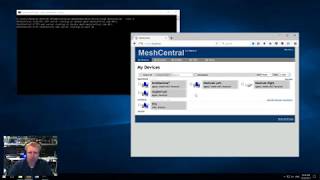
MeshCmd Router Demonstration
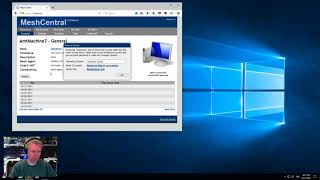
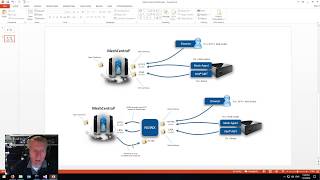
MeshCentral2 with NGINX
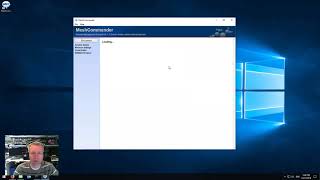
MeshCommander Demonstration
If you encounter a problem or have a suggestion to improve the product, you may file an issue report
If you are filing a problem report, you should include:
If you are having issues with the following other products, you should file a report on their respective issue pages
MeshAgent
MeshRouter
This software is licensed under Apache 2.0.
FAQs
Web based remote computer management server
The npm package meshcentral receives a total of 3,912 weekly downloads. As such, meshcentral popularity was classified as popular.
We found that meshcentral demonstrated a healthy version release cadence and project activity because the last version was released less than a year ago. It has 1 open source maintainer collaborating on the project.
Did you know?

Socket for GitHub automatically highlights issues in each pull request and monitors the health of all your open source dependencies. Discover the contents of your packages and block harmful activity before you install or update your dependencies.
Security News
Deno 2.6 introduces deno audit with a new --socket flag that plugs directly into Socket to bring supply chain security checks into the Deno CLI.

Security News
New DoS and source code exposure bugs in React Server Components and Next.js: what’s affected and how to update safely.

Security News
Socket CEO Feross Aboukhadijeh joins Software Engineering Daily to discuss modern software supply chain attacks and rising AI-driven security risks.