password-dealer



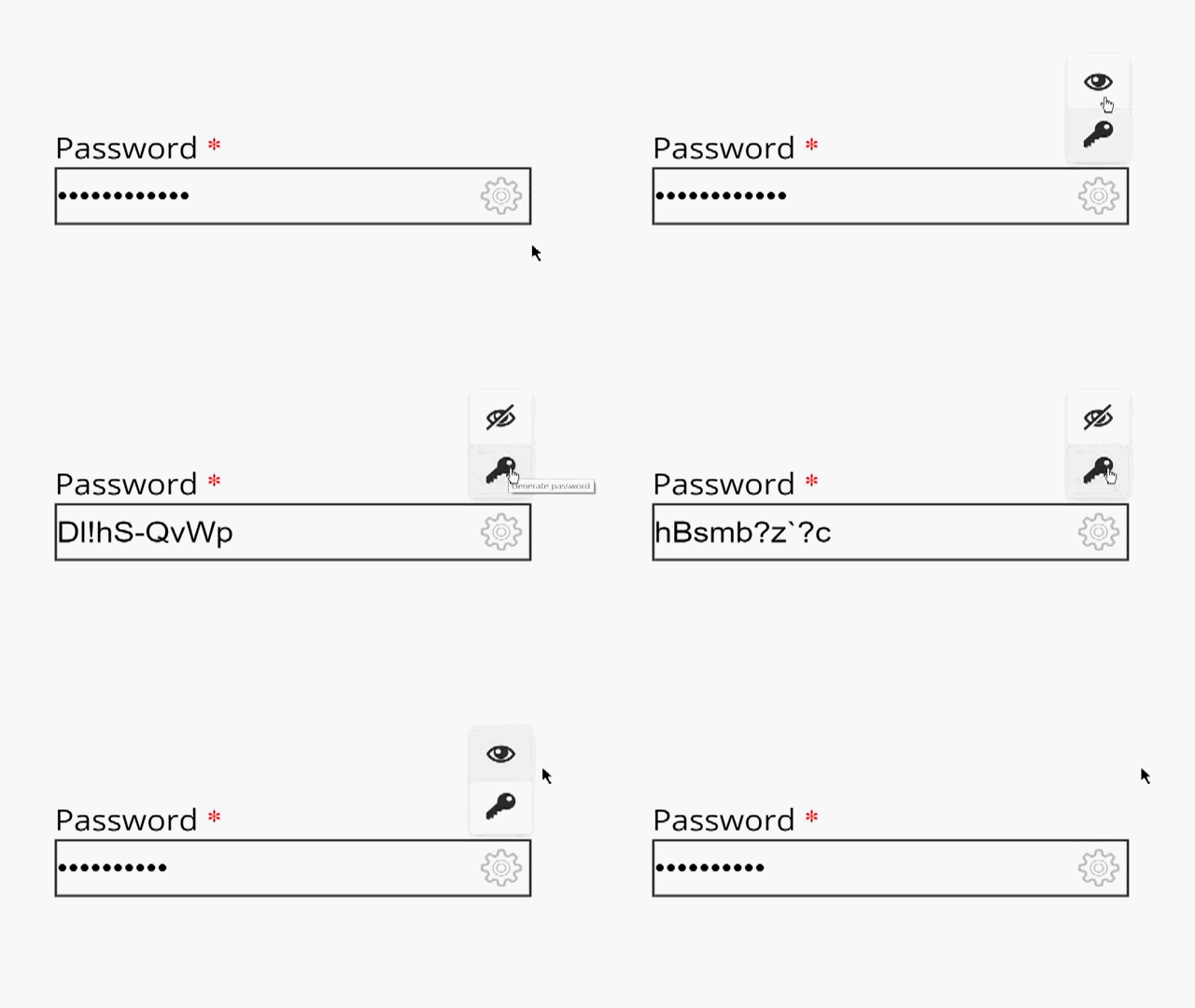
This is an standalone javascript tool that improves your password fields
Table of topics
Installation
For development
git clone https://github.com/2rhop/password-dealer.git pwd
cd pwd
npm install
For production
npm install password-dealer --save
How to use it?
The use is very simple first need to import the code and styles into your project and then add a css class to the password inputs, javascript will do the rest.
Import from HTML:
<head>
    ...
    <link rel="stylesheet" href="<path-to-package>/dist/password-dealer.min.css">
</head>

<body>
    ...
    <script src="<path-to-package>/dist/password-dealer.min.js"></script>
    <script>
         PasswordDealer(<options>).init();
    </script>
</body>
Import from javascript:
import 'password-dealer/dist/password-dealer.min.css';
import 'password-dealer';
$(function () {
PasswordDealer(<options>).init();
});
Adding css class to the input:
<input type="password" class="pwd">
API
-
PasswordDealer Object options
| buttons: array | tooltip: string | Sets the tooltip for the button |
| innerHTML: HTML | Sets the HTML code inside the button. It is used for the image icon. Need to be an .svg file located in your PC or in an URL |
| callback: function | Calls the user function inside the eventListener body |
| passGenerator: null | function | object | | Specifies the generator to be used. If it is null the default generator will be used otherwise you need to specify a new one. You can also set an object with PasswordGenerator options |
The default options are:
{
buttons: [
{
tooltip: 'Show/Hide password',
innerHTML: `<svg class="pwd-toolbox__icon">
<use xlink:href="images/sprite.svg#icon-eye"></use>
<use xlink:href="images/sprite.svg#icon-eye-blocked" display="none"></use>
</svg>`,
callback: (event) => {
((p) => {
const $this = event.target;
const useChildren = $this.childNodes[0].children;
if (!$this.classList.contains('reveal')) {
$this.classList.add('reveal');
useChildren[1].style.display = 'block';
useChildren[0].style.display = 'none';
} else {
$this.classList.remove('reveal');
useChildren[0].style.display = 'block';
useChildren[1].style.display = 'none';
}
$this.parentNode.parentNode.childNodes.forEach(e => {
if (e.classList.contains('pwd-item__input')) {
p.changeType(e);
}
})
})(this);
}
},
{
tooltip: 'Generate password',
innerHTML: `<svg class="pwd-toolbox__icon">
<use xlink:href="images/sprite.svg#icon-key"></use></svg>`,
callback: (event) => {
((p) => {
event.target.parentNode.parentNode.childNodes.forEach(e => {
if (e.classList.contains('pwd-item__input')) {
e.value = p.getGeneratedPass()
}
});
})(this)
}
},
],
passGenerator: null,
};
-
PasswordGenerator Object options
| size: number | 10 | Sets the length of the password |
| alphabet: boolean | true | Specifies whether the alphabet charset is gonna be used or not (If none charset is taken then this is the default one) |
| uppercase: boolean | true | Specifies whether the uppercase charset is gonna be used or not |
| numbers: boolean | true | Specifies whether the numbers charset is gonna be used or not |
| symbols: boolean | true | Specifies whether the symbols charset is gonna be used or not |
note: This tool is also flexible it means you can customize the options whatever you prefer
Browser Support (tested ones)
These are the browsers that show up pretty well the styles:
- Google Chrome **74+**
- Opera **62+**
- Microsoft Edge **41+**
- Microsoft Internet Exporer **11+**
- Mozilla Firefox **64+**
This tools uses ResizeObserver api for correctly set the dimensions of the input wrapper. These are some browsers that support it:
- Google Chrome **74+**
- Opera **62+**
Changelog
Get update with all new versions here
Licence
Copyright (c) 2019 Rene Ricardo. Licensed under the MIT license.
Help
Send me an email if you have some doubt or just add an issue





