



Plotly.js is a standalone Javascript data visualization library, and it also powers the Python and R modules named plotly in those respective ecosystems (referred to as Plotly.py and Plotly.R).
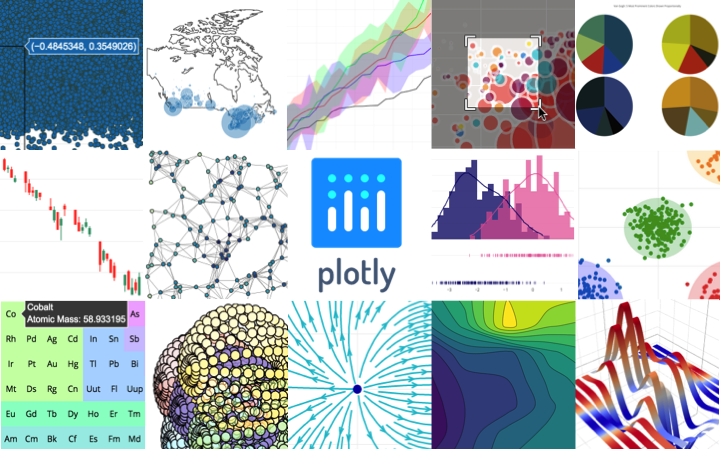
Plotly.js can be used to produce dozens of chart types and visualizations, including statistical charts, 3D graphs, scientific charts, SVG and tile maps, financial charts and more.
Contact us for Plotly.js consulting, dashboard development, application integration, and feature additions.
Table of contents
Quick start options
Install with npm
npm install plotly.js-dist
and import plotly.js as
import Plotly from 'plotly.js-dist'
var Plotly = require('plotly.js-dist')
Use the plotly.js CDN hosted by Fastly
<script src="https://cdn.plot.ly/plotly-latest.min.js" charset="utf-8"></script>
<script src="https://cdn.plot.ly/plotly-1.52.3.min.js" charset="utf-8"></script>
<script src="https://cdn.plot.ly/plotly-latest.js" charset="utf-8"></script>
and use the Plotly object in the window scope.
Fastly supports Plotly.js with free CDN service. Read more at https://www.fastly.com/open-source
Download the latest release
Latest Release on GitHub
and use the plotly.js dist file(s). More info here.
Modules
Starting in v1.15.0, plotly.js ships with several partial bundles (more info here).
Starting in v1.39.0, plotly.js publishes distributed npm packages with no dependencies. For example, run npm install plotly.js-geo-dist and add import Plotly from 'plotly.js-geo-dist'; to your code to start using the plotly.js geo package.
If none of the distributed npm packages meet your needs, and you would like to manually pick which plotly.js modules to include, you'll first need to run npm install plotly.js and then create a custom bundle by using plotly.js/lib/core, and loading only the trace types that you need (e.g. pie or choropleth). The recommended way to do this is by creating a bundling file. For example, in CommonJS:
var Plotly = require('plotly.js/lib/core');
Plotly.register([
require('plotly.js/lib/pie'),
require('plotly.js/lib/choropleth')
]);
module.exports = Plotly;
Then elsewhere in your code:
var Plotly = require('./path/to/custom-plotly');
Non-ascii characters
Important: the plotly.js code base contains some non-ascii characters. Therefore, please make sure to set the charset attribute to "utf-8" in the script tag that imports your plotly.js bundle. For example:
<script src="my-plotly-bundle.js" charset="utf-8"></script>
Building plotly.js
Building instructions using webpack, browserify and other build frameworks are in BUILDING.md
Bugs and feature requests
Have a bug or a feature request? Please open a Github issue keeping in mind the issue guidelines. You may also want to read about how changes get made to Plotly.js
Documentation
Official plotly.js documentation is hosted at https://plotly.com/javascript.
These pages are generated by the Plotly graphing-library-docs repo built with Jekyll and publicly hosted on GitHub Pages.
For more info about contributing to Plotly documentation, please read through contributing guidelines.
Contributing
Please read through our contributing guidelines. Included are directions for opening issues, using plotly.js in your project and notes on development.
- Follow @plotlygraphs on Twitter for the latest Plotly news.
- Implementation help may be found on community.plot.com (tagged
plotly-js) or
on Stack Overflow (tagged plotly).
- Developers should use the keyword
plotly on packages which modify or add to the functionality of plotly.js when distributing through npm.
Versioning
This project is maintained under the Semantic Versioning guidelines.
See the Releases section of our GitHub project for changelogs for each release version of plotly.js.
Notable Contributors
Plotly.js is at the core of a large and dynamic ecosystem with many contributors who file issues, reproduce bugs, suggest improvements, write code in this repo (and other upstream or downstream ones) and help users in the Plotly community forum. The following people deserve special recognition for their outsized contributions to this ecosystem:
Copyright and license
Code and documentation copyright 2021 Plotly, Inc.
Code released under the MIT license.





