



Security News
AI Agent Lands PRs in Major OSS Projects, Targets Maintainers via Cold Outreach
An AI agent is merging PRs into major OSS projects and cold-emailing maintainers to drum up more work.
By Sarah Gooding - Feb 14, 2026
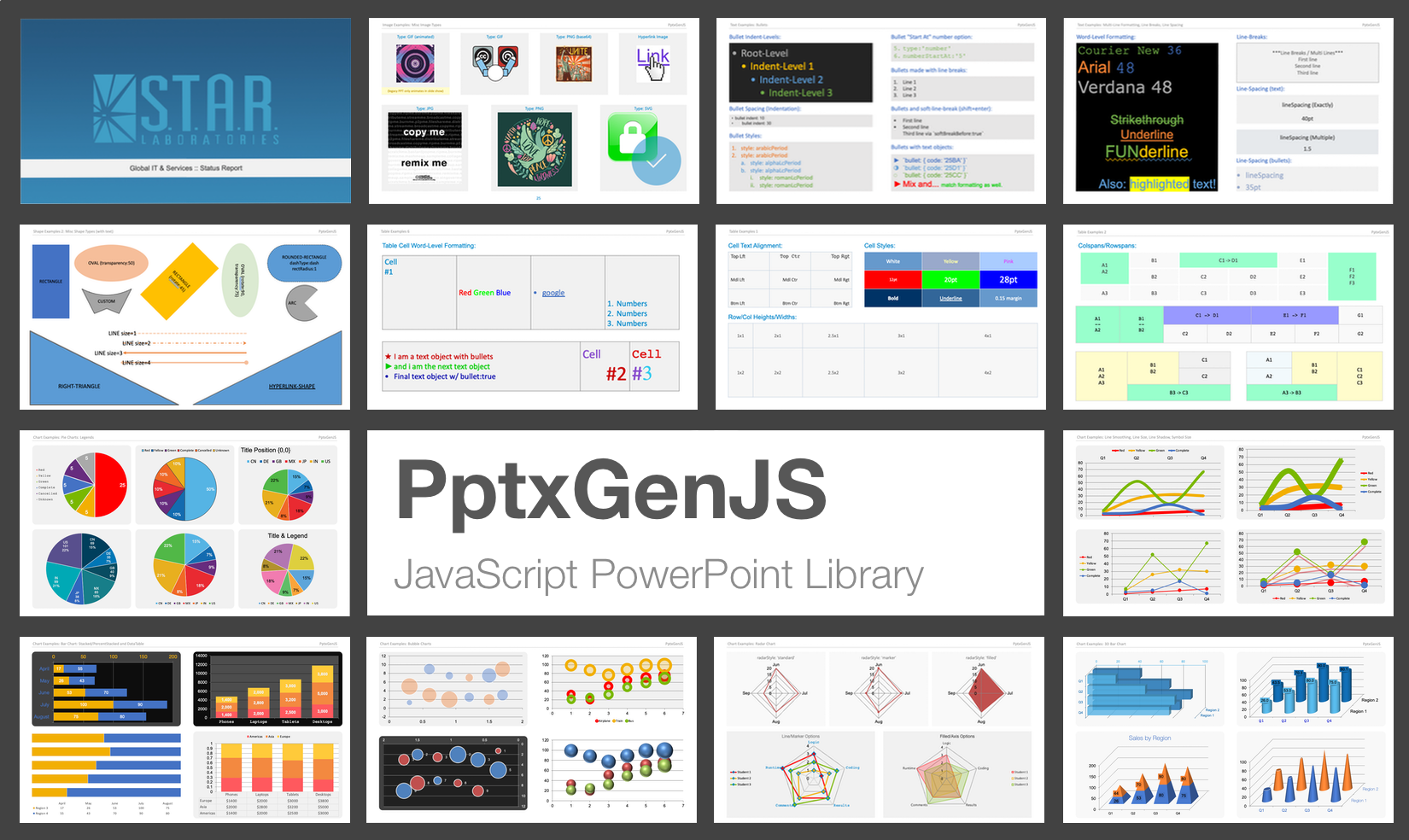



PptxGenJS lets you generate professional PowerPoint presentations in JavaScript - directly from Node, React, Vite, Electron, or even the browser. The library outputs standards-compliant Open Office XML (OOXML) files compatible with:
Design custom slides, charts, images, tables, and templates programmatically - no PowerPoint install or license required.
.pptx files from the browser with proper MIME handling<table> to one or more slides with a single line of code → Explore the HTML-to-PPTX featureTry PptxGenJS right in your browser - no setup required.
Perfect for testing compatibility or learning by example - all demos run 100% in the browser.
Choose your preferred method to install PptxGenJS:
npm install pptxgenjs
yarn add pptxgenjs
Use the bundled or minified version via jsDelivr:
<script src="https://cdn.jsdelivr.net/gh/gitbrent/pptxgenjs/dist/pptxgen.bundle.js"></script>
Includes the sole dependency (JSZip) in one file.
📁 Advanced: Separate Files, Direct Download
Download from GitHub: Latest Release
<script src="PptxGenJS/libs/jszip.min.js"></script>
<script src="PptxGenJS/dist/pptxgen.min.js"></script>
PptxGenJS works seamlessly in modern web and Node environments, thanks to dual ESM and CJS builds and zero runtime dependencies. Whether you're building a CLI tool, an Electron app, or a web-based presentation builder, the library adapts automatically to your stack.
Vite, Webpack, and modern bundlers automatically select the right build via the
exportsfield inpackage.json.
dist/pptxgen.cjs.jsdist/pptxgen.es.jsPptxGenJS PowerPoint presentations are created via JavaScript by following 4 basic steps:
import pptxgen from "pptxgenjs";

// 1. Create a new Presentation
let pres = new pptxgen();

// 2. Add a Slide
let slide = pres.addSlide();

// 3. Add one or more objects (Tables, Shapes, Images, Text and Media) to the Slide
let textboxText = "Hello World from PptxGenJS!";
let textboxOpts = { x: 1, y: 1, color: "363636" };
slide.addText(textboxText, textboxOpts);

// 4. Save the Presentation
pres.writeFile();
// 1. Create a new Presentation
let pres = new PptxGenJS();

// 2. Add a Slide
let slide = pres.addSlide();

// 3. Add one or more objects (Tables, Shapes, Images, Text and Media) to the Slide
let textboxText = "Hello World from PptxGenJS!";
let textboxOpts = { x: 1, y: 1, color: "363636" };
slide.addText(textboxText, textboxOpts);

// 4. Save the Presentation
pres.writeFile();
That's really all there is to it!
Convert any HTML <table> into fully formatted PowerPoint slides - automatically and effortlessly.
let pptx = new pptxgen();
pptx.tableToSlides("tableElementId");
pptx.writeFile({ fileName: "html2pptx-demo.pptx" });
Perfect for transforming:
Complete API reference, tutorials, and integration guides are available on the official docs site: https://gitbrent.github.io/PptxGenJS
Please file issues or suggestions on the issues page on github, or even better, submit a pull request. Feedback is always welcome!
When reporting issues, please include a code snippet or a link demonstrating the problem. Here is a small jsFiddle that is already configured and uses the latest PptxGenJS code.
Sometimes implementing a new library can be a difficult task and the slightest mistake will keep something from working. We've all been there!
If you are having issues getting a presentation to generate, check out the code in the demos directory. There
are demos for browser, node and, react that contain working examples of every available library feature.
PptxGenJS on StackOverflow. If you can't find your question, ask it yourself - be sure to tag it pptxgenjs.Thank you to everyone for the contributions and suggestions! ❤️
Special Thanks:
PowerPoint shape definitions and some XML code via Officegen Project
If you find this library useful, consider contributing to open-source projects, or sharing your knowledge on the open social web. Together, we can build free tools and resources that empower everyone.
Copyright © 2015-present Brent Ely
officegen is a library for generating Microsoft Office files, including PowerPoint presentations, Word documents, and Excel spreadsheets. Compared to pptxgenjs, officegen offers broader support for different Office file types but may not have as many specialized features for PowerPoint as pptxgenjs.
reveal.js is a framework for creating HTML-based presentations. While it is not specifically for PowerPoint, it allows for creating presentations with web technologies. It differs from pptxgenjs in that it focuses on web-based slideshows rather than generating PowerPoint files.
impress.js is a presentation framework based on CSS3 transformations and transitions. Like reveal.js, it is used for creating web-based presentations and does not generate PowerPoint files. It offers a different approach to presentation design compared to pptxgenjs.
FAQs
Create JavaScript PowerPoint Presentations
The npm package pptxgenjs receives a total of 496,250 weekly downloads. As such, pptxgenjs popularity was classified as popular.
We found that pptxgenjs demonstrated a healthy version release cadence and project activity because the last version was released less than a year ago. It has 1 open source maintainer collaborating on the project.
Did you know?

Socket for GitHub automatically highlights issues in each pull request and monitors the health of all your open source dependencies. Discover the contents of your packages and block harmful activity before you install or update your dependencies.
Security News
An AI agent is merging PRs into major OSS projects and cold-emailing maintainers to drum up more work.

Research
/Security News
Chrome extension CL Suite by @CLMasters neutralizes 2FA for Facebook and Meta Business accounts while exfiltrating Business Manager contact and analytics data.

Security News
After Matplotlib rejected an AI-written PR, the agent fired back with a blog post, igniting debate over AI contributions and maintainer burden.