prettier-plugin-classnames
A Prettier plugin that wraps verbose class name based on the printWidth option.

npm install -D prettier prettier-plugin-classnames
Configuration
JSON example:
{
  "plugins": ["prettier-plugin-classnames"]
}
JS example (CommonJS module):
module.exports = {
  plugins: ['prettier-plugin-classnames'],
  customAttributes: ['myClassProp'],
  customFunctions: ['clsx'],
};
JS example (ES module):
export default {
  plugins: ['prettier-plugin-classnames'],
  endingPosition: 'absolute',
};
Markdown/MDX Override
This plugin does not support Markdown and MDX, but if this plugin supports a language inside code blocks (e.g. Vue), unintended formatting may occur inside the code blocks.
To prevent unintended formatting, you can use configuration overrides for Markdown and MDX.
JSON example:
{
  "plugins": ["prettier-plugin-classnames"],
  "customFunctions": ["clsx"],
  "overrides": [
    {
      "files": ["*.md", "*.mdx"],
      "options": {
        "plugins": []
      }
    }
  ]
}
Options
Custom Attributes
List of attributes that enclosing class names.
The class and className attributes are always supported, even if no options are specified.
[] | --custom-attributes <string> | customAttributes: ["<string>"] |
Custom Functions
List of functions that enclosing class names.
The classNames function is always supported, even if no options are specified.
[] | --custom-functions <string> | customFunctions: ["<string>"] |
Ending Position
First available in v0.5.0.
absolute-with-indent was added in v0.6.0.
absolute-with-indent was removed in v0.8.0, but you can get the same output with absolute.
Default value changed from relative to absolute in v0.8.0.
This is the criterion for ending the class name on each line when replacing the original class name with a multi-line class name.
-
absolute example:
------------------------------------------------------------| printWidth=60
export function Callout({ children }) {
  return (
    <div
      className="bg-gray-100/50 dark:bg-neutral-900/50
        border border-zinc-400/30 dark:border-neutral-500/30
        rounded-xl px-4 py-4"
    >
      {children}
    </div>
  );
}
-
relative example:
------------------------------------------------------------| printWidth=60
export function Callout({ children }) {
  return (
    <div
     |------------------------------------------------------------|
      className="bg-gray-100/50 dark:bg-neutral-900/50 border
       |------------------------------------------------------------|
        border-zinc-400/30 dark:border-neutral-500/30 rounded-xl
        px-4 py-4"
    >
      {children}
    </div>
  );
}
"absolute" | --ending-position <absolute|relative> | endingPosition: "<absolute|relative>" |
Syntax Transformation
First available in v0.7.7.
If a line wrapping occurs in a class name written in non-expression syntax, it is transformed into expression syntax. This transformation does not support reversible formatting.
false | --syntax-transformation | syntaxTransformation: <boolean> |
Classnames Print Width
First available in v0.10.0.
Specify the print width of the class name. If no value is provided, the printWidth value is used as default.
undefined | --classnames-print-width <number> | classnamesPrintWidth: <number> |
Version correlation with sibling plugins
Starting with 0.6.0, when there is a minor release on one side, I plan to reflect that change on the other side as well if possible.

Compatibility with other Prettier plugins
If more than one Prettier plugin can handle the text you want to format, Prettier will only use the last of those plugins.
In this case, you can configure it as follows by adding prettier-plugin-merge to apply those plugins sequentially.
JSON example:
{
  "plugins": [
    "prettier-plugin-tailwindcss",
    "prettier-plugin-classnames",
    "prettier-plugin-merge"
  ]
}
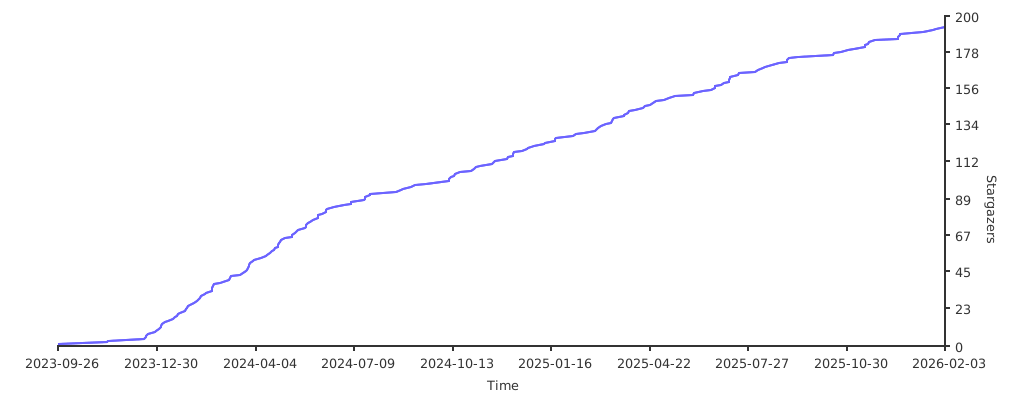
Stargazers over time