Install
Install the latest version!
npm i react-comments-section
react-comments-section is a simple but multi-functional react comment section component that helps you create comments section similar to youtube or instagram for your React App.
react-comments-section is very useful for react beginners who want a comment section in their project but want to skip it's complexity. This library will give a fully functional comment section with the following features:
- User can reply to comments
- User can edit his/her comments
- User can delete his/her comments
live demo of the library -> https://riyanegi.github.io/react-comments-section/
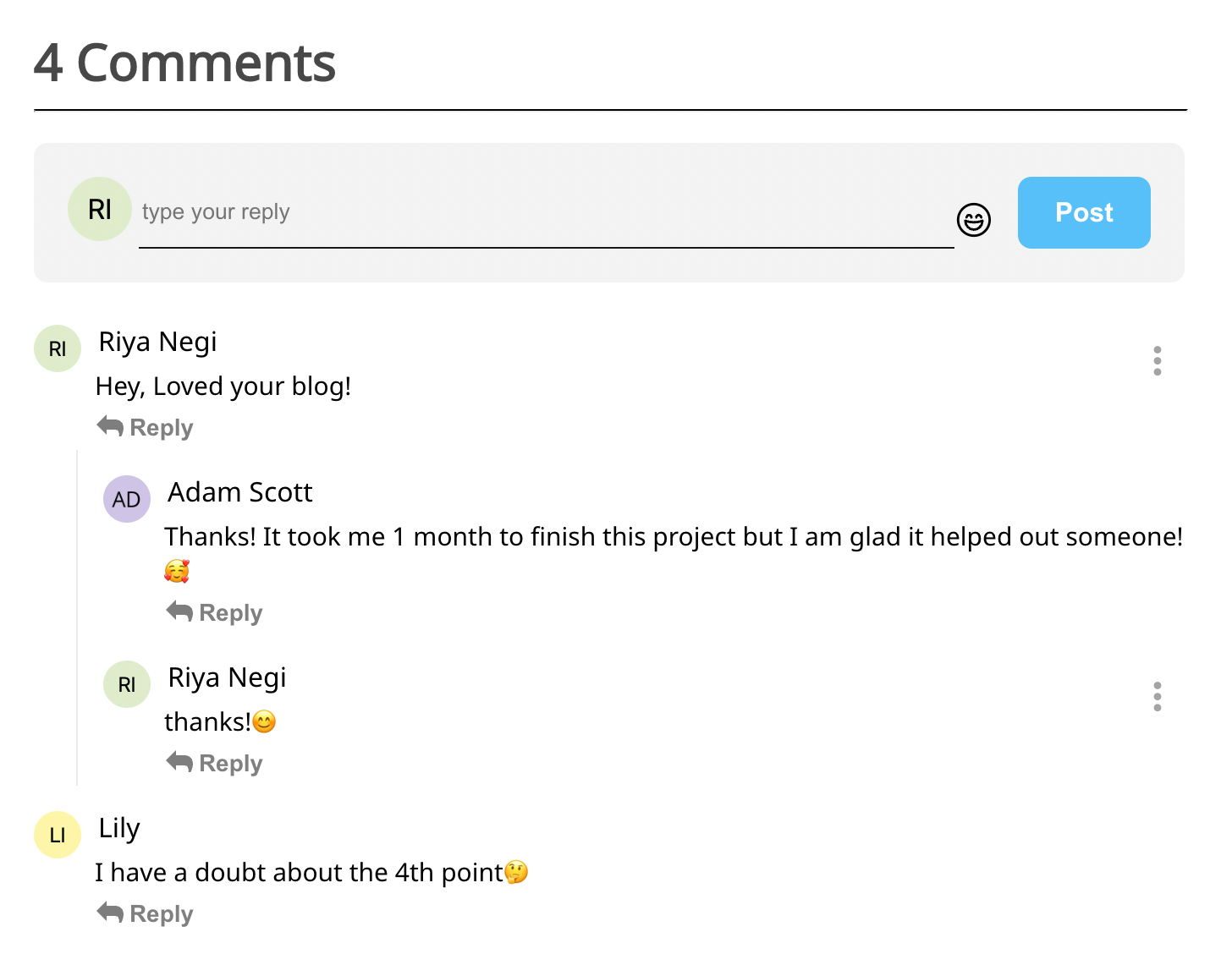
Default Example
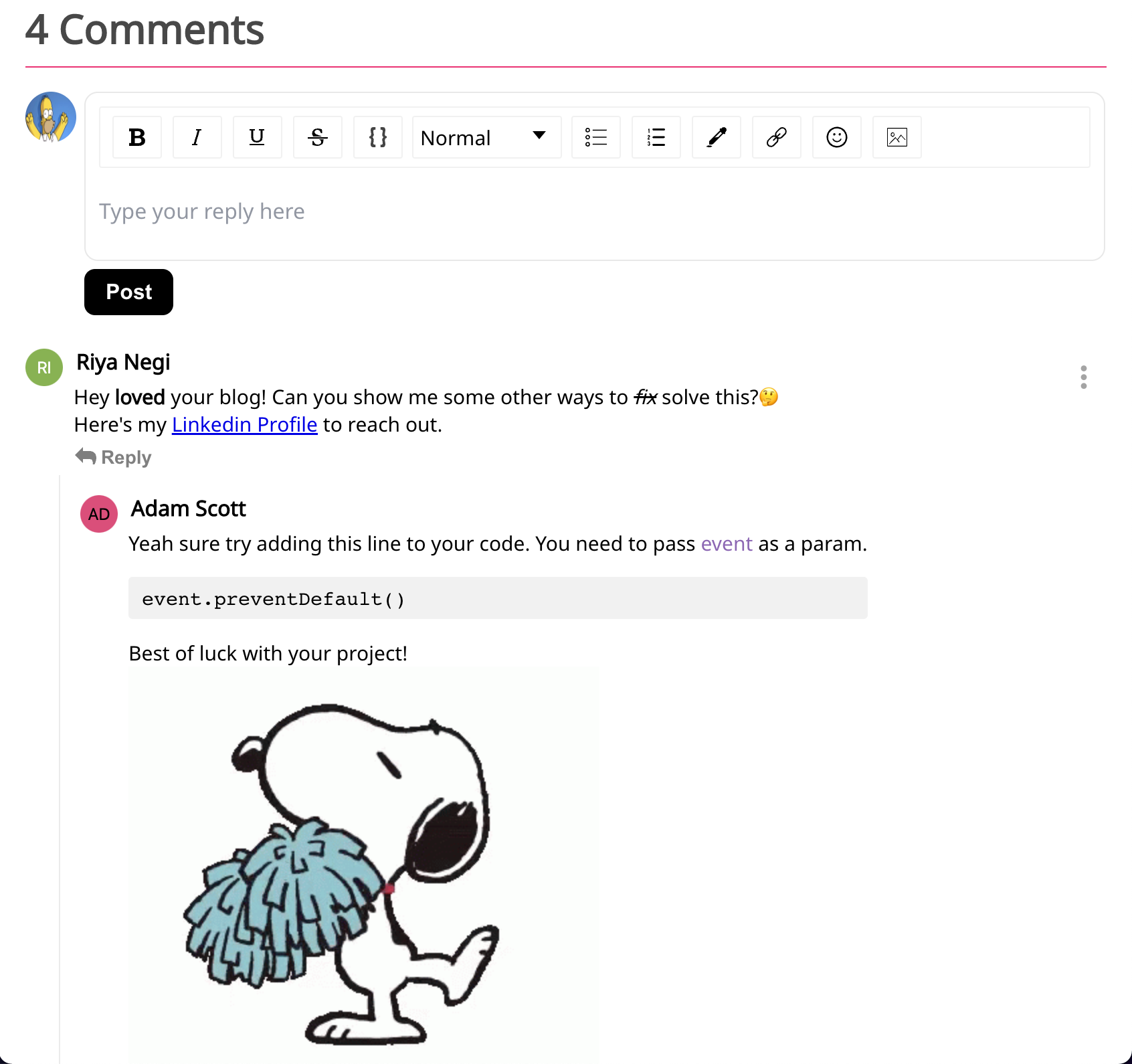
Advanced Input (rich text editor)
Usage
Hooks Implementation (Typescript)
Following is a basic example to start testing the library in your project. This library works on a user basis
system and here are a few important points to remember:
- currentUser[required]. For no user details pass the prop as currentUser={null}
- A new user can be redirected using the login/signup links in the logIn[required] prop.
- The currentData[optional] prop returns an object of current data available after any action such as comment submission, reply, edit or delete.
- The onSubmitAction returns an object of data with the required information to make an API call after a comment is submitted.
For more details check out the props list in our detailed documentation.
This is how the basic default component would look.
import React from 'react'
import { CommentSection} from 'react-comments-section'
import 'react-comments-section/dist/index.css'

const DefaultComponent = () => {
  const data =[
    {
      userId: '02b',
      comId: '017',
      fullName: 'Lily',
      userProfile: 'https://www.linkedin.com/in/riya-negi-8879631a9/',
      text: 'I think you have a point🤔',
      avatarUrl: 'https://ui-avatars.com/api/name=Lily&background=random',
      timestamp: '2024-09-28T12:34:56Z'
      replies: [],
    }
  ]
  return <CommentSection
        currentUser={{
          currentUserId: '01a',
          currentUserImg:
            'https://ui-avatars.com/api/name=Riya&background=random',
          currentUserProfile:
            'https://www.linkedin.com/in/riya-negi-8879631a9/',
          currentUserFullName: 'Riya Negi'
        }}
        logIn={{
          onLogin: () => alert('Call login function '),
          signUpLink: 'http://localhost:3001/'
        }}
        commentData={data}
        placeholder="Write your comment..."
        onSubmitAction={(data: {
          userId: string
          comId: string
          avatarUrl: string
          userProfile?: string
          fullName: string
          text: string
          replies: any
          commentId: string
        }) => console.log('check submit, ', data)}
        currentData={(data: any) => {
          console.log('current data', data)
        }}
      />
}

export default DefaultComponent
Class Implementation
import React, { PureComponent } from 'react'
import { CommentSection } from 'react-comments-section'
import 'react-comments-section/dist/index.css'

class ClassComponent extends PureComponent {
  state = {
    data: [
      {
        userId: '01a',
        comId: '012',
        fullName: 'Riya Negi',
        avatarUrl: 'https://ui-avatars.com/api/name=Riya&background=random',
        userProfile: 'https://www.linkedin.com/in/riya-negi-8879631a9/',
        text: 'Hey, Loved your blog! ',
        timestamp: '2024-09-28T12:34:56Z'
        replies: []
      },
      {
        userId: '02b',
        comId: '017',
        fullName: 'Lily',
        userProfile: 'https://www.linkedin.com/in/riya-negi-8879631a9/',
        text: 'I have a doubt about the 4th point🤔',
        avatarUrl: 'https://ui-avatars.com/api/name=Lily&background=random',
        timestamp: '2024-09-28T12:34:56Z'
        replies: []
      }
    ]
  }

  onSubmitAction = (data: any) => {
    console.log('this comment was posted!', data)
  }

  customNoComment = () => <div className='no-com'>No comments wohoooo!</div>

  render() {
    return (
      <CommentSection
      currentUser={{
        currentUserId: '01a',
        currentUserImg:
          'https://ui-avatars.com/api/name=Riya&background=random',
        currentUserProfile: 'https://www.linkedin.com/in/riya-negi-8879631a9/',
        currentUserFullName: 'Riya Negi'
      }}
      commentData={this.state.data}
      onSubmitAction={(data: any) => this.onSubmitAction(data)}
      customNoComment={() => this.customNoComment()}
      logIn={{
        onLogin: () => alert('Call login function '),
        signUpLink: 'http://localhost:3001/'
      }}
      placeholder="Write your comment..."
    />)
  }
}

export default ClassComponent
License
MIT © RiyaNegi





