A comprehensive component for tagging images. Check out demo 1 and demo 2 for some examples.
Features
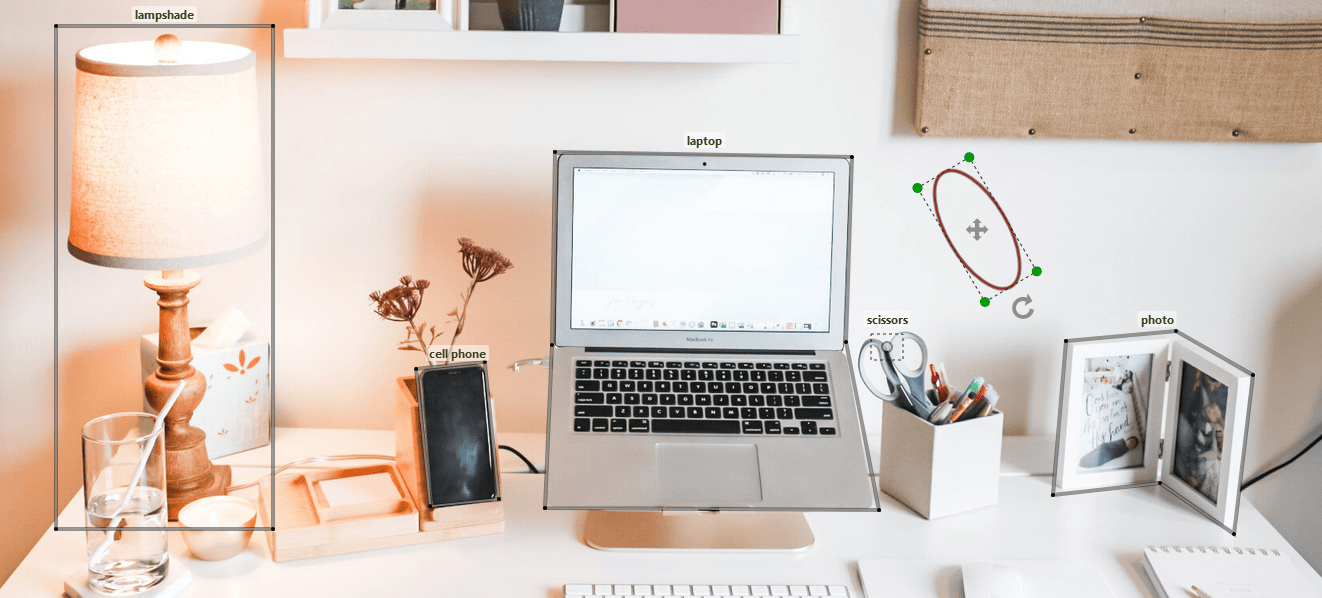
- Bounding Box (Rectangle, Square, Circle, and Ellipse), and Polygon Annotations
- Add, Edit, Drag, Rotate, and Delete Annotations
- Zoom and Pan
- Changing image on the fly
- Colorful annotations
- Raw or typed input/output
Usage
Install react-image-label using npm.
npm install react-image-label
Then you can just import the component and its hook:
import { ImageAnnotator, useImageAnnotator } from 'react-image-label';
and use it as below:
const { setHandles, annotator } = useImageAnnotator();
<ImageAnnotator
  setHandles={setHandles}
  naturalSize={true}
  imageUrl={'your-image-url'}
  shortcut={{del: true, bksp: true }}
  touch={'enabled'}
  onReady={annotator => { annotator.drawRectangle() }} />
Now you can draw rectangles on the image by dragging the left mouse button.
Mouse and Keyboard events
- click: Edit/Stop Edit Annotations
- Ctrl + mouse wheel: Zoom
- Ctrl + mouse drag: Pan
- mouse drag: Drag/Edit/Rotate Annotations
when using shortcut={{del: true, bksp: true }} in props (see Shortcut Settings):
- Delete/Backspace key: Delete Annotations
Props
The following props can be defined on ImageAnnotator:
imageUrl * | string | Use a state for image url if you want to change it on the fly | |
shapes | Shape[] | any[] | Annotations being displayed on load (see shapes) | |
naturalSize | boolean | To show image in its natural size | false |
width | number | string | container width in pixels or percentage | image.getBBox().width |
height | number | string | container height in pixels or percentage | image.getBBox().height |
discRadius | number | The radius of the green discs in edit mode | 5 |
hideBorder | boolean | To hide annotation border | false |
shortcut | Shortcut | To configure shortcuts (see Shortcut Settings) | |
categoryOpt | { vertical: string } | Vertical positioning of categories (top, middle, bottom) | { vertical: 'top' } |
touch | string | Set to enabled to enable touch events. This disables one-finger scrolling | |
onAdded | Shape => any | When an annotation is drawn (see Annotations with Categories) | |
onEdited | Shape => any | When an annotation is reshaped, dragged, or rotated | |
onSelected | Shape => any | When an annotation goes into edit mode by double-clicking | |
onContextMenu | Shape => any | When an annotation is right-clicked (see Annotations with Categories) | |
onReady | AnnotatorHandles => any | When the component is mounted | |
(*) required props
Handles
You can access the handles using the annotator object as follows:
<button onClick={() => { annotator.drawCircle() }}>Draw Circle</button>
Below is a list of all handles:
drawCircle | () => void | Allows drawing circles by dragging the left mouse button |
drawEllipse | () => void | Allows drawing ellipses by dragging the left mouse button |
drawRectangle | () => void | Allows drawing rectangles by dragging the left mouse button (keep the shift key to draw square) |
drawPolygon | () => void | Allows drawing polygons by clicking and double-clicking |
drawDot | () => void | Allows adding dots (points) by clicking |
stop | () => void | Stops draw/edit/drag mode |
edit | (id: number) => void | The annotation identified by id can be edited and dragged |
delete | (id: number) => void | Removes the annotation identified by id |
stopEdit | () => void | Stops editing and dragging |
updateCategories | (id: number, categories: string[], color?: string) => void | Updates the categories associated with the annotation identified by id |
zoom | (factor: number) => void | Multiplies the dimensions by factor |
getShapes | () => Shape[] | Gets all annotations (shapes) |
container | HTMLDivElement | The div wrapping the SVG |
Annotations with Categories
To attach one or more categories to an annotation, utilize onAdded and onContextMenu props being called when an annotation is drawn and right-clicked, respectively. Use shape.categories to get the previous categories as string[]:
const showCategoriesDialog = (shape) => {
console.log(shape.id)
console.log(shape.getCenterWithOffset())
console.log(shape.categories)
}
return (
<ImageAnnotator
onAdded={showCategoriesDialog}
onContextMenu={showCategoriesDialog}
...
);
Finally, call annotator.updateCategories to update the categories of the annotation.
Shapes
The data models for all shapes are listed below:
Circle | { id: number, centre: [number, number], radius: number, categories: string[], type: string, color: string } | circle |
Ellipse | { id: number, centre: [number, number], radiusX: number, radiusY: number, phi: number, categories: string[], type: string, color: string } | ellipse |
Rectangle | { id: number, points: [number, number][], phi: number, categories: string[], type: string, color: string } | rectangle |
Polygon | { id: number, points: [number, number][], categories: string[], type: string, color: string } | polygon |
Dot | { id: number, position: [number, number], categories: string[], type: string, color: string } | dot |
Shortcut Settings
Below is a list of shortcuts that are configured through shortcut prop:
del | boolean | To enable the Delete key to remove the annotation that is in edit mode | false |
bksp | boolean | To enable the Backspace key to remove the annotation that is in edit mode | false |
Contributing
- Fork the project.
- Make changes.
- Run the project in development mode:
npm run ladle.
- Write your own tests and/or update existing ones in src/test dir.
- Check the new features and changes using
annotator.stories.tsx or your own Stories (*.stories.tsx).
- Update README with appropriate docs.
- Commit and PR
Dependencies
The package is dependent on image-labeling. Additionally, the following peer dependencies must be specified by your project in order to avoid version conflicts:
react,
react-dom.
NPM will not automatically install these for you but it will show you a warning message with instructions on how to install them.





