react-multi-step
Install
npm install react-multi-steps final-form react-final-form
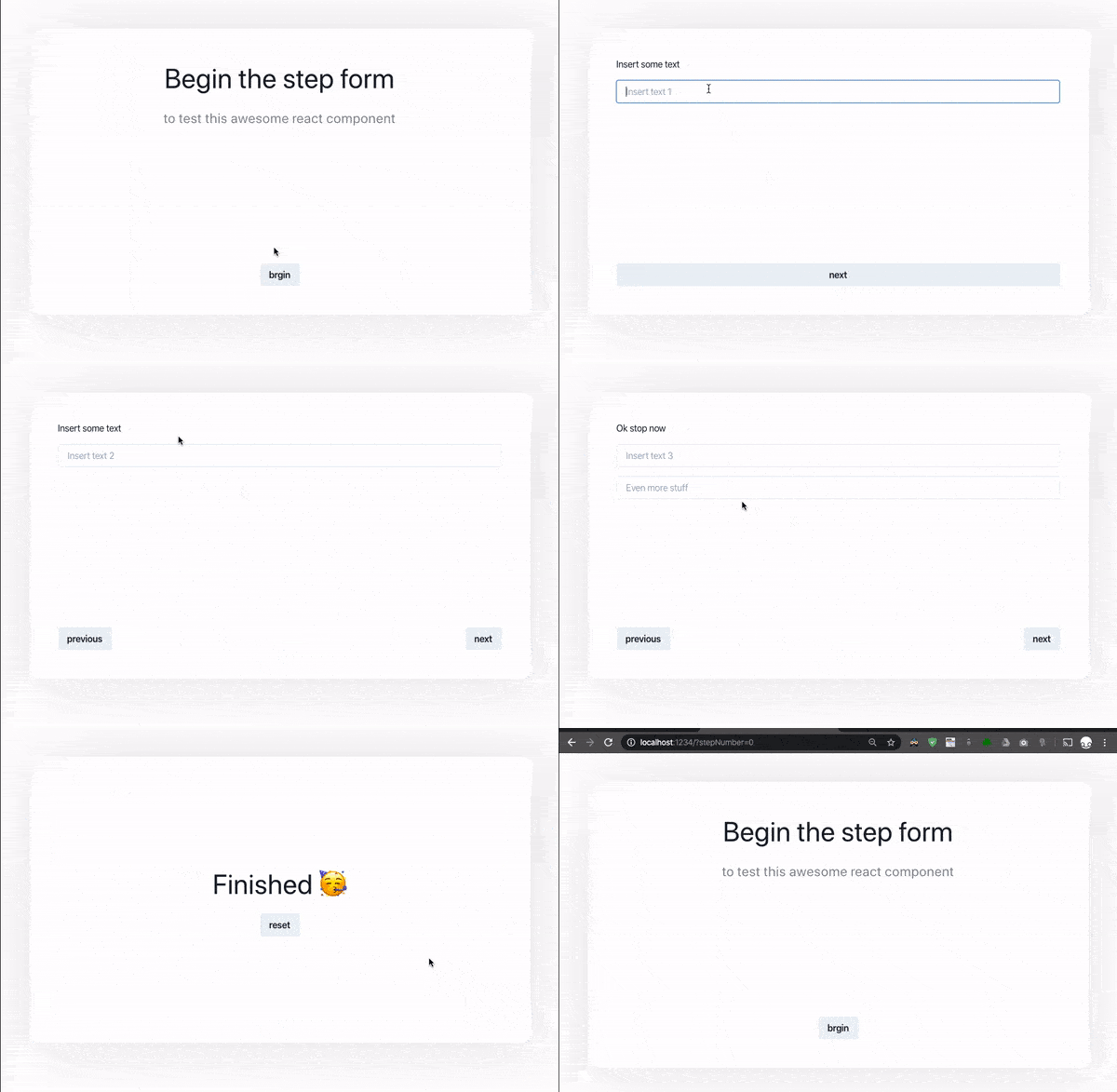
Features
- keep the form state in local storage, you can close page and return to the same url and it reloads the form state
- keep the current step number in the url query, you can use history to navigate the steps
- use any form element from react-final-form
- validation of the form at every step
Usage Example
Check out the exmple folder for an up to date example
import React from 'react'
import { Wizard, WizardStepProps } from 'react-multi-steps'
import { Field } from 'react-final-form'

const App = () => {
    return (
        <Wizard>
            <Step0 />
            <Step1 />
        </Wizard>
    )
}

const Step0 = ({ next }: WizardStepProps) => {
    return (
        <Stack spacing={4} flex='1' justify='center' align='center'>
            <Text fontSize='48px'>Begin the step form</Text>
            <Text opacity={0.5} fontSize='24px'>
                to test this awesome react component
            </Text>
            <Box flex='1' />
            <Button onClick={next}>brgin</Button>
        </Stack>
    )
}

const Step1 = ({ next }: WizardStepProps) => {
    return (
        <Stack spacing={4} flex='1'>
            <Text>Insert some text</Text>
            <TextInput name='text2' placeholder='Insert text 1' />
            <Box flex='1' />
            <Button onClick={next}>next</Button>
        </Stack>
    )
}

const TextInput = ({ name, ...rest }: { name } & InputProps) => {
    const { input, meta } = useField(name, { initialValue: rest.defaultValue })
    return <inpu {...input} {...rest}/>
}

export const Wrapper = ({ children }) => {
    return (
        <div>
            <div>
                {/* use this to add a stepper or container element */}
                {children}
            </div>
        </div>
    )
}





