React Multilingual Content Package
A light package that provides a component to translate a website's content present in english/native language into other languages.
V 2.0 Update: There is a change in the way select styles are handled now. (Fixes the older issue of styles being lost on re-render)
Refer new examples here
Installation
npm i react-multilingual-content
Tutorial
Youtube link: https://www.youtube.com/watch?v=F18wgoV9ulc (outdated)
Refer the example syntax below
How to use?
Import
This component needs to be on the client side if you're using Next.js
import GoogleTranslator from "react-multilingual-content";
Use the component
<GoogleTranslator className="max-w-[150px]" />
How to style?
1. className
You can style the unstyled GoogleTranslator Component, just like any other element in your application, by passing in className={classnames here}
Example:
<GoogleTranslator className="max-w-[150px]" />
The styles specified by the classes passed with the prop className are applied to the wrapper div.
2. selectStyles
You can style the select present inside the wrapper div by passing in styles as string to the selectStyles prop
Example 1:
<GoogleTranslator
className="max-w-[200px]"
selectStyles="background-color: gray"
/>
Example 2:
<GoogleTranslator
className="max-w-[200px]"
selectStyles="background-color: gray; color: yellow; border: 2px solid black;"
/>
Others
You can always add wrapper divs or pass this component as props to other functions, make sure to keep in mind the Component has a wrapper div, so to prevent hydration issues, don't use this component inside <p></p> or <span></span> and other hydration prevention rules apply.
GoogleTranslator Component Structure
selectClassName is replaced with selectStyles

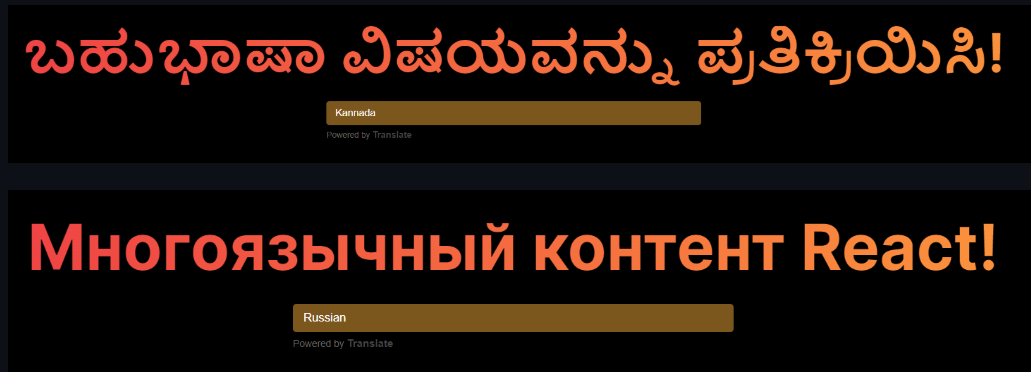
Screenshots
 )
)
Coming Up in Next version
You can pass in array of langauges you wanna show as options in the select element, for users to shift the content of the page to.





