React ⚛️ Native ☎️ Emoji 😊 Picker ⛏️
Super light weight 🪶
6.45 kB if using an asset loader for the emoji json (recommended)
Zer0 dependencies 🚫 👶
Aside from React Native peer obvs
Dark/light mode 🌙☀️
To be or not to be, that is the question
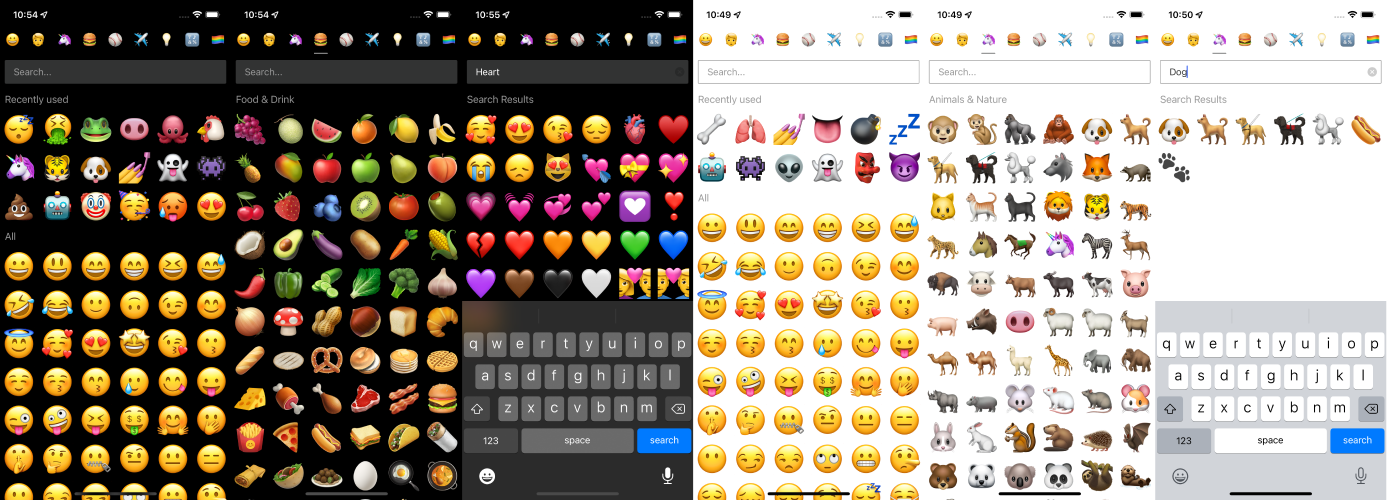
Un-opinionated 🤔
Install 🛠️
npm i rn-emoji-picker or yarn rn-emoji-picker you know what to do!
Example usage 👨💻
import {StyleSheet, View} from 'react-native'
import EmojiPicker, {emojiFromUtf16} from "rn-emoji-picker"
import {emojis} from "rn-emoji-picker/dist/data"
import {useState} from "react"
import {StatusBar} from 'expo-status-bar'
console.log(emojiFromUtf16('1F9E8'))
export default function App() {
const [recent, setRecent] = useState([])
return (
<View style={styles.container}>
<EmojiPicker
emojis={emojis} // emojis data source see data/emojis
recent={recent} // store of recently used emojis
autoFocus={true} // autofocus search input
loading={false} // spinner for if your emoji data or recent store is async
darkMode={true} // to be or not to be, that is the question
perLine={7} // # of emoji's per line
onSelect={console.log} // callback when user selects emoji - returns emoji obj
onChangeRecent={setRecent} // callback to update recent storage - arr of emoji objs
// backgroundColor={'#000'} // optional custom bg color
// enabledCategories={[ // optional list of enabled category keys
// 'recent',
// 'emotion',
// 'emojis',
// 'activities',
// 'flags',
// 'food',
// 'places',
// 'nature'
// ]}
// defaultCategory={'food'} // optional default category key
/>
<StatusBar style="light"/>
</View>
)
}
const styles = StyleSheet.create({
container: {
flex: 1,
backgroundColor: '#000',
paddingTop: 50
},
})
Data structure 📈
Example emoji obj 😊
{
  "category":"smileys & emotion",
  "keywords":[
    "happy",
    "smile",
    "smiley",
    "smiley face",
    "so happy",
    "that’s great",
    "so great",
    "yay",
    "hooray",
    "hurrah",
    "cheerful",
    "delighted",
    "joyful",
    "pleased",
    "grinning face",
    "face",
    "joy",
    ":d",
    "grin",
    "grinning"
  ],
  "name":"grinning face",
  "order":1,
  "unified":"1F600",
  "emoji":"😀"
}





