Latest Threat Research:SANDWORM_MODE: Shai-Hulud-Style npm Worm Hijacks CI Workflows and Poisons AI Toolchains.Details →

sheetsee-maps
Advanced tools

sheetsee-maps - npm Package Compare versions
+175
-29
| var mapbox = require('mapbox.js') | ||
| var ich = require('icanhaz') | ||
| module.exports.buildOptionObject = function(optionsJSON, lineItem) { | ||
| module.exports.buildOptionObject = buildOptionObject | ||
| function buildOptionObject(optionsJSON, lineItem) { | ||
| var newObj = {} | ||
@@ -11,20 +13,36 @@ optionsJSON.forEach(function(option) { | ||
| // for geocoding: http://mapbox.com/tilemill/docs/guides/google-docs/#geocoding | ||
| // create geoJSON from your spreadsheet's coordinates | ||
| module.exports.makeupOptionObject = function(lineItem) { | ||
| var options = [] | ||
| for (var i in lineItem) { | ||
| options.push(i); | ||
| } | ||
| return options | ||
| } | ||
| module.exports.createGeoJSON = function(data, optionsJSON) { | ||
| var geoJSON = [] | ||
| data.forEach(function(lineItem){ | ||
| // skip if there are no coords | ||
| if (!lineItem.long || !lineItem.lat) return | ||
| if (optionsJSON) var optionObj = Sheetsee.buildOptionObject(optionsJSON, lineItem) | ||
| var feature = { | ||
| type: 'Feature', | ||
| "geometry": {"type": "Point", "coordinates": [lineItem.long, lineItem.lat]}, | ||
| "properties": { | ||
| "marker-size": "small", | ||
| "marker-color": lineItem.hexcolor | ||
| }, | ||
| "opts": optionObj, | ||
| var hasGeo = confirmGeo(lineItem) | ||
| if (hasGeo && !lineItem.lat && !lineItem.long) handleLatLong(lineItem) | ||
| console.log("New Line", lineItem) | ||
| if (lineItem.linestring || lineItem.multipolygon) hasGeo = true | ||
| if (!hasGeo) return | ||
| if (!optionsJSON) { | ||
| optionsJSON = makeupOptionObject(lineItem) | ||
| var optionObj = buildOptionObject(optionsJSON, lineItem) | ||
| } else { | ||
| optionObj = buildOptionObject(optionsJSON, lineItem) | ||
| } | ||
| geoJSON.push(feature) | ||
| var type = determineType(lineItem) | ||
| if (lineItem.polygon || lineItem.multipolygon || lineItem.linestring) { | ||
| var shapeFeature = shapeJSON(lineItem, type, optionObj) | ||
| geoJSON.push(shapeFeature) | ||
| } else { | ||
| var pointFeature = pointJSON(lineItem, type, optionObj) | ||
| geoJSON.push(pointFeature) | ||
| } | ||
| }) | ||
@@ -34,7 +52,80 @@ return geoJSON | ||
| // load basic map with tiles | ||
| module.exports.confirmGeo = confirmGeo | ||
| function confirmGeo(lineItem) { | ||
| var hasGeo = false | ||
| if (lineItem.lat && lineItem.long || lineItem.polygon) hasGeo = true | ||
| if (lineItem.latitude && lineItem.longitude || lineItem.polygon) hasGeo = true | ||
| if (lineItem.geolatitude && lineItem.geolongitude || lineItem.polygon) hasGeo = true | ||
| return hasGeo | ||
| } | ||
| module.exports.handleLatLong = handleLatLong | ||
| function handleLatLong(lineItem) { | ||
| if (lineItem.latitude && lineItem.longitude || lineItem.polygon) { | ||
| lineItem.lat = lineItem.latitude | ||
| lineItem.long = lineItem.longitude | ||
| delete lineItem.latitude | ||
| delete lineItem.longitude | ||
| return lineItem | ||
| } | ||
| if (lineItem.geolatitude && lineItem.geolongitude || lineItem.polygon) { | ||
| lineItem.lat = lineItem.geolatitude | ||
| lineItem.long = lineItem.geolongitude | ||
| delete lineItem.geolatitude | ||
| delete lineItem.geolongitude | ||
| return lineItem | ||
| } | ||
| } | ||
| module.exports.pointJSON = pointJSON | ||
| function pointJSON(lineItem, type, optionObj) { | ||
| var lowercaseType = type.toLowerCase() | ||
| var pointFeature = { | ||
| type: "Feature", | ||
| "geometry": { | ||
| "type": type, | ||
| "coordinates": [+lineItem.long, +lineItem.lat] | ||
| }, | ||
| "properties": { | ||
| "marker-size": "small", | ||
| "marker-color": lineItem.hexcolor | ||
| }, | ||
| "opts": optionObj | ||
| } | ||
| return pointFeature | ||
| } | ||
| module.exports.shapeJSON = function(lineItem, type, optionObj) { | ||
| var lowercaseType = type.toLowerCase() | ||
| var coords | ||
| if (type !== "LineString") { | ||
| coords = JSON.parse( "[[" + lineItem[lowercaseType] + "]]" ) | ||
| } else { coords = JSON.parse("[" + lineItem[lowercaseType] + "]") } | ||
| var shapeFeature = { | ||
| type: "Feature", | ||
| "geometry": { | ||
| "type": type, | ||
| "coordinates": coords | ||
| }, | ||
| "properties": { | ||
| "fillColor": lineItem.hexcolor, | ||
| "color": lineItem.hexcolor | ||
| }, | ||
| "opts": optionObj | ||
| } | ||
| return shapeFeature | ||
| } | ||
| module.exports.determineType = determineType | ||
| function determineType(lineItem) { | ||
| var type = "" | ||
| if (lineItem.lat && lineItem.long) type = "Point" | ||
| if (lineItem.polygon) type = "Polygon" | ||
| if (lineItem.multipolygon) type = "MultiPolygon" | ||
| if (lineItem.linestring) type = "LineString" | ||
| return type | ||
| } | ||
| module.exports.loadMap = function(mapDiv) { | ||
| var map = L.mapbox.map(mapDiv) | ||
| // map.setView(, 4) | ||
| // map.addLayer(L.tileLayer('http://{s}.tile.stamen.com/toner/{z}/{x}/{y}.png')) | ||
| map.touchZoom.disable() | ||
@@ -47,14 +138,69 @@ map.doubleClickZoom.disable() | ||
| module.exports.addTileLayer = function(map, tileLayer) { | ||
| var layer = L.mapbox.tileLayer(tileLayer) | ||
| layer.addTo(map) | ||
| var layer = L.mapbox.tileLayer(tileLayer) | ||
| layer.addTo(map) | ||
| } | ||
| module.exports.addMarkerLayer = function(geoJSON, map, zoomLevel) { | ||
| var viewCoords = [geoJSON[0].geometry.coordinates[1], geoJSON[0].geometry.coordinates[0]] | ||
| var markerLayer = L.mapbox.markerLayer(geoJSON) | ||
| markerLayer.setGeoJSON(geoJSON) | ||
| map.setView(viewCoords, zoomLevel) | ||
| // map.fitBounds(geoJSON) | ||
| markerLayer.addTo(map) | ||
| return markerLayer | ||
| } | ||
| module.exports.makePopupTemplate = makePopupTemplate | ||
| function makePopupTemplate(geoJSON) { | ||
| var allOptions = geoJSON[0].opts | ||
| var keys = [] | ||
| for (var i in allOptions) keys.push(i) | ||
| var mustacheKeys = mustachify(keys) | ||
| var template = {} | ||
| template.name ="popup" | ||
| template.template = templateString(mustacheKeys) | ||
| return template | ||
| } | ||
| module.exports.templateString = templateString | ||
| function templateString(mustacheKeys) { | ||
| var template = "<ul>" | ||
| var counter = mustacheKeys.length | ||
| mustacheKeys.forEach(function(key) { | ||
| counter-- | ||
| if (counter === 0) template = template.concat(key, "</ul>") | ||
| else template = template.concat(key) | ||
| }) | ||
| return template | ||
| } | ||
| module.exports.mustachify = mustachify | ||
| function mustachify(array) { | ||
| var newArray = [] | ||
| array.forEach(function(item) { | ||
| item = "<li><b>" + item + ":</b> {{" + item + "}}</li>" | ||
| newArray.push(item) | ||
| }) | ||
| return newArray | ||
| } | ||
| module.exports.addMarkerLayer = function(geoJSON, map, template) { | ||
| if (!template) { | ||
| template = makePopupTemplate(geoJSON) | ||
| ich.addTemplate(template.name, template.template) | ||
| } | ||
| else { | ||
| var template = {"template": template} | ||
| template.name = "popup" | ||
| ich.addTemplate(template.name, template.template) | ||
| } | ||
| var features = { | ||
| "type": "FeatureCollection", | ||
| "features": geoJSON | ||
| } | ||
| var layer = L.geoJson(features, { | ||
| pointToLayer: L.mapbox.marker.style, | ||
| style: function(feature) { return feature.properties } | ||
| }) | ||
| var bounds = layer.getBounds() | ||
| layer.addTo(map) | ||
| map.fitBounds(bounds) | ||
| layer.eachLayer(function(marker) { | ||
| var popupContent = ich[template.name](marker.feature.opts) | ||
| marker.bindPopup(popupContent.html(), {closeButton: false}) | ||
| }) | ||
| return layer | ||
| } |
+3
-2
| { | ||
| "name": "sheetsee-maps", | ||
| "version": "0.0.0", | ||
| "version": "0.0.1", | ||
| "description": "enables map creation functionality with sheetsee.js", | ||
@@ -20,4 +20,5 @@ "main": "index.js", | ||
| "dependencies": { | ||
| "mapbox.js": "~1.3.1" | ||
| "mapbox.js": "~1.3.1", | ||
| "icanhaz": "~0.10.3" | ||
| } | ||
| } |
+70
-30
@@ -1,17 +0,24 @@ | ||
| # sheetsee-maps | ||
| # Sheetsee-maps | ||
|  | ||
| see: [jlord.github.io/sheetsee.js](jlord.github.io/sheetsee.js) | ||
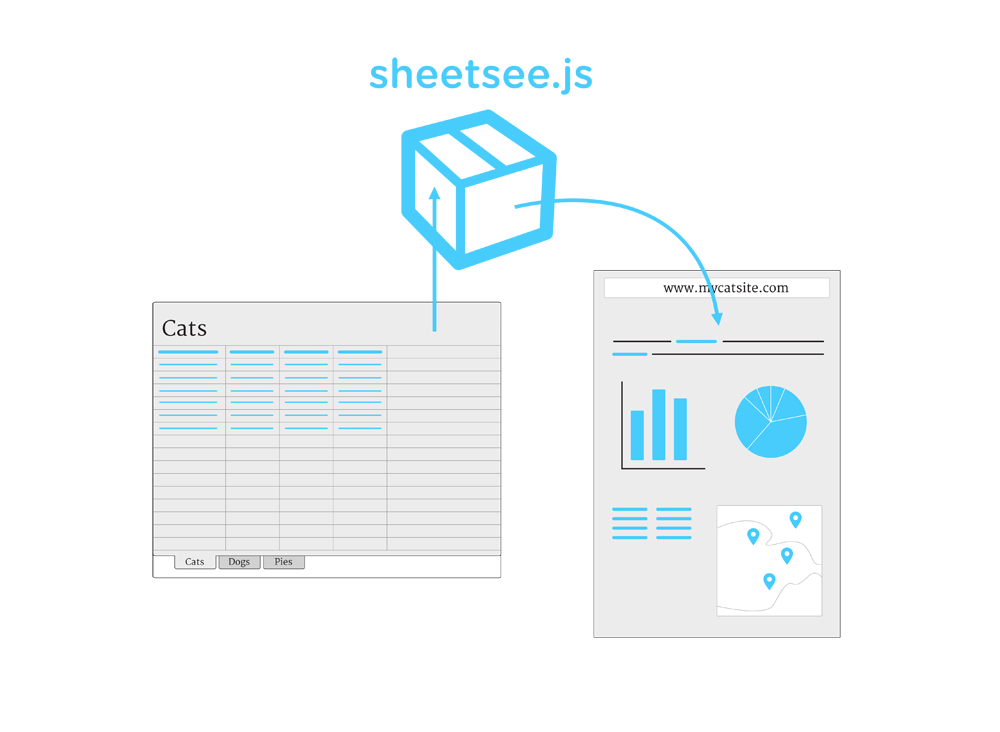
| Module for creating maps with [sheetsee.js](http://jlord.github.io/sheetsee.js). It turns your spreadsheet data into geoJSON to use with mapbox.js. Below is the portion of the sheetsee.js documentation relevant to mapping. For all the documentation, go [here](http://jlord.github.io/sheetsee.js)! | ||
| Sheetsee.js uses [Mapbox.js](http://mapbox.com/mapbox.js) and [Leaflet.js](http://leafletjs.com/) to make maps of your **points**, **polygons**, **lines** or **multipolygons** (all coordinate based). Details on what that actually looks like [here](http://leafletjs.com/examples/geojson.html). | ||
| --- | ||
| You'll create a placeholder `<div>` in your HTML, CSS giving it a size and fire up a map from within `<script>` tags. You can also customize your popup content. | ||
| ## Make a Map | ||
| ## Your HTML Placeholder `<div>` | ||
| Sheetsee.js uses [Mapbox.js](http://mapbox.com/mapbox.js), a [Leaflet.js](http://leafletjs.com/) plugin, to make maps. | ||
| Create an empty `<div>` in your HTML, with an id (name). Add CSS to give it dimensions | ||
| Create an empty `<div>` in your HTML, with an id. | ||
| ```HTML | ||
| <div id="map"></div> | ||
| ``` | ||
| _CSS_ | ||
| <div id="map"></div> | ||
| ```CSS | ||
| #map {width: 500px; height: 500px;} | ||
| ``` | ||
| ## Your `<script>` Functions | ||
| Next you'll need to create geoJSON out of your data so that it can be mapped. | ||
@@ -21,30 +28,37 @@ | ||
| This takes in your **data** and the parts of your data, **optionsJSON**, that you plan in your map's popups. If you're not going to have popups on your markers, don't worry about it then and just pass in your data. | ||
| This takes in your **data** and the parts of your data, **optionsJSON**, that you plan on including in your map's popups. These will be column headers in your spreadsheet. If you're not going to have popups on your markers, don't worry about it then and just pass in your data (by default it will use all the row's information). | ||
| var optionsJSON = ["name", "breed", "cuddlability"] | ||
| var geoJSON = Sheetsee.createGeoJSON(gData, optionsJSON) | ||
| ```javascript | ||
| var optionsJSON = ["name", "breed", "cuddlability"] | ||
| var geoJSON = Sheetsee.createGeoJSON(gData, optionsJSON) | ||
| ``` | ||
| It will return an _array_ in the special geoJSON format that map making things love. | ||
| It will return an _array_ in the special geoJSON format that map making things love. | ||
| [{ | ||
| "geometry": {"type": "Point", "coordinates": [long, lat]}, | ||
| "properties": { | ||
| "marker-size": "small", | ||
| "marker-color": lineItem.hexcolor | ||
| }, | ||
| "opts": {the options you pass in}, | ||
| }} | ||
| ```JAVASCRIPT | ||
| [{ | ||
| "geometry": {"type": "Point", "coordinates": [long, lat]}, | ||
| "properties": { | ||
| "marker-size": "small", | ||
| "marker-color": lineItem.hexcolor | ||
| }, | ||
| "opts": {}, | ||
| }} | ||
| ``` | ||
| ### Sheetsee.loadMap(mapDiv) | ||
| To create a simple map, with no data, you simply call `.loadMap() and pass in a _string_ of the **mapDiv** (with no #) from your HTML. | ||
| To create a simple map, with no data, you simply call `.loadMap()` and pass in a _string_ of the **mapDiv** (with no '#') from your HTML. | ||
| var map = Sheetsee.loadMap("map") | ||
| ```javascript | ||
| var map = Sheetsee.loadMap("map") | ||
| ``` | ||
| ### Sheetsee.addTileLayer(map, tileLayer) | ||
| To add a tile layer, aka a custom map scheme/design/background, you'll use this function which takes in your **map** and the source of the **tileLayer**. This source can be a Mapbox id, a URL to a TileJSON or your own generated TileJSON. See [Mapbox's Documentation](http://mapbox.com/mapbox.js/api/v1.0.2/#L.mapbox.tileLayer) for more information. | ||
| To add a tile layer (aka a custom map scheme/design/background) you'll use this function which takes in your **map** and the source of the **tileLayer**. This source can be a Mapbox id, a URL to a TileJSON or your own generated TileJSON. See [Mapbox's Documentation](http://mapbox.com/mapbox.js/api/v1.0.2/#L.mapbox.tileLayer) for more information. | ||
| Sheetsee.addTileLayer(map, 'examples.map-20v6611k') | ||
| ```javascript | ||
| Sheetsee.addTileLayer(map, 'examples.map-20v6611k') | ||
| ``` | ||
@@ -55,10 +69,36 @@ You can add tiles from awesome mapmakers like [Stamen](examples.map-20v6611k) or create your own in Mapbox's [Tilemill](http://www.mapbox.com/tilemill) or [online](https://tiles.mapbox.com/newmap#3.00/0.00/0.00). | ||
| To add makers to your map, use this function and pass in your **geoJSON** so that it can get the coordinates and your **map** so that it places the markers there. | ||
| To add makers, lines or shapes to your map, use this function and pass in your **geoJSON** so that it can get the coordinates and your **map** so that it places the markers there. You can customize what the content in your marker's popup looks like with a **popupTemplate**, which is an ICanHaz.js template in HTML and can reference the column headers you included in your optionsJSON. | ||
| var markerLayer = Sheetsee.addMarkerLayer(geoJSON, map) | ||
| ```javascript | ||
| var markerLayer = Sheetsee.addMarkerLayer(geoJSON, map, popupTemplate) | ||
| ``` | ||
| ### Sheetsee.addPopups(map, markerLayer) | ||
| Example template: | ||
| To customize the marker popup content in your map use this function and pass in your **map** and **markerLayer**. | ||
| ```javascript | ||
| var popupTemplate = "<h4>Hello {{name}}</h4>" | ||
| ``` | ||
| Sheetsee.addPopups(map, markerLayer) | ||
| #### Source from the [map demo](https://github.com/jlord/sheetsee.js/blob/master/demos/demo-map.html): | ||
| ```JavaScript | ||
| <script type="text/javascript"> | ||
| document.addEventListener('DOMContentLoaded', function() { | ||
| var gData | ||
| var URL = "0Ao5u1U6KYND7dGN5QngweVJUWE16bTRob0d2a3dCbnc" | ||
| Tabletop.init( { key: URL, callback: showInfo, simpleSheet: true } ) | ||
| }) | ||
| function showInfo(data) { | ||
| gData = data | ||
| var optionsJSON = ["placename", "photo-url"] | ||
| var template = "<ul><li><a href='{{photo-url}}' target='_blank'>" | ||
| + "<img src='{{photo-url}}'></a></li>" | ||
| + "<li><h4>{{placename}}</h4></li></ul>" | ||
| var geoJSON = Sheetsee.createGeoJSON(gData, optionsJSON) | ||
| var map = Sheetsee.loadMap("map") | ||
| Sheetsee.addTileLayer(map, 'examples.map-20v6611k') | ||
| var markerLayer = Sheetsee.addMarkerLayer(geoJSON, map, template) | ||
| } | ||
| </script> | ||
| ``` |
No alert changes
Improved metrics
- Total package byte prevSize
10180
105.12%- Lines of code
182
256.86%- Number of lines in readme file
103
63.49%Worsened metrics
- Dependency count
2
100%Dependency changes
+ Added
icanhaz@~0.10.3+ Added
icanhaz@0.10.3(transitive)