shellfie-cli
Turn terminal output into stunning SVG screenshots. Blazing fast.
npm test | npx shellfie
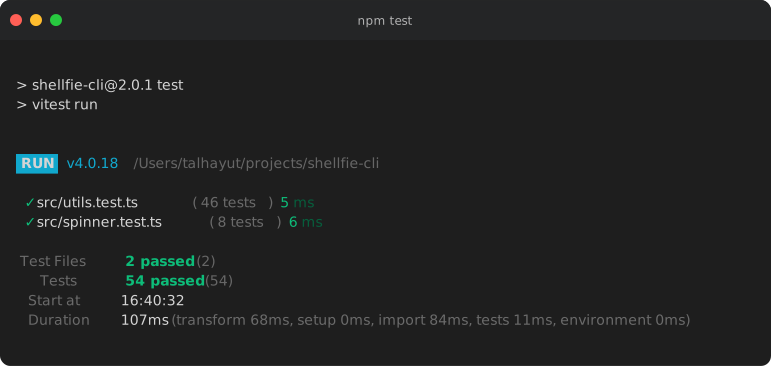
Why shellfie?
- Blazing fast - Built for speed, renders instantly
- Full 256 color support - Captures every color your terminal can display
- Auto syntax highlighting - 12 languages detected and highlighted out of the box
- 37 themes - From Dracula to Nord to Tokyo Night, find your style
- Zero config - Works perfectly with defaults, customize when you want
- Portable SVGs - Embed fonts for pixel-perfect rendering anywhere
Installation
Homebrew (macOS/Linux)
brew install tool3/tap/shellfie
Shell script (macOS/Linux)
curl -fsSL https://raw.githubusercontent.com/tool3/shellfie-cli/master/scripts/install.sh | bash
npm
npx shellfie-cli --help
npm install -g shellfie-cli
npm install shellfie-cli -D
Download binary
Pre-built binaries for macOS, Linux, and Windows are available on the Releases page.
Quick Start
Pipe any command
npm test 2>&1 | shellfie
git log --oneline -10 | shellfie -i "Recent Commits"
ls -la --color=always | shellfie -T nord
From a file
shellfie error.log -o error.svg
shellfie banner.txt -t minimal -T monokai
To stdout
cat output.txt | shellfie --stdout > output.svg
echo "Hello World" | shellfie --stdout | pbcopy
Themes
37 beautiful themes to choose from:
night3024 | a11yDark | base16Dark | base16Light |
blackboard | catppuccinMocha | cobalt | dark |
dracula | draculaPro | duotoneDark | githubDark |
githubLight | gruvboxDark | gruvboxLight | hopscotch |
lucario | material | monokai | nord |
oceanicNext | oneDark | oneLight | pandaSyntax |
paraisoDark | seti | shadesOfPurple | solarizedDark |
solarizedLight | synthwave84 | terminal | tokyoNight |
twilight | verminal | vscode | yeti |
zenburn | | | |
shellfie --list-themes
npm test | shellfie -T dracula
Templates
macos | macOS-style with traffic light buttons (default) |
windows | Windows-style with square buttons |
minimal | Clean, no window chrome |
Options
--output <path> | -o | Output file path | ./shellfie.svg |
--name <name> | -n | Output filename (without extension) | - |
--stdout | -s | Print SVG to stdout instead of file | false |
-t <name> | -t | Window style: macos, windows, minimal | macos |
-T <name> | -T | Color theme (see Themes) | - |
-i <text> | -i | Window title bar text | - |
-W <text> | -W | Watermark text or SVG markup (bottom-right corner) | - |
--watermark-style | | Watermark CSS styles (opacity: 0.5; padding: 20px) | - |
--width <cols> | -w | Terminal width in columns | auto |
--padding <value> | -p | Padding in pixels (16 or top,right,bottom,left) | - |
--font-size <px> | -f | Font size in pixels | 14 |
--line-height <n> | -l | Line height multiplier | 1.4 |
--font-family <css> | -F | CSS font-family string | - |
--embed-font | -e | Embed system font for portable SVGs | false |
--controls | -C | Show window control buttons | true |
--custom-glyphs | -G | Use pixel-perfect box drawing | true |
--language <lang> | -g | Syntax highlighting language | auto |
--highlight | -N | Enable syntax highlighting | true |
--header-height <px> | -H | Custom header bar height | - |
--header-color <hex> | -c | Header background color | - |
--footer-height <px> | -r | Footer bar height | - |
--footer-color <hex> | -R | Footer background color | - |
--list-themes | -L | List all available themes | - |
--list-templates | -P | List all available templates | - |
--help | -h | Show help | - |
--version | -v | Show version | - |
Use --no-<option> to negate boolean flags (e.g., --no-controls, --no-highlight).
Examples
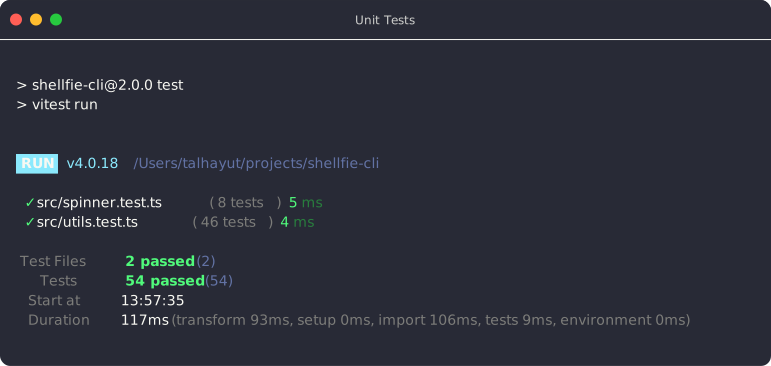
Test results with Dracula theme
npm test 2>&1 | shellfie -T dracula -i "Unit Tests" -o tests.svg
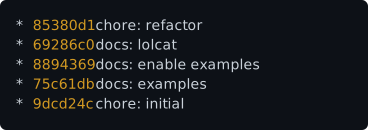
Git log with minimal template
git log --oneline --graph --color=always | shellfie -t minimal -T githubDark
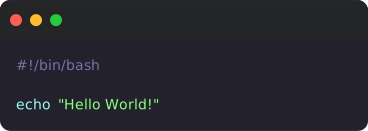
Custom padding and font size
cat script.sh | shellfie -T draculaPro
Embed font for sharing
ls -l | lolcat -f | shellfie -e
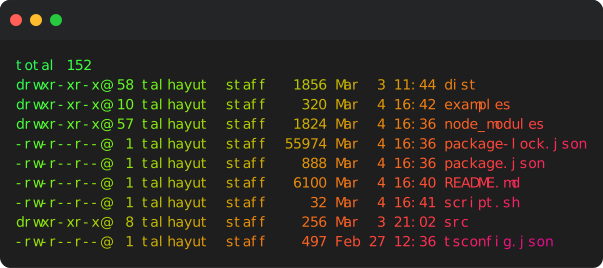
Add watermark
ifconfig | grep inet | shellfie -W "@$USER" -T monokai
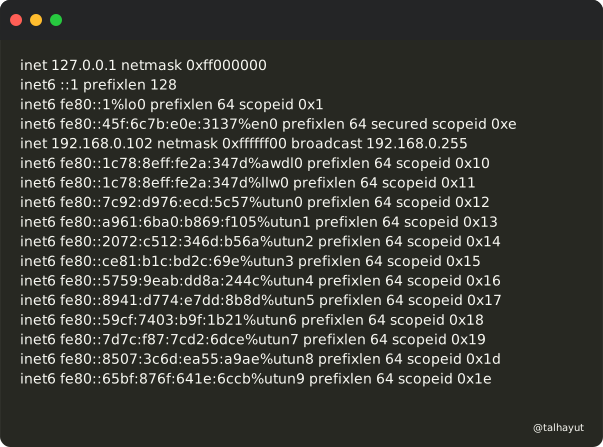
Styled watermark
Watermarks support ANSI escape sequences and CSS styles:
echo "test" | shellfie -W '\033[31m@username\033[0m'
echo "test" | shellfie -W '\x1b[32m@username\x1b[0m'
echo "test" | shellfie -W "@tool3" --watermark-style "opacity: 0.5; padding: 20px"
echo "test" | shellfie -W "@tool3" --watermark-style "font-size: 16px; transform: rotate(-5deg)"
echo "test" | shellfie -W '<a href="https://github.com"><text>GitHub</text></a>'
Tips
Preserve colors
Many commands disable colors when piped. Force them:
ls -la --color=always | shellfie
grep --color=always pattern file | shellfie
git -c color.ui=always log | shellfie
npm test --color | shellfie
Capture stderr
Include error output with 2>&1:
npm test 2>&1 | shellfie
CI/CD Integration
- name: Generate test screenshot
run: npm test 2>&1 | npx shellfie-cli -T githubDark -o test-output.svg
- name: Upload artifact
uses: actions/upload-artifact@v4
with:
name: test-screenshot
path: test-output.svg
npm scripts
{
  "scripts": {
    "test:screenshot": "npm test 2>&1 | shellfie -T dracula -o tests.svg"
  }
}
Related
License
MIT





