


Security News
npm Introduces minimumReleaseAge and Bulk OIDC Configuration
npm rolls out a package release cooldown and scalable trusted publishing updates as ecosystem adoption of install safeguards grows.
By Sarah Gooding - Feb 26, 2026
A little server that enables public access to a Slack server. Like Freenode, but on Slack.
It provides
https://slack.yourdomain.com)<iframe> badge to embed on any website
that shows connected users in realtime with socket.io.Read more about the motivations and history behind Slackin.


For other CloudFoundry providers, follow these instructions.
Install it and launch it on your server:
$ npm install -g slackin
$ slackin "your-team-id" "your-slack-token"
Your team id is what you use to access your login page on Slack (eg: https://{this}.slack.com).
You can find or generate your API test token at api.slack.com/web – note that the user you use to generate the token must be an admin. You need to create a dedicated @slackin-inviter user (or similar), mark that user an admin, and use a test token from that dedicated admin user. Note that test tokens have actual permissions so you do not need to create an OAuth 2 app. Also check out the Slack docs on generating a test token.
The available options are:
Usage: slackin [options] <team-id> <api-token>

Options:

  -?, --help                 output usage information
  -v, --version              output the version number
  -p, --port <port>          Port to listen on [$PORT or 3000]
  -h, --hostname <hostname>  Hostname to listen on [$HOSTNAME or 0.0.0.0]
  -c, --channels [<chan>]    One or more comma-separated channel names to allow single-channel guests [$SLACK_CHANNELS]
  -c, --channel <chan>       Single channel guest invite (deprecated) [$SLACK_CHANNEL]
  -i, --interval <int>       How frequently (ms) to poll Slack [$SLACK_INTERVAL or 5000]
  -P, --path                 Path to serve slackin under
  -s, --silent               Do not print out warns or errors
  -c, --css <file>           Full URL to a custom CSS file to use on the main page
Important: if you use Slackin in single-channel mode, you'll only be able to invite as many external accounts as paying members you have times 5. If you are not getting invite emails, this might be the reason. Workaround: sign up for a free org, and set up Slackin to point to it (all channels will be visible).
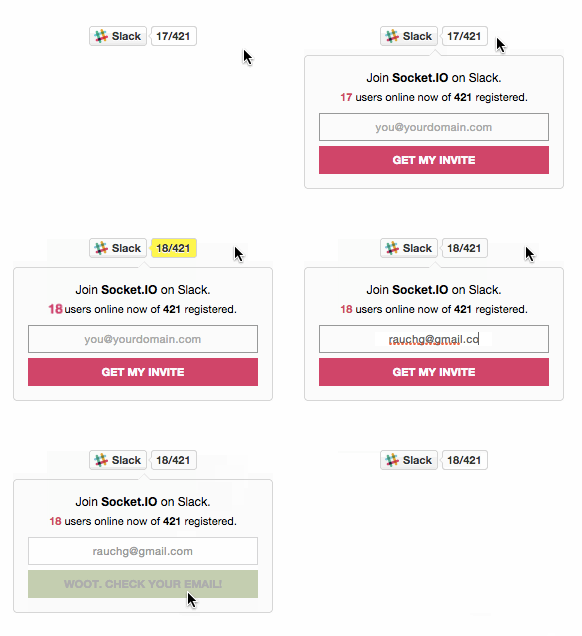
<script async defer src="https://slack.yourdomain.com/slackin.js"></script>
or for the large version, append ?large:
<script async defer src="https://slack.yourdomain.com/slackin.js?large"></script>
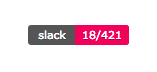
<img src="https://slack.yourdomain.com/badge.svg">
Done in Markdown this looks like:
[](https://yourdomain.com)
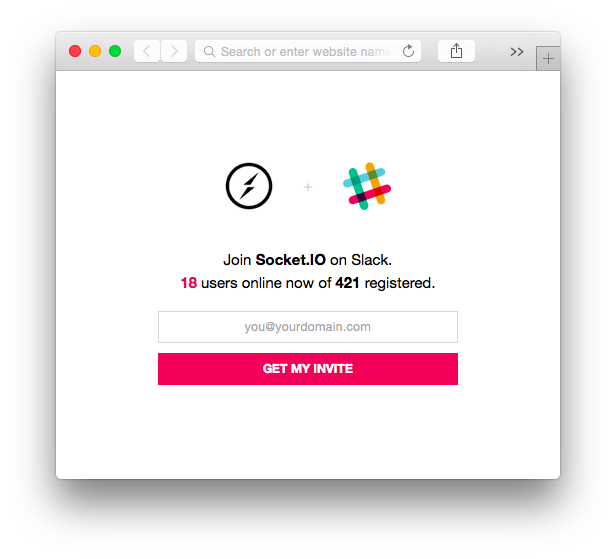
Point to https://slack.yourdomain.com.
Note: the image for the logo of the landing page is retrieved from the Slack API. If your organization doesn't have one configured, it won't be shown.
Requiring slackin as a module will return
a Function that creates a HTTP.Server instance
that you can manipulate.
require('slackin').default({
  token: 'yourtoken', // required
  interval: 1000,
  org: 'your-slack-subdomain', // required
  path: '/some/path/you/host/slackin/under/', // defaults to '/'
  channels: 'channel,channel,...' // for single channel mode
  silent: false // suppresses warnings
}).listen(3000);
This will show response times from Slack and how many online users you have on the console.
By default logging is enabled.
Slackin's server side code is written in ES6. It uses babel to transpile the ES6 code to a format node understands. After cloning Slackin, you should install the prerequisite node libraries with npm:
$ npm install
After the libraries install, the postinstall script will run gulp to invoke
babel on the source. It is important to run gulp manually after updating any
files in lib/ to update the versions in node/.
MIT
FAQs
Public Slack organizations made easy
The npm package slackin receives a total of 12 weekly downloads. As such, slackin popularity was classified as not popular.
We found that slackin demonstrated a not healthy version release cadence and project activity because the last version was released a year ago. It has 1 open source maintainer collaborating on the project.
Did you know?

Socket for GitHub automatically highlights issues in each pull request and monitors the health of all your open source dependencies. Discover the contents of your packages and block harmful activity before you install or update your dependencies.
Security News
npm rolls out a package release cooldown and scalable trusted publishing updates as ecosystem adoption of install safeguards grows.

Security News
AI agents are writing more code than ever, and that's creating new supply chain risks. Feross joins the Risky Business Podcast to break down what that means for open source security.

Research
/Security News
Socket uncovered four malicious NuGet packages targeting ASP.NET apps, using a typosquatted dropper and localhost proxy to steal Identity data and backdoor apps.