Slot Machine Generator





Create an extremely biased, web-based slot machine game.
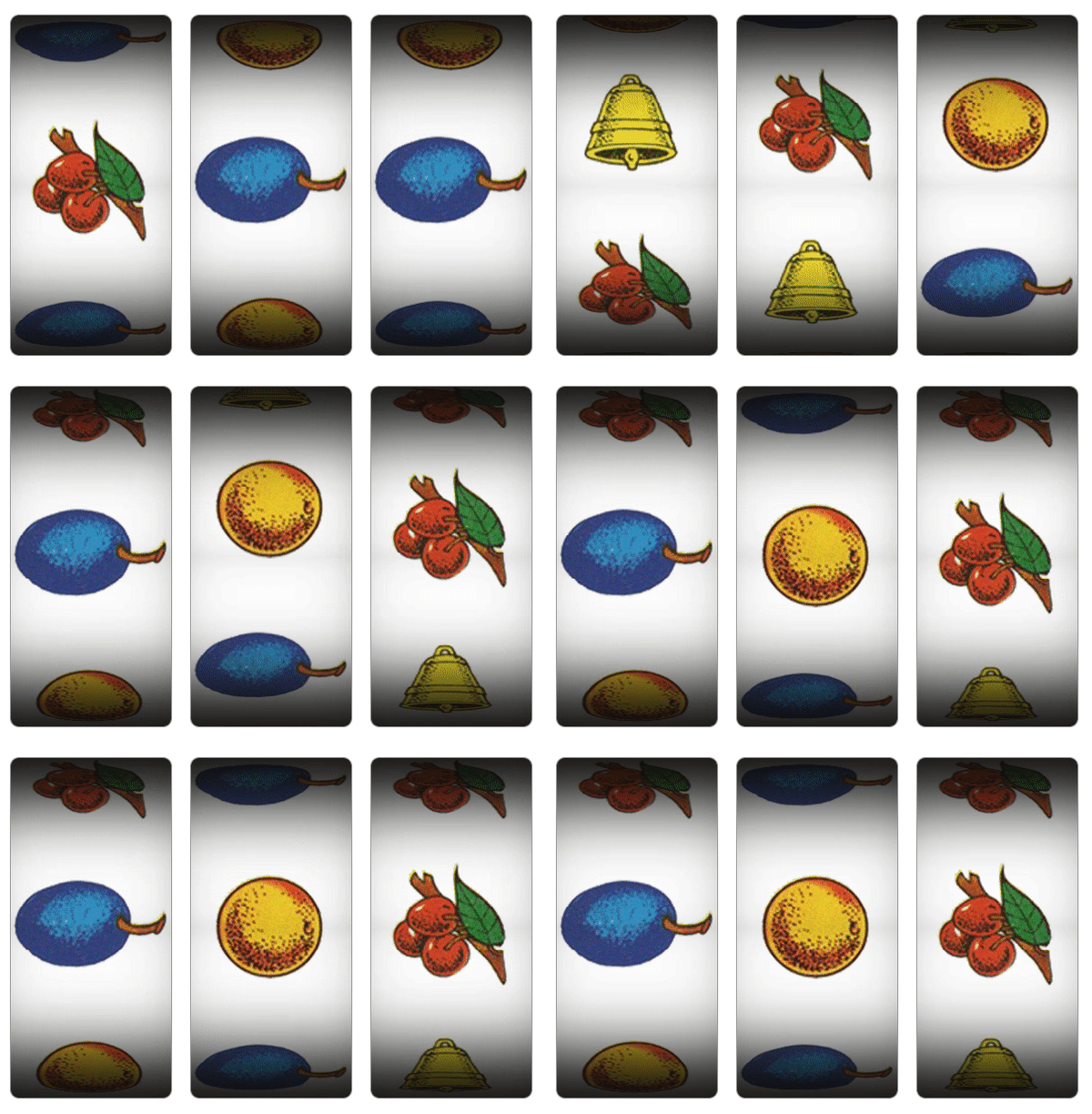
Features
- Faux-panoramic reel animations (3D cylinder, without
<canvas>)
- Support for single/multi-line reels and pay-lines.
- Pseudo-random selections by configured weight.
- Configurable RNG (to make it less biased)
- Configurable sound clips for reel animations.
- Easy to set-up and customize. No dependencies.
Checkout the demo for examples of use.
Dependencies
Installation
Install the package into your project using NPM, or download the sources.
$ npm install slot-machine-gen
Alternative
To add to an existing React or Vue project you can install this package using YARN.
React
$ yarn add react-slot-machine-gen
Vue
$ yarn add vue-slot-machine-gen
Usage
There are two ways you can use this package. One is by including the JavaScript/CSS sources directly. The other is by importing the module into your component.
Script include
After you build the distribution sources the set-up is fairly simple..
<script type="text/javascript" src="path/to/slot-machine.min.js"></script>
<link rel="stylesheet" href="path/to/slot-machine.min.css" media="all" />

<script type="text/javascript">
  slotMachine(container, reels, callback, options);
</script>
Module import
If your using a modern framework like Aurelia, Angular, React, or Vue
import SlotMachine from 'slot-machine-gen';
import 'slot-machine-gen/dist/slot-machine.css';

const slotMachine = new SlotMachine(container, reels, callback, options);
HTML markup
<div id="slot-machine" class="slot-machine"></div>
Reels configuration
Outside of a reel image source, symbols must contain the following:
| title | Name of the strip symbol | String |
| position | Symbol center (in pixels) calculated from the strip top | Number |
| weight | Selection weight (>1 increases odds) | Number |
Example
const reels = [
{
imageSrc: 'path/to/image.png',
symbols: [
{
title: 'cherry',
position: 100,
weight: 2
},
{
title: 'plum',
position: 300,
weight: 6
},
{
title: 'orange',
position: 500,
weight: 5
},
{
title: 'bell',
position: 700,
weight: 1
},
{
title: 'cherry',
position: 900,
weight: 3
},
{
title: 'plum',
position: 1100,
weight: 5
}
}
},
]
Methods
slotMachine.play();
Game options
Customization and overriding defaults can be done using the following options:
| reelHeight | Reel background image height (in pixels) | Number | 1320 |
| reelWidth | Reel background image width. | Number | 200 |
| reelOffset | Reel background image vertical offset. | Number | 20 |
| slotYAxis | Slot vertical axis rotation (in degrees). | Number | 0 |
| animSpeed | Slot animation speed (in milliseconds) | Number | 1000 |
| click2Spin | Add event to display to spin reels | Boolean | true |
| rngFunc | Custom RNG between 0 (inclusive) and 1 (exclusive) | Function | Math.random() |
| sounds | Audio clip URLs for reels animation events | Object | {reelsBegin, reelsEnd} |
Callback
This method returns an array of selected reel symbols that can be used to compute scoring, show animations, handle client interactions, etc..
const callback = function(symbols) {
  if (symbols[0].title === 'cherry' && symbols[1].title === 'cherry' && symbols[2].title === 'cherry') {
    window.alert("You're a winner!");
  }
};
Customizing symbols
Creating a custom strip is fairly easy. What is most important is that each symbol, whether an image or blank space, contains a vertical position that can be measured by calculating the symbol center (in pixels) from the strip top. A Photoshop example has been provided with this package for reference.
Developers
CLI options
Run ESLint on project sources:
$ npm run lint
Transpile ES6 sources (using Babel) and minify to a distribution:
$ npm run build
Contributions
If you fix a bug, or have a code you want to contribute, please send a pull-request with your changes. (Note: Before committing your code please ensure that you are following the Node.js style guide)
Versioning
This package is maintained under the Semantic Versioning guidelines.
License and Warranty
This package is distributed in the hope that it will be useful, but without any warranty; without even the implied warranty of merchantability or fitness for a particular purpose.
slot-machine-gen is provided under the terms of the MIT license
Author
Marc S. Brooks





