ThePopeBot
Build autonomous AI agents that work for you 24/7, individually or in teams.
What You Get
- Runs 24/7 — set up tasks and your agent handles them around the clock, no babysitting
- Does real work — writes code, opens pull requests, completes multi-step tasks end to end
- Agent clusters — build teams of agents that coordinate and work together on bigger jobs
- Full visibility — every action is a commit you can review, approve, or undo

Get priority support HERE
How It Works
┌──────────────────────────────────────────────────────────────────────┐
│ │
│ ┌─────────────────┐ ┌─────────────────┐ │
│ │ Event Handler │ ──1──► │ GitHub │ │
│ │ (creates job) │ │ (job/* branch) │ │
│ └────────▲────────┘ └────────┬────────┘ │
│ │ │ │
│ │ 2 (triggers run-job.yml) │
│ │ │ │
│ │ ▼ │
│ │ ┌─────────────────┐ │
│ │ │ Docker Agent │ │
│ │ │(Pi/Claude Code) │ │
│ │ └────────┬────────┘ │
│ │ │ │
│ │ 3 (creates PR) │
│ │ │ │
│ │ ▼ │
│ │ ┌─────────────────┐ │
│ │ │ GitHub │ │
│ │ │ (PR opened) │ │
│ │ └────────┬────────┘ │
│ │ │ │
│ │ 4a (auto-merge.yml) │
│ │ 4b (rebuild-event-handler.yml) │
│ │ │ │
│ 5 (notify-pr-complete.yml / │ │
│ │ notify-job-failed.yml) │ │
│ └───────────────────────────┘ │
│ │
└──────────────────────────────────────────────────────────────────────┘
You interact with your bot via the web chat interface or Telegram (optional). The Event Handler creates a job branch. GitHub Actions spins up a Docker container with the Pi coding agent. The agent does the work, commits the results, and opens a PR. Auto-merge handles the rest. You get a notification when it's done.
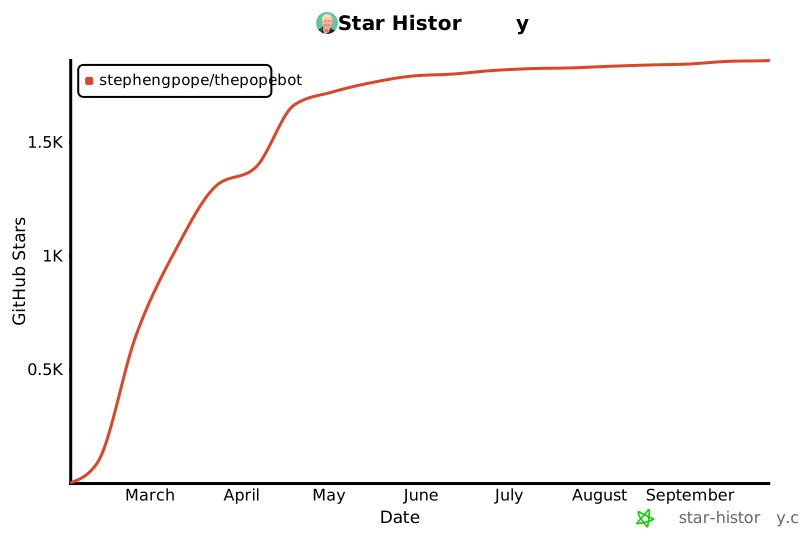
Star History
Get Started
Prerequisites
*ngrok is only required for local installs without port forwarding. VPS/cloud deployments don't need it. Sign up for a free ngrok account, then run ngrok config add-authtoken <YOUR_TOKEN> before starting setup.
Two steps
Step 1 — Scaffold a new project:
mkdir my-agent && cd my-agent
npx thepopebot@latest init
This creates a Next.js project with configuration files, GitHub Actions workflows, and agent templates. You don't need to create a GitHub repo first — the setup wizard handles that.
Step 2 — Run the setup wizard:
npm run setup
The wizard walks you through everything:
- Checks prerequisites (Node.js, Git, GitHub CLI)
- Creates a GitHub repository and pushes your initial commit
- Creates a GitHub Personal Access Token (scoped to your repo)
- Collects API keys (Anthropic required; OpenAI, Brave optional)
- Sets GitHub repository secrets and variables
- Generates
.env
- Builds the project and starts Docker for you
That's it. Visit your APP_URL when the wizard finishes.
- Web Chat: Visit your APP_URL to chat with your agent, create jobs, upload files
- Telegram (optional): Run
npm run setup-telegram to connect a Telegram bot
- Webhook: Send a POST to
/api/create-job with your API key to create jobs programmatically
- Cron: Edit
config/CRONS.json to schedule recurring jobs
Chat vs Agent LLM
Your bot has two sides — a chat side and an agent side.
Chat is the conversational part. When you talk to your bot in the web UI or Telegram, it uses the chat LLM. This runs on your server and responds in real time.
Agent is the worker. When your bot needs to write code, modify files, or do a bigger task, it spins up a separate job that runs in a Docker container on GitHub. That job uses the agent LLM.
By default, both use the same model. But during setup, you can choose different models for each — for example, a faster model for chat and a more capable one for agent jobs. The wizard asks "Would you like agent jobs to use different LLM settings?" and lets you pick.
Using a Claude Subscription (OAuth Token)
If you have a Claude Pro ($20/mo) or Max ($100+/mo) subscription, you can use it to power your agent jobs instead of paying per API call. During setup, choose Anthropic as your agent provider and say yes when asked about a subscription.
You'll need to generate a token:
npm install -g @anthropic-ai/claude-code
claude setup-token
Paste the token (starts with sk-ant-oat01-) into the setup wizard. Your agent jobs will now run through your subscription. Note that usage counts toward your Claude.ai limits, and you still need an API key for the chat side.
See Claude Code vs Pi for more details on the two agent backends.
Local installs: Your server needs to be reachable from the internet for GitHub webhooks and Telegram. On a VPS/cloud server, your APP_URL is just your domain. For local development, use ngrok (ngrok http 80) or port forwarding to expose your machine.
If your ngrok URL changes (it changes every time you restart ngrok on the free plan), you must update APP_URL everywhere:
npx thepopebot set-var APP_URL https://your-new-url.ngrok.io
npm run setup-telegram
Updating
npx thepopebot upgrade
npx thepopebot upgrade @beta
npx thepopebot upgrade 1.2.72
Saves your local changes, syncs with GitHub, installs the new version, rebuilds, pushes, and restarts Docker.
What it does:
- Saves any local changes you've made
- Pulls the latest from GitHub (stops if there are conflicts)
- Installs the new version and updates project files
- Rebuilds your project
- Pushes everything to GitHub
- Restarts Docker containers (if running)
Pushing to main triggers the rebuild-event-handler.yml workflow on your server. It detects the version change, runs thepopebot init, updates THEPOPEBOT_VERSION in the server's .env, pulls the new Docker image, restarts the container, rebuilds .next, and reloads PM2 — no manual docker compose needed.
Upgrade failed? See Recovering from a Failed Upgrade.
See CLI Reference for full details on init, managed vs user files, template conventions, and all CLI commands.
Security
thepopebot includes API key authentication, webhook secret validation (fail-closed), session encryption, secret filtering in the Docker agent, and auto-merge path restrictions. However, all software carries risk — thepopebot is provided as-is, and you are responsible for securing your own infrastructure. If you're running locally with a tunnel (ngrok, Cloudflare Tunnel, port forwarding), be aware that your dev server endpoints are publicly accessible with no rate limiting and no TLS on the local hop.
See Security for full details on what's exposed, the risks, and recommendations.
Different Models
The Event Handler (chat, Telegram, webhooks) and Jobs (Docker agent) are two independent layers — each can run a different LLM. Use Claude for interactive chat and a cheaper or local model for long-running jobs, mix providers per cron entry, or run everything on a single model.
See Different Models for the full guide: Event Handler config, job defaults, per-job overrides, provider table, and custom provider setup.
Docs
| Architecture | Two-layer design, file structure, API endpoints, GitHub Actions, Docker agent |
| CLI Reference | init, managed vs user files, template conventions, all CLI commands |
| Configuration | Environment variables, GitHub secrets, repo variables, ngrok, Telegram setup |
| Customization | Personality, skills, operating system files, using your bot, security details |
| Chat Integrations | Web chat, Telegram, adding new channels |
| Different Models | Event Handler vs job model config, per-job overrides, providers, custom provider |
| Auto-Merge | Auto-merge controls, ALLOWED_PATHS configuration |
| Deployment | VPS setup, Docker Compose, HTTPS with Let's Encrypt |
| Claude Code vs Pi | Comparing the two agent backends (subscription vs API credits) |
| How to Build Skills | Guide to building and activating agent skills |
| Pre-Release | Installing beta/alpha builds |
| Code Workspaces | Interactive Docker containers with in-browser terminal |
| Clusters | Agent clusters — groups of Docker containers spawned from role definitions |
| Hacks | Tips, tricks, and workarounds |
| Mobile Testing | Testing on mobile devices |
| Security | Security disclaimer, local development risks |
| Upgrading | Automated upgrades, recovering from failed upgrades |
Maintainer
| NPM | Updating skills, versioning, and publishing releases |





