Latest Threat Research:SANDWORM_MODE: Shai-Hulud-Style npm Worm Hijacks CI Workflows and Poisons AI Toolchains.Details
Socket
Book a DemoInstallSign in
Socket

three-editor-release

Package Overview
Dependencies
Maintainers
1
Versions
4
Alerts
File Explorer

Advanced tools

Socket logo

Install Socket

Detect and block malicious and high-risk dependencies

Install
Package version was removed
This package version has been unpublished, mostly likely due to security reasons

three-editor-release

unpublished
npmnpm
Version
3.0.0
Weekly downloads
0
-100%
Maintainers
1
Weekly downloads
 
Created
Source

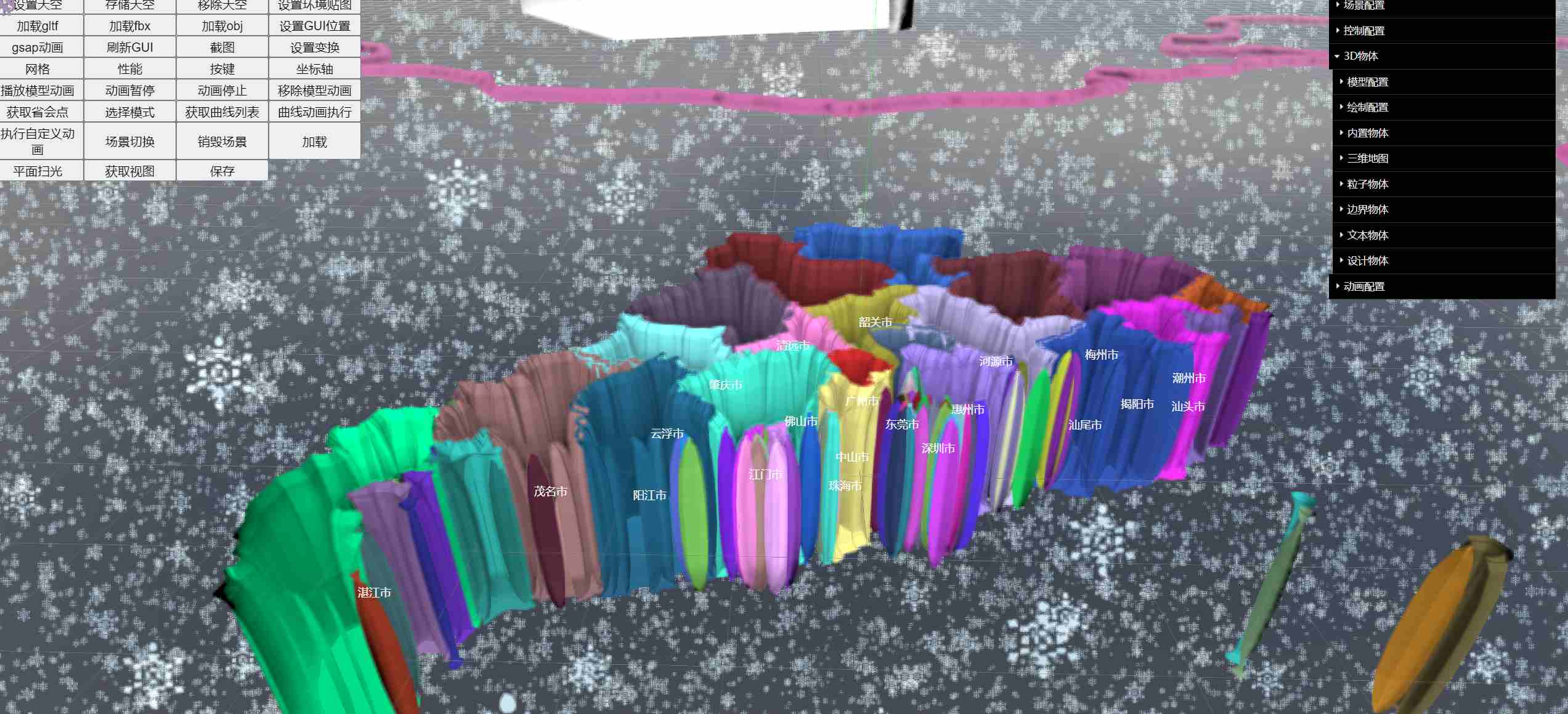
🍀Three编辑器 - 内核

  • 编辑器内核 three-editor-cores 1.0.0版本源码 此内核源码开发耗费作者巨大精力。

  • 注意: 此内核包, 功能齐全, 拥有 新/旧 编辑器 three-editor 仓库的 所有内置功能。

  • node 18 以上 Three.js 0.158.0 原生态构建 —— 分享知识,开源不易,自行打赏🍃

  • 简易使用预览 https://z2586300277.github.io/three-editor-cores/

  • 原生Three.js Cesium.js 案例 https://github.com/z2586300277/three-cesium-examples 1000+ Star ⭐

  • Copyright (c) threehub.cn email:2586300277@qq.com All rights reserved.

  • 这是一个 集成 three.js 等依赖的库 build 打包为一个 js 文件 发布到 npm 仓库使用, 专注 编辑器 造轮子 (three.js 低代码, 组件化, 内核框架)

  • API文档不全,自行查看

预览赞助我

npm install  three-editor-cores 

THREE.js 0.157.0

引入


import { ThreeEditor } from 'three-editor-cores'

const { ThreeEditor } = require('three-editor-cores')

设置draco 解码器路径


ThreeEditor.dracoPath = '/draco/'

js 技巧


/**
 * 挟制监听 
 */

let originalAdd = scene.add

scene.add = function (object) {

  originalAdd.apply(scene, arguments)

}

创建场景


const ThreeEditor = new ThreeEditor({

    threeBoxRef: document.querySelector('#threeBox'), 

    rendererParams: {

        fps: null,  // fps 控制 传 null 不控制, 根据电脑分辨率 HZ

        pixelRatio: window.devicePixelRatio * 1,   // 分辨率参数

        webglRenderParams: { antialias: true, alpha: true, logarithmicDepthBuffer: true },  // 同 three.js WebglRenderer 通用参数 

        userPermissions: {  autoPlace: true, proxy: false }  // 用户权限  autoPlace false 不挂载到页面上  proxy 空对象 代理 dat.gui 

    },

    sceneParams: JSON.parse(localStorage.getItem('sceneParams')), // 场景参数 没有可以不传, 保存后生成

    meshListParams: JSON.parse(localStorage.getItem('meshListParams')), // 物体对象参数 没有可以不传 保存后生成

    skyParams: JSON.parse(localStorage.getItem('skyParams')), // 天空盒子参数  注:此天空盒会同时设置为全局环境贴图 没有可不传 自行生成和保存

    // 编辑器场景保存回调
    saveEditorCallBack: (sceneParams, meshListParams) => {

        localStorage.setItem('sceneParams', JSON.stringify(sceneParams))

        localStorage.setItem('meshListParams', JSON.stringify(meshListParams))

    }

})

threeEditor.viewer  // 包含场景 所有 对象 

threeEditor.progressList  // 初次加载每一个模型进度控制

threeEditor.progressList.forEach(i => i.loaderService.progress = e => yourCallBack(e)) // 将你的回调 挂接获取每一个进度

销毁场景


threeEditor.viewer.destroySceneRender()

适配屏幕


window.onresize = () => threeEditor.viewer.renderSceneResize()

viewer 下属性


transformControls.dragChangeCallback = (v) => {} // 控制器拖拽回调

chartsMapControls.geoGroupLoadCall = (group) => {} // 地理地图加载完成回调 注:重构

chartsMapControls.geoGroupAllLoadedCall = () => {} // 所有地图加载完毕

API


/**
 * e DOM click/dblclick/mousemove/mouseup/mousedown 事件  
 * 
 * info 返回点击相关信息
 */

threeEditor.getSceneEvent(e, (info) => ())

/**
 * 原生未处理事件 group  从 group 中进行查找
 * 
 * return 获取相交所有元素
 */

threeEditor.getRawSceneEvent(e, group)

/**
 * 注:重构
 * 
 * 传递参数
 *
 * { type: 'GLTF', url: 'HOST/yCar.glb' },
 *
 * { type: 'FBX', url: 'HOST/tileset.FBX' },
 *
 * { type: 'OBJ', url: 'HOST/resource/objHouse/house.obj' },
 *
 * 根据传参增加相关mesh 模型对象
 * 
 * return { loaderService, type } 自动push progressList
 */

const { loaderService, rootInfo } = threeEditor.setModelFromInfo({ type: 'GLTF', url: 'HOST/yCar.glb' })

loaderService.progress = e => console.log(e) // 单一进度回调

loaderService.complete = (model) => console.log('加载完成') // 单一加载完成回调

/**
 * 设置天空盒子 图片地址列表 urls
 * 
 * [1.png, 2.png, 3.png, 4.png, 5.png, 6.png]
 */

threeEditor.setSky(urls)

/**
 * 设置全局环境贴图资源
 * 
 * 值同 上  天空盒
 */

threeEditor.setGlobalEnvBackground(urls)

/**
 * 设置二维DOM 元素
 * 
 * DOM 传入的dom元素
 * 
 * point 传入的坐标点
 * 
 * return mesh  属性 destroy() 销毁方法  更新重新调用 setCss2dDOM
 * 
 * 注:移除事件 生成完毕 => dom.style.pointerEvents = 'none'
 */

const mesh = threeEditor.setCss2dDOM(document.querySelector('#your_dom'),point) 

mesh.destroy() 

/**
 * 设置三维DOM 元素
 * 
 * DOM 传入的dom元素
 * 
 * point 传入的坐标点
 * 
 * return mesh  属性 destroy() 销毁方法  更新重新调用 setCss3dDOM
 * 
 * 注:移除事件 生成完毕 => dom.style.pointerEvents = 'none'
 */
 
const mesh = threeEditor.setCss3dDOM(document.querySelector('#your_dom'),point)

mesh.destroy()

/**
 * 计算两点之间的 指定距离比例点
 * 
 * p1, p2 , 比例 , :例如计算相机与点击点之间的 0.5 比例点
 * 
 * return vector3
 */ 

threeEditor.getDistanceScalePoint(camera.position, info.point, 0.5)

/**
 * 补间动画 例如: 对camera.position 视角补间 , controls.target 视角中心补间
 * 
 * vector3 旧的三维向量, vector3_ 更改后的三维向量 可以是对象 { x: 0, y: 0, z: 0 }
 * 
 * gsapQuery { duration: 3, ease: 'none', repeat: 0, yoyo: false , onUpdate: () => {}, onComplete: () =>{} }
 * 
 * duration 动画时间
 * 
 * ease 缓动函数
 * 
 * repeat 重复次数
 * 
 * yoyo 往返播放
 * 
 * onUpdate 动画更新回调
 * 
 * onComplete 动画完成回调
 * 
 * return gsapControl 动画对象 用于控制动画 gsapControl.pause() gsapControl.play() gsapControl.kill()
*/

threeEditor.setGsapAnimation(vector3, vector3_, gsapQuery)

/**
 * 设置GUI DOM 位置  userPermissions: { autoPlace: false}  autoPlace 需要设置成false
 * 
 * DOM 传入的GUI 父级dom元素
 * 
 * return { GUIDom, remove () } 返回GUIDom, 和 dom 移除方法 
 * 
 * 可通过GUIDom.style.display 控制显示隐藏
 */

threeEditor.setGUIDomPosition(DOM)

/**
 * 设置轮廓光选中
 * 
 * model 模型对象 数组形式
 * 
 * 清空传 []
 */

threeEditor.setOutlinePass([model])

/**
 * 保存
 */

threeEditor.saveSceneEditor()

/**
 * 刷新GUI 数据 使GUI 数据与mesh 数据同步
 */

threeEditor.refreshGUI()

/**
 * 场景截图
 * 
 * 例 params = ['image/jpeg', 0.9]  => toDataURL(...params) 
 */

threeEditor.getSceneEditorImage(params)

/**
 * 设置场景模式
 * 
 * mode = '选择', '根选择', '变换', '场景绘制', '点击信息'
 */

threeEditor.setSceneControlMode(mode)

/**
 * 设置控制器属性
 * 
 * showX showY showZ => Boolean, translationSnap rotateSnap scaleSnap => Number  mode => 'translate' || 'rotate' || 'scale'
 */

threeEditor.setTransformControlsProperty('showX', false)

/**
 * 设置操作选项
 *  
 * key = grid || axes || openKey || stats  : value = true || false
 */

threeEditor.setOperateOption('stats', Math.random() > 0.5 ? true : false)

/**
 * 根据参数播放模型动画
 *  
 * 参数 mesh => 加载的模型对象  模型如果存在动画 则mesh 会携带以下属性
 * 
 * animations => 模型动画列表
 * 
 * animationPlayParams => 模型动画播放参数 与GUI一致 修改会进行保存 如下 可自行修改
 * 
 * { initPlay: false, speed: 0.5, actionIndexs: [animations.length], startTime: 0, loop: true, frameCallback: () => { } }
 * 
 * initPlay 是否初始化播放 speed 播放速度 actionIndexs: [需要播放得动画 bool] startTime 播放开始时间 loop 是否循环播放 frameCallback 每一帧回调
 * 
 * return { mixer: 播放器, actions:播放列表 }   暂停/继续 actions.forEach(i => i.paused = !i.paused)  停止:i.stop()  播放:i.play() 
 */

const model = threeEditor.viewer.currentInfo?.currentRootModel

const _actions = Math.random() > 0.5 ? [1, 3, 5, 7] : [2, 4, 6, 8]

model.animationPlayParams.actionIndexs.forEach((_, k, arr) => arr[k] = _actions.includes(k))

const { mixer, actions } = threeEditor.setModelAnimationPlay(model)

mixer.addEventListener('finished', (e) => console.log(123))

/**
 * 移除模型动画
 * 
 * 参数 mesh => 模型对象
 */

threeEditor.removeModelAnimation(mesh)

/**
 * 生成立方体
 * 
 * size 尺寸  color 颜色
 */

threeEditor.setBoxGeometry(size, color)

/**
 * 地理物体 group 使用
 * 
 * 属性 url, materialType 同生成地理地图
 * 
 * geoInfo => 同geojson 数据拷贝加工, geoInfo?.properties?.centerCoord3 地理区块行政中心原三维坐标 
 * 
 * 方法 getTransformedVector(Vector3) => 根据模型转换坐标
 * 
 */

group.children.forEach(i => {

  if (i.geoInfo?.properties?.centerCoord3) {

    const mesh = threeEditor.setBoxGeometry(10, 'red')

    mesh.position.copy(getTransformedVector(i.geoInfo?.properties.centerCoord3))

    threeEditor.viewer.scene.add(mesh)

  }

})

/**
 * 设置物体材质
 * 
 * params = material 参数
 * 
 * mesh.meshRevertMaterial() => 恢复原材质
 */

threeEditor.changeMeshMaterial(group, params)

/**
 * 设置物体变换
 * 
 * params = position, rotation, scale 参数
 * 
 * mesh.meshRevertTransform() => 恢复原变换
 */

threeEditor.changeMeshTransform(group, params)

/**
 * 地图设置浮动变化 注:重构
 * 
 * 变换材质 可使用 changeMeshMaterial Api
 * 
 * changeMeshTransform 可实现物体变换,实际地图场景可能并不适用, 需要特定并结合动画手写
 */

let currnetMeshName = null

let meshs = []

threeEditor.viewer.chartsMapControls.geoGroupLoadCall = (group) => {

  if (group.name !== '带事件') return

  const { raycaster, getIntersects } = threeEditor.getRawSceneEvent()

  raycaster.far = 1000

  document.querySelector('#threeBox').addEventListener('mousemove', (e) => {

    const intersects = getIntersects(e, group.children)

    const i = intersects.find((i) => i.object.text !== 'TransformControls' && i.object.isMesh)

    if (!i) return

    if (currnetMeshName === i.object.name) return

    currnetMeshName = i.object.name

    meshs.forEach(i => {

        i?.meshRevertMaterial()

        i?.meshRevertTransform()

    })

    // 修改形状
    meshs = group.children.filter(j => j.name === i.object.name)

    meshs.forEach(i => {

       threeEditor.changeMeshTransform(i, { scale: { x: 1, y: 1, z: 3 } })

       threeEditor.changeMeshMaterial(i, { color: 'blue', opacity: 1 })

    })

  })

}

/**
 * 三维向量计算  物体变换后结果
 * 
 * point 传入的坐标点 object: { position, rotation, scale }
 */

threeEditor.pointSyncTransform(point, mesh)

/**
 * 获取场景曲线列表
 * 
 * return [{ path, mesh }]
 */

threeEditor.getSceneCurveList()

/**
 * 根据曲线生成曲线动画
 * 
 * 参数 path => 曲线路径 speed => 速度
 * 
 * return { time: 时间 0-1, speed, paused: 暂停, destroy: 销毁, frameCallback:(p) => 每一帧, frameEndCallback: () => 结束 } 实时更新
 * 
 * 注: 返回的此对象并不针对一次动画, 重复动画, 将time 重置为0, paused 重置为false 
 */

threeEditor.setCurveAnimation(curve, 1)

/**
 * 案例: 物体曲线动画
 */

const { mesh, path } = threeEditor.getSceneCurveList()[0] // 获取一条曲线

const curveAnimate = threeEditor.setCurveAnimation(path, 1) // 生成当前曲线的动画控制器

const mesh1 = threeEditor.viewer.scene.getObjectByName('运动')

// 每一帧回调 
curveAnimate.frameCallback = p => {

  // 想要实现何种动画逻辑
  mesh1.position.copy(

    // 坐标点同步
    threeEditor.pointSyncTransform(p, mesh)

  )

}

curveAnimate.start()

/**
 * 自定义物体变换动画 播放
 * 
 * mesh/ group  下的transformAnimationList 为自定义变换动画列表 = [action, action]
 * 
 * action = { name, _transformInfo: 旧变换信息 , transformInfo_: 新变换信息 , gsapParams { mode: gsap 函数方式 , query:  gsapQuery } }
 * 
 * setGsapMeshAction 执行物体的变换动画
 * 
 * 传值 mesh, action._transformInfo, action.transformInfo_, action.gsapParams
 * 
 * return promise => 动画执行
 */

const mesh = threeEditor.viewer.scene.getObjectByName('大楼')

const { transformAnimationList } = mesh

// 时间轴组合如
transformAnimationList.forEach((i, k) => {

  setTimeout(() => {

    i.gsapParams.query.onUpdate = () => { }

    threeEditor.setGsapMeshAction(mesh, i._transformInfo, i.transformInfo_, i.gsapParams)

  }, k * 2000)

})

/**
 * 获取最佳视角
 * 
 * model 模型对象  scale 视角缩放比例 默认2.5
 * 
 * return { target, position }
 */

threeEditor.getBestViewTarget(model, scale)

/**
 * 获取视图api
 * 
 * getObjectViews(object, fov = camera.fov) return { 视图 点} 
 */

threeEditor.getObjectViews(object)

/**
 * 场景根物体根据 前缀进行分组
 * 
 * 参数 prefix =>  '全部' || [ '场景1', '场景2']
 */

threeEditor.setSceneFromClassify(['#1'])

// ---:例 转场
const { camera, controls } = threeEditor.viewer

  const [end, start] = controls.viewAngleList  // 此前预设的两级下转视角

  // 第一次视角切换
  setGsapAnimationLook(start).then(() => {

    // 场景模型切换 天空 等 任意操作
    threeEditor.setSceneFromClassify(['场景2'])

    threeEditor.setSky([])

    // 第二次视角切换
    setGsapAnimationLook(end)

  })

function setGsapAnimationLook(viewAngle) {

  return Promise.all([

    new Promise((resolve) => {

      threeEditor.setGsapAnimation(camera.position, viewAngle.position, { duration: 2, onComplete: resolve })

    }),

    new Promise((resolve) => {

      threeEditor.setGsapAnimation(controls.target, viewAngle.target, { duration: 2, onComplete: resolve })

    })

  ])

}

/**
 * mesh 或 group 进行材质克隆
 * 
 * 增加 isCloneMaterial = true 属性 originMaterial = 原材质 备份
 */

threeEditor.meshGroupCloneMaterial(mesh/group)

/**
 * 额外 API
 * 
 * import { createSkySphereShader, createScanPlane, getLight } from 'three-editor-cores'
 */

createSkySphereShader({ materialType }) // 返回天空球 mesh 属性调节 uniforms

createScanPlane({ materialType, url }) // 返回扫描平面 mesh 属性调节 uniforms

getLight('PointLight') // 返回光源

FAQs

Did you know?

Socket

Socket for GitHub automatically highlights issues in each pull request and monitors the health of all your open source dependencies. Discover the contents of your packages and block harmful activity before you install or update your dependencies.

Install

Related posts