


Security News
AI Agent Lands PRs in Major OSS Projects, Targets Maintainers via Cold Outreach
An AI agent is merging PRs into major OSS projects and cold-emailing maintainers to drum up more work.
By Sarah Gooding - Feb 14, 2026
use-algolia
Advanced tools
Dead-simple React hook to make Algolia search queries. Supports pagination out of the box.
Dead-simple React hook to make Algolia search queries. Supports pagination out of the box.
Requires React >= 16.8.0 and algoliasearch 4.
yarn add react algoliasearch use-algolia
Pass the Algolia app ID, search API key, and index name to the hook call.
If you don’t have one of the three on the first hook call, pass in an empty
string and use setAlgoliaConfig.
See the example below.
Optionally, pass the initial request options as the fourth argument.
See https://www.algolia.com/doc/api-reference/search-api-parameters/ for all
options.
Access the returned hits, response, loading, and hasMore from searchState.
const [searchState, requestDispatch, getMore] = useAlgolia(
  APP_ID,
  SEARCH_KEY,
  INDEX_NAME,
  { query: 'construction' }
);

const { hits, response, loading, hasMore } = searchState;
Call requestDispatch with options to make a new Algolia search request. Note
this will shallow merge your previous request options. Making new requests
will immediately reset hits to an empty array and set loading to true.
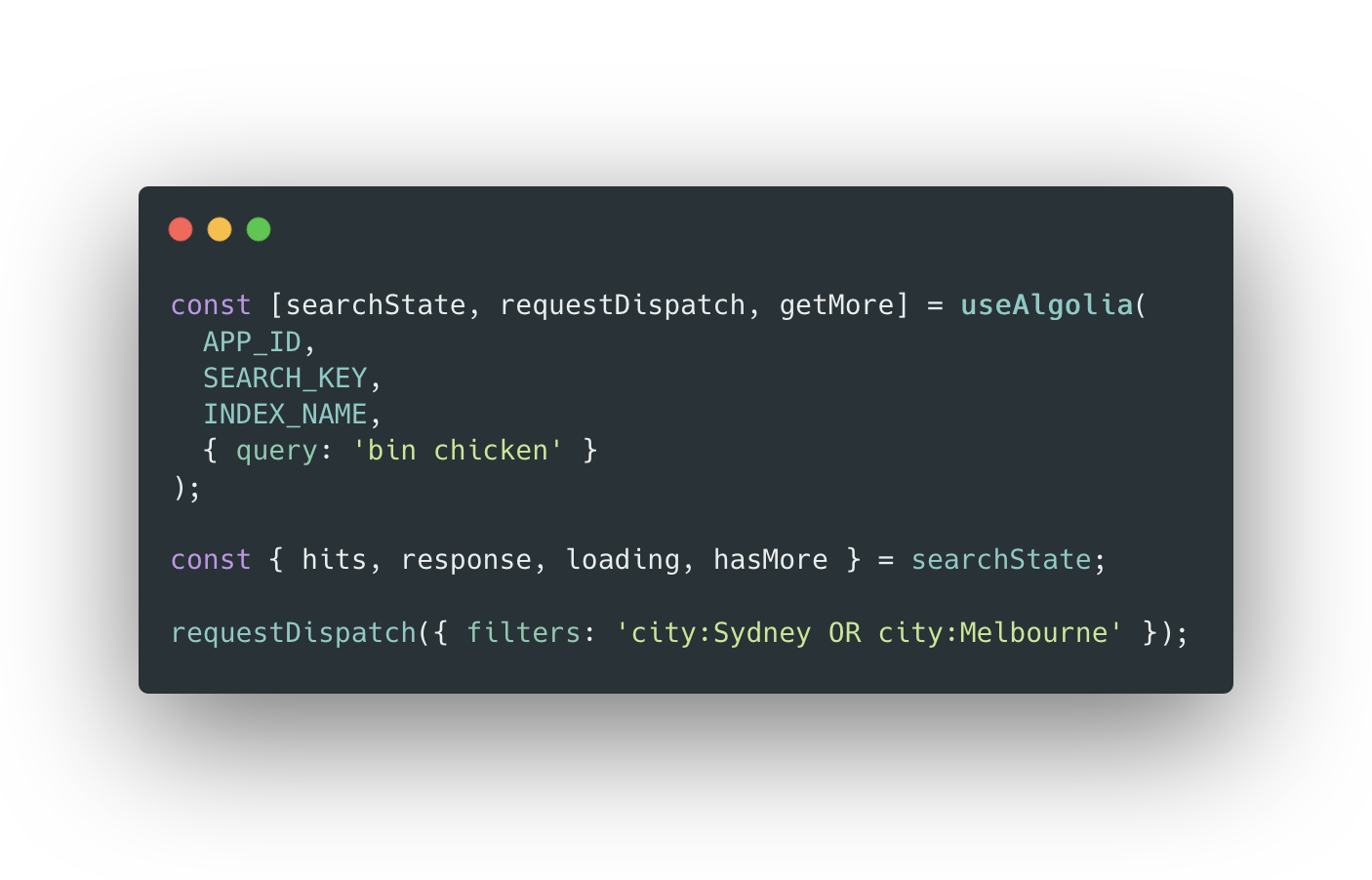
requestDispatch({ query: 'bin chicken' });

// Create a new request with query: 'bin chicken' AND the filters below.
requestDispatch({ filters: 'city:Sydney OR city:Melbourne' });

// Creates a new request, resetting query and filters. Same as retrieving all objects.
requestDispatch({ query: '', filters: '' });
Call getMore to get the next page of hits. Get all hits from
searchState.hits, not searchState.response.hits.
You could also manually pass in page to requestDispatch to get a specific
page or skip pages. Calling getMore after doing so will still work.
Include hitsPerPage in your request. Initially set to
Algolia’s default of 20.
const [searchState, requestDispatch, getMore] = useAlgolia(
  APP_ID,
  SEARCH_KEY,
  INDEX_NAME,
  { hitsPerPage: 100 }
);

// OR after initial query:
requestDispatch({ hitsPerPage: 100 });
If you’re using TypeScript, pass the hit type as the generic type parameter.
Hits will have objectID.
type Hit = {
  title: string;
  year: number;
  actors: string[];
};

const [searchState, requestDispatch, getMore] = useAlgolia<Hit>(
  APP_ID,
  SEARCH_KEY,
  INDEX_NAME
);

// hits will have type readonly (Hit & ObjectWithObjectID)[]
const { hits } = searchState;
You can change the appId, searchKey, or indexName using
setAlgoliaConfig, the fourth function returned by the hook:
const [, , , setAlgoliaConfig] = useAlgolia('', '', '');

setAlgoliaConfig({
  appId: APP_ID,
  searchKey: SEARCH_KEY,
  indexName: INDEX_NAME,
});
This will automatically do the first query on the new index if all three items are provided.
You can access the search index created by the hook in searchState to call the
searchForFacetValues method. See
https://www.algolia.com/doc/api-reference/api-methods/search-for-facet-values/
Note: index may be null if one of appId, searchKey, or indexName is
missing or invalid in searchState.
See Changing query index or other Algolia config above.
const [searchState] = useAlgolia('', '', '');
const { index } = searchState;

if (index) index.searchForFacetValues('city');
| Key | Type | Description |
|---|---|---|
| hits | (Hit & ObjectWithObjectID)[] | Contains all hits for search query, including all pages retrieved. |
| response | SearchResponse or null | Response to last query. Contains only last page of hits retrieved. Initially null. See https://www.algolia.com/doc/api-reference/api-methods/search/#response |
| loading | boolean | True if a request is being loaded, either to load initial request or when loading more hits. |
| hasMore | boolean | True if there are more pages to be retrieved. |
| appId | string | Algolia App ID. |
| searchKey | string | API key to search the index. |
| indexName | string | Algolia index to query. |
| index | SearchIndex or null | Exposed Algolia search index. Note we use the lite client, which only supports the search and searchForFacetValues methods. |
| request | SearchOptions | Exposed search request options passed to the last request. From previous requestDispatch calls. |
Based on the original hook by @shamsmosowi.
Bootstrapped with tsdx and published with np.
useAlgolia is created by Antler Engineering.

Also check out our open-source project Firetable: an accessible and powerful content management experience for Google Cloud with a spreadsheet-like UI for Firestore.
At Antler, we identify and invest in exceptional people.
We’re a global startup generator and early-stage VC firm that builds groundbreaking technology companies.
Apply now to be part of a global cohort of tech founders.
FAQs
Dead-simple React hook to make Algolia search queries. Supports pagination out of the box.
We found that use-algolia demonstrated a not healthy version release cadence and project activity because the last version was released a year ago. It has 4 open source maintainers collaborating on the project.
Did you know?

Socket for GitHub automatically highlights issues in each pull request and monitors the health of all your open source dependencies. Discover the contents of your packages and block harmful activity before you install or update your dependencies.
Security News
An AI agent is merging PRs into major OSS projects and cold-emailing maintainers to drum up more work.

Research
/Security News
Chrome extension CL Suite by @CLMasters neutralizes 2FA for Facebook and Meta Business accounts while exfiltrating Business Manager contact and analytics data.

Security News
After Matplotlib rejected an AI-written PR, the agent fired back with a blog post, igniting debate over AI contributions and maintainer burden.