


Product
Rust Support in Socket Is Now Generally Available
Socket’s Rust and Cargo support is now generally available, providing dependency analysis and supply chain visibility for Rust projects.
By Trevor Norris - Jan 19, 2026
vuejs-pagination
Advanced tools
vue分页组件, 同时支持数据缓存
Vue.js (基于 2.1.0)
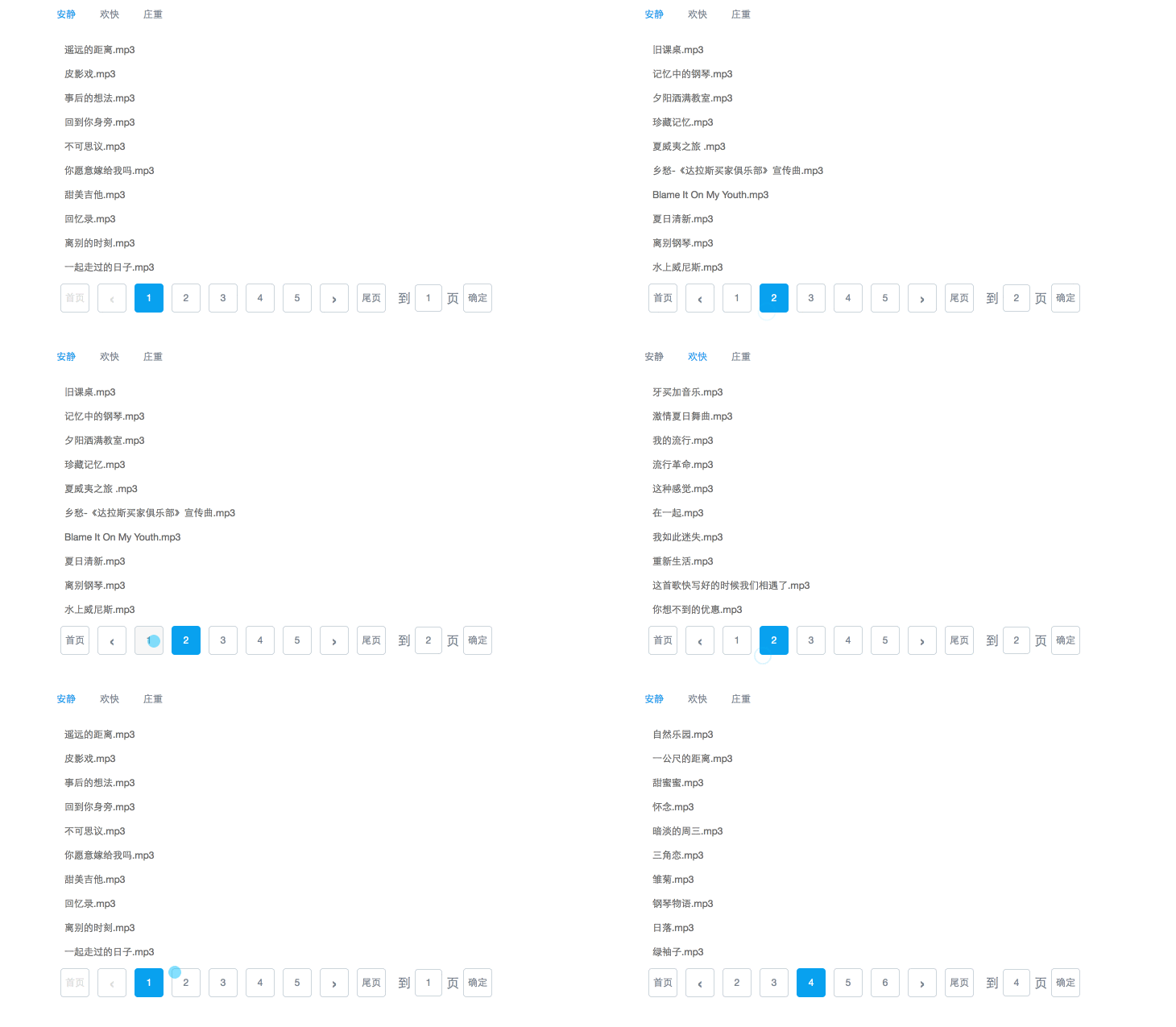
npm install vuejs-pagination --save-dev
<body id="app">
    <pagination
        :page-num="pageNum"            //总页码, 必须
        :current-page="activePage"    //当前页, 必须
        @change="val=>currentPage = val">        //触发事件, 必须
    </pagination>
</body>
import Pagination from 'vuejs-pagination'
new Vue({
    el: '#app',
    data:function() {
        return{
            pageNum : 1, //总页数, 默认1
            activePage : 1 //当前页, 默认1
        }
    }
})
缓存功能
<pagination
    :types="types"                 //该接口类型
    :cache-list="list"             //需要缓存的内容
    :page-num="pageNum"            //总页码
    :current-page="activePage"     //当前页
    v-on:change="change">        //页码变化触发事件
</pagination>
//翻页后请求接口前, 先获取缓存数据, 如果没有, 再调用接口
methods: {
    change : function(){
        this.$nextTick(() => {
            const cache = this.$refs.page.getCache();
            if (cache) {
                this.list = cache;
                return;
            }
            $.ajax({
                url : 'xxx'
            })
        }
    }
}
| Name | Default | Required | Description |
|---|---|---|---|
| page-num | 1 | true | 总页码 |
| current-page | 1 | true | 当前页 |
| page-size | 5 | false | 显示几个页码,需大于3 |
| go-btn | true | false | 是否展示跳页按钮 |
| cache-list | false | 需要缓存的数据 | |
| types | false | 需要缓存数据的类型 |
| Name | Params | Required | Description |
|---|---|---|---|
| change | val(点击的哪页) | true | 当点击其他页时,会触发该方法 |
FAQs
vue带缓存功能的分页器
We found that vuejs-pagination demonstrated a not healthy version release cadence and project activity because the last version was released a year ago. It has 1 open source maintainer collaborating on the project.
Did you know?

Socket for GitHub automatically highlights issues in each pull request and monitors the health of all your open source dependencies. Discover the contents of your packages and block harmful activity before you install or update your dependencies.
Product
Socket’s Rust and Cargo support is now generally available, providing dependency analysis and supply chain visibility for Rust projects.

Security News
Chrome 144 introduces the Temporal API, a modern approach to date and time handling designed to fix long-standing issues with JavaScript’s Date object.

Research
Five coordinated Chrome extensions enable session hijacking and block security controls across enterprise HR and ERP platforms.